





whipdancer
Members
-
Joined
-
Last visited
Everything posted by whipdancer
-
In the terminal, the only way to see a share is to navigate to `/mnt/usr`. If you 'ls' you will see whatever shares are defined. As far as terminal commands are concerned (AFAICT), a share is folder under `/mnt/usr` - `/mnt/usr/data`, '/mnt/usr/TV', etc. The rules of where the data is stored are defined at the share level in Unraid. If I copy/move a file to '/mnt/usr/MyShare' - I don't know what drive it will specifically be on unless that share is mapped to a single drive. Movies, TV, Music shares were set to use most of my drives (I believe 8 out of 10 of my data drives). The data share is configured identically.
-
What I had: Shares - Movies, TV, Music What I did: Create "data" share. Using the terminal - create a folder `/mnt/usr/data/media`. Then, I moved the Movies folder from `/mnt/usr/` to `/mnt/usr/data/media/`. Repeat for TV and Music.
-
Correct. All my used drives have been from ServerPartsDeals on ebay. They've been in business for a while. I've bought 10 drives so far, 8TB to 16TB, including WD Ultrastar, Seagate Exos, Seagate Ironwolf and Toshiba. I treat any drive I buy, new or used, the same - it gets 3 passes of preclear before anything else. I've had new drives and used drives fail this process (and more new drives failed than used). My most recent purchase was for new drives because of a ridiculous deal WD had on a 2-fer for WD Pro 18TB (which was ~$8 per TB IIRC) - 1 of them failed the 3x preclear process, so I had it replaced under warranty. I had the same issue with 1 drive I bought from ServerPartsDeals - and had it replaced under their warranty. The only advantage WD has is they would do an advanced replace, where they send me the new drive before my old drive actually gets to them - but they've only offered that to me once (and I've had 5 total "new" WD drives fail previously prior to warranty expiration). Given the hassle WD and Seagate have made their warranty process for retail drives - I see no point in paying their premium anymore.
-
I don’t buy anything else these days unless it’sa ridiculously good deal.
-
You're missing the point - so much software today is a monthly subscription model. If it's software that I use all the time, I'd much rather pay for it outright and avoid any subscription model. I changed a word that hopefully makes it more clear to you.
-
Compared to the other subscription models where you're spending $10 (or more) per month, I'll pay the $250 to get lifetime. I'm unlikely to change server OS's once I pick one (assuming nothing drastic happens), so the lifetime cost makes sense to my wallet and peace of mind. I've been using unraid since version 4. It's the best money I've spent on software.
-
Never had issues with it. Cooling can suffer if you don't have a fan blowing on the drives in the unit.
-
Is anything by Intel a good alternative? I've been trying to work through this same issue (currently on Ryzen/AM4 platform).
-
Unless your UPS has a feature to automatically turn on when power is restored - you don't.
-
Unless I can find factual evidence of it negatively impacting my use, I don't worry about it.
-
Sent you a PM.
-
I assumed you were referring to the physical slot (you only have a 4x physical slot). Assuming that is the case, then an adapter will work. If you have the physical slot size, but it run at 1x (or something below optimal) it will also work. Both cases, the result is that you lose bandwidth. Here's an example - http://www.cryptocables.com/wp-content/uploads/2013/04/1x.jpg (just something I found, not saying buy this one or from this vendor).
-
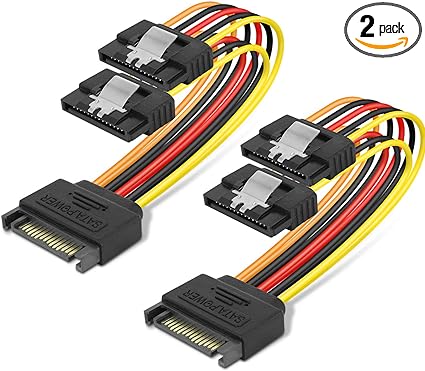
I've never seen a PSU with 20 sata power connectors, either. At my worst, I was running 24 drives using a number of power splitters (1-n power splitters/adapter cables) on an 800w PSU. I just tried to split them between the 2 rails the sata connections were on. I've since gone for higher density and am actively reducing drive count.
-
I've only ever dealt with 8x and 16x HBAs. You can use an adapter to fit an 8x (or 16x) in a 4x slot. You lose bandwidth but it will still work.
-
Are you talking about power splitters? Regardless, you will need enough power to deal with the spin-up power requirements. A relatively simple calculation to estimate. One reason you may want a more expensive PSU is to have separate rails. When powering that many drives, you want to make sure you don't starve something else because you have momentarily heavy demand.
-
You can start here.
-
This card runs hot. I was warned about it when I bought it. I run dedicated fans for it. When I asked about monitoring it, I was told just as @JorgeB mentioned - they weren't aware of built-in way to monitor it.
-
After I preclear it, assuming it passed, yes.
-
I have carpet downstairs, so I ran Cat6 from the router that is physically next to the modem tucked under the carpet, along the baseboards from the back of the house to the fron t of the house. Previously (different rental), I can all my Cat5e thru the attic and did my own drops in the walls I was interested in. Then all I had to do was add a new "outlet" to the wall for the ethernet cable. Why not have them run it through the attic?
-
Can you run wiring yourself (I do that even when I'm renting)?
-
I estimate ~9w per mechanical drive, with room for about 10 drives per plug on my PSU. I use a relatively high quality 700w power supply to power 18 drives currently, including 15 mechanical, 2 SSD and 1 optical.
-
You can find extra long power and sata cables on Amazon. You can also find sata and/or power extenders on Amazon. You can also find 6 pin cables for your PSU that end in 4 pin molex connectors (old school power supply plugs) and you can then use long 4 pin to sata power cables. The schematics are not that difficult so you could also roll your own. You can see the case I use (for now) in my sig.
-
I understand that and have been in that situation before. I once went over 2 weeks with my missing drive in emulation mode. Never again. I always buy a spare. In fact, when I buy a drive, I'm replacing my spare. The drive that was my spare will be going into my server. I also put every drive I buy through a full stress test. I use the preclear plugin (3 full passes) if I can connect it to my server or one of the other drive burn-in scripts I've found if I have to do it some other way.
-
Run an extended smart report. That's a common practice, so I'm not surprised. Since you're running parity, you can remove the offending drive, install a replacement and allow it to rebuild parity. You'll be fine as long as you don't lose another drive.
-
No. I think it’s likely you got 2 bad drives. I’d look at the date code info on all 4 to see if they are all from a single batch/lot.

