





Kilrah
Members
-
Joined
-
Last visited
Everything posted by Kilrah
-
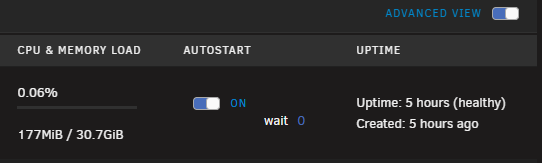
How many containers? There's a known issue (caused at Unraid level) when the submission is too long with some workarounds posted earlier.Yup they added it recently after someone had the same issue. transcode folder is gonna be regularly emptied for cleanup, there must not be anything else in whatever you select or it'll be gone.If you were on 7.2.0-beta1 that was one of the known issues.What unraid version? Plugins up to date? Any non-standard theme used?Enable Advanced view on top right.
 Hence why I mentioned a tool that will record CPU/RAM usage of each container and that you can go check after it happens. Kinda comes with the job of server admin you're taking on when you build a server with a bunch of services instead of using a commercial service where you pay someone else to do it for you...If you still have the drive you removed and haven't erased it the data will be on it.What VMs are you running? Any media servers set to transcode to RAM? There's a python process that seems to keep running away and get killed, you can tuse something like Beszel to track container RAM usage and figure out where that comes from. Different OS isn't gonna help you if an app has a problem.Since it's complaining about the database it's likely a space problem on your appdata volume.Check you haven't pinned the version yourself.The OS uses probably about 2, whatever other services you run will use some, and the total used shouldn't exceed about 80% of total capacity or apps and the kernel may start to take drastic measures to save RAM / kill things.Just add the individual appdata subfolders you want there instead of the whole appdata folder since that makes no sense as everything would then be backed up twice/using the plugin at all would become pointless. Can also just archive those once and then remove them from appdata, makes no sense to do scheduled backups of things that are no longer in use and don't change anymore.Post an actual screenshot, this doesn't show where it is. If it's in the historical section then it's normal as it'll remember every unassigned device that was connected. You can delete it from there. But what's the problem with it being there?Did you try updating the NIC driver on the Windows side?FWIW i've never had bidir iperf work "right", usually i spin up both a server and a client on each side and run them at the same time, seems to be more reliable to assess the network.Click on the Thumbs up react on the rules postReboot? Did you unmount and remove it from UD before decommissionning it?The wording could be better and there could be a "missing file" warning instead of "corrupted" when that's what's happening, but in the context of what this plugin is for it doesn't really matter. Whole point of it is "that stuff should never change", it sent an alert when it did so it did its job.The plugin can't know, all it knows is there was a file there with a certain hash when it last scanned and that doesn't match anymore. You'd ned to have it rescan to pick up the changes.They don't, they precisely only know about what you pass them in container configuration, so if you want something to be in a share you pass that location and the container will have no idea it's on one.What are your paths in "Appdata Sources" at the top? Should include all direct and /mn/user paths of your appdata folders.I mean as long as all lfs stuff goes to a dedicated path you can add a mapping to it to whatever you want.Repos are usually small, about 1.3GB in my case so to me it all lives in appdata and thus gets a daily backup like all the other important appdata. Speed probably wouldn't be a factor because same, small stuff anyway.There are some "drive full" messages in the previously posted diags but nothing suggests it's about the flash drive. No drives there show as full. Try reposting diagnostics after it fails again (you can type diagnosticswhile connected via ssh and grab the file from the flash drive in the logs folder after a shutdown).

