





Everything posted by Kilrah
-
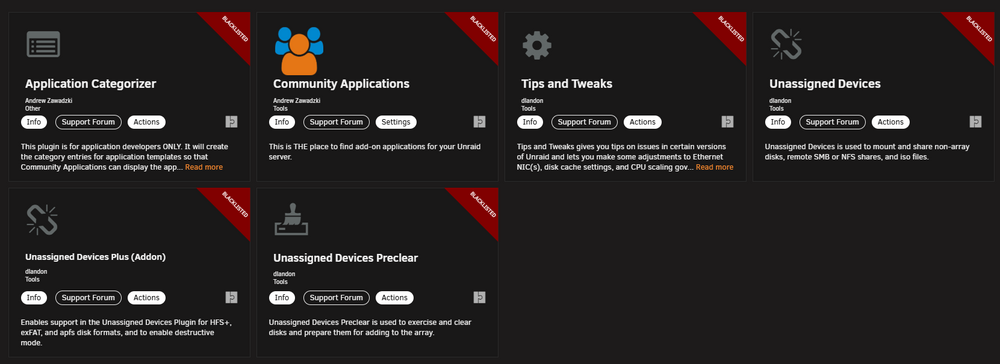
@Squid Looks like last update github had issues, some files failed to download, resulting in a bunch of plugins including CA itself to be blacklisted. Dunno if that'll self-heal or you need to manually restore them once done... i guess there are some checks to add 😁 EDIT: Yup, not fixing itself
-
AFAIK Unraid doesn't have any EMMC drivers. Hasn't showed on the couple of machines I've tested.
-
N150 iGPU funktioniert mit 7.1.4, Apps/Containers müssen aber neue Libs nützen. Mit Jellyfin ist alles OK.How did you install it? If it's from a template in Apps then check that template's support thread, probably will be documented or have other users mention the requred changes.I've been doing web login since that was available, no issue either. Or maybe if you're running crowdsec, I've seen that it gets easily triggered by the NC client unless you manually add exceptions.Got it installed on a dozen machines and never had that issue, once logged in it's logged in.Wrong support threadCorrect Yep Fine for me, I don't care that it's the first day of the month, but starting it on a Sunday is good since I don't have much regular stuff scheduled that day, since most things are day of week dependent it makes more sense to me than day of month.
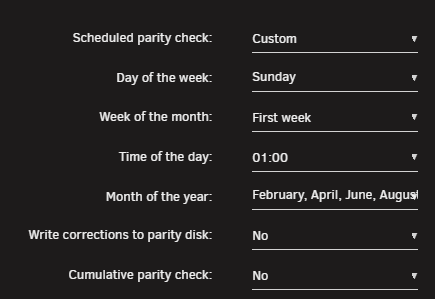 There you have it, reread that. Every day of the first week is doing exactly what you've told it to.
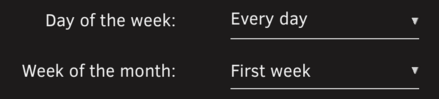 None, you use a container or VM. Make on its own does very little and would be useless, and a full build environment would not be practical or even possible to install in unraid.Screenshot your schedule settings, most likely improperly configured resulting in something like "every day of the first week" when you meant to do "first day of first week", pretty common mistake people make.Just enter them all in the domain field of the same entry.Have you deleted the dangling images after removing the stack? When you compose down it removes the containers but the images stay there until you remove them.There have been multiple reports of that, I'd say just remove until fixed.Nope, they're just retries. If the new hardware isn't trusted a 24h+ memtest would be a good thing to do. Then check filesystem on all drives/pools, then a correcting parity check.Nein, das ist Owncloud. Opencloud ist ganz anders und neu (1.0 in Februar 2025). Kann am Moment fast nichts tun im Vergleich zu Owncloud/Nextcloud.2 things seem plausible: You have the Folderview plugin installed, that was deprecated and doesn't work with 7.1 anymore, there's a new "folderview 2" If replacing that doesn't help try uninstalling Unraid Connect, it's been causing issues for a bunch of people lately.Don't know about reddit, but each container in CA should have a link to a support thread for it on this forum, so that'd be the best place if you have container-specific questions. If it's more general there are sections for that too.
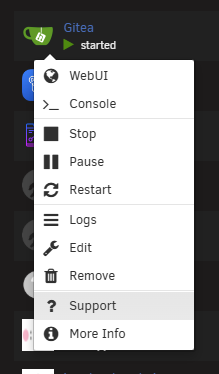 Repost diags after that's been running for a while. I'd try disabling that and trying to read/write something from each individual disk to see if one is slow. Reconstruct writes (and parity check) are constrained to the speed of the slowest drive, if one is failing and having issues reading its data that can slow everything down in those cases.Maybe I wasn't clear, that log was my feedback about that test image.AFAIK that's intentional based on pretty much every forum I've used. One will bring you to the specific post, one will bring you to the thread i.e. usually where you last left off.That all depends on what you want the plugin to do, we can't guess that.Where are you clicking? The title works fine here.This tells the plugin to essentially do nothing but "say what it would do".




