





Mainfrezzer
Members
-
Joined
-
Last visited
Everything posted by Mainfrezzer
-
those are all nfo files, exclude them. its pointless to checksum them Those are my settings.

-
Sure. that works too, if you have that much spare time on your hands. Anymahow, you need to only run the vhost0 line. eth0 is by default. You would have noticed if you opened the wgX.conf file.
-
You have to modify the wireguard config on your usb stick. /config/wireguard and then whatever file it is. wg0.conf or wg1.conf i dont know.
-
You need to modify the wireguard config. To look somewhat like this (fixed for your specific network and ip address needs) PostUp=logger -t wireguard 'Tunnel WireGuard-wg4 started';/usr/local/emhttp/webGui/scripts/update_services PostUp=iptables -t nat -A POSTROUTING -s 10.253.4.0/24 -o eth0 -j MASQUERADE;ip6tables -t nat -A POSTROUTING -s fc00:253:4:0::/64 -o eth0 -j MASQUERADE PostUp=iptables -t nat -A POSTROUTING -s 10.253.4.0/24 -o vhost0 -j MASQUERADE;ip6tables -t nat -A POSTROUTING -s fc00:253:4:0::/64 -o vhost0 -j MASQUERADE PostDown=logger -t wireguard 'Tunnel WireGuard-wg4 stopped';/usr/local/emhttp/webGui/scripts/update_services PostDown=iptables -t nat -D POSTROUTING -s 10.253.4.0/24 -o eth0 -j MASQUERADE;ip6tables -t nat -D POSTROUTING -s fc00:253:4:0::/64 -o eth0 -j MASQUERADE PostDown=iptables -t nat -D POSTROUTING -s 10.253.4.0/24 -o vhost0 -j MASQUERADE;ip6tables -t nat -D POSTROUTING -s fc00:253:4:0::/64 -o vhost0 -j MASQUERADE
-
Thats good, glad i could help. The host mode certainly fixes the need to figure out which port is needed since i had no clue what to map there :D
-
Das ist ja auch normal weil ja die VM im Moment mit dem PC redet und das alles über den Switch/Fritzbox sendet. Ich meinte schon direkt, ohne VM. Gut, das setzt jetzt voraus dass der PC mehr als ein NIC hat, sonst wird das nix mehr mit dem Internet Edit: Da hat ich mich erst verlesen. Ja, das sollte doch wunderbar gehen. 1x 2,5 Gbit von Unraid zum Switch/Router wohin auch immer 1x 2,5 Gbit von Unraid zum PC ----------------------------------------------------- 1x 2,5 Gbit von Unraid kommend zum PC 1x 2,5 Gbit vom PC zum Switch/Router wohin auch immer Für die Verbindung zwischen Unraid und PC haben die ne eigene seperate IP. Aber wie ich vorher sagte, da muss halt die Technik mitspielen ansonsten müsste zwischen Unraid und dem PC nen Crossover Kabel. Oder man löst es halt mit dem 2,5 Gbit Switch, da spart man an Kabelage, außer man nimmt SMB Multichannel in anspruch.
-
https://github.com/NginxProxyManager/nginx-proxy-manager/discussions/1634#discussion-3723916
-
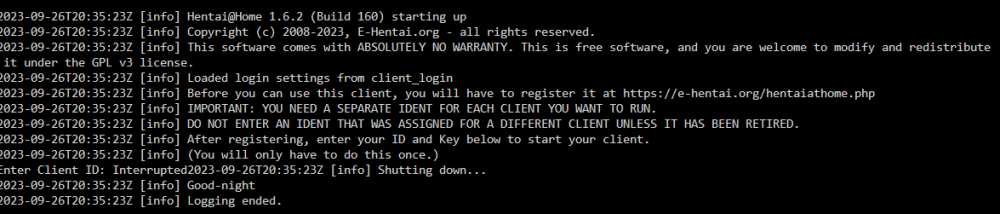
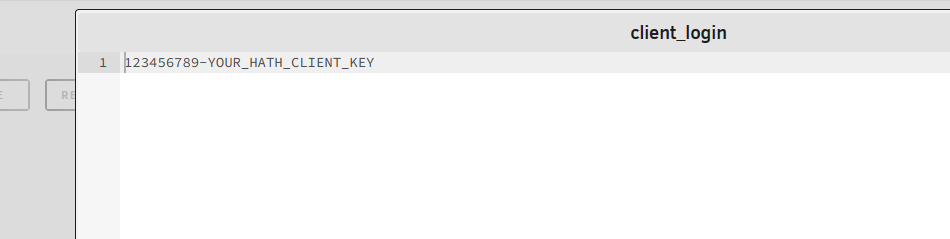
In the file. the file content has to be flipped by hand. The client_login has to be ID-KEY The stupid file only gets created once but never edited. So its absolutely pointless to even set the enviroment variables in the first place Edit: I just noticed. Your text and image is confusing. But the screenshots shows the other way around 12345-abCdeF123gHiJk456789 if thats what you currently have and the key is 12345, it would need to be flipped. Thats what confused me. Since i dont have an account, this is as far as i can get with this file i would say, thats enough on my part. no more errors. For any account related inquiries on a varity of website im no help^^ Heres the template ive set up, in case somebody at some point is looking for that particular container aswell my-hath.xml
-
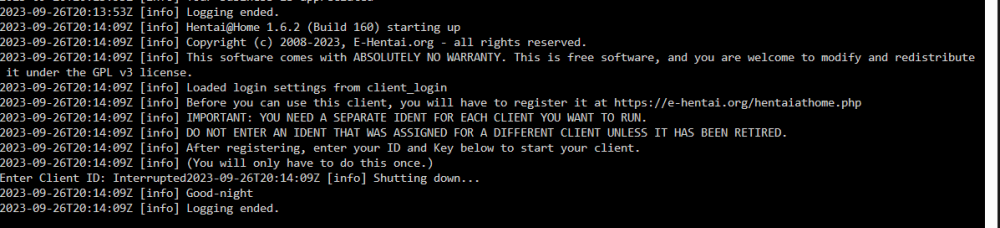
I found the issue, for some reason its not really doing what its supposed to do. the container creates a file, which i can only assume, is supposed to hold that info. But it seems borked. So you would to modify following file, in my case now "/mnt/cache/hath/data/" there is a file called "client_login" there you have to set the content like "123456789-YOUR_HATH_CLIENT_KEY" juding by my output. You need to flip it, ID first, then key
-
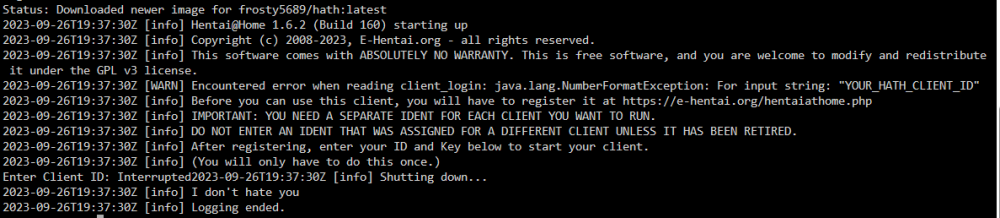
youre missing the enviroment variables and then youre also missing the key value, as in my case (since java expects a number, not letters)

-
Wenn es nur darum geht ne 2,5 Gbit Verbindung vom PC zum Unraid Server zu bekommen ist dann die Lösung entweder nen 2,5Gbit Switch, direkt das Kabel vom PC in den Server stecken, sofern Auto-MDIX unterstützt wird oder man nimmt nen Crossover-Kabel, weil ich nehme mal an, es sind nur Patchkabel vorhanden.
-
You have to execute that command in the docker container, not in unraid.
-
that would work too. But that would require every participant to create a new file instead of just continuing to write into the existing ones. By what you said, the mover did manage to move some files to the array but .15 kept writing to the array file instead of creating a new syslog.
-
Yes. The mover doesnt move files that are activly being used. if a file has been moved to the array, it will stay on the array if its being modified. If you wanna solve this you would need to set the "syslog"-share to only live on the cache drive and run a script which copies the logs in the time intervals youre looking for to the array.
-
Once placed on the usb, you can install it via the "Apps" tab under "previous Apps" or on the docker page via "add container" and then via the drop-down of the templates
-
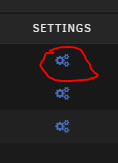
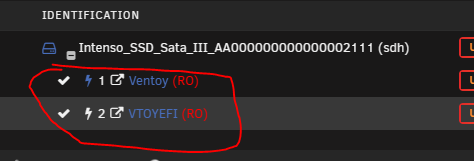
if you have the backup on the array, its relatively simple. First, install the unassigned devices plugin. Then, on the main page, you should see all currently not assigned drives listed under "Unassigned Devices" The red square above will tell you which of the drives has a filesystem, so you can already pick out the drives that are actually data containing drives. Now you click the upper cogwheels of one drive, that has a filesystem once on the new page, you enable following setting then you press save in the bottom left and done afterwards. Back on the main page, you can mount the drive you just have set to read only. Once mounted, you can explore the disks content by clicking on the blue links here and look for the backup. If the backup is not on that particular disk, take the next disk and continue the steps for each drive until you found the backup. Download it and then you can restore it to your flashdrive. Edit: I forgot to mention. it probably needs the dynamix file manager aswell. So that would be needed to be installed aswell.


-
The popup thats there currently with required text entry of "i understand that formatting a harddrive is not part of recovery" would be a good compromise.
-
How are you accessing the server? Via IP or one of the names .local /unraid name? the .local is absolutely broken for me. /name does work a bit better since 6.12.4 but the most reliable is still the bare ipv4.
-
Edit: Ach da hab ich den falschen Order erwisch. Ich wünsche mir in Zukunft nicht generische Namen für Unraid Server Aber, ich würde mal testweise einfach https anwerfen und gucken ob das funktioniert. USE_SSL="yes" PORT="80" PORTSSL="4434" in der ident.cfg Das funktioniert im Moment nicht unter Umständen. Würde auf jeden Fall raten mal absolut im Safe-Mode zu starten. Da gibts ohne updates zu den Plugins eventuell ganz komische Interaktionen. Falls es der Tailscale Docker ist, da gehts ohne Unraid Anpassung wahrscheinlich auch nicht..
-
Yes but there are 2 things that could stop it. 1. If the stream session isnt closed, it doesnt clean up after itself. 2. Depending on what kind of transcode quality youre trying to watch, 8,6GB isnt enough in size(especially if someone else is transcoding simultaneously). I think Plex does have "emergency trigger" which will clean up if the destination has not enough space anymore but it might be that the current available space is too much for plex to see the issue.
-
Why dont you just download the Unraid-Template thats available in the repo?^^ you just need to place the xml on the usb drive in "/config/plugins/dockerMan/templates-user".
-
well, yes. But in case of spectre anything from i would say, mid to late 2018 till now certainly will have the fix so you would need an even older bios. thats what i meant.
-
Depends on which vulnerabilities your CPU is affected with. The plugin will tell you that tho. For bios, it depends. If you're affected by specter, 2019 bios will mostly have the fix in it.
-
mhmm i cant find a reason right now but you do probably wanna set the samba config domain master = no preferred master = no on some devices so that they stop fighting.
-
thats not a macvlan "caused" call trace.





