





bombz
Members
-
Joined
-
Last visited
Everything posted by bombz
-
Hello again, Appreciate all the follow ups today, and the clarification. I will hold on V2 for the time being until V3 tightens up... I respectfully know these things take time and appreciate everyone in the community for all the support and efforts. +1 in favor > new thread for 'V3' I will keep an eye for the new link post here and/or closing of this thread! Great plugin, it has saved me in the past, keep up the great work!!
-
Hello, Was about to update my Unraid OS to the latest rev. and noticed that the previous ca.backup2.plg is deprecated Checking for plugin compatibility Issue Found: ca.backup2.plg is deprecated for ALL unRaid versions. This does not necessarily mean you will have any issues with the plugin, but there are no guarantees. It is recommended to uninstall the plugin However, reading though the posts here I see there are issues with "CA Appdata Backup / Restore v3" Being that there are concerns that require addressing with this v3 plugin (fork) I am going to hold off upgrading the OS as a whole for the time being. I suppose I will keep an eye on things here until the new .plg bugs have been fixed/resolved.
-
I have also recently run into this concern with both of my unraid servers. once parity kicks off you can no longer access the system, ping requests do not respond either. Only way to safely shut down is with the powerdown command via local console. Wondering why this sparked out of no where as of recent on both nas
-
Hello, Has anyone been successful connecting Repository: library/mysql to Repository: lscr.io/linuxserver/nextcloud it seems during the setup wizard NC cannot connect. Is there a specific rule set required for NC to connect my mysql? Thank you,
-
Hello, Glad you got it working. Currently I cannot update linuxserver/nextcloud to the latest version due to limitations of mariadb, nor can I export the NC db to another SLQ docker. Been a challenge to say the least.
-
which NC repository are you using there are a few nextcloud:latest = official modified NC linuxserver/nextcloud nextcloud/all-in-one:latest lscr.io/linuxserver/nextcloud I have received this in the past yes, which generally related to my mariadb docker not being started The concern then goes away then after. I am not sure if this is related to your concern or your NC is having concerns accessing your db? I am attempting a new NC docker now as this repository doesn't pull the NC updates with the docker pull, and requires the end user to use the updater within NC to update NC. This has caused some concerns with mariadb so going to attempt to flip to the official NC docker with unraid to see if I can make it work correctly, that when you pull an update via docker, it updates NC as a whole
-
Nextcloud version: 22.1.0 Operating system and version: Linux 5.10.28 Operating System: DOCKER Webserver: Nginx PHP version 8.0.18 linuxserver/nextcloud Mariadb version version 10.6.6 linuxserver/mariadb The issue you are facing: Cannot update NC attempted documentation steps without success Is this the first time you’ve seen this error? (Y): Steps to replicate it: N/A NC LOG occ upgrade Nextcloud or one of the apps require upgrade - only a limited number of commands are available You may use your browser or the occ upgrade command to do the upgrade Setting log level to debug Updating database schema Exception: Database error when running migration latest for app core Update failed Maintenance mode is kept active Resetting log level # occ upgrade -vv Nextcloud or one of the apps require upgrade - only a limited number of commands are available You may use your browser or the occ upgrade command to do the upgrade 2022-10-28T10:01:47+00:00 Setting log level to debug 2022-10-28T10:01:47+00:00 Repair step: Repair MySQL collation 2022-10-28T10:01:48+00:00 Repair info: All tables already have the correct collation -> nothing to do 2022-10-28T10:01:48+00:00 Repair step: Repair SQLite autoincrement 2022-10-28T10:01:48+00:00 Repair step: Copy data from accounts table when migrating from ownCloud 2022-10-28T10:01:48+00:00 Repair step: Drop account terms table when migrating from ownCloud 2022-10-28T10:01:48+00:00 Updating database schema 2022-10-28T10:01:49+00:00 Exception: Database error when running migration latest for app core 2022-10-28T10:01:49+00:00 Update failed 2022-10-28T10:01:49+00:00 Maintenance mode is kept active 2022-10-28T10:01:49+00:00 Resetting log level # mariadb log 2022-10-28 6:01:49 1303 [ERROR] InnoDB: Operating system error number 17 in a file operation. 2022-10-28 6:01:49 1303 [ERROR] InnoDB: Error number 17 means 'File exists' 2022-10-28 6:01:49 1303 [Note] InnoDB: Some operating system error numbers are described at https://mariadb.com/kb/en/library/operating-system-error-codes/ 2022-10-28 6:01:49 1303 [Note] InnoDB: The file './nextcloud/oc_ratelimit_entries.ibd' already exists though the corresponding table did not exist in the InnoDB data dictionary. You can resolve the problem by removing the file. 2022-10-28 6:01:49 1303 [ERROR] InnoDB: Cannot create file './nextcloud/oc_ratelimit_entries.ibd' Been fighting this concern for days and it sounds like something to do with mariadb I have also been attempting to mysqldump the nextclound.sql db without success to import back into a different docker and get off mariadb completely When i dump the nextcloud database I face the following concern MySQLdump: got error :1049 :unknown database Anyone else run into this concern ... Any insight would be appreciated. Thank you,
-
Hello, is there any way to find the preclear.log of previous disks that were cleared (history of preclear.logs)?
-
EDIT After hunting and searching I was able to successfully figure out how to connect to docker container sudo and nano within docker copy files from docker container to unraid copy files from unraid to docker container(s) How to connect to docker container: docker exec -it contaidername /bin/bash ls -l To find the files or paths that need to be accessed for the copy command exit Add sudo & nano within docker container: Sudo: root@dockercontainerID# apk add sudo (1/1) Installing sudo (1.9.10-r0) Executing busybox-1.35.0-r17.trigger OK: 279 MiB in 80 packages Nano: root@dockercontainerID:/# apk add nano fetch http://dl-cdn.alpinelinux.org/alpine/v3.16/main/x86_64/APKINDEX.tar.gz fetch http://dl-cdn.alpinelinux.org/alpine/v3.16/community/x86_64/APKINDEX.tar.gz (1/1) Installing nano (6.3-r0) Executing busybox-1.35.0-r17.trigger OK: 277 MiB in 79 packages How to copy files from docker container to UnRaid server: root@servername:~# sudo docker cp containername:/filename.xxx ~/file path on unraid -OR- root@servername:~# sudo docker cp containername:/filename.xxx /file path on unraid EXAMPLE: root@servername:~# sudo docker cp mariadb:/filename.txt ~/mnt/cache/ How to copy files from Unraid server to docker container: root@servername:~# sudo docker cp /unraid/location/123.txt containername:/ EXAMPLE:: root@servername:~# sudo docker cp /mnt/cache/123.txt mariadb:/ Hope that helps someone going down the same path as me tonight Cheers!
-
Hello, I have successfully connected to my Unraid SSH as I usually do, then figured out how to bash into a docker container to list the files of the root of that container docker exec -it dockercontainername /bin/bash I can then 'ls' to see the files I want to copy or move to either 01. a location on the UnRAID array - eg. /mnt/cache 02. the windows system I am on I can't figure out how to copy the file so I can gain access to it. Does anyone know the method to do this I tried some cp commands and scp commands and have not been successful I don't really want to have to do a hexdump and piece this together, there has to be a way to get content out of the docker container and back into another container Im not talking about the containers on appdata/cache/dockerimagename talking about the files within the docker container itself Thank you,
-
Good day all, I have been reading some guides on how to backup (export) my mariadb databases via console.... as I would like to restore (import) them to another SQL docker container. I am not the most experienced db user with the CLI. I have tried the following commands without success from console docker exec CONTAINER_id /usr/bin/mysqldump -uusername --password=yourpassword databasename> backup.sql mysqldump -u username -p database_name > dump.sql mysqldump -u username -p database_name > data-dump.sql Each time, after running the above commands, the response in mariadb console is -> -> If i add a ; at the end of each command it prompts a syntax error. Clearly I am not understanding something here and was curious if anyone has had experience with this process. Thank you,
-
Quick question, Managed to get wireguard functional and connected successfully using remote tunneled access. However, I cannot hit any of my services on other VLANs within my network. Is there an ability to talk between VLANs from the peer tunnel address? 10.253.*.* > tunnel address I can access my server IP of the WG server without issue However, any other systems on the same subnet as WG server I cannot ping. VLANs 10.200.*.* I don't see the WG client within my DHCP table on my gateway, but that's due to WG running inside of unraid I am pretty sure. I am not sure if setting up a f/w rule to allow 10.253.*.* to other VLANs will work as the gateway is not seeing the 10.253.*.* client to begin with. I am puzzled how to access other services (RDP) and even ping those systems while connected to WG Thanks,
-
Wonderful. I was not sure if a new disk config was required or not. Thanks,
-
Hello, OK. I was asking because the original 16TB i was going to put to data, is going to Party1 slot now. Then that disk from party1 is going to data. So I should be fine doing the direct swap. I thought of another thing while I was doing all of this.... What if I wanted to go back to (1X) parity disk rather than (2X) is that a 'simple' process to do?
-
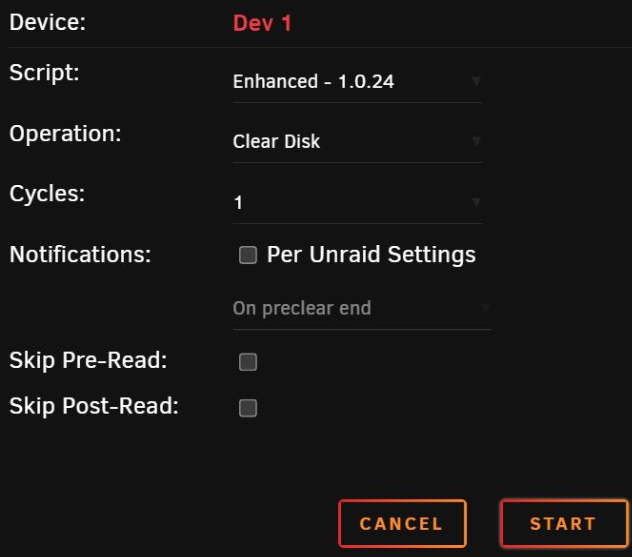
Follow up, When disks have been previously precleared (Parity or Data) and when swapping them within the array, is best practice to run another preclear on the disk to zero the disk before swapping them to their new location within the same array?
-
Hello again, I misunderstood, in a (2x) party set. I have (2x) parity implemented right now (14TB & 18TB). My thought's because the 18TB was there, I could add a 16TB into the data set. However, that's not the case. Let the swapping begin!
-
Hey buddy, I managed to get it resolved. My only 'guess' was when CA backup/restore makes a backup flash to my array disk, it restores the file again. Honestly, I could be completely incorrect about this, however over the course of my testing was the following: Delete the .txz from flash\extra shut down/reboot server boot server txz file restored to flash\extra (or regenerated) I then proceeded with the following Delete the .txz from flash\extra Delete the .txz from flash\extra (backup on array disk) shut down/reboot server boot server the txz no longer generated on the flash (or ran on boot) That's my outlook of that, again could be completely incorrect that CA backup/restore does this process on boot, this is how I came to the "solved" solution. Thanks for everyone's input as always. Love the community here... always top notch! :-)
-
Is it possible that the flash is backed up to the cache drive, and when booting, since the flash (cache backup) has the txz file within \\boot\extra\ that it is auto restoring the file upon boot ?
-
When I delete it from \\flash\ -- it does not reappear When I reboot the server, it seems load as part of the boot cycle (you can see it on the local system monitors boot process). I am puzzled by it.
-
Hello, I have attempted to delete the following file from boot/extra PlexMediaServer-1.19.1.2645-ccb6eb67e-x86_64.txz I no longer use plexmediaserver from the array and 'fix uncommon problems' always detects it as an issue. once i power cycle the server the file reappears. I am trying to go through logs to see why this is the case and have posted diagnostics appreciate any help to remove this file from regenerating in boot/extra Trying to eliminate it before pushing up to the latest version of unraid Thank you,
-
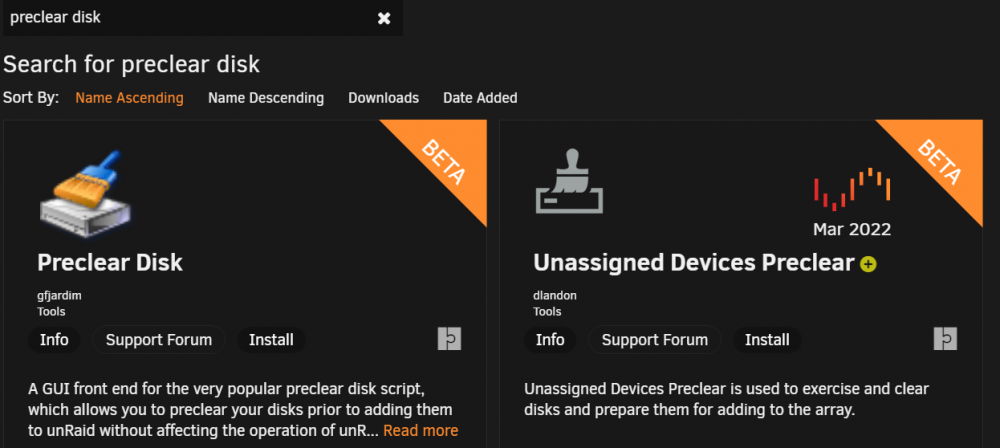
Ah I see Me and my old school methods (haha) I see there is an unassigned devices preclear too, that's pretty cool, I could toss the disk in my dock and preclear that way... hm may give that a try?
-
Hello, Awesome. I always felt preclear was recommended, and was getting into bad habits tossing disk in, without preclearing. I generally boot up another standalone workstation with the preclear_dish.sh 1.15 script on the USB flash and run it on that system rather then within the array itself, as large disk (last I recall 10TB took 72ish hours) to preclear. Is my method acceptable using the following preclear.zip? Once completed it pop the precleared disk into the array and letter rip :-) Thanks for your feedback, I will read up on bathtub curve
-
Hello again, Forgot to ask, what's your thoughts on preclearning new OEM disk? I have done it in the past... however, there has been times have skipped the preclear process completely and installed new disk into the array. Is it best practice to preclear all disk before add to array, or better to preclear older disk, or 'used' disk? Thanks.
-
Hello, Good stuff. Yes I do have CA Backup running and do a manual backup every so often. Appreciate all the help!
-
Hello again, Managed to find a 18TB to add to second parity... sigh so much disk to toss at parity! So this will be added to parity 2. As I move forward I can upgrade each parity in a 'step' format from the sounds of it? For example: In years to come Parity 1 could go to 20TB, then party 2 to 24TB, and so forth?


