ken-ji
Members
-
Joined
-
Last visited
Everything posted by ken-ji
-
the net-define command already makes it persistent. run virsh net-autostart lab-network to make the corresponding bridge auto start
-
You just need to create (and persist) a bridge device for your VMs to use. create a xml file (ie /tmp/lab-network.xml) <network ipv6='yes'> <name>lab-network</name> <bridge name="virbr1" stp="on" delay="0"/> </network> Then you enable the network with virsh net-define /tmp/lab-network.xml virsh net-start lab-network This will create a bridge virbr1, which you can assign to your VMs. There will be a host interface virbr1-nic (but will not be assigned an IP or any such automatically) refer to https://libvirt.org/formatnetwork.html for more details on the xml file format
-
Haven't messed with bonding for a long while, but you want to turn bonding off on eth1, so that it becomes available for bonding with eth0
-
I'm using Emby for both backend library as well as frontend clients (Only the builtin browser client and Roku client is truly free, but I have premier so everything else is free) Its main purpose for me is to organize the media that I have (I haven't started cleaning up my soundtrack rips or pictures) I've used Kodi (LibreELEC on an 5th gen i3 intel NUC) with EmbyCon to access the library, and a Roku Premier localy. I'm mainly using a Roku express, Web browsers, android and ios Emby clients while out of the network. If you have exotic media (4K, Hi10p, HEVC, HDR, fancy subtitles) a beefier local client is advised (Kodi on a x86 mini pc or android with an external player) unless you have a server with the appropriate CPU power and hardware assisted transcoding (makes a world of difference) I'm only using a Pentium G4620 to do HA transcoding and is usually get around 60-120 fps transcoding 1080p streams - but I'm typically doing just one stream, maybe two at most. FYI: I never liked how Plex Server worked, and I think its because of the mandatory file naming scheme. Emby requires this to properly organize TV Episodes, but I keep a lot of Japanese anime that don't show up on TVDB so I can work with it.
-
The Nerdpack plugin also has the perl package so you need to install that. I don't know if there any dependencies afterwards.
-
Wondering why I didn't think of this.... This is a great Idea too... for most users (unless your on teams or the pro Dropbox account) a USB stick is more than enough. Just make sure to use a good stick as you don't want corruptions from propagating back to your copies.
-
Definitely not using the GUI, but it should be ok if the SSD is an unassigned device
-
Its because of all the warnings from Dropbox about only supporting EXT4 since late 2018, which is not a supported FS for Unraid. I just updated the entire container to Slackware 14.2 which makes the step mentioned above moot, but I haven't had the time to shake it down. I'm personally switching to rclone as a plugin, but I'm also studying if it can be used safely as a container.
-
hmm.. might look into this and try to upgrade the base libs to 14.2 or current
-
You can edit the docker so that the repository is changed from emby/embyserver:latest to emby/embyserver:3.5.3.0 (which is the previous stable version)
-
tl;dr With one network interface, you can't some helpful articles...
-
if you only have one network interface and no VLAN support, the docker engine will not let you access the access the custom network from the host and vice-versa. So the host and dockers in host or bridge mode cannot talk to dockers on the custom network. Its a known thing since from when the docker custom networks was supported in 6.3
-
Hmm... Preclear is just the really cautious making sure the drives are not part of the infant mortality batch. Have you ever replaced a disk in a raid 5 array and watch the rebuild scream with errors as the destination disk fails almost immediately? Not a pretty sight, specially when the stakeholders bearing down over your shoulder. Even our vendor decided to give our expensive fc raid 5 array multiple complete write overwrite shakedowns over a week before they declared it ready for usage. Unraid is an excellent balance between price and function versus ZFS which is also excellent, but it's better for people with a lot more money. Imagine that I can't add a single disk to my ZFS pool to resize it... Most raid 5 will let you and so will unraid.
-
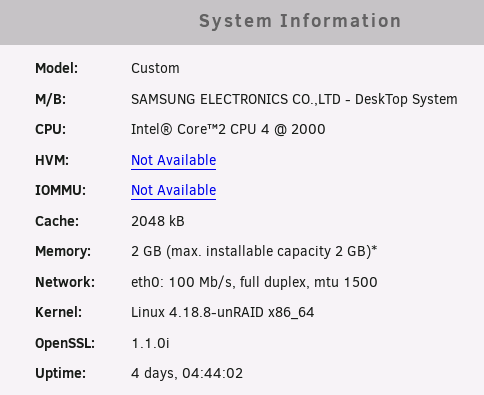
Hmm... 2GB of RAM... do you manually update versions? the Update OS command fails on my brothers machine also with 2GB RAM as there is not enough /tmp space to hold both the downloaded zip file and the unpacked files.
-
That's mighty weird... but I've only used the RouterOS devices so far (and 3 models of them) with great success... Just to be clear, your PC/laptop is on the same subnet as the switch? ie IP 192.168.88.x/24? Other than this, I have no idea what's wrong and unfortunately connecting to the serial console might require tapping the pins or having a SOL config available - if a rollover cable is not enough...
-
Try unplugging all the cables except your PC/Laptop. Restart the switch. You should be able to access the switch then on the default IP. If not, try restarting the switch while initially holding the reset button/pin down for a few seconds...
-
This is what I do.
-
Its quite possible - buit you have to understand what the limitations are depending on what your network has or supports. If you do not have VLANs (or a second physical LAN), you will end up with a mix of containers on eth0/br0 running in bridge or host mode, which means they share unRAID IP; and another group of containers on eth1/br1 running is custom network, which means they have their own IP, and can talk to unRAID (If unRAID does not have an 2nd IP assigned to this NIC) Since you mentioned having 2 NIC and 2 IPs... but did not elaborate, I also did not elaborate too much on the possible config, and assumed you did not have VLAN/2nd LAN support.
-
Hmm... the separation you seem to want might require VLAN / or 2nd physical LAN support on your network. Think of it this way. Docker supports any combination of the following: one host network - container network is the host itself a bridged network - an internal bridge is made which NATs the outgoing connections and does port forwardings on the host ports to the container ports a macvlan network - an internal bridge is made, which is a subinterface. This allows packets to go in and out of the parent NIC so the containers seem like they are members of the NIC network and have their own IP apart from the host, but a built-in security feature prevents packets from the containers to loopback to the parent NIC Docker networks cannot have the same subnet defined so if your two NICs are on the same LAN (even with different IPs) containers on the macvlan network can only be bound to one NIC (usually the 2nd). The other containers will need to be running in bridged (or host) mode - which make them available on the other NIC (the primary)
-
Hmm. you'll need to setup like this (Mine is like this): * br0 (eth0) - unRAID (VLAN 1) - one and only VM on this port as well. * br1 (eth1) - Dockers (VLAN 1 - custom network) + (br1.3) Dockers (VLAN 2) The only real benefit you'll get be adding the 4port NIC is to be able to serve a lot of clients better as LACP only improves bandwidth when talking to a lot of clients, and does not allow a single client to go faster than a single cable (1Gbps), so if you many plex clients and your server can handle all the streams easily, you can add the 4 port and make a LACP bridge out of that and migrate the docker network to it. This means you'll be using plex with its own IP on the custom network (br0) and is known to generate call traces for no reason - depending on the hardware.
-
What most systems, including unRAID by default, fail when you have two or more IP is that the responses usually go out using the first IP and the nic assigned to it. Of course bonding and bridging eliminate the second issue.
-
You can have more than one NIC in an unRAID system. (I have two) Depends on what it will be used for it can load balance traffic (LACP, stripping, etc) but will depend on your NIC and switch unRAID can use multiple NICs itself, but having multiple IPs on the same subnet is never a good idea. Docker can use multiple NICs, but major network changes will need to go in to properly isolate docker traffic to single NIC interfaces, possibly breaking LAN discovery and the like VMs can also be setup to use a specific port and still work as usual For your use case, it is very much possible.
-
Just a thought, but Wifi-only users might want to consider getting a "real" router (I used a Mikrotik hAC router before) and have it link to the local Wifi and 'NAT' off the rest of the ethernet and Wifi clients. So your servers, desktops, laptops can connect to your LAN/Wifi and still have access to the residential Wifi (albeit double NAT'd) and be relatively secure from everybody else on the residential Wifi. I had to stop this as my solution as I was trying to run a connection through a solid foot of concrete flooring which would horribly attenuate the signal. But I would not hesitate to try this if I was in a similar situation.
-
drop the comma Rule: 10.0.0.100(sec=sys,rw) 10.0.0.101(sec=sys,rw)
-
This reminded me to post: