





mikeyosm
Members
-
Joined
-
Last visited
Everything posted by mikeyosm
-
This has started happening to me too. Today I tried to start a 3rd VM, the VM would not start and then the VM page and VM settings page become unresponsive. The only way to resolve is to restart the UNRAID host. Just to add, when this happens, all opther VMs, dockers etc are running fine and no other issues. Just the UNRAID UI VM and VM settings page wont load. Logs show nothing out of the ordinary. I'm running 6.10 latest RC.
-
@ich777 Please create a plugin. I have to resort to using acpi_enforce_resources=lax and modprobe it87 force_id=0x8628 to get the system to show temps/fans. My board is Gigabyte Z690 - https://www.gigabyte.com/Motherboard/Z690-AORUS-MASTER-rev-1x/sp#sp
-
Thanks so much for this. Ever since I upgraded from 6.9.2 to 6.10 RCx GPU passthrough was broken. now making these changes, all OK. Star!
-
Anyone? Keen to know if this config would work. Thanks.
-
I too would like to know. I have a X570 mobo that would benefit from the Gigabyte drivers. I raised another topic here but no response so far.
-
Hi Unraiders Is it possible in latest UNRAID to dedicate vgpus to vms and dockers using a card like Nvidia A40? https://www.servethehome.com/nvidia-a40-48gb-gpu-mini-review/ I want to have 2 vGPUs for video out and 1+ vGPU for docker transcoding etc. Does UNRAID goup each vgpu in own IOMMU? Please advise as 5K is ALOT to spend for a GPU. Thanks
-
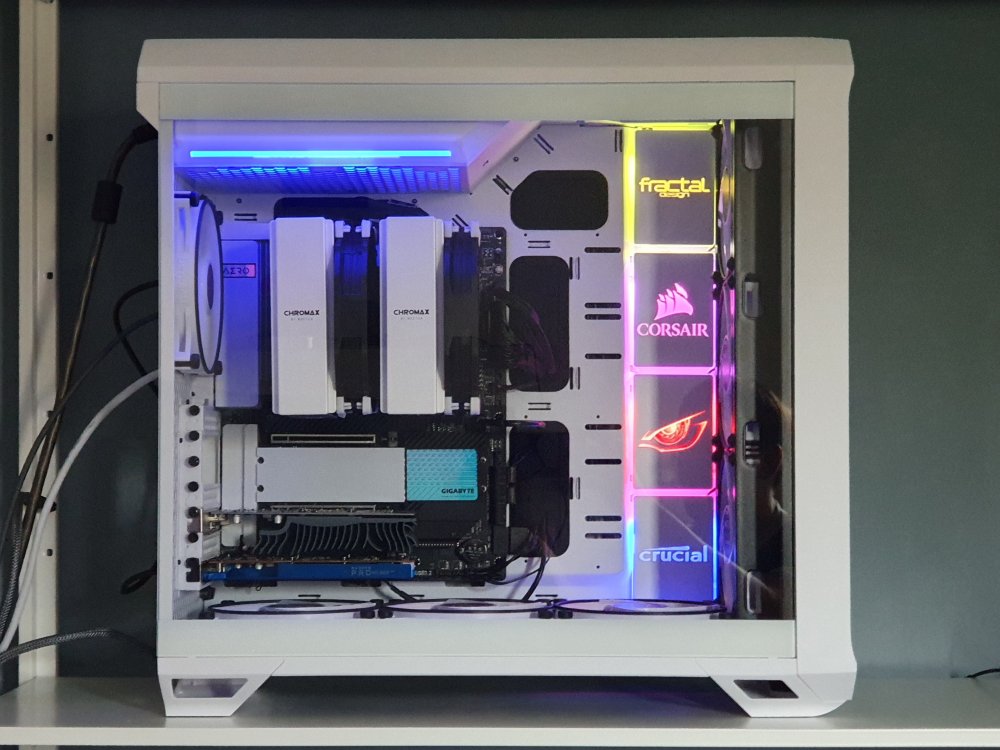
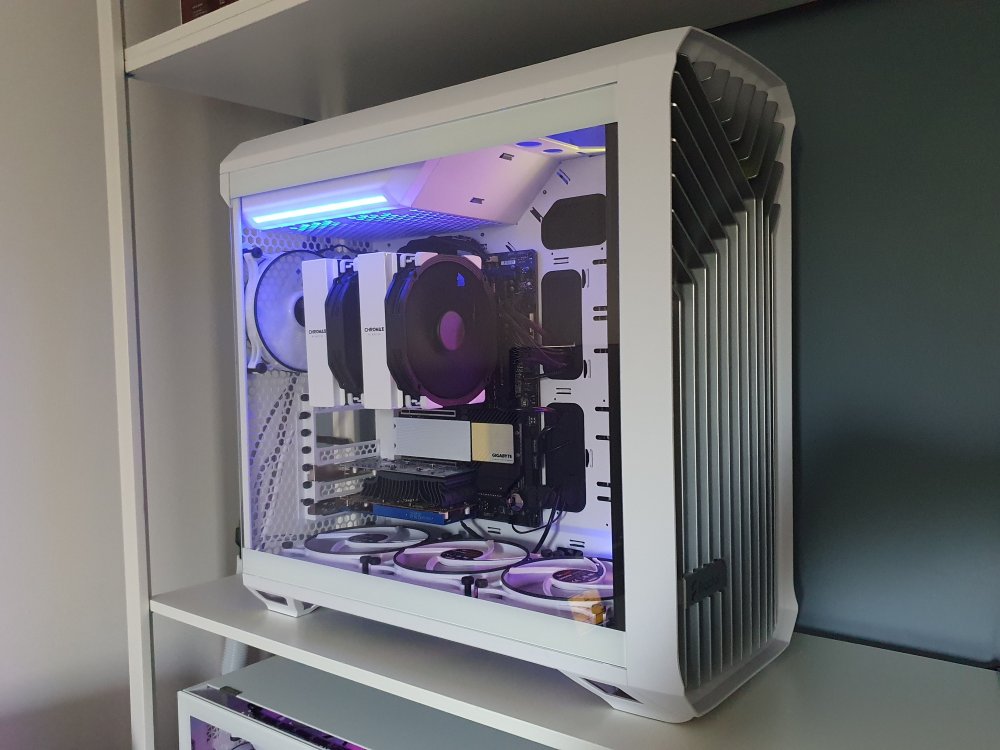
What do you all think of my new build? Decided to spruce up the Torrent case due to the sheer amount of space inside the case. Just waiting for a new GPU to stick in the top slot for my gaming streaming VM. The RGB panels I got from ColdZero (SSD RGB covers). 4 fit perfectly vertically. Spec: Gigabyte X570s, Ryzen 3950X, 128GB Mem, 3xSSD, 2xnvme, WX4100 GPU, GT1030 GPU, BeQuiet Fans, Fractal Torrent case, Noctua CPU cooler and fans.
-
Be careful when buying the Samsung Fit drives. I bought one from Amazon UK and it was dead within a week. Got one direct from Samsung and no probs so far. They also run quite warm when accessed continuously so lifespan wont be that great.
-
Has anyone here successfully managed to control the fan speed on their AMD GPU within OSX? I have a RX460 passed through to Monterey but unable to see the fan speeds and/or sensor temps in HW Monitor/iStats.
-
Hello According to this article; The Gigabyte WMI sensor drivers should be in kernel 5.13+. https://cateee.net/lkddb/web-lkddb/GIGABYTE_WMI.html I am on 6.10RC2 Kernel 5.14+ but the driver is not present. root@MOUNRAID01:/lib/modules/5.14.15-Unraid/kernel/drivers# find /lib/modules/$(uname -r)/kernel/drivers/ -iname "*gigabyte*" returns nothing. I have an X570S Gigabyte motherboard and want to use the WMI driver that has recently been built for Linux. - https://www.phoronix.com/scan.php?page=news_item&px=Gigabyte-WMI-For-Linux-5.13 Why is the driver not present?
-
Did you figure this out?
-
Same problem with my GT730. Did anyone manage to figure it out?
-
So it turns out that the fans are visible to UNRAID/Linux and appear in the UNRAID dashboard. I haven't installed the dynamix fan control plugin as I dont need to control the speed of the fans. The trick is to not tick the fans in the dynamix sys temp settings, that's when things get messy.
-
Hi I think I have found a bug with the way sys temp handles HID devices for sensor output. For more detail on the issue, I raised an issue on github here - https://github.com/lm-sensors/lm-sensors/issues/369 In summary - I have the Corsair Commander Pro connected to my UNRAID server. Sensors show the correct info: # sensors corsaircpro-hid-3-2 Adapter: HID adapter in0: 12.11 V in1: 4.99 V in2: 3.35 V fan1 4pin: 681 RPM fan2 4pin: 680 RPM fan3 4pin: 679 RPM The problem is when I choose one of the fans in sys temp plugin settings - I get this error... # sensors Error: File /etc/sensors.d/sensors.conf, line 5: Undeclared bus id referenced sensors_init: Can't parse bus name The sensors.conf file in the plugin dir looks like this - chip "k10temp-pci-00c3" label "temp2" "CPU Temp" chip "corsaircpro-hid-3-2" label "fan1" "Array Fan" It is line 3 that is generated by sys temp plugin that then causes an issue with sensors. What could be the problem here?
-
Hi Running 6.9.2 and connected my Corsair Commander Pro to a USB port to see if I can get fan control working under UNRAID/Linux. According to the following articles https://blog.ktz.me/a-usb-fan-controller-that-now-works-under-linux/ https://www.phoronix.com/scan.php?page=news_item&px=Corsair-Commander-Pro-Linux-5.9 the CPro should be detected under Linux kernel 5.9+ but unfortunately it's not being detected in UNRAID. Running sensors-detect does not list the commander pro at all so not sure if the driver is loaded or indeed even added to the kernel. The Commander Pro is available for passthrough to a VM and shows up in my USB list so it's defo working OK. Is there any way I can check if the driver named (corsair-cpro) is available in 6.9.2 UNRAID kernel and if not is it available in 6.10 RC1? Thank you for your help. EDIT: lspro shows the driver exists but is not in use. corsair_cpro 16384 0
-
That's interesting. I just upgraded to PCIE4 motherboard and noticed the same thing. Got a Sabrent Rocket 4.0 2tb in my x570s and benching in UNRAID is in line with your speeds. Have you figured out a fix yet?
-
Hi For over a year now I've been using a W10 VM and Nvidia 1030 with Steam installed that I can use to stream games to various devices on my LAN and also to my mobile when I'm out and about. It's working well but can be a drain on my somewhat limited UNRAID resources. Since the evolution of Stadia, Xbox game streaming etc, I often thought of running something similar on UNRAID if possible. What would be the most efficient way of setting up a gaming streaming service/docker/vm other than the way I'm currently using it? Any tips would be most welcome. I'm even thinking of dedicating a more powerful GPU for game streaming but at the moment 1080p over 1Gbps network using GTX 1030 seems to suffice. Thoughts, ideas welcome please.
-
Is this in UNRAID now? If so, how do we use it?
-
Which is better this version or binhex? Been using Binhex since the beginning but curious if ich777 docker vers is superior in any way?
-
I had 11.2 with GT710 working fine, updated to 11.5 now login screen is not accepting mouse clicks. If I switch to VNC, everything works fine. I am using the same opencore vers as 11.2. I know 11.5 is new but the issue seems really odd.
-
Ok all done. Image is now in the iso share called Window11_Insiders.iso Should that be Windows11_Insiders.iso? Also, for some reason now the docker is downloading latest W10 instead of W11. I didnt change any script. The first time I ran the docker it dl W11 no problem but now it's always W10.
-
I am also having this problem, large RAR files +4GB.
-
So it seems enabling Downstream and unsafe interrupts under VM settings fixed it for me.
-
Just started to get the same error as you today, the only thing I changed was swapping my GT 710 for a GT 730 oh and also updated nvidia drivers to latest version. Whats really annoying is that it can happen at any time load or no load, very odd.
-
Please can you make an icon for Corsair 5000d non-airflow version? It's the one with the solid front panel. Awesome case btw!



