dopeytree
Members
-
Joined
-
Last visited
Everything posted by dopeytree
-
What I mean is you can use 'monitor network traffic' settings to get around most problems.
-
Anyone else get kworker at 100% cpu? Now fixed and am noticing reaching C7. To find the culprit then.. grep . -r /sys/firmware/acpi/interrupts/ Fixed with the following inserted into config go file # ------------------------------------------------- # CPU bug fix # ------------------------------------------------- echo disable > /sys/firmware/acpi/interrupts/gpe69 2>/dev/null
-
6.12.4 Bug: Something causes kworker cpu to get stuck at 100% while not really doing anything which in turn causes unnecessary boosting and power usage. This kernel bug https://askubuntu.com/questions/33640/kworker-what-is-it-and-why-is-it-hogging-so-much-cpu So grep . -r /sys/firmware/acpi/interrupts/ To find the culprit then.. Fixed with the following inserted into config go file # ------------------------------------------------- # CPU bug fix # ------------------------------------------------- echo disable > /sys/firmware/acpi/interrupts/gpe69 2>/dev/null
-
Sleep plugin works... My personal set up is: Set to shutdown (to avoid the cpu bug) Set excluded hours (6am - 11pm) Array activity = yes Status & counters Monitor all array disks & other caches like 4 disk ZFS pools (I choose to ignore the main nvme cache as this is ALWAYS active) Network activity = high (to avoid shutdown during plex or other network transfer) User inactive = yes (to avoid shutdown when I am fiddling)
-
I found stability on beta is questionable.. would crash after a few mins so am back to stable. The audio detection will be very cool. Anyone with high cpu usage (motion detection) highly recommend tuning your detect code by dropping fps to 5.
-
-
Release notes for beta https://github.com/blakeblackshear/frigate/releases
-
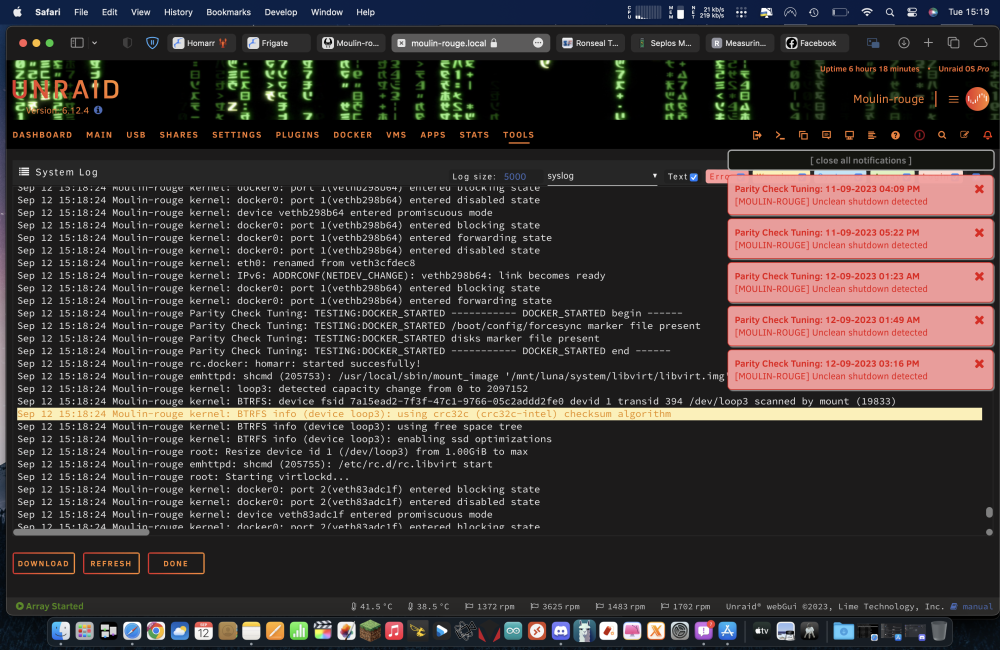
Hey no problem with the app it just kept throwing an error in the syslog so just looked into it.
-
Ah ok sorry about that, swapped to testing for the attached. moulin-rouge-diagnostics-20230912-1519.zip
-
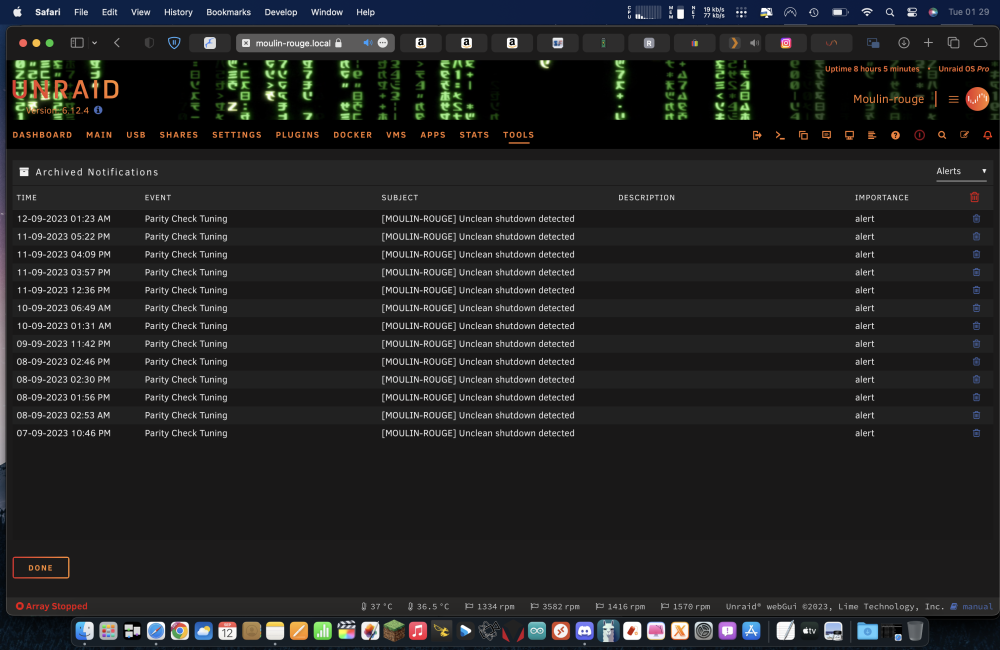
Diags with the debug logging enabled. I stopped the array to cause the notification. moulin-rouge-diagnostics-20230912-0129.zip
-
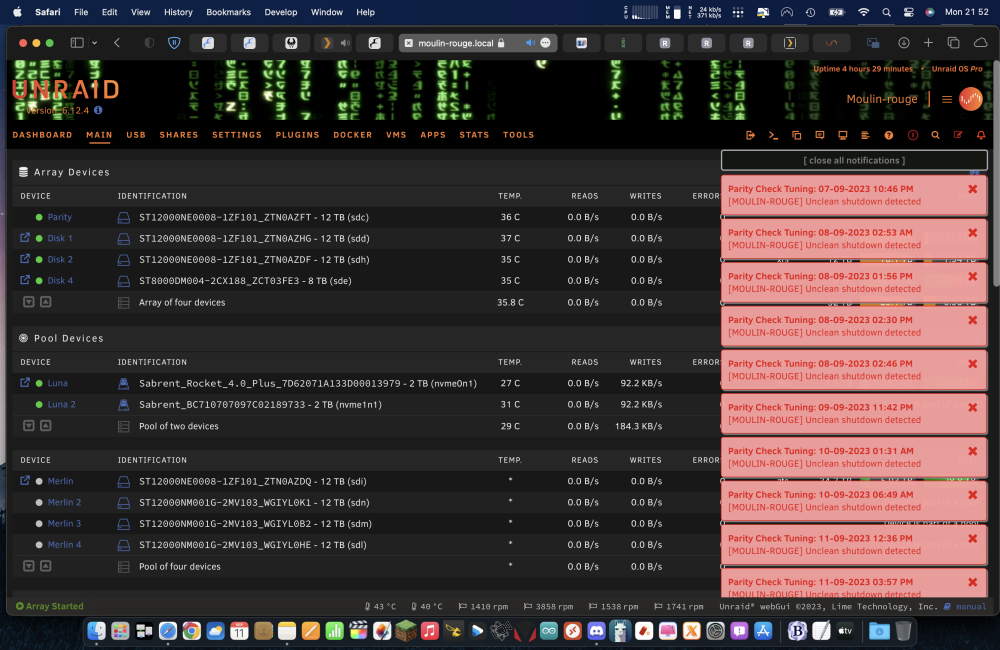
Something's triggering it but I'm not worried about it. More curious if anyone else has it.
-
Diags attached. I noticed if it is a 'real' unclean shutdown the system will start a check. VS this message just occurs all the time. I wondered if it was from a historic unclean shutdown or something? I have just completed a parity check after the server crashed a few days ago. moulin-rouge-diagnostics-20230911-1334.zip
-
Does anyone know how to swap to the beta branch which is V0.13.0-7C629C1
-
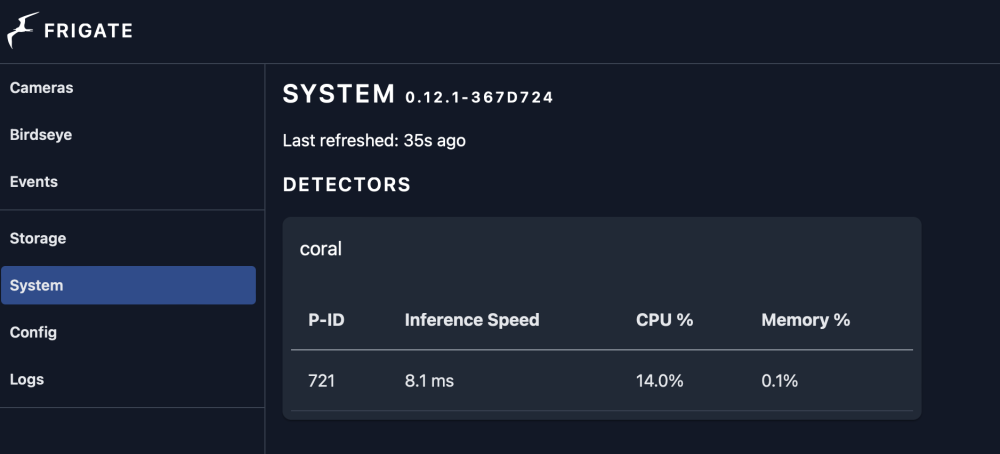
Think it was plug and play for me... you say you tested it in windows? Is it still passed through to a VM? Within frigate you can click 'system' and it will show up if the correct config is there which is: detectors: coral: type: edgetpu device: usb
-
Have you got the coral card in you config for frigate?
-
How does this work with future updates etc? There was an elegant solution provided of allowed text editing of all non binary files. Could this be implemented? I want to be able to edit .yml & .config files as these are regularly used in frigate and home assistant etc.
-
Ok fixed by editing the docker in advanced mode and changing the icon url to: https://raw.githubusercontent.com/manuel-rw/unraid-templates/master/templates/homarr/icon.png This icon url is taken from the app store.
-
Getting this in the syslog: homarr: Could not download icon https://raw.githubusercontent.com/SmartPhoneLover/unraid-docker-templates/main/templates/icons/homarr.png
-
Keep getting this notice in the syslog: homarr: Could not download icon https://raw.githubusercontent.com/SmartPhoneLover/unraid-docker-templates/main/templates/icons/homarr.png
-
On 6.12.4 I keep getting notifications from 'parity check tuning of unclean shutdown detected'... but I'm not sure if these are correct. How can I double check?
-
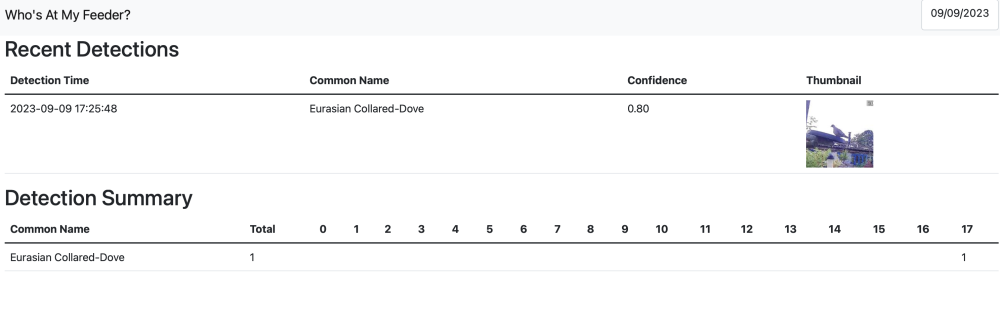
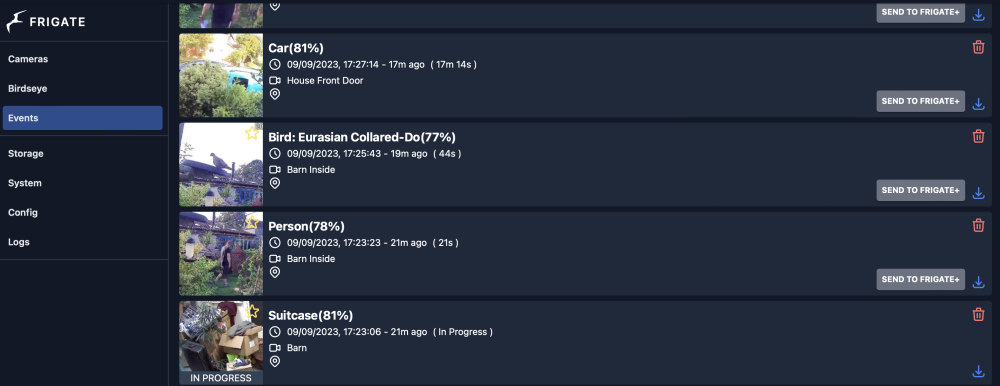
Took me a few days but finally got Whosinmyfeeder working. Frigate The problem was I was putting the MQQT port on the end of the IP. For anyone else looking this is what the config should look like for Whosinmyfeeder NOTE: Only frigate needs a port no on the end of the IP Whosinmyfeeder config.yml frigate: frigate_url: http://192.168.22.2:5000 mqtt_server: 192.168.22.2 mqtt_auth: false mqtt_username: mqtt_password: main_topic: frigatea camera: - barn_inside object: bird classification: model: model.tflite threshold: 0.6 webui: port: 7766 host: 0.0.0.0
-
Hey yeah I've gone back to mosquito too, and all working well. Might have a look at this again in the future
-
EMQX When I install this I have to fix the permission on the folder /appdata/emqx Then it loads but I get a blank white page when trying to load the web interface.... Any ideas?
-
I fixed the folder permission and it now runs but the web interface just loads a white page?
-
ace thanks