paradoxum
Members
-
Joined
-
Last visited
Everything posted by paradoxum
-
Skip to 4:30 to get to the actual how-to
-
Firstly coudl you add an option to keep the box open to the left of all the icons? Secondly wth is that GUI and how do I get it? Thanks!
-
Thank you I'll check it out.
-
So far the simplest option to is to put the whole server through my routers VPN. I can only specify IPs not ports with it. If only I could get certain dockers to run with their own IP address, that would solve it. I have an HPE Gen10 Plus with 4 ethetnet ports on the back, is it possible to use this if I plug the second one in and have specific dockers run through that and not the other, thus giving them a different IP on the network? Tired of none of the vpn containers working and people asking me why I want to do this rather than just accepting it is what I want do and helping - or not helping Anyway thanks in advance.
-
I would like an option to keep me logged in to the unraid server. Optional choice of never, 1 hour, 6, 12, etc. I am not paranoid that my home server is going be 'hacked'; as if they would even get through my router in the first place. And this would make my life so much easier. Thank you.
-
[14.01.2024 09:23:09][ℹ️][Stash] Backing up Stash... [14.01.2024 10:17:55][ℹ️][Stash] Backup created without issues [14.01.2024 10:17:55][ℹ️][Stash] Verifying backup... [14.01.2024 10:34:57][❌][Stash] tar verification failed! Tar said: tar: Removing leading `/' from member names; tar: Removing leading `/' from hard link targets; tar: /mnt/user/stash/stashapp/cache: Not found in archive; tar: /mnt/user/stash/stashapp/blobs: Not found in archive; tar: /mnt/user/stash/stashapp/generated: Not found in archive; tar: Exiting with failure status due to previous errors How fix please?
-
It eventually just went away. I am using /tmp for my transcode now and it's fine.
-
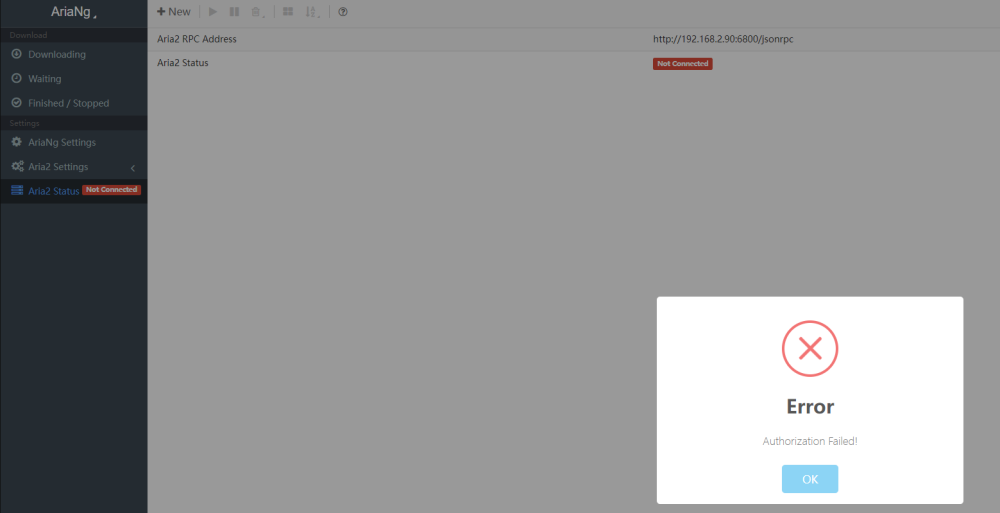
I installed this, but it says my RPC failed: What do I do?:) thanks.
-
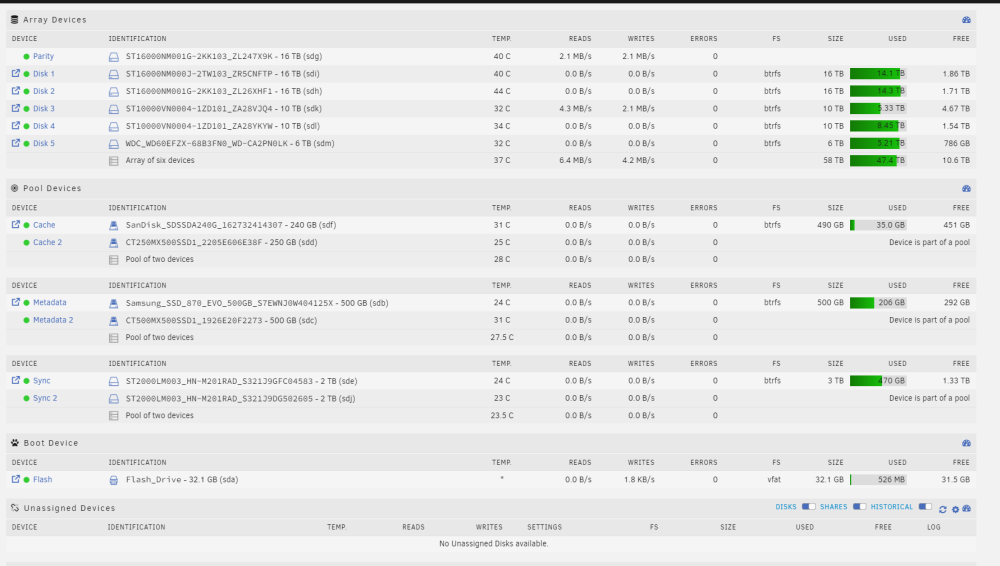
I get that error every reboot sometimes like 10 of the warnings. orbitalhub-syslog-20231028-0716.zip orbitalhub-diagnostics-20231028-0822.zip Thanks in advance.

-
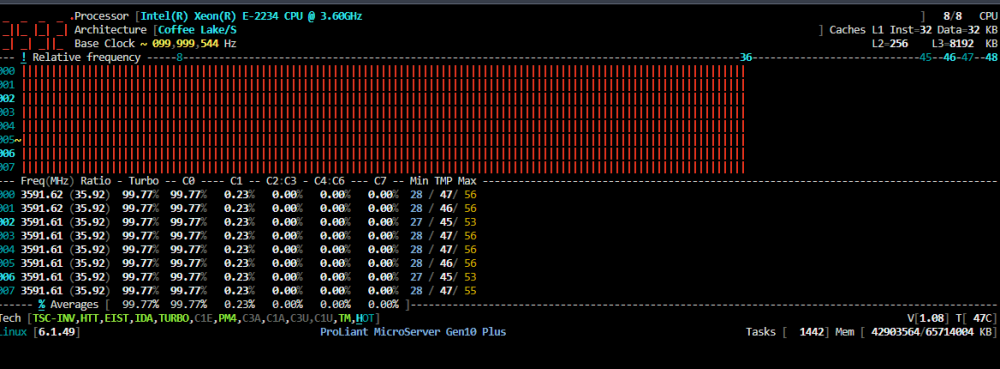
It should be yeah but mine never was. Anyway I realized I renamed the .cfg file to disable it at one point all I had do was rename it. doh. options corefreqk TurboBoost_Enable=1 0:None; 1:SMT; 2:Core; 3:Package I have that in it. That means my CPU is running that fast right? And my temps are those? Because that seems pretty good. I've had it like that an hour and been watching plex and things on it. Should I leave it like that?
-
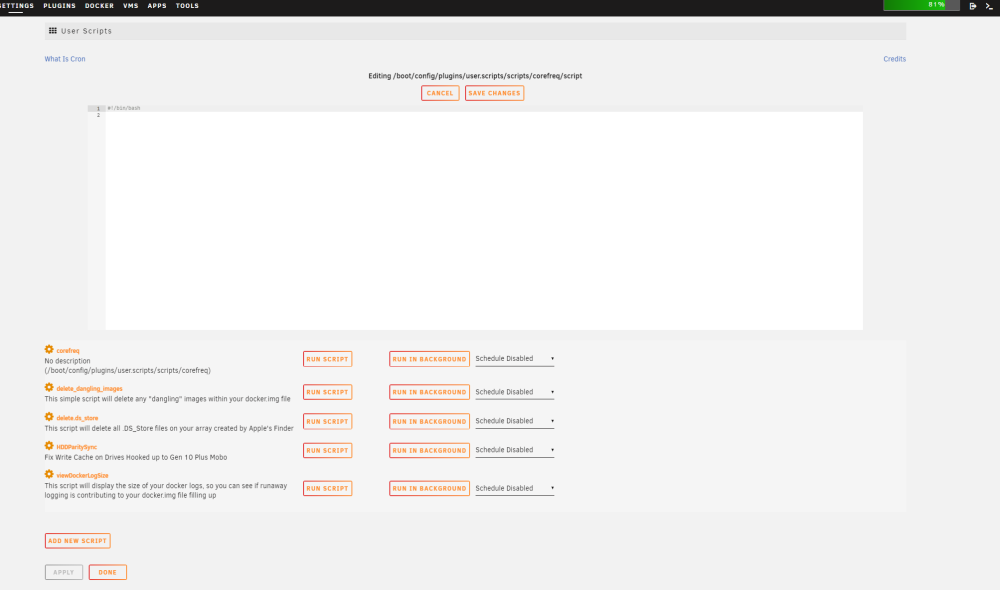
Thanks it seemed to fix itself. think it was a ram issue. What's the way to enable turbo boost on all cores on startup? I have been using > options corefreqk TurboBoost_Enable=1 0:None; 1:SMT; 2:Core; 3:Package in modprobe.c corefreq.conf Can it be added as a 'userscript' here? Thanks again.
-
At some point I just set all my data from the root to R/W all/all/all, including appdata. Everything pretty much still works fine but some apps complain about permissions - is there no easy way like the various tools in the UI that apply permissions to everything *but* /appdata/ to fix them? Or am I doomed to have to backup an apps appdata, start it so it makes new folders/files, note down what permissions everything has, and then blabla etc? Because that'll take me forevere with 20 containers.
-
This particlar disk has done this before, I just moved my server from inside my hp gen10+ into a new case and after I booted it up it was disabled again. Could the connector on it be going somewhere? Also yes parity sync is good, I have actually been moving files off it onto other disks I forgot I could rebuild it like this. Thanks
-
Just tried a bunch of different sas cables and power cables, no dice.
-
orbitalhub-diagnostics-20231018-0822.zip
-
https://elrath.co.uk/upload/orbitalhub-diagnostics-20231018-0822.zip
-
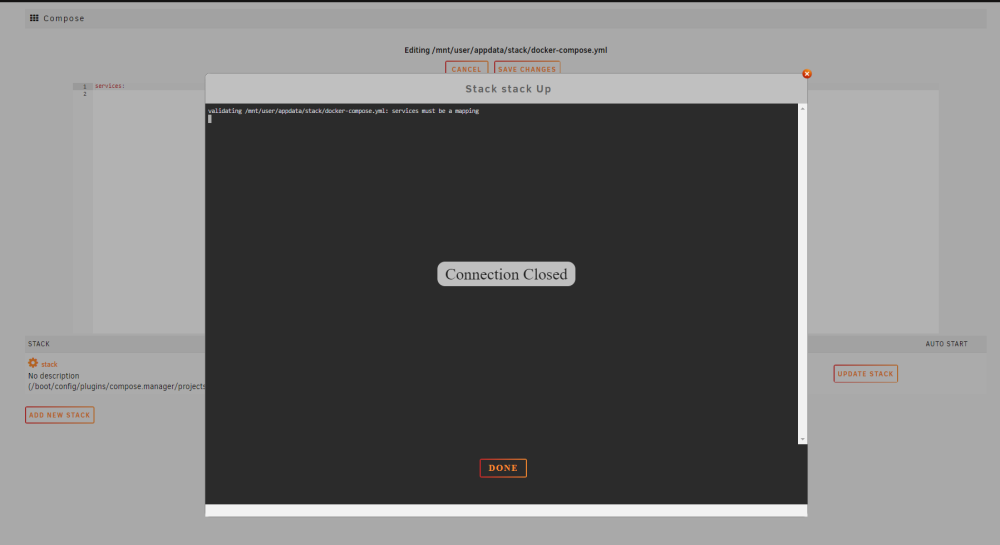
do I need to edit the yml file or something? so confused on how this works.
-
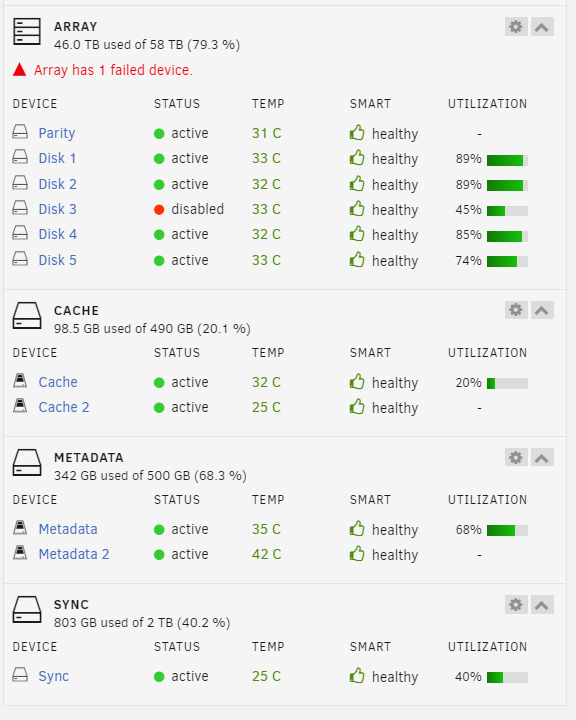
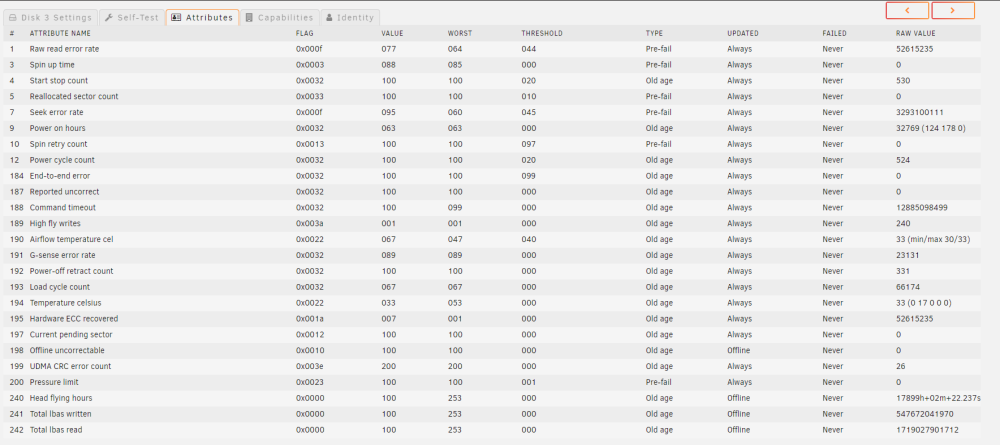
I am able to run SMART tests on the drive even though it's not connected? I tried different SAS cables but no dice. This is the smart results, does anything say it's failing or anything like that? I have no idea how to read smart results still after years. Thanks in advance.

-
Log is spammed with this; I was running a parity sync and it's on 92% and not going up.
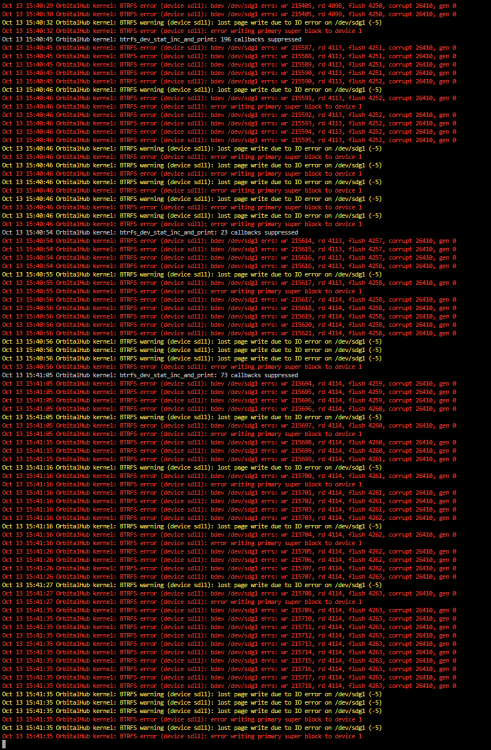
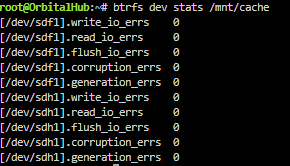
-
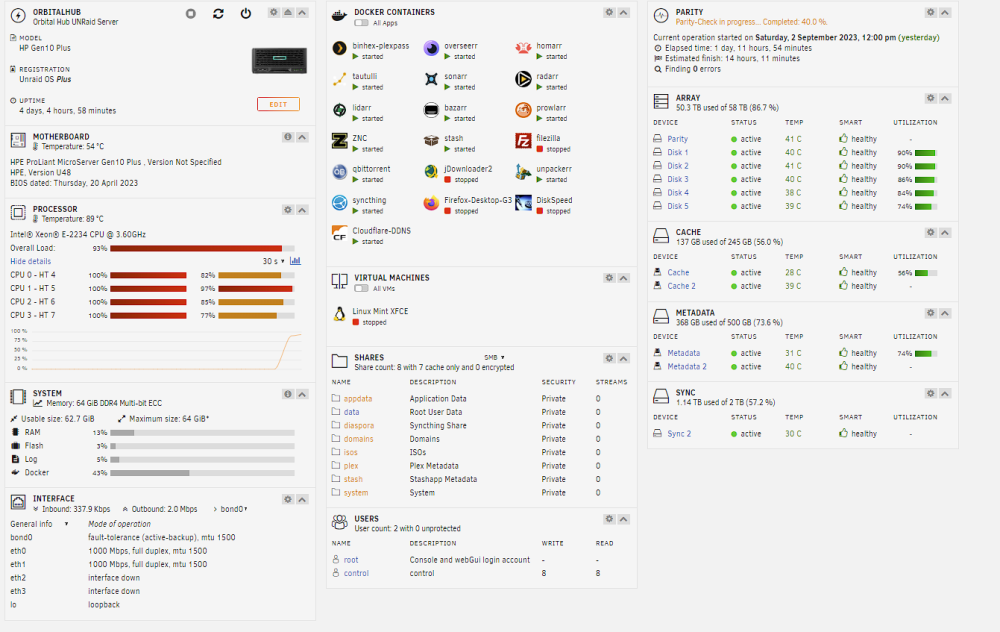
This looks interesting but super complicated to setup.. I'll paypal someone 10bucks if you do it for me over VNC. Serious. Plex is grinding my server to a halt.
-
Is there a way I can use this to disable that core?

-
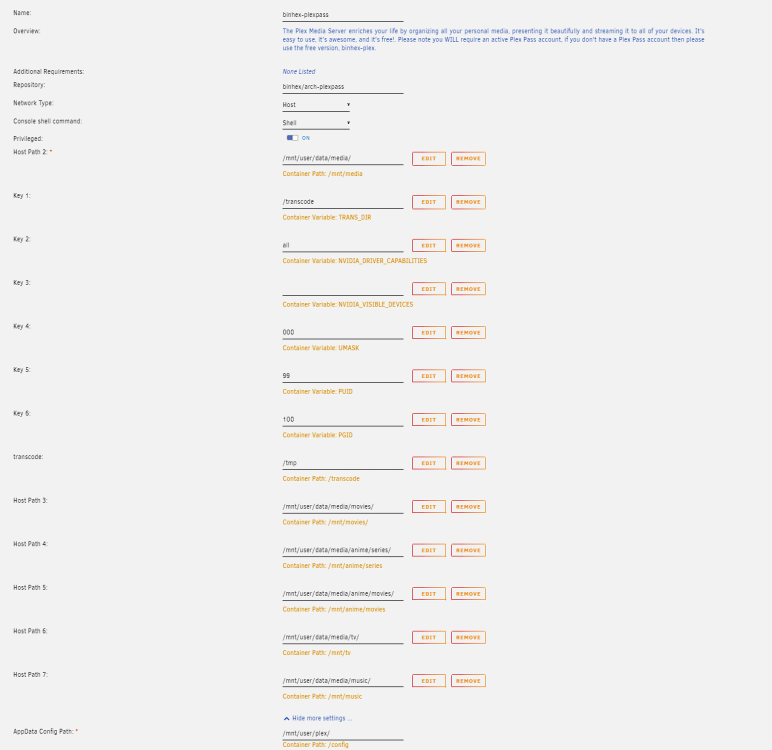
023-09-03 23:31:42,563 DEBG 'plexmediaserver' stdout output: No data written! 2023-09-03 23:31:49,111 DEBG 'plexmediaserver' stdout output: No data written! 2023-09-03 23:31:55,383 DEBG 'plexmediaserver' stdout output: No data written! 2023-09-03 23:32:02,289 DEBG 'plexmediaserver' stdout output: No data written! 2023-09-03 23:32:09,049 DEBG 'plexmediaserver' stdout output: No data written! 2023-09-03 23:32:15,327 DEBG 'plexmediaserver' stdout output: No data written! 2023-09-03 23:32:22,548 DEBG 'plexmediaserver' stdout output: I am getting this, latest version. I have it steup like this: I used the command to create the virtual ram disk etc for transcoding. in the plex app I have /transcode. I have tried using just an external SSD, or direct to ram, and I still get this, it thinks the transcoding location is full. I have actually tried the linuxserv.io and hotio containers and now this one, I get the problem on all. restarting the container fixes it again until it thinks the transcode location gets full. More than enough RAM for it, and the HDD locations do not get anywhere full if I use them. help please!
-
Hi, Sorry things happened IRL and now i'm back to this. How can I keep core 0/1/2/3 turned on turbo all the time? that script thing didn't work. How could I keep these settings saved also? These are the defaults:
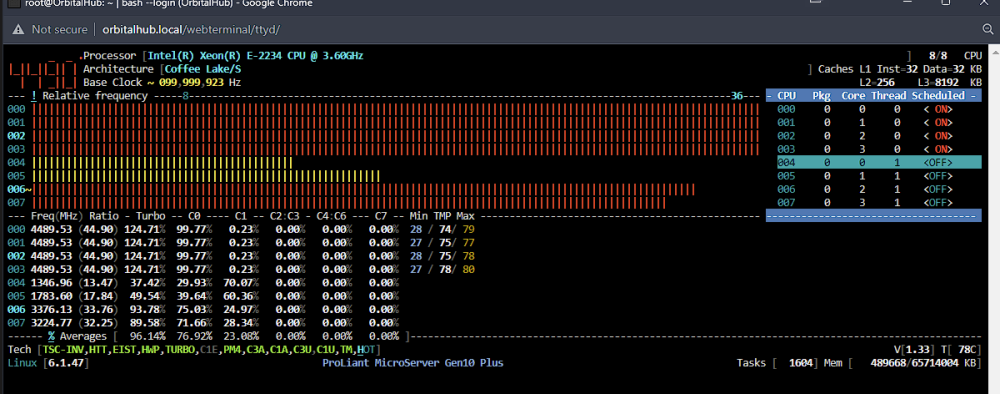
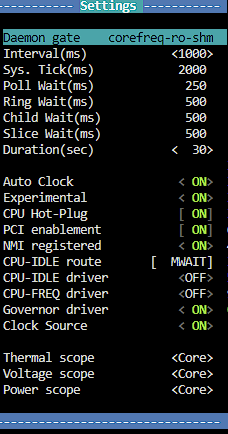
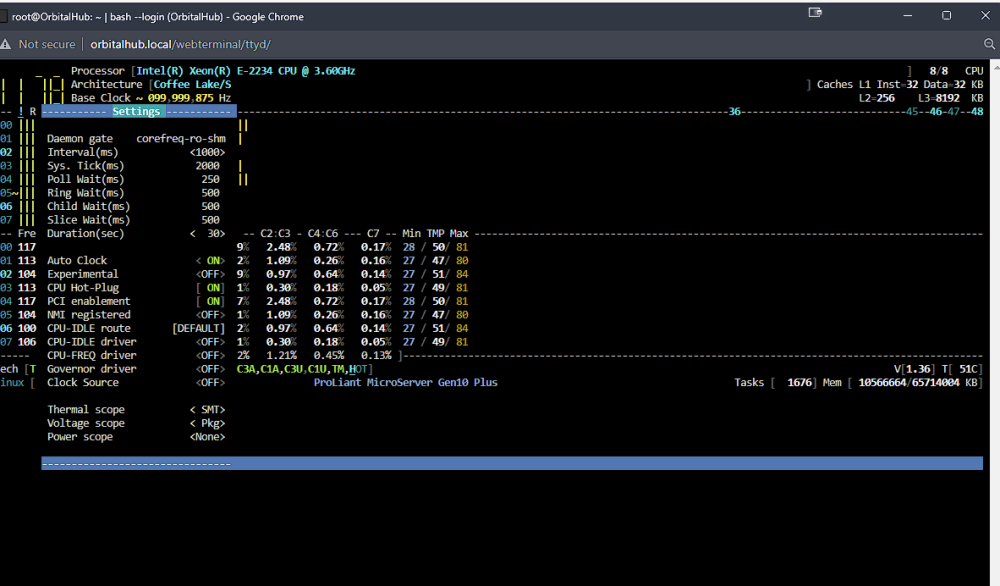
-
I have the same question. It would be great if everything didn't reset when you restart the container.. it makes it kind of useless. Did you find any browsers like this in dockers that do save the istuff?
-
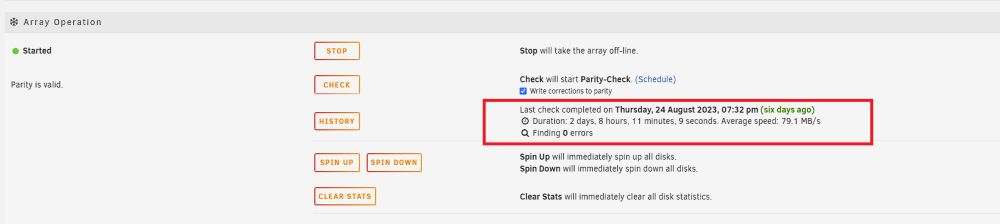
It should say when the next scheduled parity check is due under here. I don't know why it doesn't already. How about something like this for scrubs too? in order to run a scrub you have to dive deep into the disks to find the option. It's buried too deep and there's no info on completed scrubs on the /Main screen, so you don't know if a scrub is finished or not, or whether it fixed any errors, unless you remember to go check the individual disks (which can take awhile with 12+ disks). This is a pretty big oversight in my opinion. There are also NO notifications given regarding scrubs at all.