






bagican
Members
-
Joined
-
Last visited
Everything posted by bagican
-
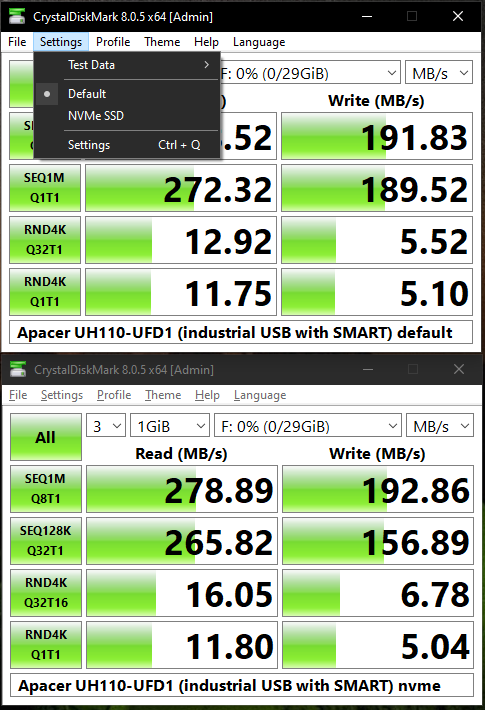
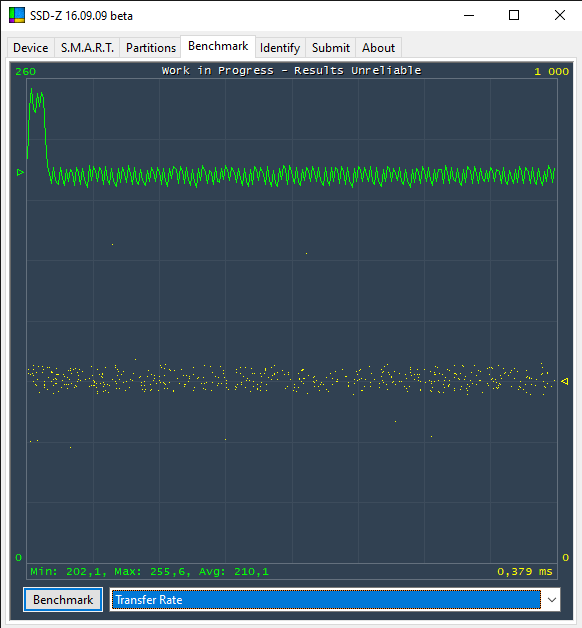
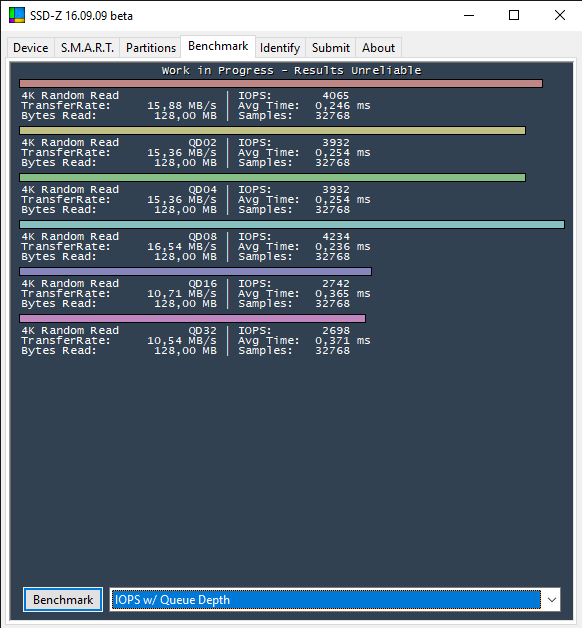
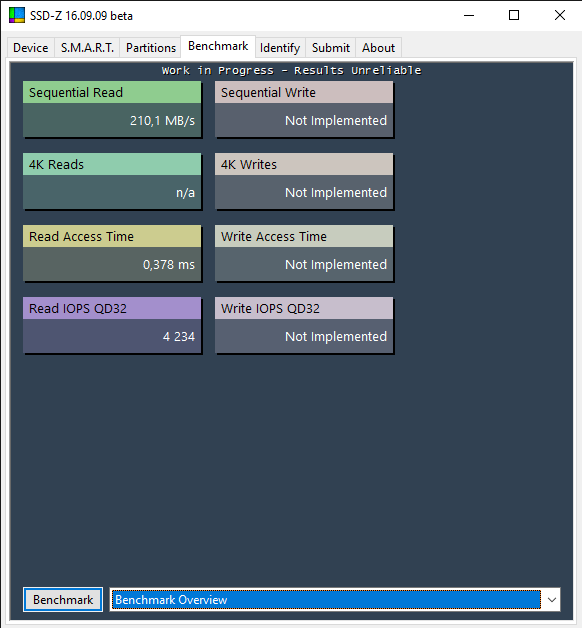
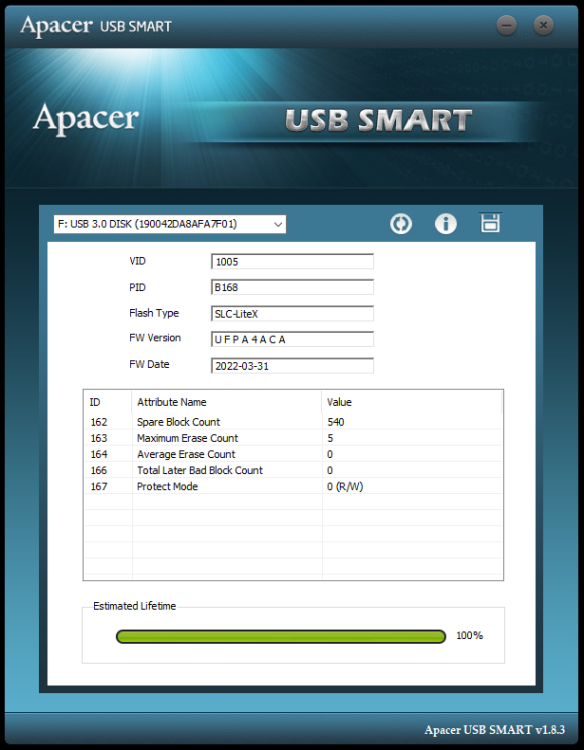
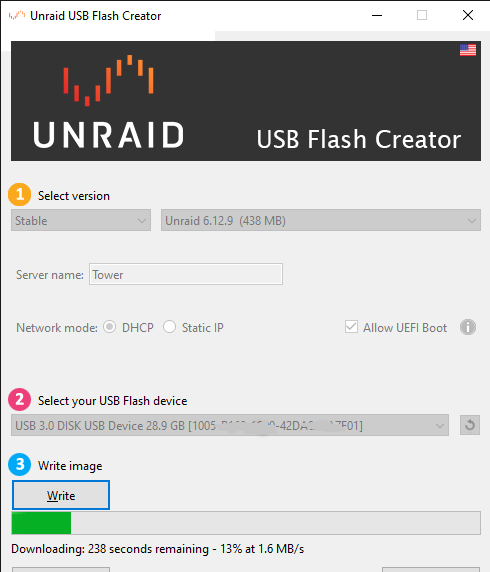
I have the Apacer UH110-UFD1 ! some details and benchmarks:
-
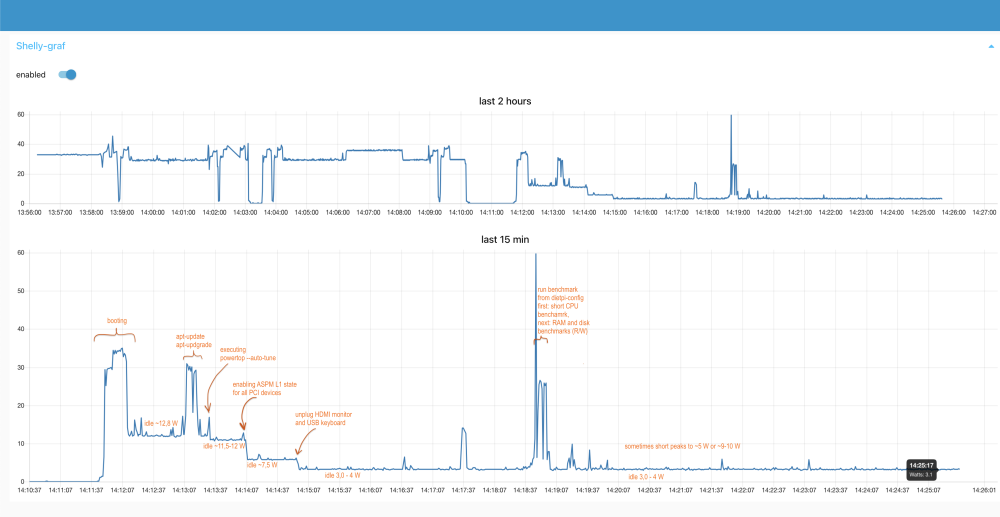
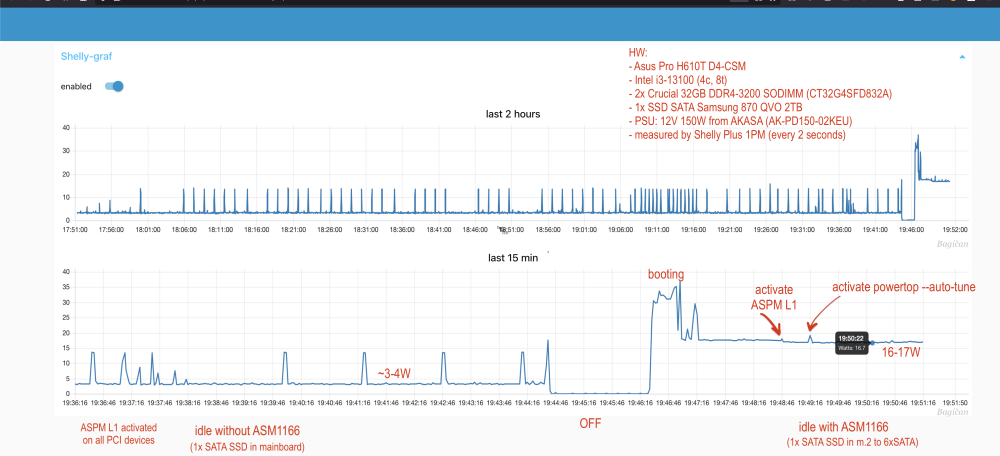
I don't think so. It cannot be powered by ATX PSU directly. To obtain a 12V power source, an adapter or a DIY solution is required. My powering solution - details: Here is my idle power consumption graph (measured with Shelly Plus 1PM every 1 second): - not Unraid, DietPi (Debian 12) HW: MB: Asus Pro H610T D4-CSM (latest BIOS, Version 3202, 2024/03/07) CPU: Intel i3-13100 (TDP 60W) RAM: 2x Crucial 32GB DDR4-3200 SODIMM (CT32G4SFD832A) SSD: 1x m.2 Samsung 980 Pro 1TB with heatsink PSU: 12V 150W from AKASA (AK-PD150-02KEU) https://www.akasa.com.tw/update.php?tpl=product/product.detail.tpl&model=AK-PD150-02K
-
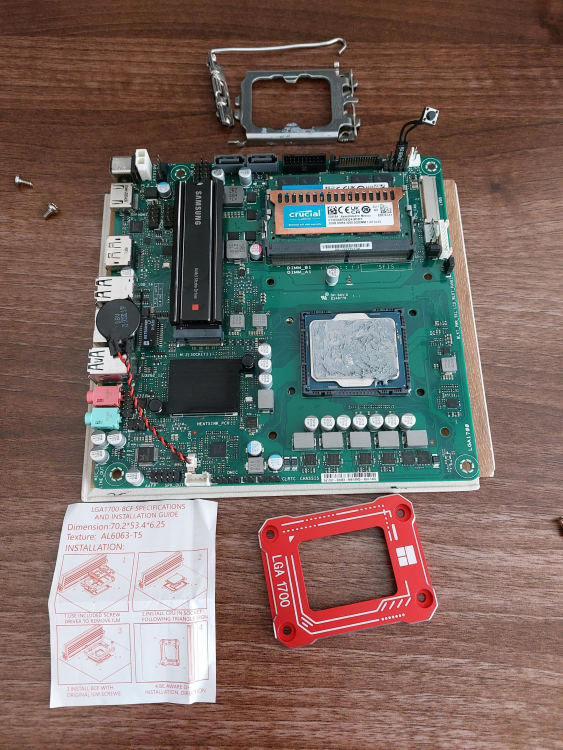
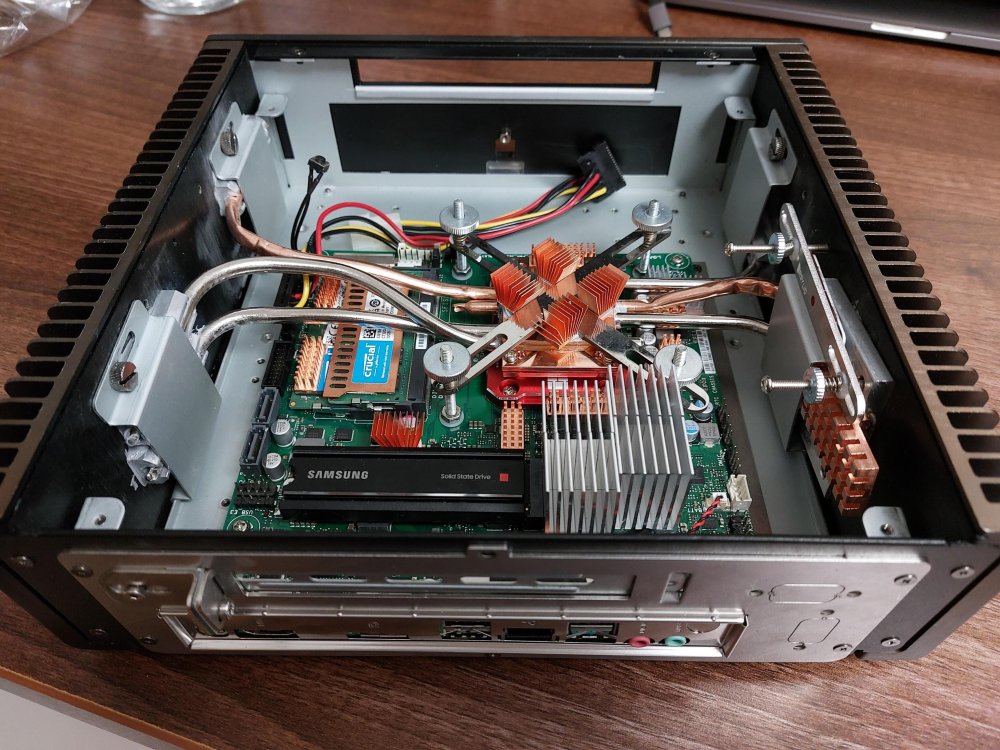
@Grzegorz Derebecki cześć ⚠️ My motherboard originally had BIOS Version 1402 (2022/04/02), which did not support the 13th gen Intel processors like my i3-13100. When I attempted to use the i3-13100, there was no response - no BIOS, beep codes, or any indication of functionality. To address this, I acquired a 12th gen Intel processor, the i5-12500, flashed the latest BIOS version, and then promptly returned the i5-12500 the following day. With the updated BIOS, my i3-13100 successfully started working on the motherboard. You can see factory BIOS version on the barcode - see "1402" as last number in barcode below: Spoiler and here is my passive / fanless case with 2 DIY heatpipes: Spoiler
-
@kdm yeah, I will post my BIOS settings today evening or tomorrow 🙂 Basically, I only enabled C-states and ASPM on all places where I found it.
-
Hi, I updated my post above: ⬆️
-
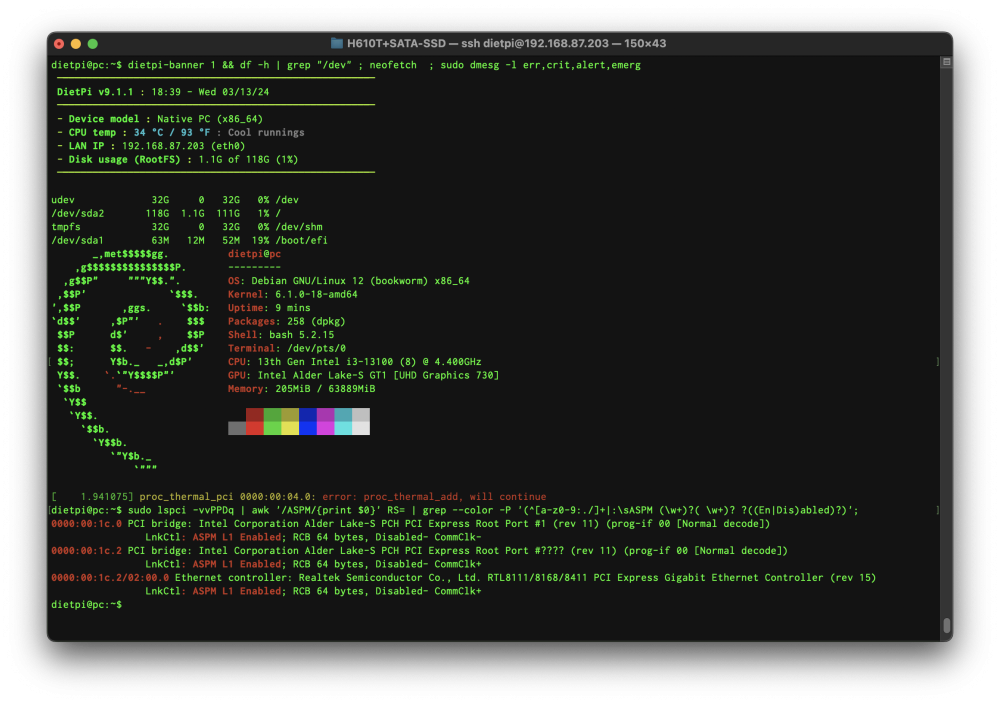
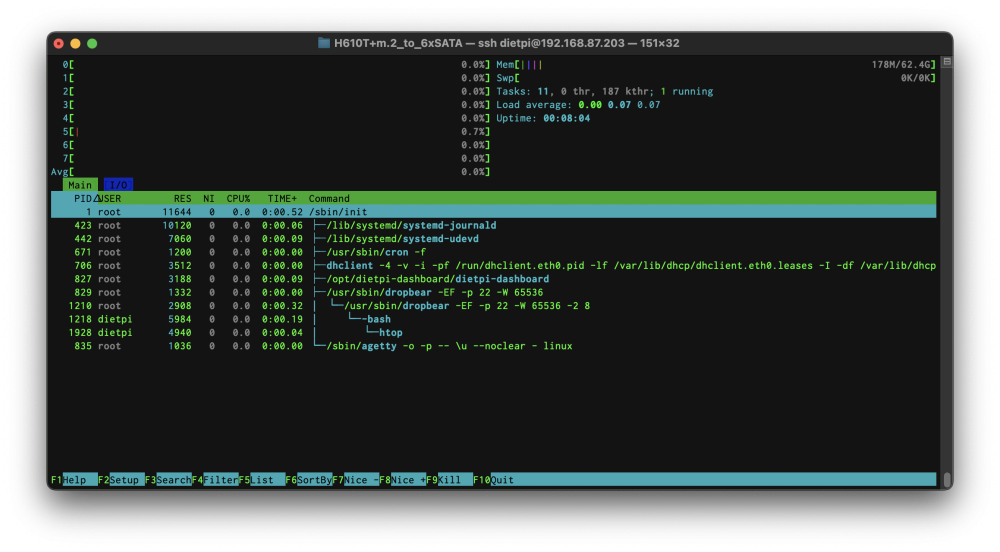
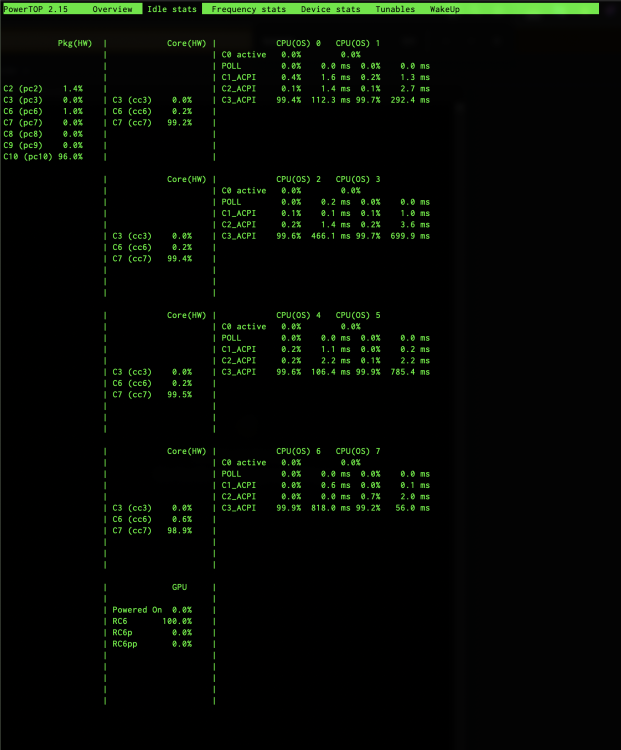
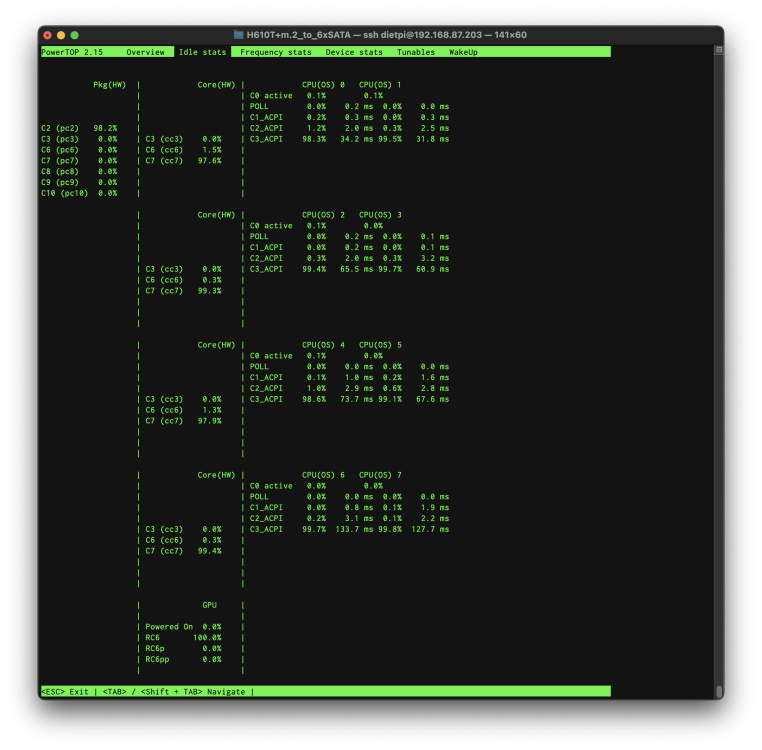
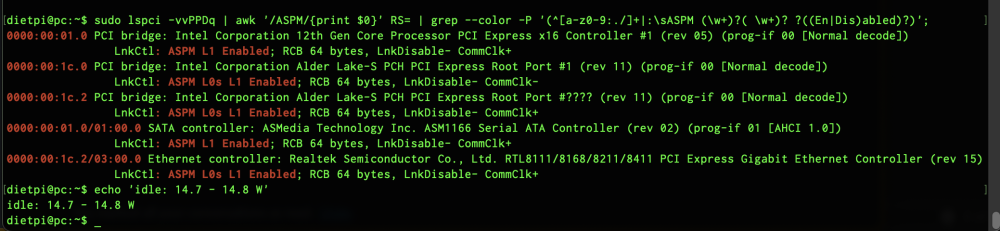
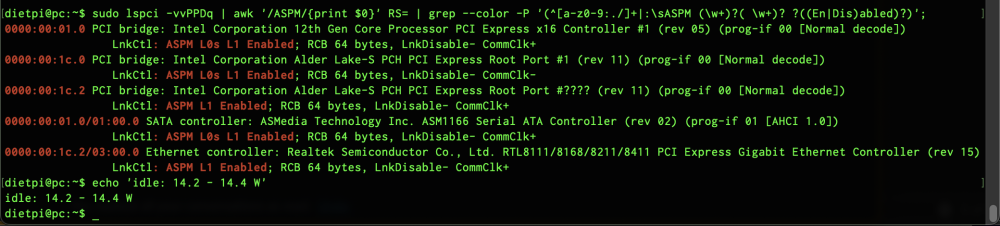
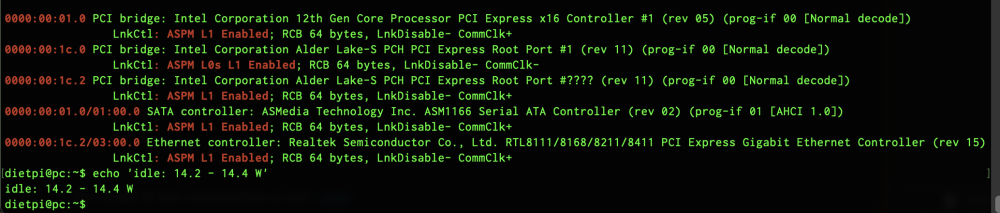
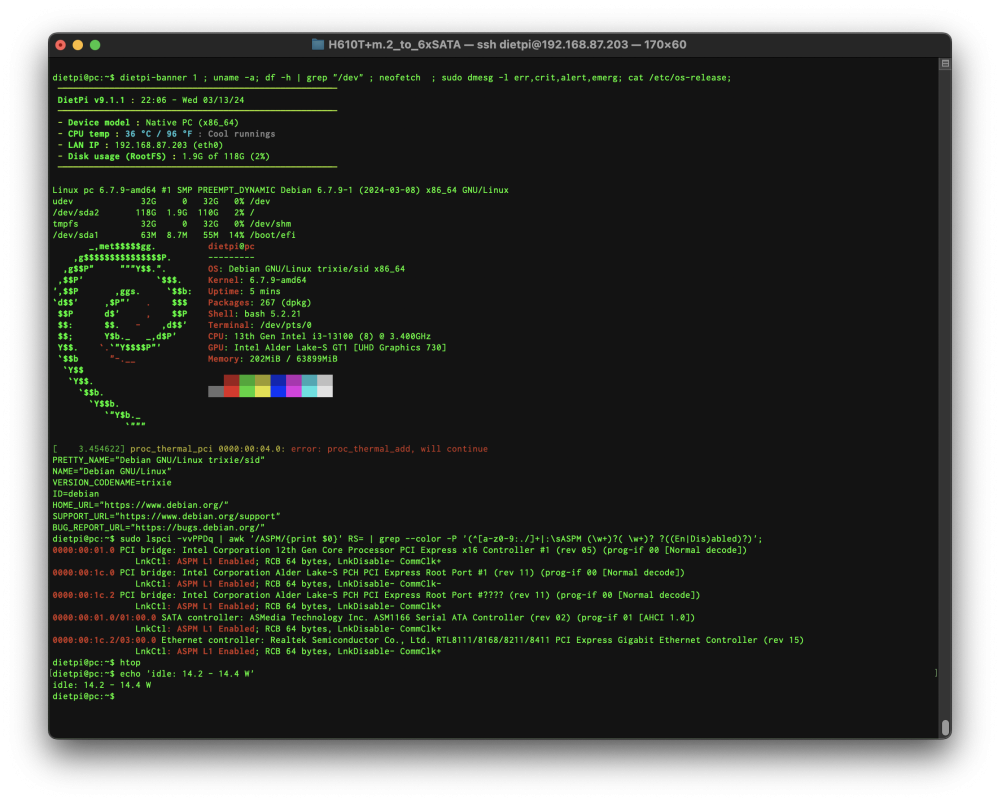
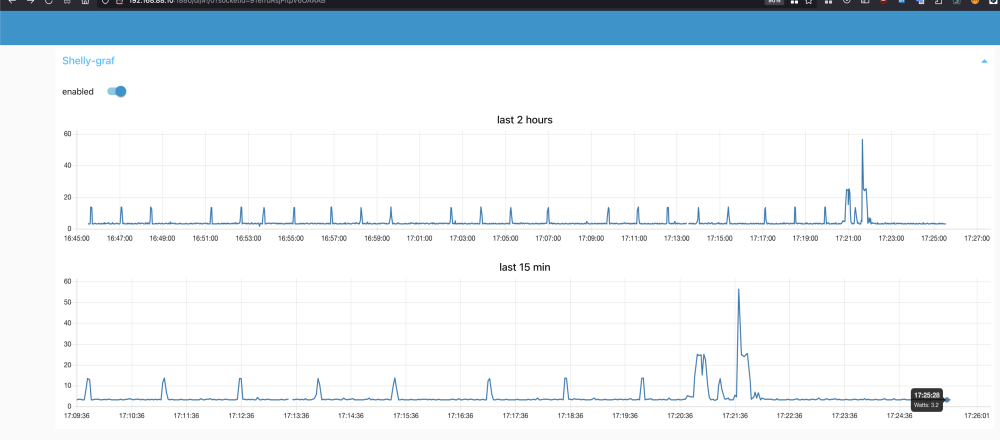
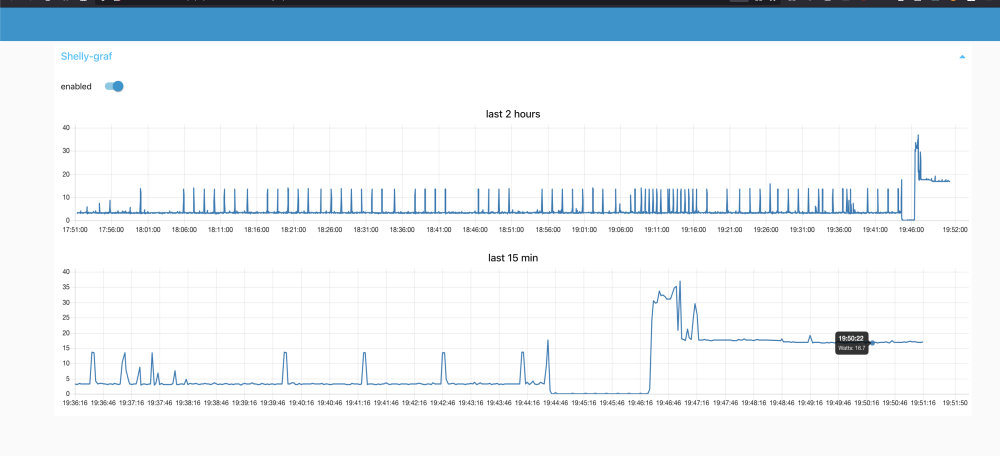
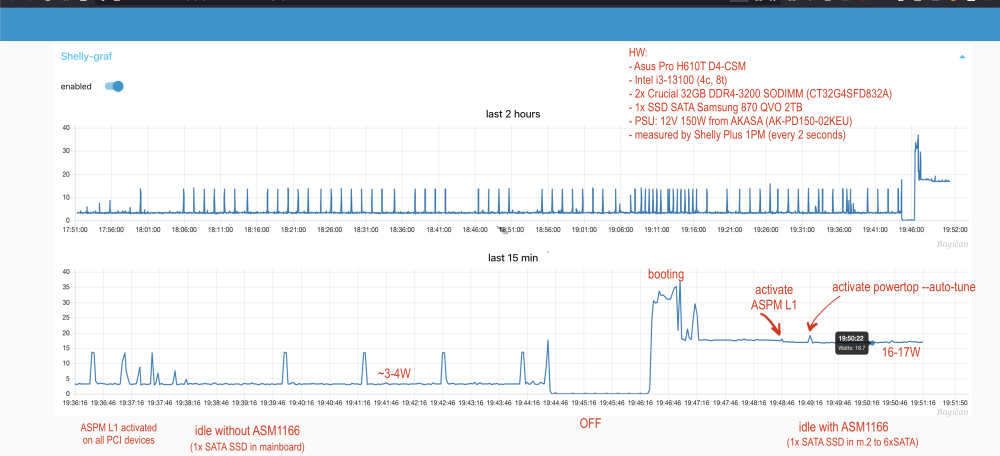
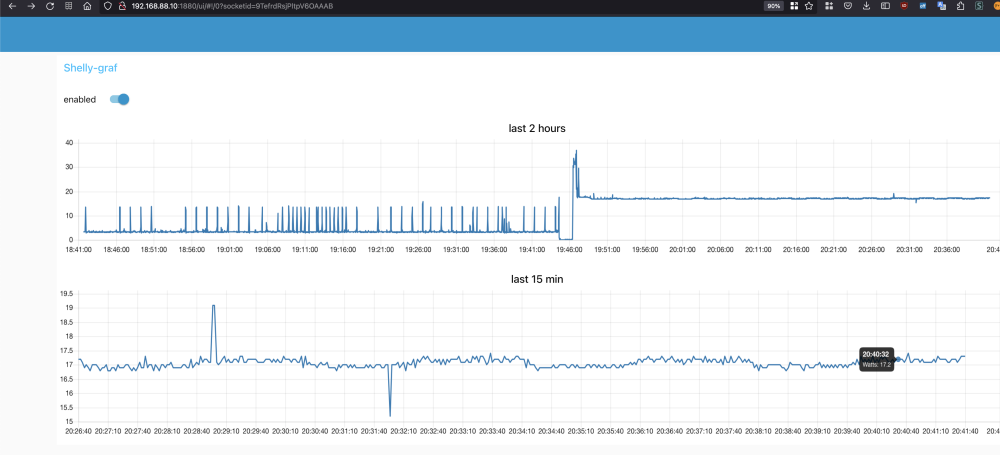
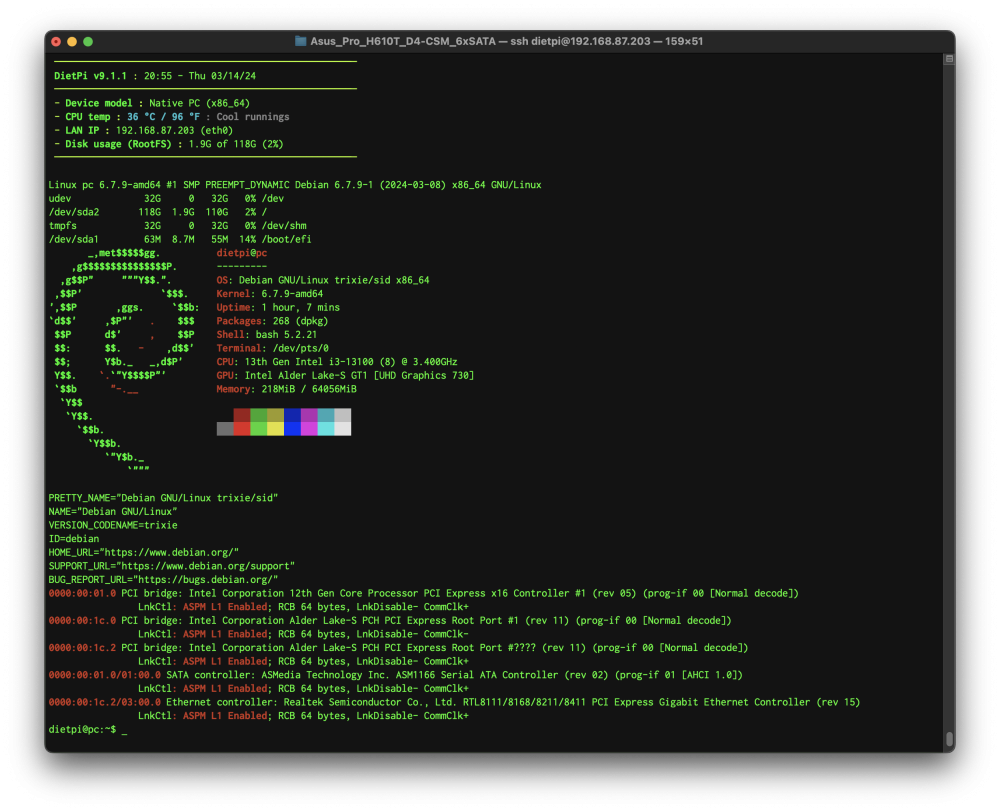
Hi @de-sascha ... as I promised you (on hardwareluxx.de) I tested it today (few minutes ago) and this mainboard doesn't play well with the ASM1166 m.2 to 6x SATA adapter. TL;DR: without ASM1166: idle: 2-3W ⚡️✅ - C10 (~91%) with ASM1166: idle: 14.1 - 14.5W ⚡️⚡️⚡️⚡️⚡️ - with ASPM L1 on all devices - no errors in dmesg - C2 max (~98%) See more stuff, screenshots, results, ...: - here you can see my powertop html report: https://jsbin.com/rolehanuqi/edit?output and my whole dmesg log: https://pastebin.com/18FZnAAB (after restart, without ASPM applied) and after powertop and ASPM enabled: https://pastebin.com/aTyQnvAZ But be aware that I tested my ASM1166 adapter in Odroid H3 and power consumption increased only +1 W (as you can see here) ❗️TODO: - Also, I forgot to upgrade BIOS, so maybe I will update this post tomorrow with newest bios. - ❗️It would be great to test another SATA SSD, because I've used old 128GB Crucial M4 SATA SSD (11+ years old). ______________________________________________________________________________________________ UPDATE: ️ - Updated BIOS to newest (Version 3202, 2024/03/07) - Changed old 128GB SSD to new Samsung 870 QVO 2TB without ASM1166: idle: 2-3W ⚡️✅ (3-4W on AC side) - C10 (~94%) - powertop report: https://jsbin.com/nujejetotu/edit?output - power consumption on AC side (by Shelly Plus 1PM): with ASM1166: idle: 14.1 - 14.5W ⚡️⚡️⚡️⚡️⚡️ (16.7 ~ 17.4W on AC side) - with ASPM L1 on all devices - no errors in dmesg - C2 max (~98%) - powertop report: https://jsbin.com/sawelehomi/edit?output https://jsbin.com/sawelehomi/edit?output - power consumption on AC side (by Shelly Plus 1PM): Room temperature: 23°C CPU temperature (passive/fanless cooling with special aluminium case): - idle without ASM1166 (package C-state in C10) : 29~30°C - idle with ASM1166 (package C-state in C2): 36-37°C
-
I can recommend only Samsung 980 Pro, sorry 🙂 (C10 package)
-
Have you checked out my thread about Asus Pro H610T D4-CSM ? (<5 W idle with i3-13100). But it's miminalistic ITX board without PCI Express slot. What are your requirements for power consumption and how many drives (HDD/SSD) do you want to use?
-
you need one m.2 slot for M.2 to 6x SATA adapter (something like that: https://www.amazon.com/Express-Converter-Downstream-Thunderbolt-Expansion/dp/B0B7CNL4QD) - ASM1166 chip - this is one of the best, most efficient and supported with good price - driver needs to be upgraded most probably, according to this thread: https://forums.unraid.net/topic/102010-recommended-controllers-for-unraid/?do=findComment&comment=1185707
-
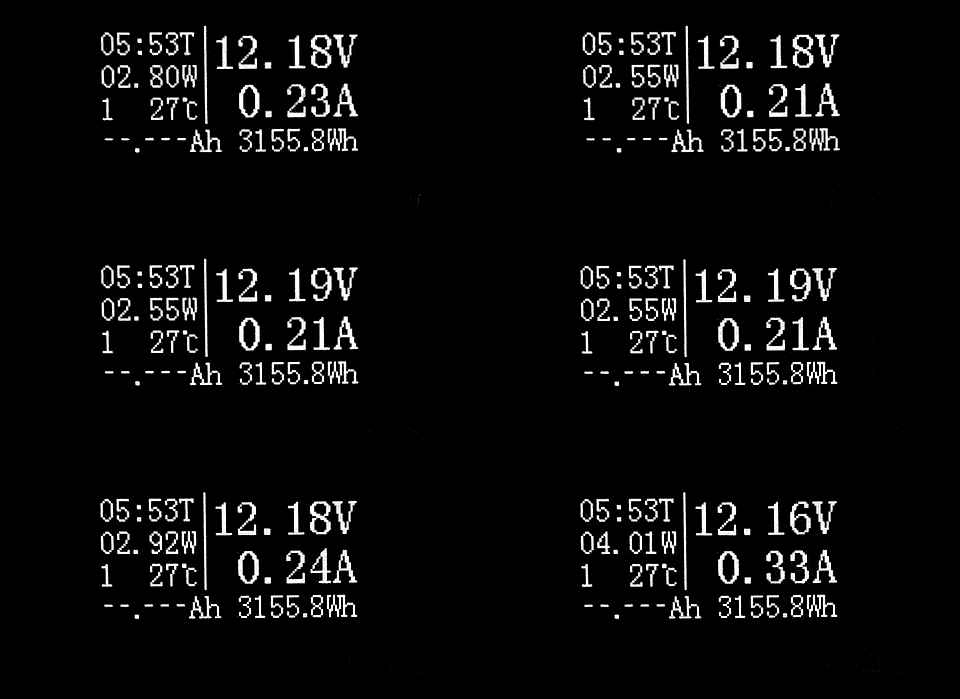
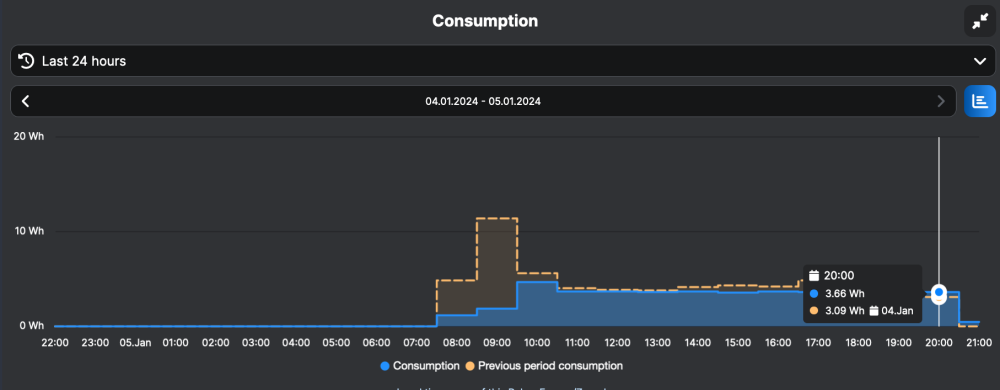
My Unraid NAS is minimalistic, fanless, SSD only Odroid H3: HW: Odroid H3 (Intel N5105, Turbo disabled) RAM: 1x 16GB DDR4 Crucial 3200 SSD (cache): 1x 2TB m.2 Samsung 980 Pro SSD (pool): 2x 4TB Samsung 860 EVO USB (boot): 16GB Transcend JetFlash 180I (SLC-mode, ECC, industrial-grade) USB (array): 64GB USB2 ADATA Flash Drive (dummy array, only to bypass unraid requirements) - running 2-4 dockers and idle power consumption is now: ⚡️ 2.5 — 6 W - ️on the DC side ~ 4 Wh is average on the AC side (measured by Shelly 1PM) update: after upgrade to unraid 6.12.8: - with running couple of dockers: root@unr:~# /etc/rc.d/rc.docker status status of dockerd: running running containers: immich_redis immich immich_postgres14 Gladys-Assistant scrutiny PortainerCI
-
Does Unraid following SemVer rules? ( https://semver.org )
-
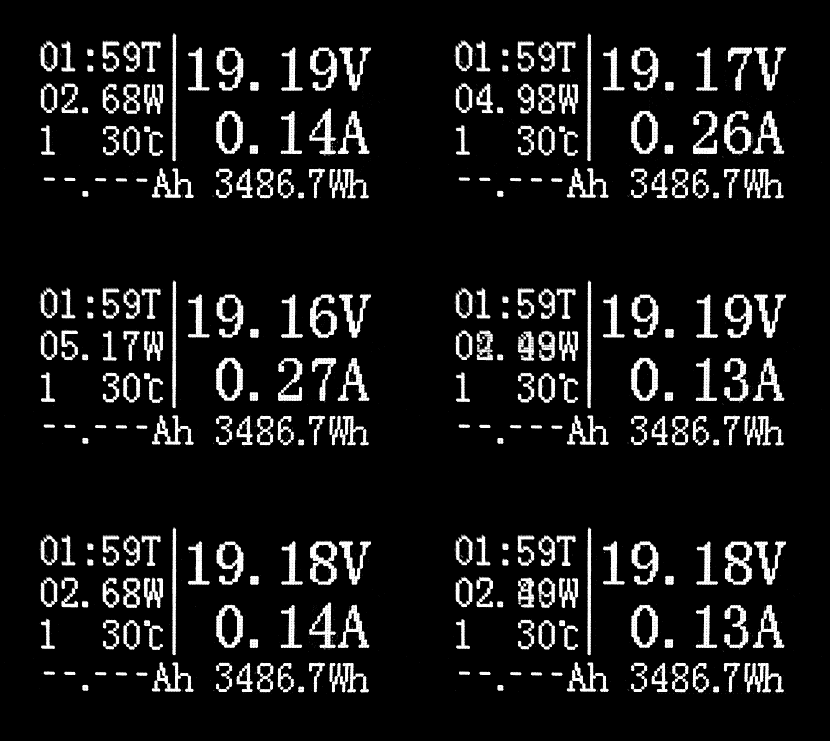
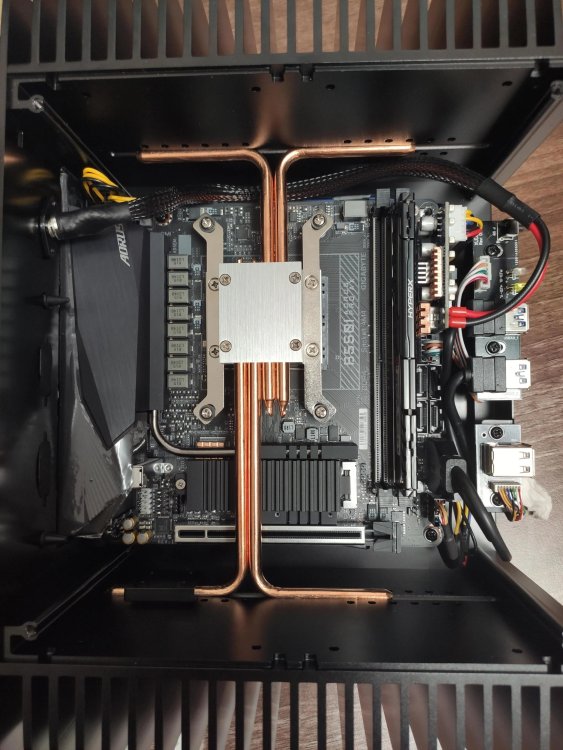
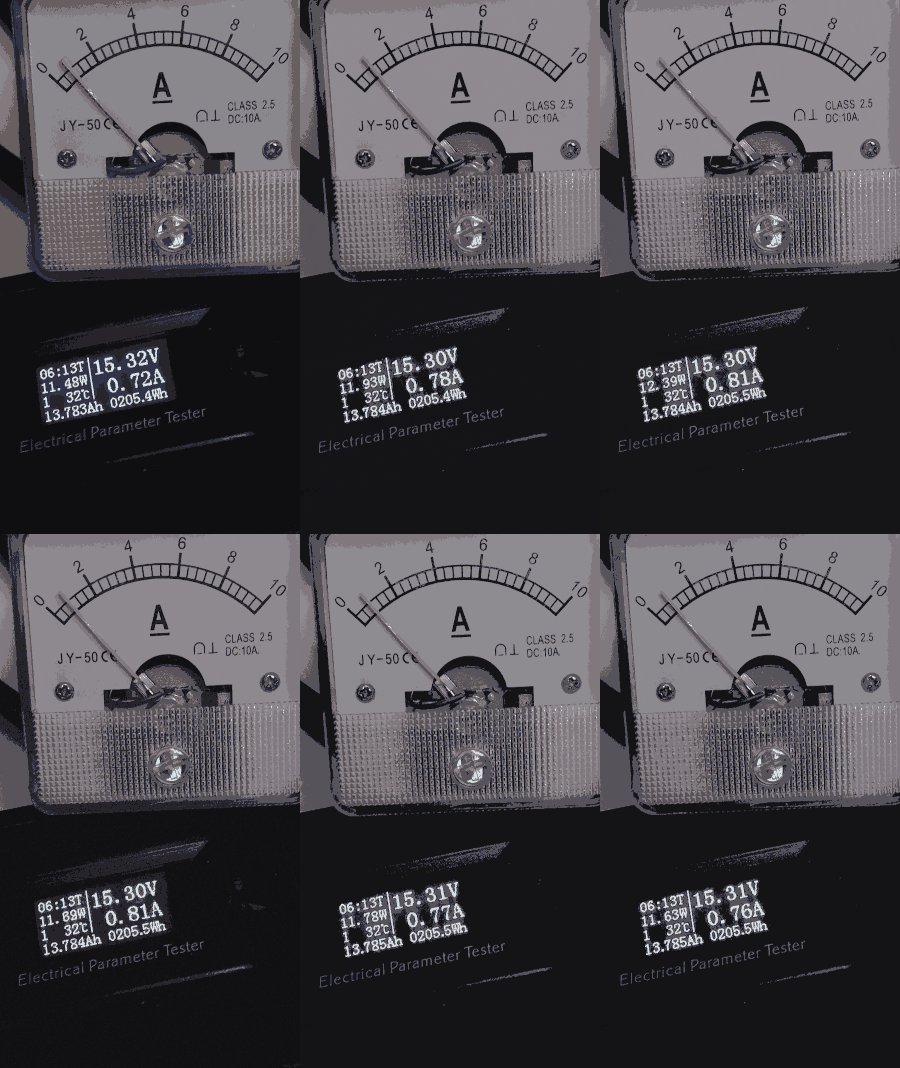
I have similar PC with lighter CPU Couple of months ago I built my first fanless desktop PC: - AMD Ryzen 5600G (6 cores, 12 threads, 65W TDP) - Gigabyte B550i AORUS PRO AX (rev 1.3 with Wi-Fi 6E) - 1x 16GB RAM DDR4 Kingston - 1x m.2 SSD 2TB Samsung 980 Pro - 1x SATA 2TB Crucial MX500 - PSU: Akasa 150W 12V (AK-PD150-02KEU) + PicoPSU InterTech 160W - Everything is in cool new fanless case from AKASA - Maxwell Pro. 👆 idle power consumption in Win10 (with enabled power saving settings in power management: Start , and select Settings > System > Power & sleep > Additional power settings) Also in BIOS I enabled everything related to power save and I started with light undervolting (CPU VCORE: -0,030V, Dynamic VCORE SOC: -0.030V, DRAM: 1.15V) Power consumption In Windows 10 (with connected 2K HDMI LCD, USB keyboard, USB mouse): ⚡️12-15W idle ⚡️⚡️80-100W full load (~60W CPU only load) I haven't tried Unraid or Linux on it (It should have better idle power consumption as a linux headless server). Photos:
-
My 2.5G switch is this one: https://www.aliexpress.com/item/1005005992916169.html - HORACO 2.5GbE Ethernet Switch 4 Port - from HORACO Official Store and my router is Mikrotik RB750Gr3 (or Mikrotik hEX) https://mikrotik.com/product/RB750Gr3
-
My 2.5G switch (4 port, with 2 unused SFP+ ports) uses 2-3 W with 3 ports used. My 5 port router Mikrotik (1Gbit) uses 2.5W. i recommend to watch/read STH (Serve The Home) for reviews, most of them includes also power consumption measurements
-
I’m using: - 16GB Transcend JetFlash 180Ihttps://us.transcend-info.com/embedded/product/embedded-flash-solutions/jetflash-180i (industrial grade, it works with 3D NAND flash in SLC mode) ... ±16 EUR - up to 1,146 TBW - Operating Temperature -40°C (-40°F) ~ 85°C (185°F) - Built-in ECC (Error Correction Code) functionality - Wear-Leveling looks good on paper, i hope it will be better than average
-
I am unable to make a decision either. Can you please provide an evaluation of the advantages and disadvantages of these different approaches? Thank you. I'm familiar with Portainer (on my mini home-lab on Raspberry Pi 5 with DietPi)
-
probably I can live with that errors… what's left for me?
-
@DrizzleV do you have newest BIOS? Did you try another SSD? Because some SSDs (mainly older ones) can cause that system is not able to reach lower C-states.
-
Firefox, Safari (on iPad)
-
Immich doesn't support Coral? Immich is very powerful Google photo alternative
-
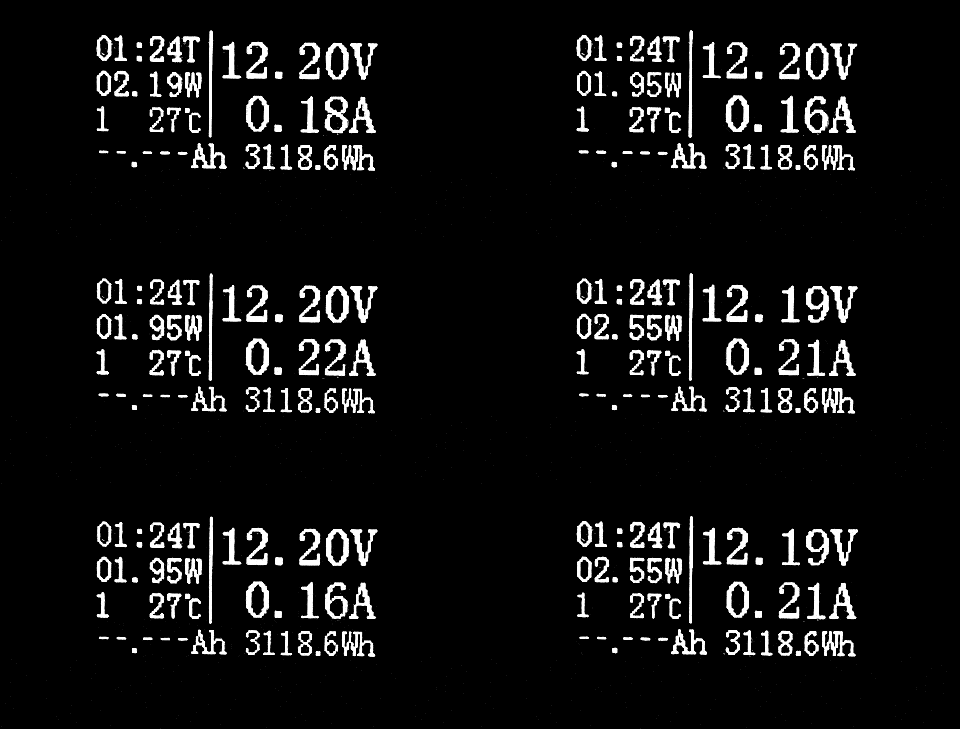
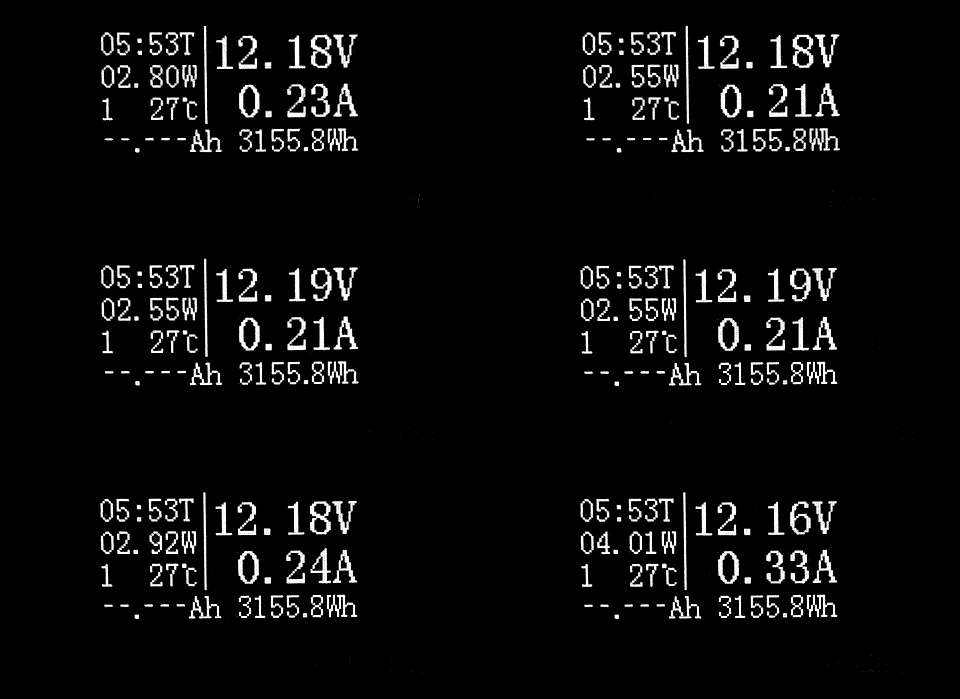
Update: - added 2x SATA SSDs (Samsung 860 Evo 4TB) - added 1x USB2 Flash drive (to make dummy Array) - running 2 dockers and idle power consumption is now: ⚡️on the DC side: ⚡️ 2.5 — 6 W on the DC side and average 4Wh on the AC side (measured by Shelly 1PM) Unraid NAS (12V / 4Wh) ┌─────────────────────────────────────────────────────┐ │ Odroid H3 │ │ │ │ Intel N5105 Unraid 6.12.6 │ │ 1x 16GB DDR4 │ │ │ │ 2.5G 2.5G │ │ SATA SATA LAN LAN#2 USB2 USB2│ │M.2 #1 #2 #1 unused #1 #2 │ └─┬────┬────┬──────┬──────────────────────────┬─────┬─┘ │ │ │ │ │ │ │ │ │ └──► switch 2.5G └──┐ │ │ │ │ │ │ │ │ │ │ │ │ │ │ pool RAID1 (btrfs) │ │ │ │ │ (SSD) ┌─────────────────────┐ │ │ │ │ └─────────►│ Samsung 860 EVO 4TB │ │ │ │ │ (SSD) │ │ │ │ │ └──────────────►│ Samsung 860 EVO 4TB │ │ │ │ └─────────────────────┘ │ │ │ │ │ │ pool "Cache" (xfs) │ │ │ (SSD) ┌─────────────────────┐ │ │ └───────────────────►│ Samsung 980 Pro 2TB │ │ │ └─────────────────────┘ │ │ │ │ │ │ (boot) 16GB Transcend JetFlash 180I ◄─────┘ │ industrial-grade flash with ECC, SLC mode │ │ │ (dummy) 64GB USB2 ADATA Flash Drive ◄────────┘ array for storing backups of bootUSB update: power consumption in Wh per hour (from Shelly 1 PM) with running 5 dockers: root@unr:~# /etc/rc.d/rc.docker status status of dockerd: running running containers: immich_redis immich immich_postgres14 scrutiny PortainerCI 19/02/2024 12:00 4.33 19/02/2024 13:00 4.6 19/02/2024 14:00 4.63 19/02/2024 15:00 5.1 19/02/2024 16:00 4.82 19/02/2024 17:00 4.42
-
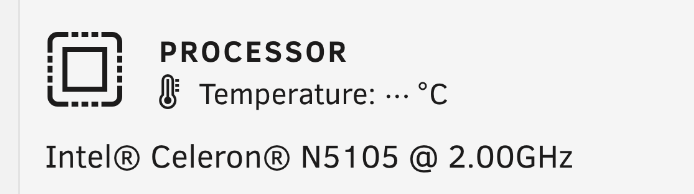
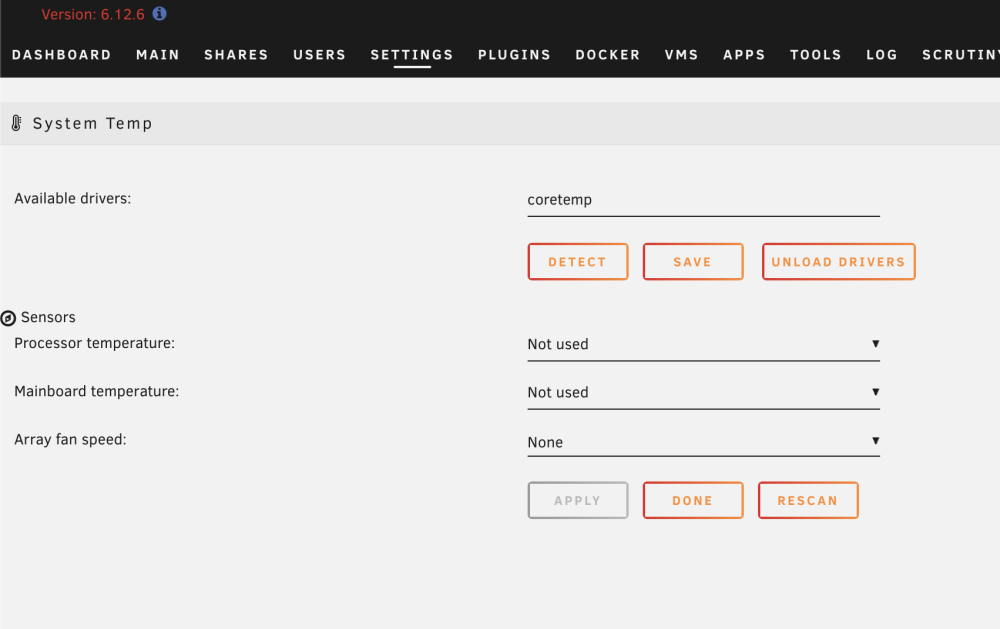
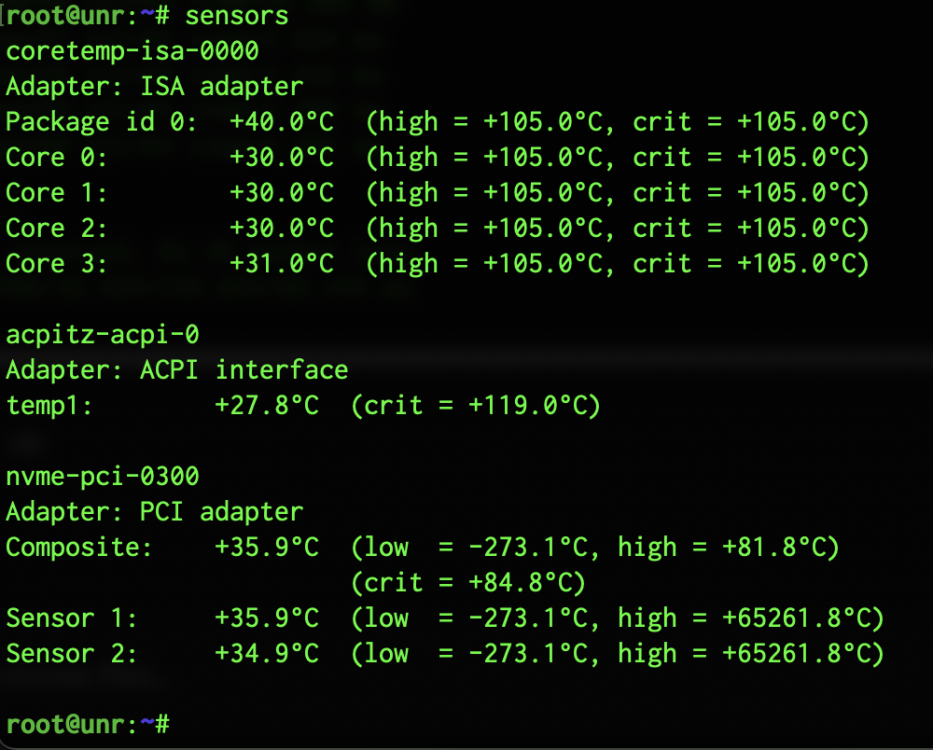
Hello, I just installed it to see CPU temperature, but: no temperature also no temperature after restart. however output of sensors is ok: unr-diagnostics-20240202-1210.zip
-
I just found another interesting USB flash drive: Apacer UH110-UFD1 (~35 EUR for 32GB) - https://www.apacer.com/en/product/industrial-product/detail/industrial_ssd/uv110-ufd1 search for UH110-UFD1 in https://www.apacer.com/en/download/industrial-downloads/index/edm for datasheet: I see first time USB Flash drive with S.M.A.R.T. 😮
-
I'm getting that errors (first time for me, array is not started): Message from syslogd@unr at Feb 1 18:18:41 ... nginx: 2024/02/01 18:18:41 [emerg] 5421#5421: bind() to 127.0.0.1:80 failed (98: Address already in use) Message from syslogd@unr at Feb 1 18:18:41 ... nginx: 2024/02/01 18:18:41 [emerg] 5421#5421: bind() to 192.168.88.8:80 failed (98: Address already in use) Message from syslogd@unr at Feb 1 18:18:41 ... nginx: 2024/02/01 18:18:41 [emerg] 5421#5421: bind() to 127.0.0.1:80 failed (98: Address already in use) ... unr-diagnostics-20240201-1822.zip Unraid: Version 6.12.6 2023-12-01 root@unr:~# netstat -tulpen | grep :80 tcp 0 0 0.0.0.0:80 0.0.0.0:* LISTEN 0 15254 5421/nginx: master root@unr:~# installed plugins: syslog.txt
-
Should I choose ZFS? in pool 2x 4TB SSD (860 Evo). I tried now BTRFS (with RAID 1 mirroring). Are there any other considerations to keep in mind regarding SSDs, similar to Trim functionality?







