JorgeB
Moderators
-
Joined
-
Last visited
Everything posted by JorgeB
-
Since the scrub is aborting, the filesystem has some issues. I recommend backing it up, reformatting, restoring the data, then monitoring the pool for any new errors.
-
You can use the Limine boot with 7.3 if booting from a flash drive, if you use an internal boot pool, you can use the stock Unraid bootloader (since it uses a different one with internal boot)
-
You can turn it off once the server receives the reboot comamnd. If the flash drive keeps needing reflashing, there may be an issue with it; I would recommend trying a different one. Alternatively, with 7.3.0, you can boot from an HDD/SSD.
-
That SSD would be better assigned as a single pool, since SSDs cannot be trimmed when assigned to the array.
-
UTP version works with 7.3.0 using the stock driver, SFP+ version requires a newer kernel/driver
-
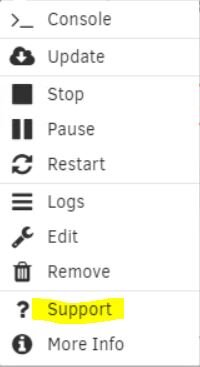
Best bet is to look for the support thread for that container:
-
Disk2 looks OK.
-
See if you get the syslog after it hangs cp /var/log/syslog /boot/syslog.txt Then attach here, or enable the syslog server and post that.
-
Try this, open a terminal window and type or copy/paste unraid-api stop unraid-api restart Try again to register from the dropdown
-
You should also scrub the pool to confirm there are no uncorrectable errors.
-
I don't see a way to import the pool with the new drive. The old one shows online but may be out of date. You try to go back a few TXGs to see if can be imported (with the old drive connected). zpool import -FX zraid If that still fails, I'm afraid you may need to destroy the pool and recover from a backup.
-
It may be worth a try, but before that, post the output from zpool import -d /dev/disk/by-id/
-
It's an issue with the plugin; sometimes it doesn't install everything correctly.
-
Open a terminal window and type: unraid-api plugins install unraid-api-plugin-connect Then refresh the GUI; that should get the icon there.
-
Possibly, try zpool import -F pool_name if that fails, post the output from zdb -l /dev/sda1
-
If it's only python that keeps segfaulting, it could be an issue with a specific container or plugin. Try booting in safe mode, leave Docker disabled, and retest, if OK, start enabling the container one by one, or a few at a time.
-
For which device did you run labeclear? I wish you had asked for help earlier. There are now two invalid disks for a raidz1 pool, so the pool cannot be imported.
-
Enable the syslog server and post that fater the next crash.
-
The device is still dropping, if the kernel parameters don't help, best bet is to try using a different brand/model device or a different board.
-
Up Connect is out of date; it should say that you need to update Connect first: Plugins - Update All. dynamix.unraid.net.plg - 2025.11.21.0223 (Update available: 2026.05.11.1745)
-
Check if there are multiple apps still segfaulting, if yes, that's not normal
-
The pool has some single profile chunks, see if you can convert all to raid1: If you can still start the array with the old device, assign it back; if not, reimport the pool with sdc and sdb on main click on the first device for that pool and then "remove pool" back on main, create a new pool with the same name and 2 slots assign the two existing pool devices; leave the filesystem set to auto start the array to import the pool Then click the first pool device and balance the pool to RAID1. Post new diags when done or if there are errors during the balance.
-
Cache cfg is in single mode, post the output from btrfs fi show
-
Yep, you are using the btrfs native driver with a folder, hence my suggestion to try with an XFS docker image
-
Wasn't this when connecting to the server?