





Vr2Io
Members
-
Joined
Everything posted by Vr2Io
-
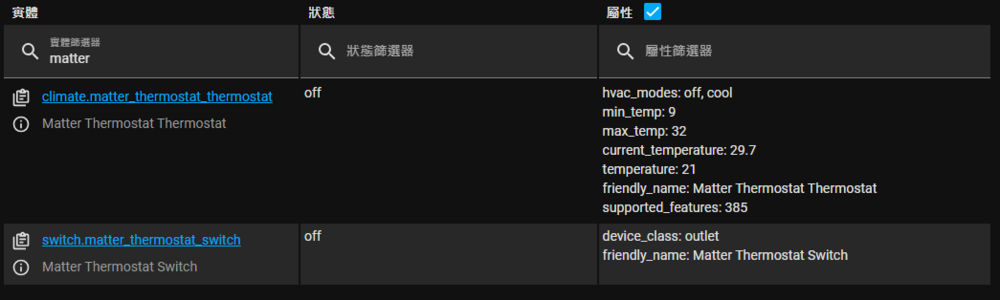
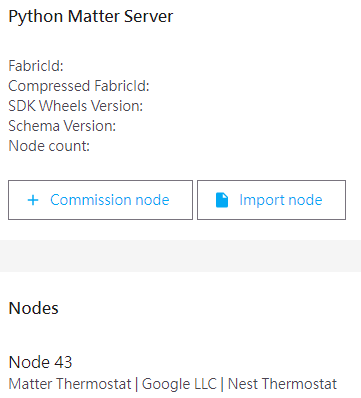
Thanks for that first, I haven't verify above setting strictly necessary or not, because I set that still fail to pair matter device. After realize Matter server must in host network then every thing start to work. Just for sharing , below are the problem - Matter server ( CA docker ) must in host network and Matter device also need in same network, but people usually set IoT device in different network. - HA in custom network can connect Matter server which in host network, but this need IPv4 routing between them and enable host access. - Matter device usually only support limited function, for example Nest thermostat have humidity sensor, but Matter won't support that, and as I know, smart plug power metering also not support. Matter already develop so many year still useless, really disappointed !!
-
Yes, we always need consider security issue, so I have put them in different VLAN, and mostly important the application server ( Unraid with home assistant ) haven't any critical private data. The reason for the 2nd Nest is because the old Nest doesn't support Matter ( that means must cloud base ), so I realised I should advance to Matter for future prove, also an entry point for some new technology.
-
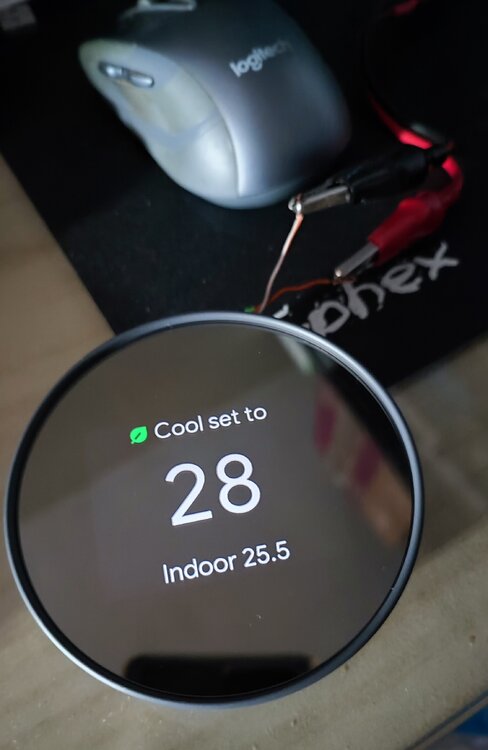
Look like those are positive update, I agree you should focus more new platform, shouldn't spend too much on current. Wish your new platform all the best !! Recently, I haven't too much change with Unraid and they basically work well, so less effort on them. IoT and automation stuff is current project, my 2nd Nest thermostat arrives, I like those gadgets.
-
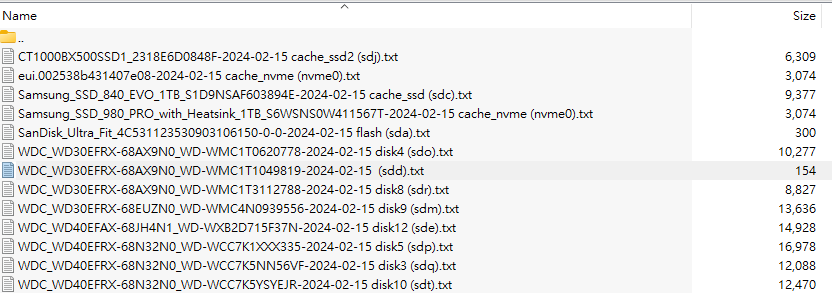
The error come from onboard SATA controller, pls try replace SATA cable first. Strange that no SMART data for this disk ( sdd ), the other disk ( sdb, sdc, sde) in same controller have SMART data. ** Supermicro X10SL7-F is based on the Intel C222 chipset, we also see four SATA II 3.0gbps ports and two SATA III 6.0gbps ports. ** I also quick check on internet, C222 have 6 port and only two were 6Gb, that also may cause some compatible issue if 6Gb disk connect to 3Gb port.
-
Suggest try create a new docker image.
-
Modern CPU have quite good power management, if green is 1st pority, you may limit its maximum clock multipler and PL ( power limit ), this already enough, simple and smart. If you wrongly “under voltage” a CPU, it may use much more power or just working in an extreme low performance state actually.
-
The disable one made in 2017, so you shouldn't count abnormal.
-
Haven't check diagnostics, miss you have RAID controller. Not sure does HP RAID need flashing BIOS if work as HBA.
-
Confirm BIOS have disable RAID function.
-
If br3 br4 not showing in docker template menu, try recreate docker image.
-
Yes
-
As mention, you may try uninstall disk location plugin first.
-
To be more solid, you could try one more parity check, if result positive could assume problem cause by plugin, then rule out which one is. I would suggest uninstall disklocation first.
-
@Rysz I try add the line and also remove the line in ups.conf, it work flawlessly. Thanks

-
It could be that, because eth0 and eth1 was config in same subnet. But this won't the reason cause 10G NIC unstable.
-
I have build in different form factor and different hardware, I also previously use a 8 bay QNAP + 5bay USB enclosure to be a 13bay system, but currently was a 3U+2U rack 28bay system ( hba + expander ), more performance and robust. Best avoid SMR disk, those usually little bit cheaper, but we also understand no choice for small size disk.
-
SMR could have slow WRITE problem no matter it RAID or not. Your can perform some READ test by dd to /dev/null to confirm. For hdparm result, it indicate no problem on interface ( USB ).
-
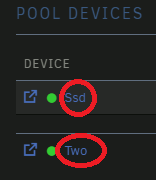
Disk 已 drop, 你可以從新加入硬碟 rebuild. 不過如之前所說, 檢驗時硬碟不會 spindown, 所以問題不在 spindown.
-
的確不像硬盤問題, 只要超過3秒硬盤沒有反應就會 drop disk. 可以只在該盤停止 spindiwn. 按入選擇便可. 校驗時 drop disk 就不會是 spin down 原因了.
-
It could due to it is SMR disk. You need do same hdparm test on disk2.
-
Yes, if route through router ( cross vlan or different subnet ) it need router CPU to processing. But if just simple switching by the router switch part then won't affect the speed.
-
Are you sure 192.168.112.x and 192.168.122.x are same subnet and vlan which haven't route through router ? Any WiFi path between all ?
-
Yes. Pls also try boot in safe mode and perform parity check to test does any different. This fine too.

-
How about previous provide test result ? There are no feedback. Currently we can't confirm does problem come from hardware, it could be software relate, so we need different test or setup to verify.
-
That's why I said you need found a way to quickly trigger disk drop. Otherwise you just fall to endless rebuild loop.






