





Vr2Io
Members
-
Joined
Everything posted by Vr2Io
-
Sound good if you can recreate fresh Unraid, 1st fully backup the USB, 2nd recreate UR on existing USB and restore the licence key file is a quickest way rather then troubleshoot.
-
The problem is create custom network "linkwarden" part, it is 172.18.0.0/16, so you can't input the fixed IP in 192.168.X.X I never manual create custom network by command, you need further check on this. Why don't just input the address in higher part which you want i.e. 192.168.X.200 i.e. eth0/br0 instead manual create custom network.
-
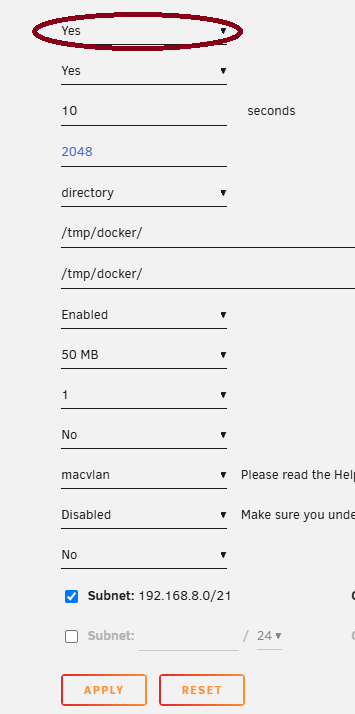
Pls also in docker page, setting it "Yes" then RESET and APPLY.
-
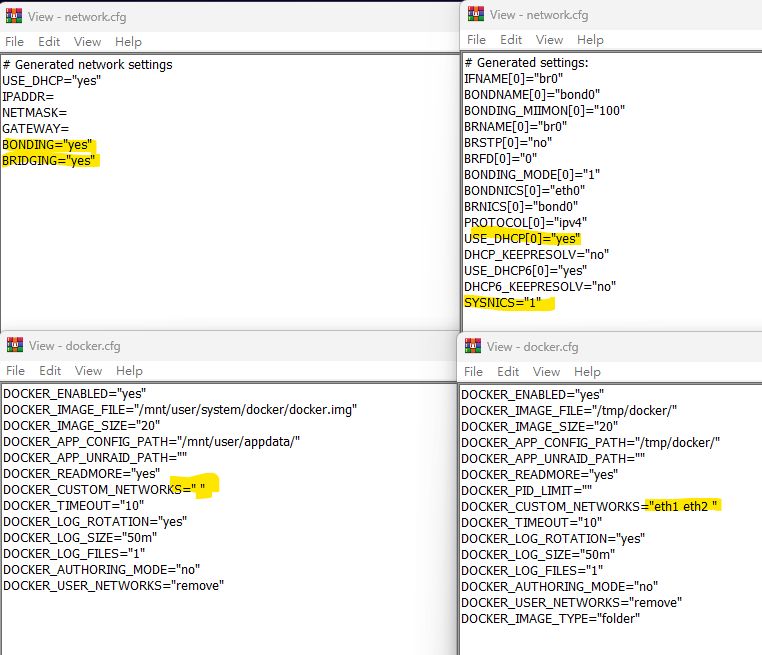
This no abnormal, the only abnormal was your diagnostics haven't network-rules.cfg file and network.cfg and docker.cfg both have something abnormal. - network.cfg missing many parameter - dockr.cfg missing interface at NETWORKS Pls try delete network.cfg and re-setting the network part. You don't need manual create anything / modifying those config file.
-
Not sure that, pls provide a photo for better understand what those are. But as my first reply, there are no NETWORK found if according docker.cfg in diagnostics. Pls also post new diagnostics again.
-
The add-on controller and disks were detect, but have below error Oct 27 00:58:05 NAS03 kernel: ata15: found unknown device (class 0) Oct 27 00:58:05 NAS03 kernel: ata9: found unknown device (class 0) Oct 27 00:58:05 NAS03 kernel: ata11: found unknown device (class 0) Oct 27 00:58:05 NAS03 kernel: ata13: found unknown device (class 0) Oct 27 00:58:05 NAS03 kernel: ata11: SATA link up 6.0 Gbps (SStatus 133 SControl 300) Oct 27 00:58:05 NAS03 kernel: ata13: SATA link up 6.0 Gbps (SStatus 133 SControl 300) Oct 27 00:58:05 NAS03 kernel: ata11: link online but 1 devices misclassified, retrying Oct 27 00:58:05 NAS03 kernel: ata13: link online but 1 devices misclassified, retrying Oct 27 00:58:05 NAS03 kernel: ata11: reset failed (errno=-11), retrying in 10 secs Oct 27 00:58:05 NAS03 kernel: ata13: reset failed (errno=-11), retrying in 10 secs Oct 27 00:58:05 NAS03 kernel: ata15: SATA link up 6.0 Gbps (SStatus 133 SControl 300) Oct 27 00:58:05 NAS03 kernel: ata9: SATA link up 6.0 Gbps (SStatus 133 SControl 300) Oct 27 00:58:05 NAS03 kernel: ata15: link online but 1 devices misclassified, retrying Oct 27 00:58:05 NAS03 kernel: ata9: link online but 1 devices misclassified, retrying Oct 27 00:58:05 NAS03 kernel: ata15: reset failed (errno=-11), retrying in 10 secs Oct 27 00:58:05 NAS03 kernel: ata9: reset failed (errno=-11), retrying in 10 secs Oct 27 00:58:05 NAS03 kernel: ata15: found unknown device (class 0) Oct 27 00:58:05 NAS03 kernel: ata9: found unknown device (class 0) Oct 27 00:58:05 NAS03 kernel: ata11: found unknown device (class 0) Oct 27 00:58:05 NAS03 kernel: ata13: found unknown device (class 0) Oct 27 00:58:05 NAS03 kernel: ata11: SATA link up 6.0 Gbps (SStatus 133 SControl 300) This seems disk problem, are you sure those disk in spinning and correct power wiring to disks ?
-
You haven't doing anything wrong, but no idea why that.
-
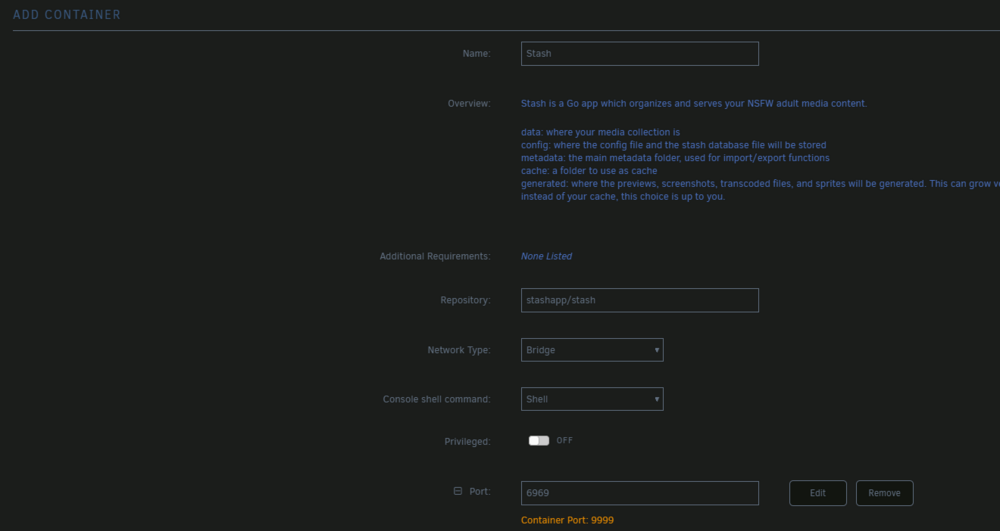
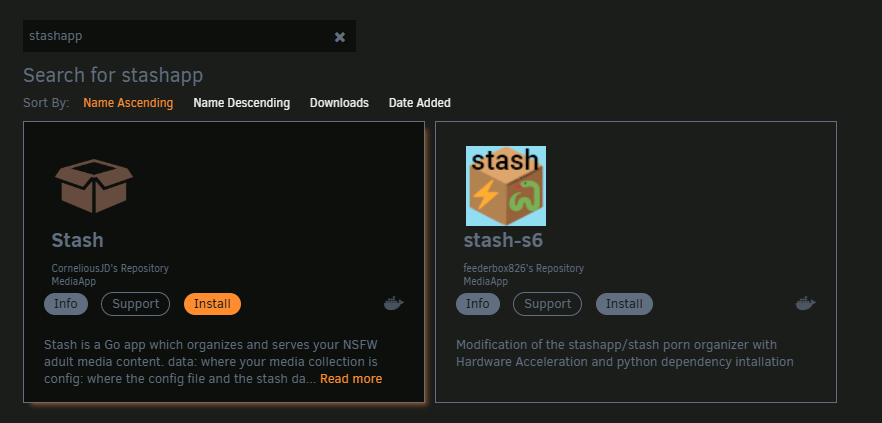
Screen capture look normal, I also try install that app in CA, are you click "Install" ?
-
When adding container, what custom network list on pull down list ? Pls also check and input the Fixed address which you want.
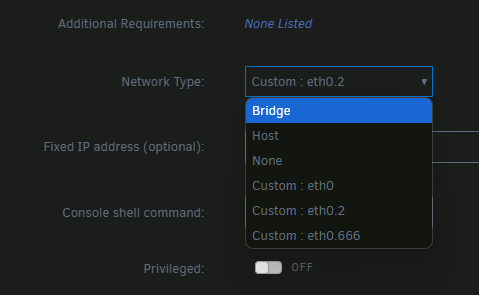
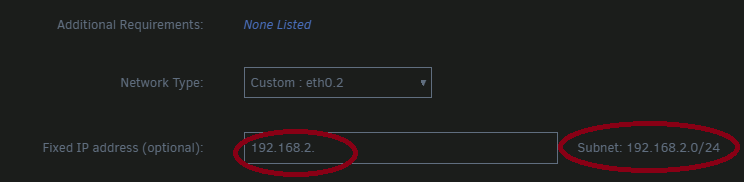
-
You haven't any network interface attach to docker service, pls post settings -> docker screen dump for ref. ( turn-on "Advanced View" )
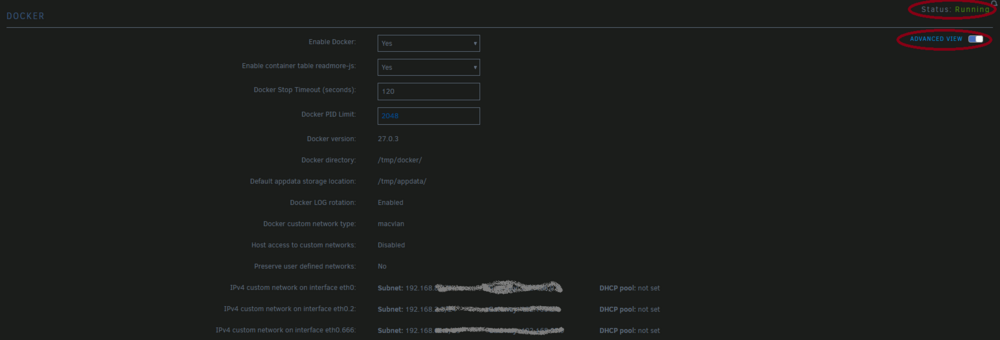
-
If PCIe device list not show on two different computer, then I agree the HBA was DOA. LSI BIOS show or not during POST doesn't matter.
-
How to set what to publish ?
-
Cooler can't well handle 7302P https://ncc.noctua.at/cpus/model/AMD-EPYC-7302P-1169

-
First, don't setting different MTU. 2nd if the NIC are passthrough to VM, then it won't use vitrio driver, it will native driver. But I don't know which VM you are talking.
-
I suppose you are talking mirror pool, if speed were important, then I would go to standalone route and periodic sync between two NVMe. If speed not concern too much, then mirror both as usual also fine.
-
It will max at PCIe 3.0 x1, still have around 1GB/s. The other onboard M2 still in full speed.
-
You can buy an NVMe to PCIe_1x adapter and use PCIe_1x slot ( PCIe_E4), but will limited the throughput. ( free M2_2 so can use HBA )
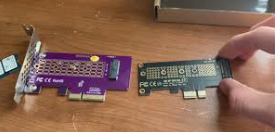
-
My first HA was run in Rpi3 and stable, the only problem is the booting SD / USB will die in 2 or 3 month due to continues writing to the media. Then, the HA have migrate to Unraid VM and currently move to docker, and all stable. My first Matter device was google nest thermostat but I have return it, so no more test can make again, the test was on unraid v7beta. Due to all test in docker, so no much can advice in this post. BTW, Matter server communicate between Matter device must IPv6. But Matter service in HA to communicate Matter server was IPv4.
-
Likely that and battery have 3yrs+ age. You can further apply some load to outlet and test does UPS would provide power for expected time duration.
-
Thanks your feedback, I fully understand why you would point to memory problem, because swap modules seems fix it. I also face fast-boot issue and have troubleshoot, so I know what will misleading the cause.
-
More precisely, the symptom are if you enable fast-boot, then reboot Unraid will got black screen, if you enter BIOS setting then quit then Unraid will boot normally. This already well address a problem.
-
This likely because "fast boot" was enable in BIOS, just disable will be fine.
-
This is the problem, you need to confirm does 2.5G switch support link on when NIC in 10M/100M link speed.
-
Miss that it show +0.0°C.
-
If k10temp were load and got the temperature, then manual create /boot/config/plugins/dynamix.system.temp/drivers.conf will fix temperature not showing in dashboard issue.



