





Vr2Io
Members
-
Joined
Everything posted by Vr2Io
-
Note that, may be simple try below command ( also others ) and check does NIC discovery or not. modprobe thunderbolt-net https://www.kernel.org/doc/html/v6.2/admin-guide/thunderbolt.html Edit : The chip should be ASM2464 not ASM2646.
-
I will assume you are talking about array, because only array have parity. Pool expand ( add disk ) really painfully slow and I think dangerous if no backup, but no choice if not enough space or no spare disks.
-
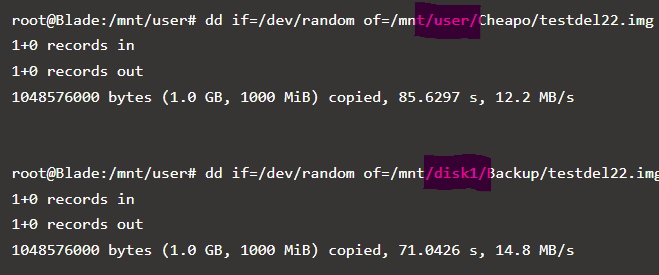
Unlikely, I haven't problem on array RW in 7b2. And your test bypass fuse also slow. How about if /dev/zero ?
-
Agree, no idea, use two or three 2308, haven't got similar problem, just one suddenly dead due to bad ventilation.
-
🫠Then as your previous mention, try on another hba. Edit : I always plug/unplug btrfs or zfs pool under hba, no issue.
-
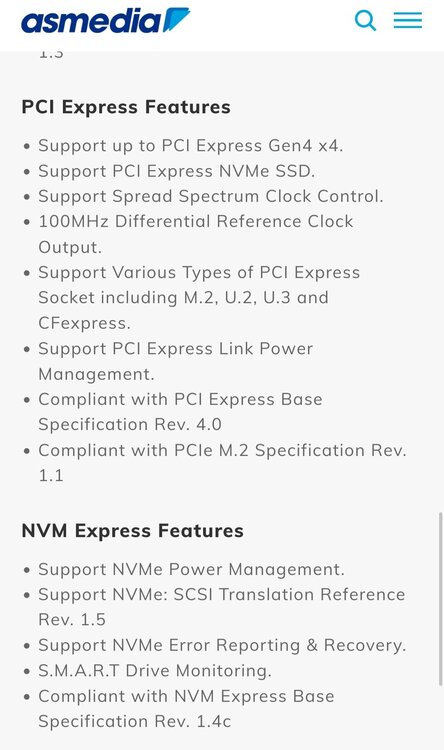
ASM2646 seems not support other PCIe device.
-
The curve are flat, something limiting the throughput, I will try another PCIe slot first, pls ensure it under different PCIe root port.
-
Acess client also need at br0.82, if you want access from br0, you need inter routing between both vlan in your router.
-
I consider change LFP or not for longtime, the cost about $190 (24v 50ah), if continue use PB battery it cost $154 (12v 17ah x2) and PB can't guarantee life time. Above is the main reason for me to try LFP battery, but LFP have higher firing risk this is the only concern factor.
-
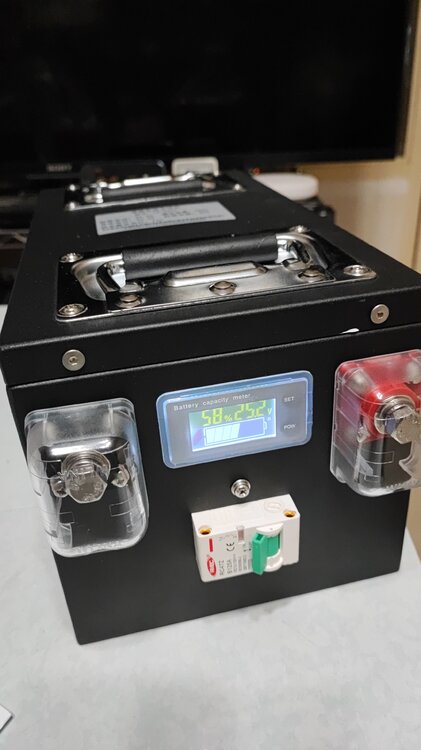
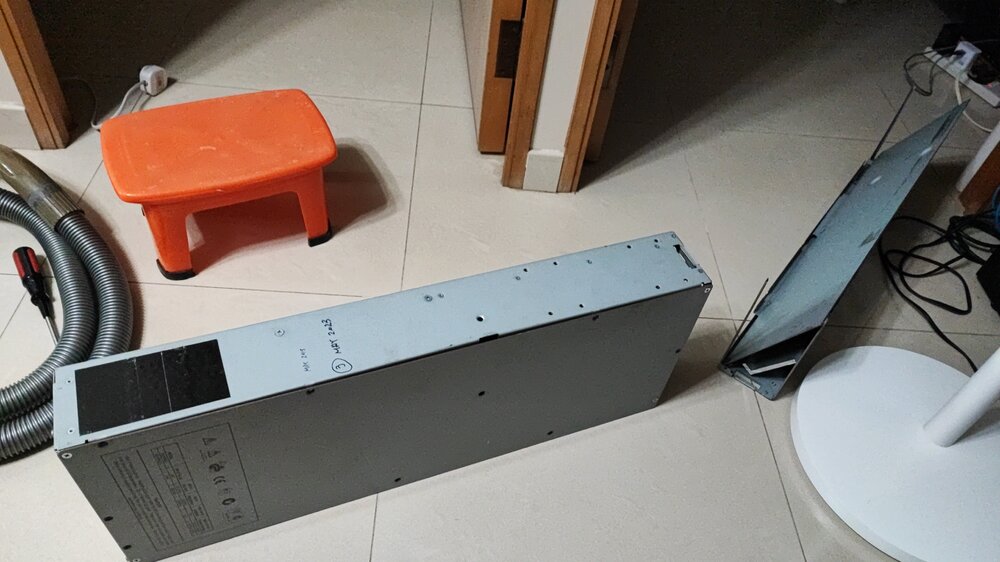
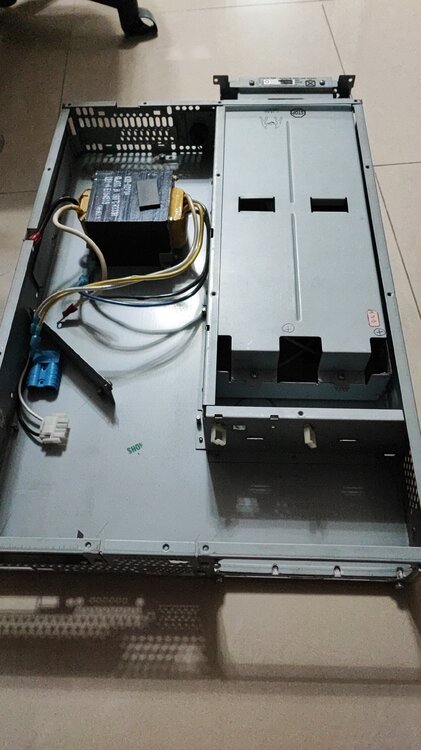
Two or one 12v battery ? If two, quite reasonable. If life reach 5yrs it almost excellent, my previous bad experience even less then 3 months. So I have a big project which change to use LFP battery. Of course, I greatly modifiy the UPS, make it green and reliable. Below are the battery pack which use and already cut the UPS in half to remove battery area.
-
If you don't mind running in lower clock rate ( not promised reach 4800Mhz ), it's fine for 4 modules. So don't waste money on high clock rate modules.
-
It still look like battery problem, mainly because all have shutdown suddenly. Your setting ( 3rd line ) were shutdown immediately when on battery, that means UPS haven't provided or just very short time protection. Those are base on the pre defined "normal" battery case, UPS really won't know battery healh or not, it just base on battery voltage and estimate the runtime for you.
-
You will found many different form factor build in below post. For SFF and low power usage, you may try buy some obsolete used QNAP then use Unraid OS, I use it as Unraid longtime ago. I believe the cost will be less then you build .
-
The drawback of the mobo was 2 16x slot was x1 PCIe lane only, if you won't adding bandwidth demand device then it is not a problem.
-
Use below adapter (something like) to power the expander will be more reliable and simple, extend the PCIe 1x to power up expander aren't recommend. As mention, expander not use PCIe lane, so you don't need connect that “USB” cable. This won't affect speed. But you also can DIY, a SATA power plug already have the need of 3.3v and 12v. SAS 2 use 8087 / 8088 and SAS 3 use 8643 / 8644. SAS 3 double the bandwidth, so future prove.
-
But if you connect 12disk then expabder can't avoid, two 8087 only support 8 disks. Connect an expander allow far more cable length and eliminate unstable. If only connect external disk directly, try not use any adaptor to ensure signal integrity. So recommend 8087 to SATA directly.
-
SAS expander won't use PCIe lane, but some expander only accept power by PCIe, and it need 3.3v and 12v, so in this case you can use apapter or DIY to power it, as result won't waste a PCIe slot. 82885t is SAS3, and I always recommend, you can power it by PCIe or molex. Recently I got two more which cost only usd7 each, total have four now. For hba connect disk directly or not, it just depends on which you like, not a issue. Currently I use 9300-4i4e to backplane expander and external 82885t, no disk connect to onboard.
-
I will stay current build for long time unless I found much improvement if upgrade. On the other hand, my storage demand also decrease a lot. So, the build may be the first also the last.
-
I mean if need more CPU core then you must change platform. Note now, you have 1650, so can't assign 16x slot for HBA. Even HBA run in x4 lane, it should have 4GB/s bandwidth, more PCIe lane may increase speed for parity task. So upgrade in PCIe I/O may not have significant improvement.
-
OK.
-
Could you swap HBA and 10GNIC slot, So HBA in x8 ( CPU lane ) and 10GNIC in 4x ( PCH lane ) ? 4x PCIe 3.0 for Mellanox almost won't affect it's performance. Or source a full-atx mobo for E-2288G then got more PCIe slot from PCH. Something like Asus WS C246 PRO have 2 M2 slot and one more PCIe16 (x4) slot.
-
To be more precise, *for example* if EPYC 7413 have 3.6Ghz on half core (12) at 90w, actually it is pretty good. But I am not sure what power / clock rate scheme of EPYC, pls verify.
-
In general, won't.
-
This is common problem when using multiple bay USB enclosure, ID will change if disk have change. A correct and simple procedure to refresh the ID is new config and mark parity valid. If you need rebuild disk ( still have valid parity and remain data disk), you need manual invalid the target rebuild disk. *BUT* after all previous operation, this is in question does your parity still valid.
-
In general, I won't recommend core monsters CPU, because they usually run in low clock rate which will affect performance in most case.


