Vr2Io
Members
-
Joined
Everything posted by Vr2Io
-
I means may be you order reverse cable but actually got a forward one. Sound good for that.
-
So, it seems normal ( even little bit slow ). I doubt if change to 9305-16i would help much. Pls confirm 9201-16i have put in a PCIe slot have 8x PCIe 2.0 bandwidth. Or simple observation, if rebuild in first 10min, the highest speed rebuild at 180MB/s+ then it is not HBA issue.
-
How long does rebuild take, if less then 10hrs (4TB) 20hrs (8TB), then it is normal.
-
I mean SSD were suck, you can try use DD to make some test on individual SSD. Suck SSD usually with very low writing speed and always busy on that, but after writing complete or some period, then it will resume normal read / write speed again. I also have some suck SATA SSD, no matter what you do, they still suck. If rsync in local transfer still slow, then it is storage issue. I also implement some SATA SSD / NVMe in array / pool / UD, they generally work well.
-
I think so.
-
Yes, me too
-
Did you correctly power up the backplane ? May be reverse cable not reverse type.
-
Those are reseller, HK haven't counterfeit / genuine business, HK also have strictly electronic parts export restrictions, we can't export any electronic parts thr post / express shippping even return back to China. I got those from China too, far more lower price, but as Hoopster said, all just gambling. I doubt when seller said it is org. , because selling those electronic parts could mark up x5+ profits.
-
I use Pushover, it is not free, but pay once only, so far so good, it also work with homeassistance.
-
Sorry, I miss that too.
-
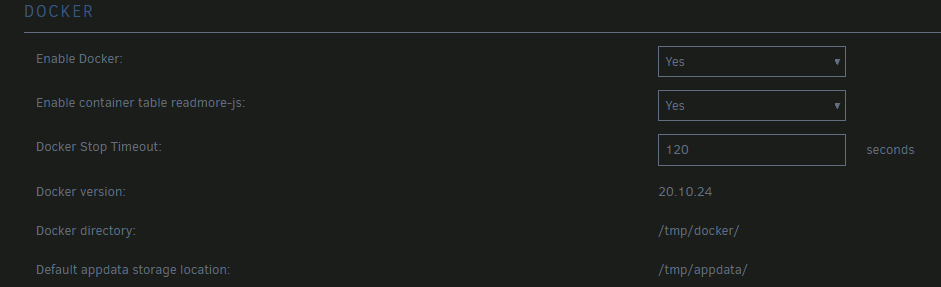
Just note in pulling stage already have problem, I agree it likely network issue, suggest trying adjust MTU setting at router, try 1500, 1492. ( unraid keep at 1500 ) Or as previous mention, try use /tmp to store docker img to eliminate storage issue. ** /tmp were RAM disk ** To verify network issue, could you try other ISP ? i.e. make test at friend's home or use Mobile data ( an easy way was buy a type C USB RJ45 network adapter then plug it to a Android phone and connect to Unraid. )
-
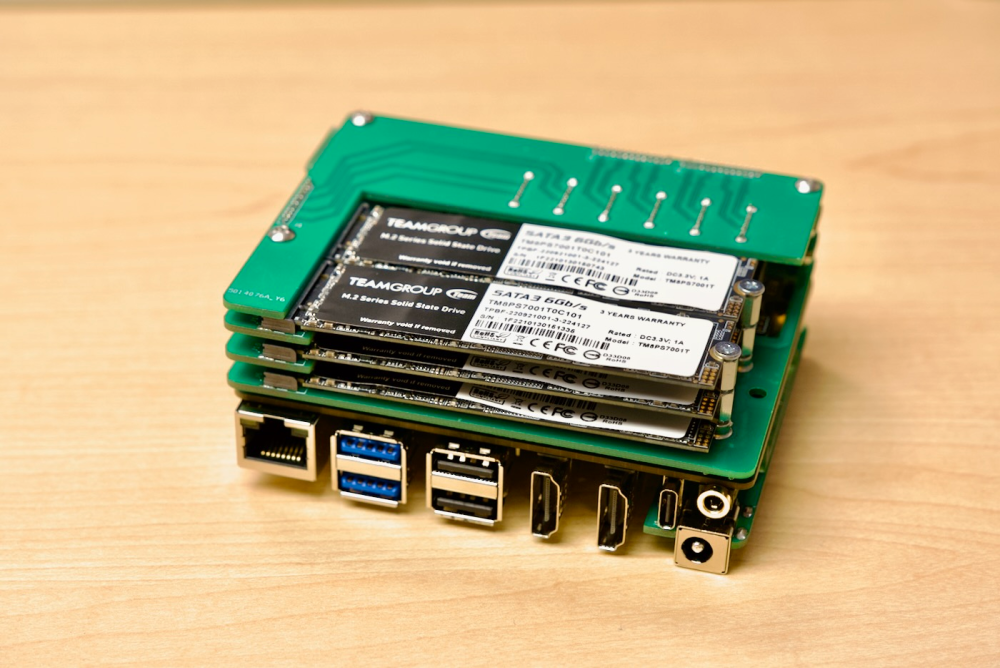
Interesting product, the 6 NVMe version have dual LAN and more affordable. Asustor should make 12 / 6 LED visible, good for show off. ( actually this also useful ) A guy jeffgeerling have many great idea & build ( not for Unraid ), really like. https://www.jeffgeerling.com/blog/2023/building-tiny-6-drive-m2-nas-rock-5-model-b
-
CPU seldom have problem. But both are fundamental component, so we must testing those first. Pls create memory test boot USB to test CPU / MB / Memory ( must use parallel CPU thread during test, if you got two pass then it is fine, no need 24hrs ) https://www.memtest86.com/ If all fine, then start Unraid and test docker service in /tmp to isolate any storage affect issue first. ( no need unplug any other hardware this moment )
-
I think so. Thanks
-
Try blkdiscard /dev/nvme1n1 ( double check the device name have change or not before command fire )
-
OK. My different Unraid build haven't spindown issue, so I seldom go to safe mode to troubleshoot. But now, I found some abnormal on safe-mode, the disk actually will self spinup because system reading it, so pls don't test under safe mode. ** edit : periodic reads in safe mode should only happen on POOL DEVICES ** Pls try boot Unraid in normal with disable docker service and check does periodic read gone.

-
For my understanding, if Unraid in safe mode, it won't mount any disk with filesystem ( so no docker could start too ), and why I ask does docker service in stop, because I found you set the docker img in array, this may cause periodic read in array. DOCKER_ENABLED="yes" DOCKER_IMAGE_FILE="/mnt/user/system/docker/docker.img" DOCKER_IMAGE_SIZE="100" DOCKER_APP_CONFIG_PATH="/mnt/user/appdata/"
-
As iowait upsurge, it may indicate something relate to storage issue. If all docker stop and just docker service start still cause the problem, it is odd ..... suggest try relocate docker storage to other storage device to try.
-
Would you provide the diagnostics for above operation.
-
You have sas-spindown.plg - 2022.08.02 and SAS disk, pls try uninstall / disable it, then go to safe mode, check does SATA or SAS disk have such periodic read.
-
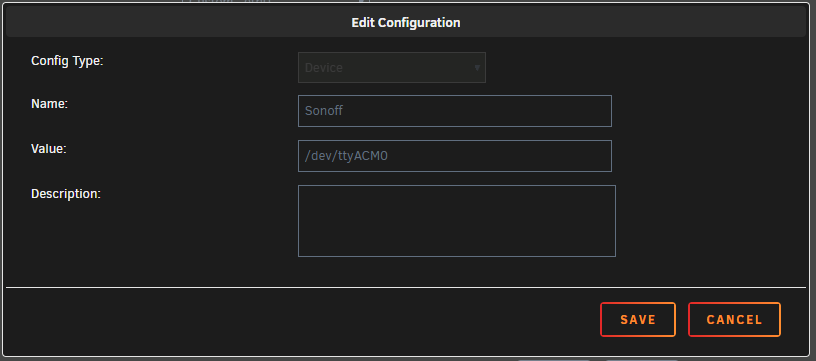
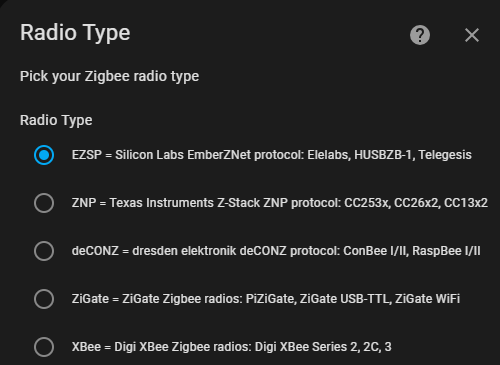
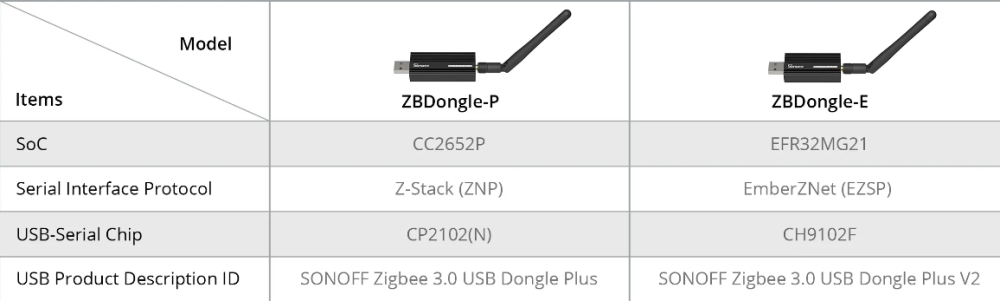
Add the device to HA docker. ( I only try HA docker to handle the dongle in early testing and I use Zigbee2mqtt currently, so it may have some different, anyway almost that way. Or you may ref. below youtube clip ) Depends on which type Sonoff dongle, integrations / config it with correct protocol ( ZNP / EZSP ).

-
You should check each docker log to identify the stop reason.
-
RTC real time clock wakeup can set by command, so you just need enable RTC wakeup in BIOS, then wake up on program time.
-
這裡出問題多, 與移除硬盤/轉接咭冇关. 重新製作 U 盤吧, 發張啟動時的圖片.
-
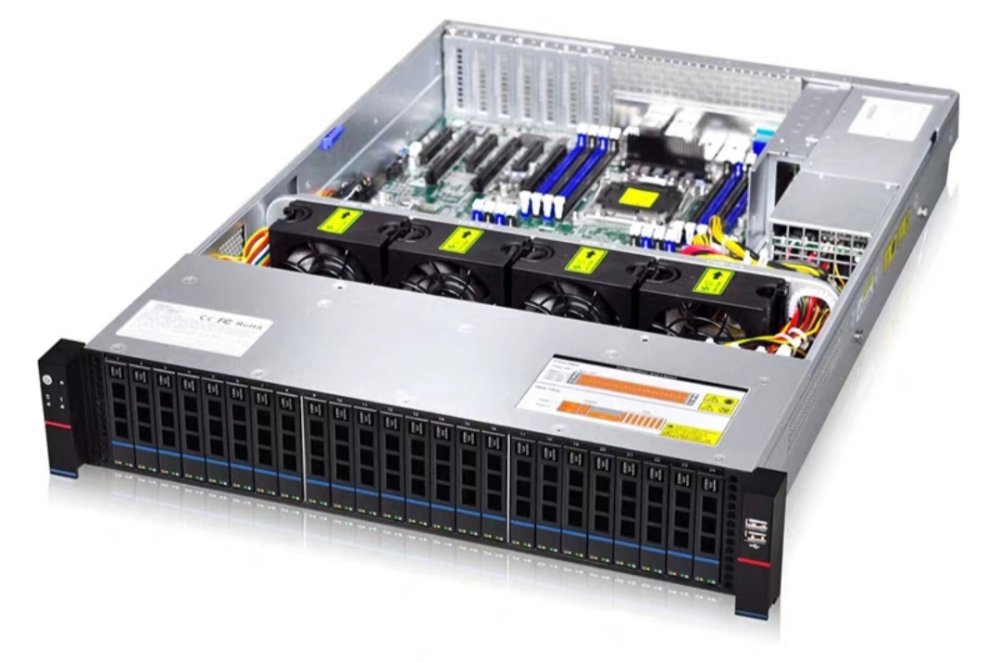
There are some rack product have SAS / SATA, so no mess data and power cable. And price also affordable. For example, Gooxi RMC2125 just need usd520. ( Mfg price) Almost same even little bit more.