mgutt
Moderators
-
Joined
-
Last visited
Everything posted by mgutt
-
As long TRIM is disabled, it is fully supported. Some of the Unraid devs claim that TRIM can cause parity corruption, because a single SSD model returned unexpected data after TRIM. It seems nobody did more tests and since then SSDs are flagged as "unsupported" in the array, which is a contradiction as without TRIM, data corruption can't happen (TRIM was then disabled in the Array by Unraid). More info: https://forums.unraid.net/topic/53433-ssds-as-array-drives-question/?do=findComment&comment=1088459 And here the theoretical discussion how Unraid could solve this, but obviously it was never realized: https://forums.unraid.net/topic/73110-ssd-array-for-unraid/page/2/#comment-923513 And performance impacts shouldn't be noticeable as Unraid's parity creation in the array is extremely slow. Even if we would loose 50% of the write speed, we should still see up to ~1.8 GB/s for an NVMe PCIe 3.0 X4 or as in my example 100% SATA read speed (~ 550 MB/s) while parity creation. But we don't reach the maximum as unraid's parity creation is already fully utilizing a single CPU core. This can be discussed here: https://forums.unraid.net/topic/102498-is-parity-check-rebuild-single-threaded/ Conclusion: SSDs can be used without any problems and they are not slower.
-
I already measured it: https://forums.unraid.net/topic/174221-24-bay-itx-server-in-16l-case-ssd-only/?do=findComment&comment=1463847 It consumed additional 2 watts after connecting several SSDs. So the total consumption should be 5 to 7 watts. But: I'm not sure if the card worked with X8 in the X16 slot. At the moment the card runs only in X4 mode. Maybe this influences C States. But finally ASM1166 SATA cards would be more efficient (they idle at 2 watts).
-
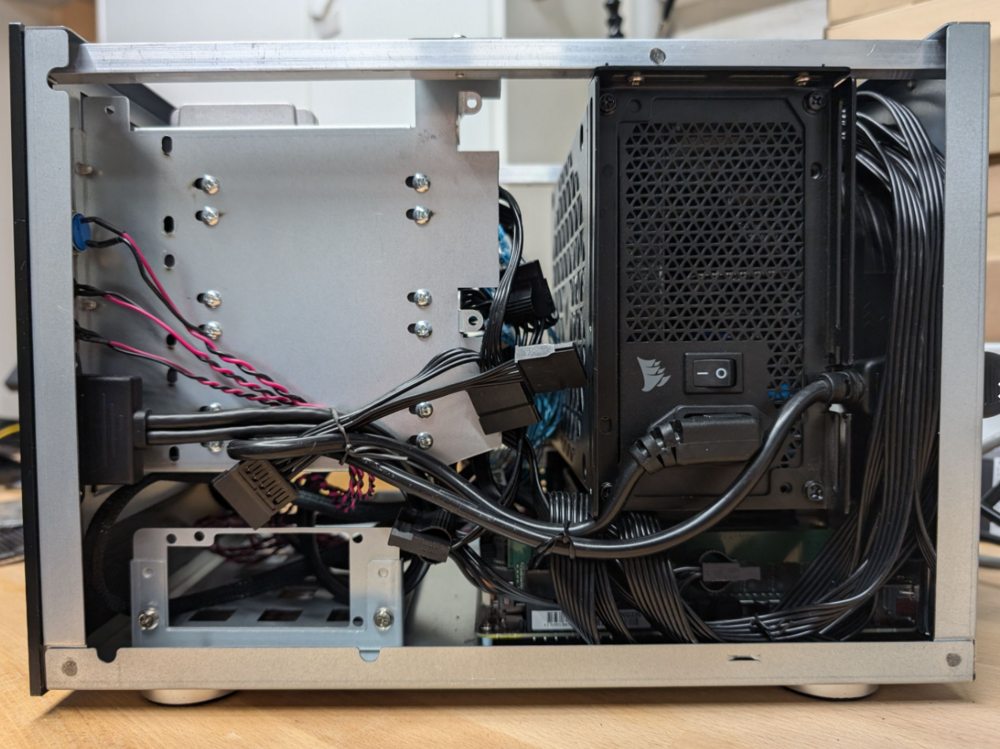
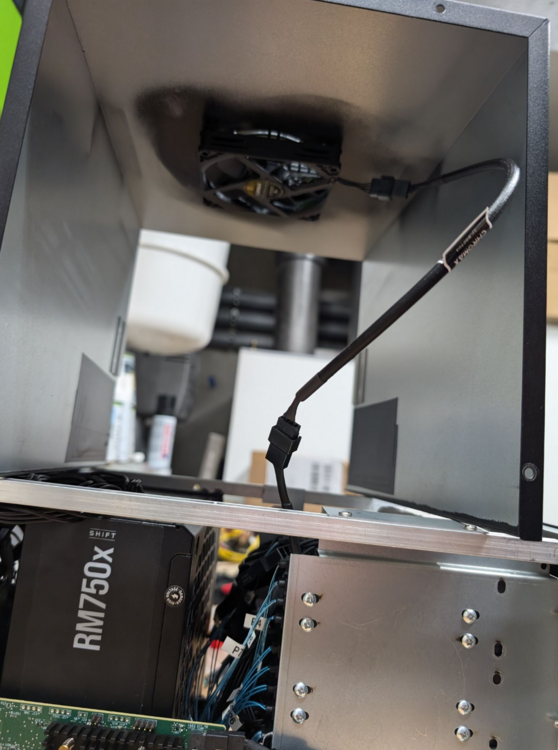
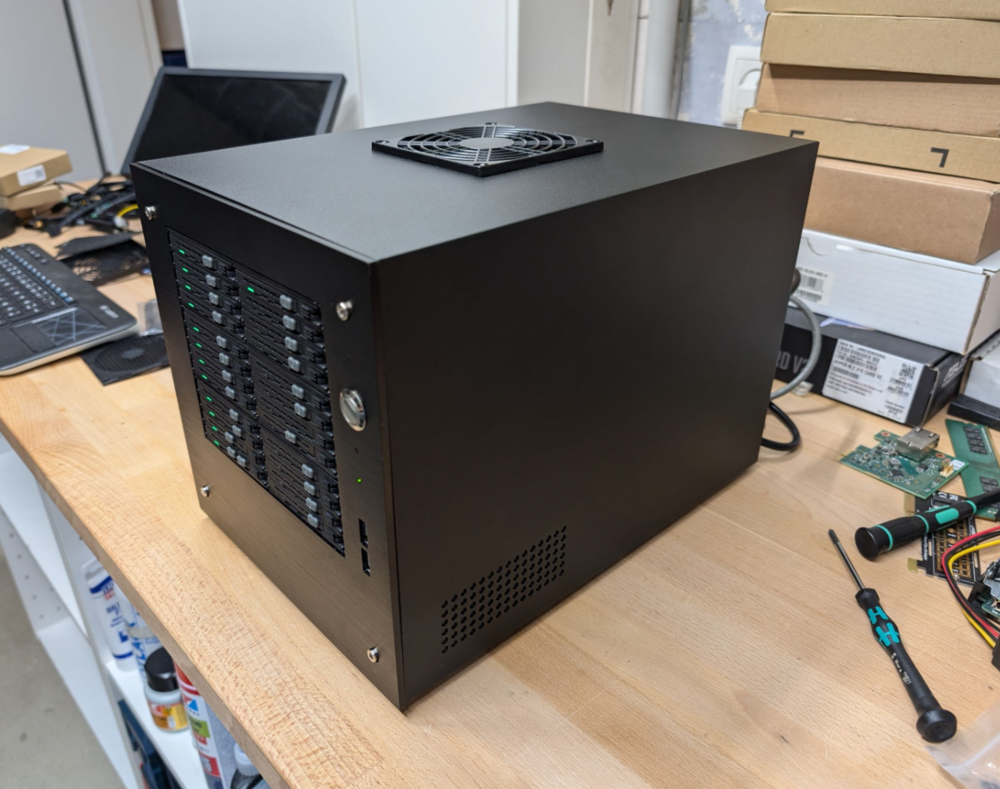
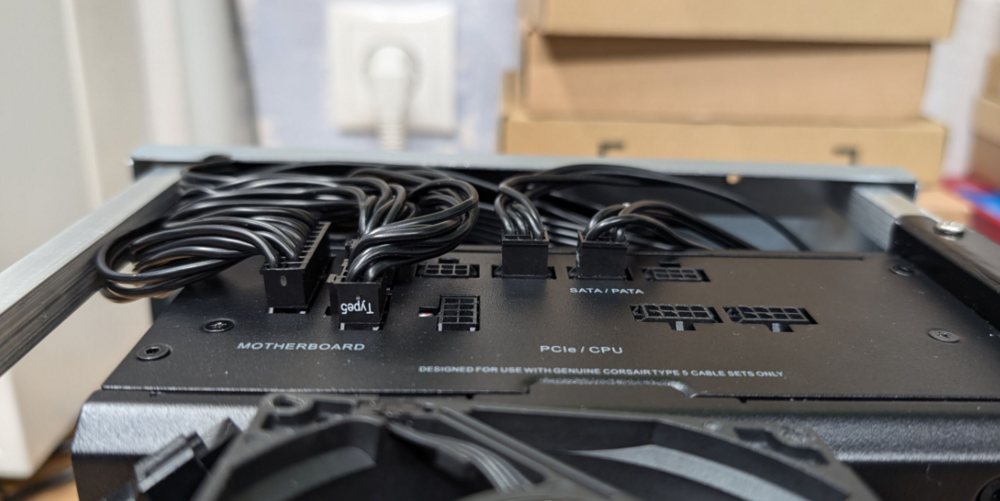
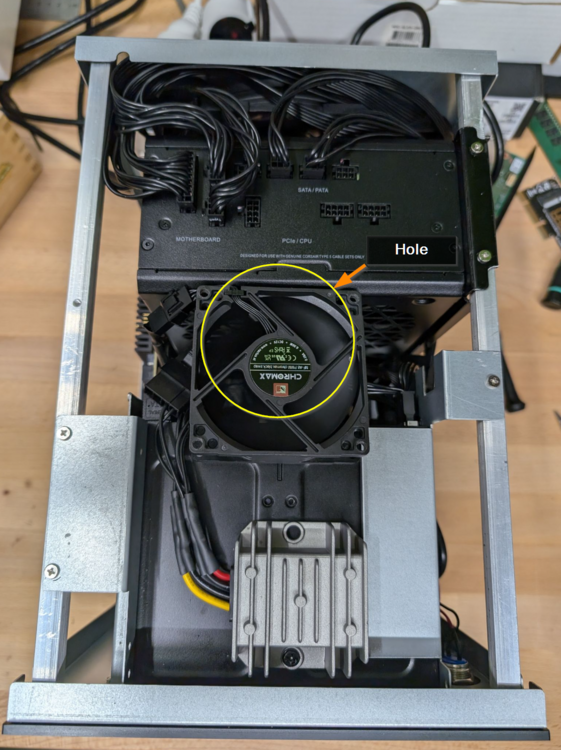
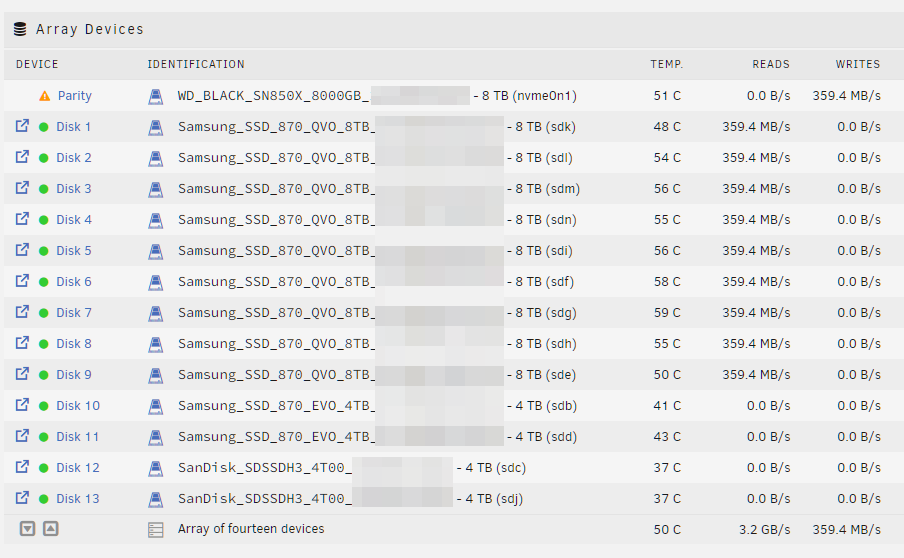
Die Haupt-Komponenten: - Gigabyte C246N-WU2 - Intel Xeon E-2126G - 64 GB ECC RAM 2666 Mhz - Bifurcation Adapter X8X4X4 - Broadcom 9500-16i - 1x 8TB NVMe (Parität), 9x 8TB SATA SSD, 4x 4TB SATA SSD (14 SSDs insgesamt) - 3x Noctua Lüfter - 3x 2.5 Zoll 8-Bay Hot Swap Gehäuse - Corsair RM750x Shift - Bauer Electronics DC-DC 8V-36V zu 5V Spannungswandler (10A) Konnte ich nun alle montieren: https://forums.unraid.net/topic/174221-24-bay-itx-server-in-16l-case-ssd-only/?do=findComment&comment=1470777 Ich musse vom Corsair RM550x (2021) auf das Corsair RM750x Shift wechseln, da die Netzteil-Kabel sonst im Weg waren (das Shift hat die Anschlüsse an der Seite). Ich schätze dadurch habe ich 0,5 bis 1 Watt verloren. Außerdem hatte ich Depp das Loch für den oberen Lüfter zu früh gebohrt und mir dadurch unnötig Probleme verursacht. Allerdings konnte ich das glücklicherweise durch die Netzteil-Halterung lösen, die ich vor einigen Wochen bei Ali bestellt hatte und die nun endlich kam (ich war zugegeben schon ein wenig verzweifelt 😬). Ist zwar alles knapp, aber es passt: NF-A9x14 HS-PWM chromax.black.swap Lüfter im Gehäusedeckel: Der Leerlaufverbrauch liegt jetzt bei 23 Watt Die NVMe wurde übrigens nicht im Chipsatz Slot erkannt. Gigabyte klärt das aktuell intern mit der Entwicklung.
-
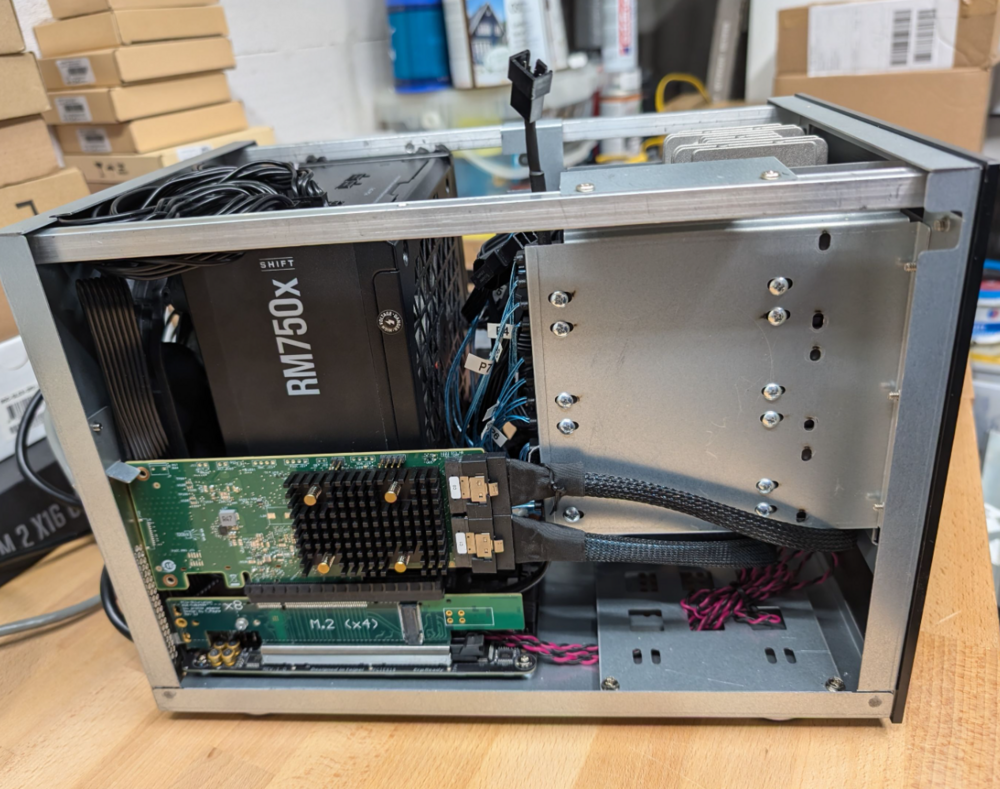
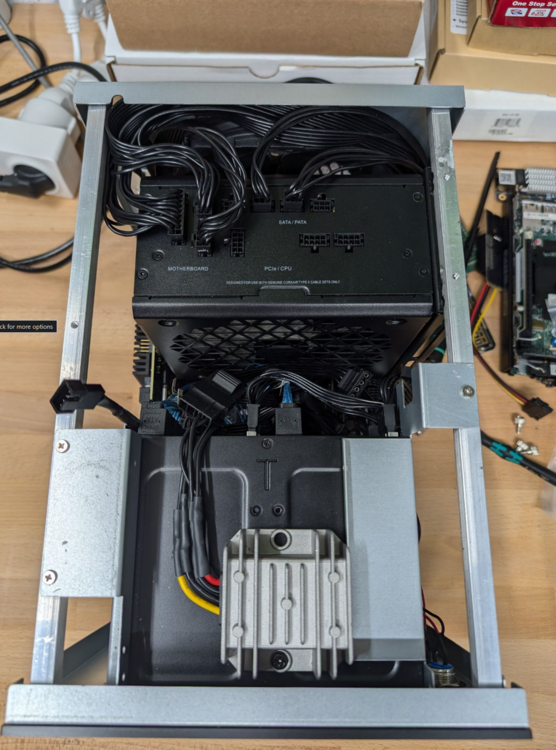
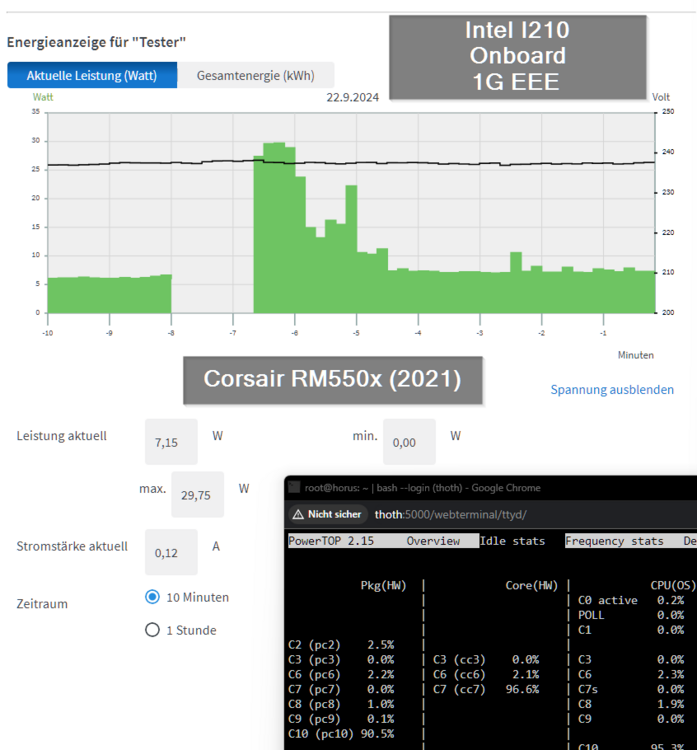
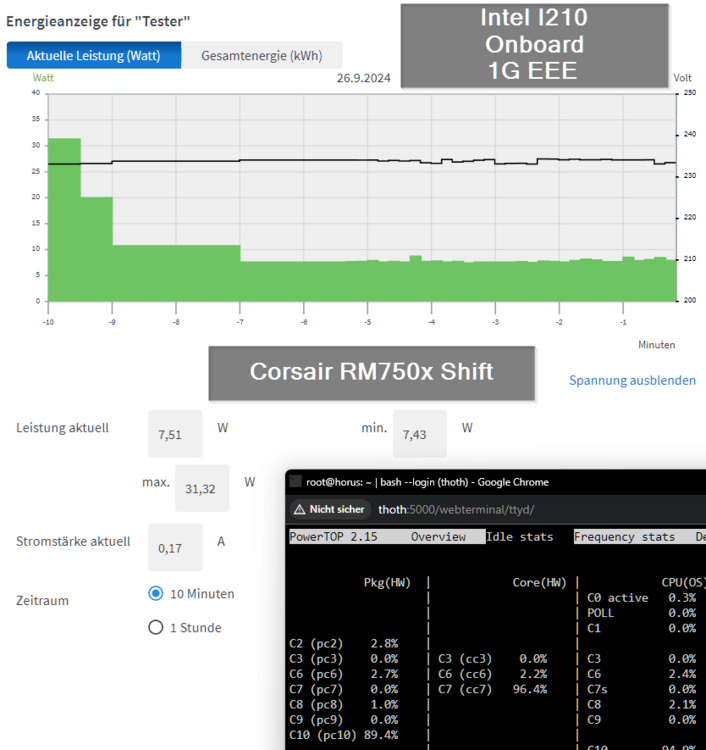
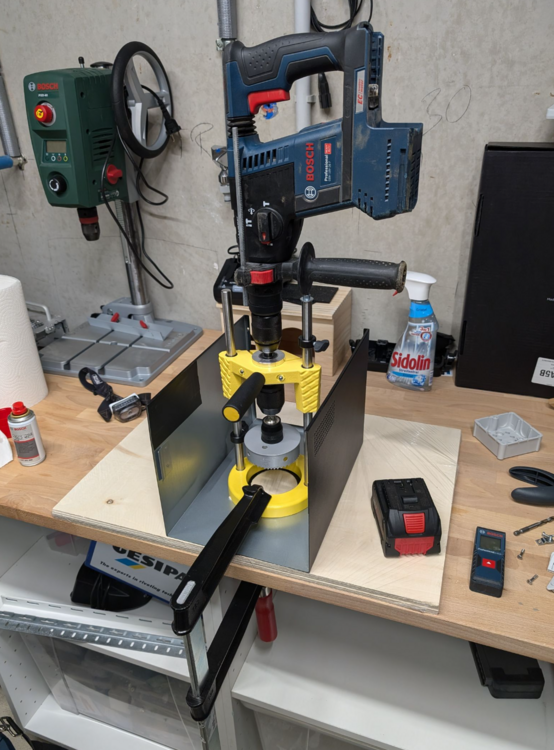
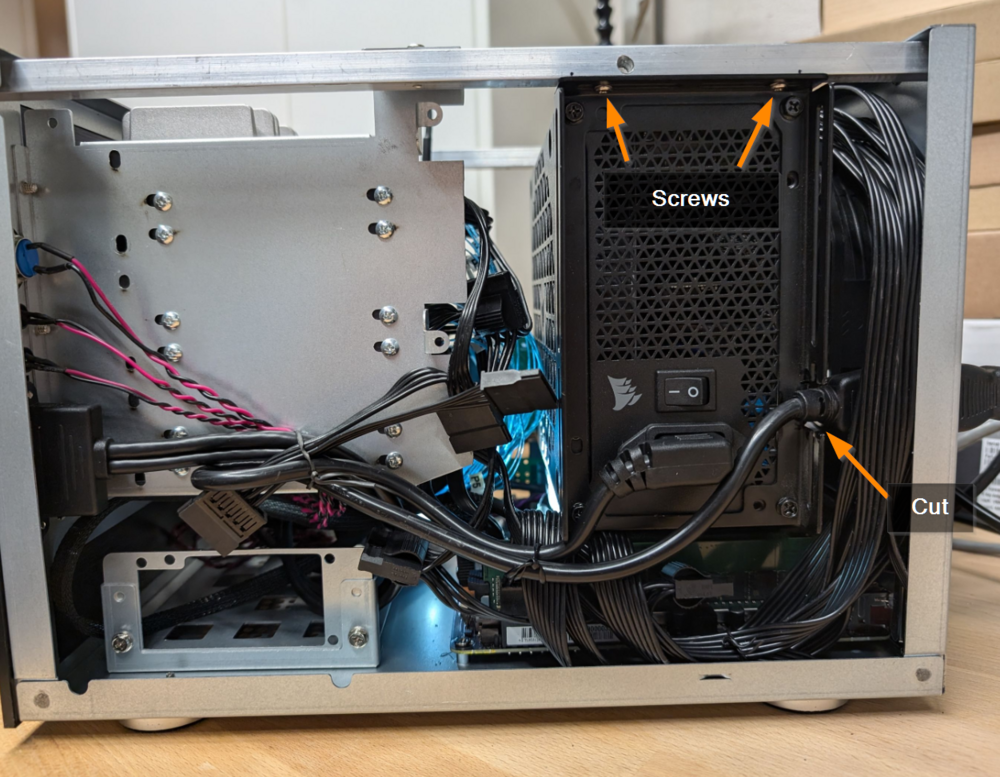
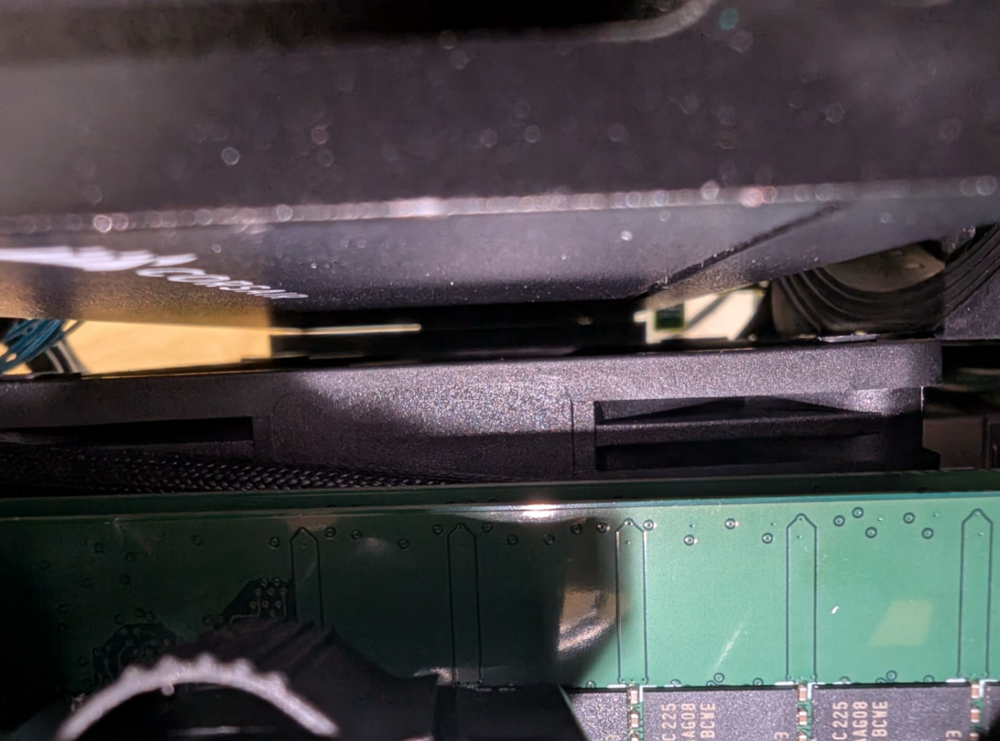
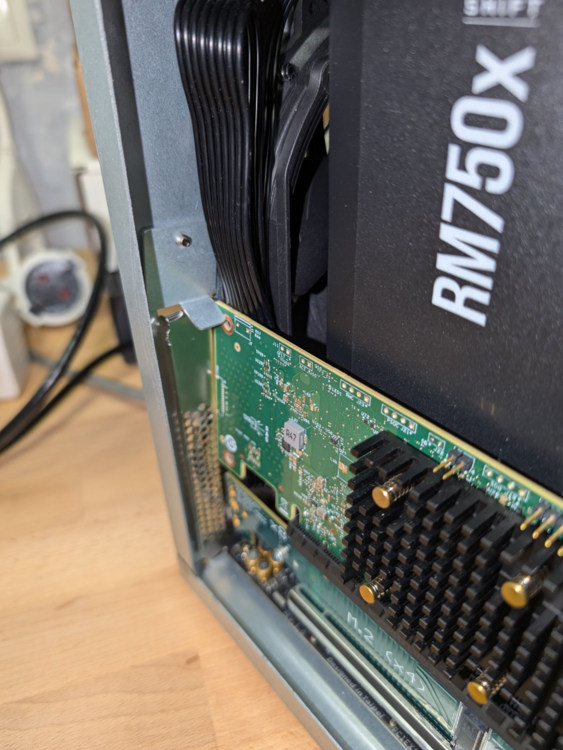
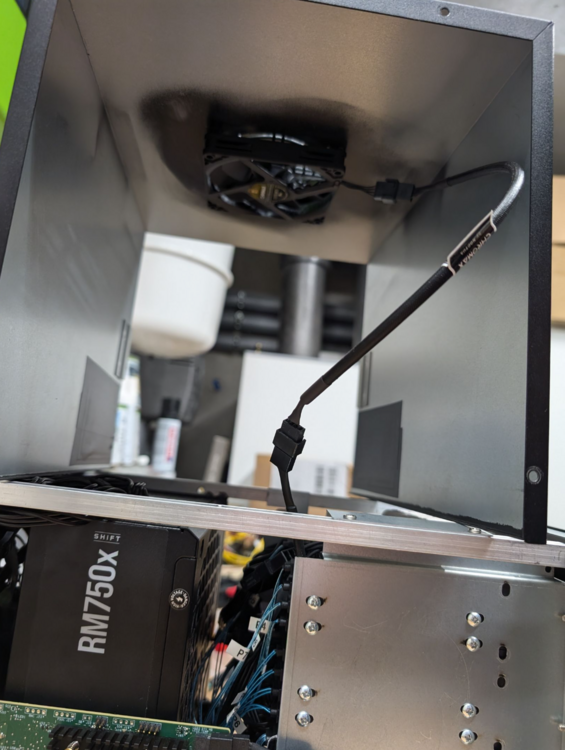
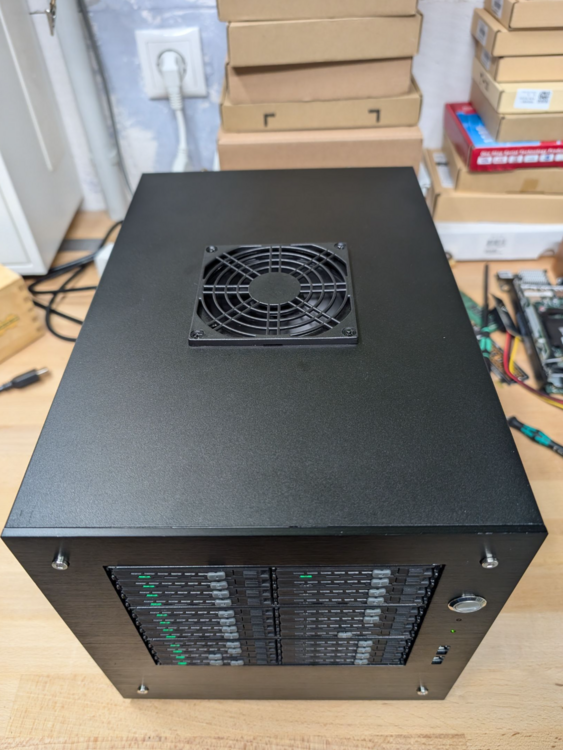
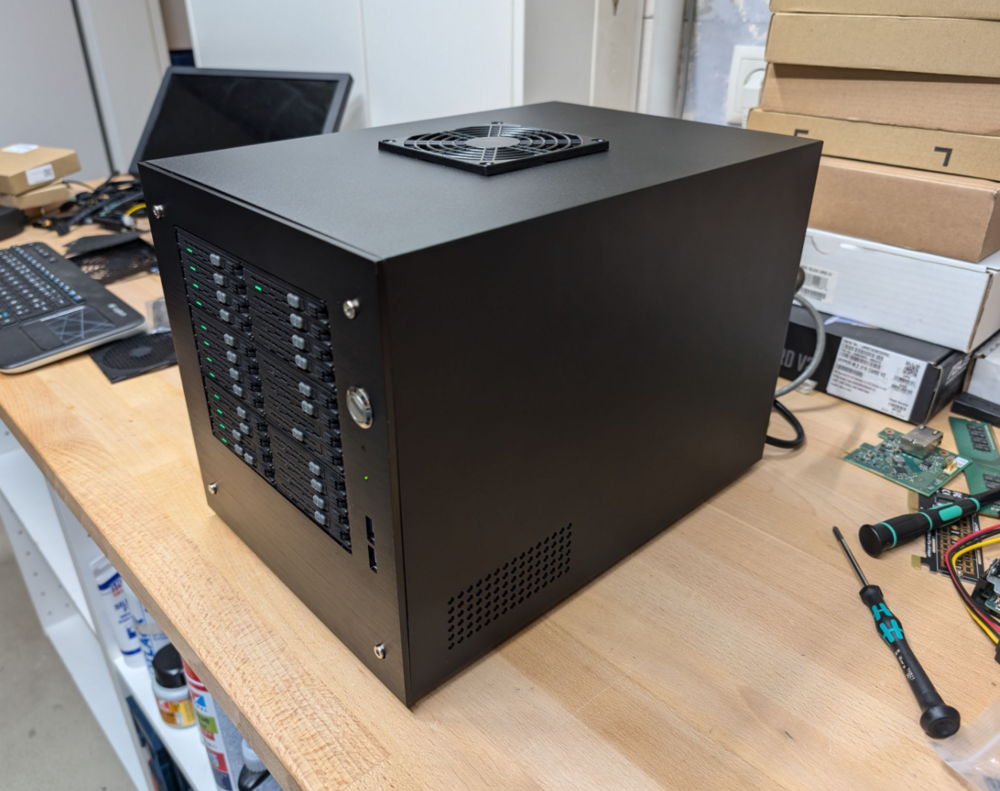
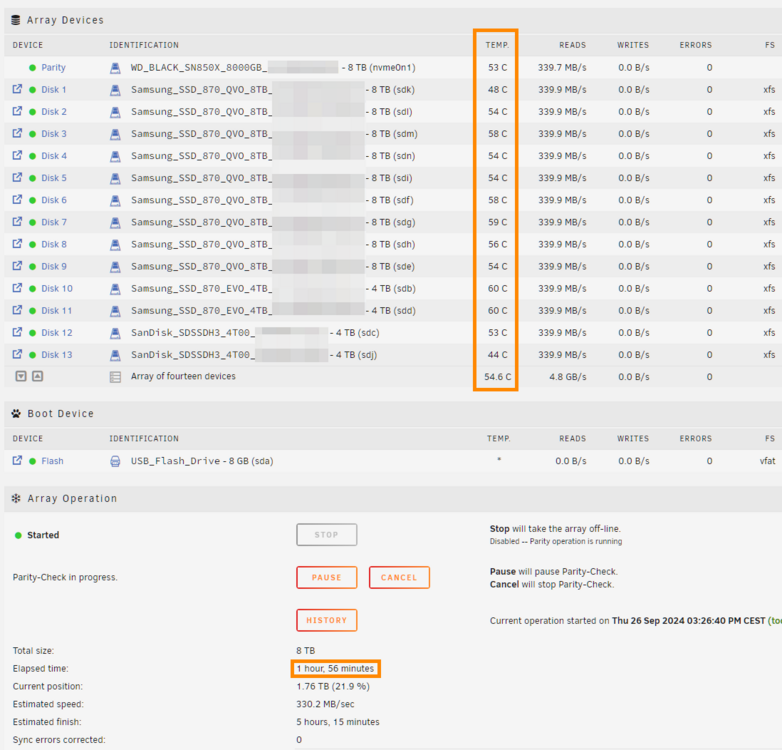
Finally everything turned out well... At first I measured the Corsair RM750x Shift. Although it has so much power it is comparable with the RM550x (2021) and consumes only 0.4 watts more at idle: Corsair RM550x (2021) 7.15 watts Corsair RM750x Shift 7.51 watts Bending the cables worked as planned: But the fan was a huge problem. As I was dumb and didn't wait for the final power supply position the hole was now at a complete wrong position: So I decided to buy the 15mm flat 92mm Noctua fan and drilled a new hole: And... the fan still didn't fit as the power supply had a too high position... 😒 But.. the long awaited delivery of the Aliexpress Power Supply bracket arrived: https://de.aliexpress.com/item/1005006011082092.html (SYJ-ATX-E "Color: 6") and my luck came back as it allowed to lower the install position of the power supply around 3 mm, which left enough clearance for the top fan 🙏 The disadvantage is, that I now only have 4mm clearance between the CPU fan and the power supply, but I don't think this will cause any problems: A little side task: An usual mounting method of the HBA card: Connected the 92mm fan before closing the case: Done: This is the used fan cover (currently without the dust filter): https://www.amazon.de/dp/B09LYBMP85 And after a 2 hour parity check the temps look good: Note: The fans are set to "quiet mode" in the BIOS (sadly it is not possible to control the fans through Linux). Next steps: Install and measure a 2.5G M.2 card Replace the HBA card against two ASM1166 cards (compare power consumption and performance) Check if the Bifurcation adapter supports X8 and/or the HBA card has a defect (as it is only using X4) But at the moment I'm just happy with the result 🎉🥳
-
Die Optionen bei Syno kenne ich nicht. Ich kann dir nur sagen, dass niemand den Daemon verwendet, weil der unsicher ist (unverschlüsselt) und selten als root läuft (damit man überhaupt alle Rechte 1:1 übernehmen kann). Einfach probieren würde ich sagen.
-
Das betrifft nur den Rsync daemon würde ich sagen. Du willst aber rsync über ssh.
-
Yes, this is the reason. Then -o and -g is not needed, but it does not cause problems to use it in combination with -a. Rsync does not warn you, if you use options twice. Two hints: - The File Explorer Plugin has a move feature included, acts as root and works even if the browser window has been closed. But I'm not sure if Hardlinks are preserved 🤷 Downside: It checks for each file if there is access, which makes it a little bit slower than rsync alone. But I'm not sure r - You can execute rsync as follows to be able to close the Terminal: rsync -aH src/ dst & disown Downside: You need to use kill <pid> to stop rsync.
-
Nur kurz, daher sind mir solche Dinge leider nicht aufgefallen. Ich werde oben eine entsprechende Warnung ergänzen.
-
Does not really make sense as you said you used -a, which already includes -o and -g on your first sync?! Another strange thing: If you use rsync though the terminal, it is executed as root, so if -o and -g wouldn't be active, the files should get root:root and not nobody:users.
-
Ob i3, i5 oder i7 spielt keine Rolle. Auch nicht ob T. Im Leerlauf verbrauchen alle quasi gleich viel.
-
Then you can be sure you need to restart the server. This is kind of one-way if you face problems. The alternative is to log all settings with cat /path/to/file. Not impossible, but I don't think the benefit is huge compared to the work.
-
Only as additional feedback: Doing stream port forwarding does not really make sense as NPM does not add any functionality (it forwards the traffic of this port(s) simply 1:1). The only function, which could be useful is to stop acces to the gameserver by disabling the stream port in NPM. But it should be the same effort to disable the Port in the router or by stopping the gameserver... So you don't get more security or similar by putting NPM between the router and the target container. Maybe in the future if NPM supports Geoblocking this could make more sense to use. So if you don't need to control the port through NPM, you could even forward the port in your router directly to the IP/port of the gameserver
-
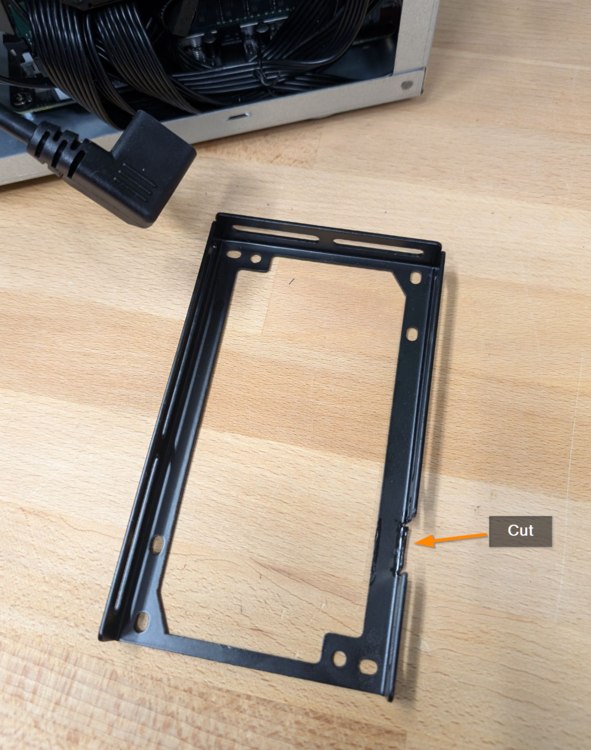
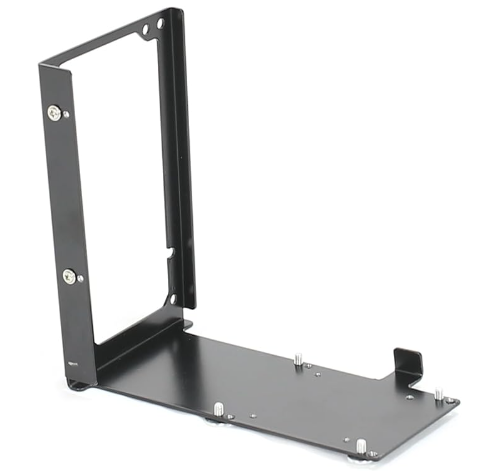
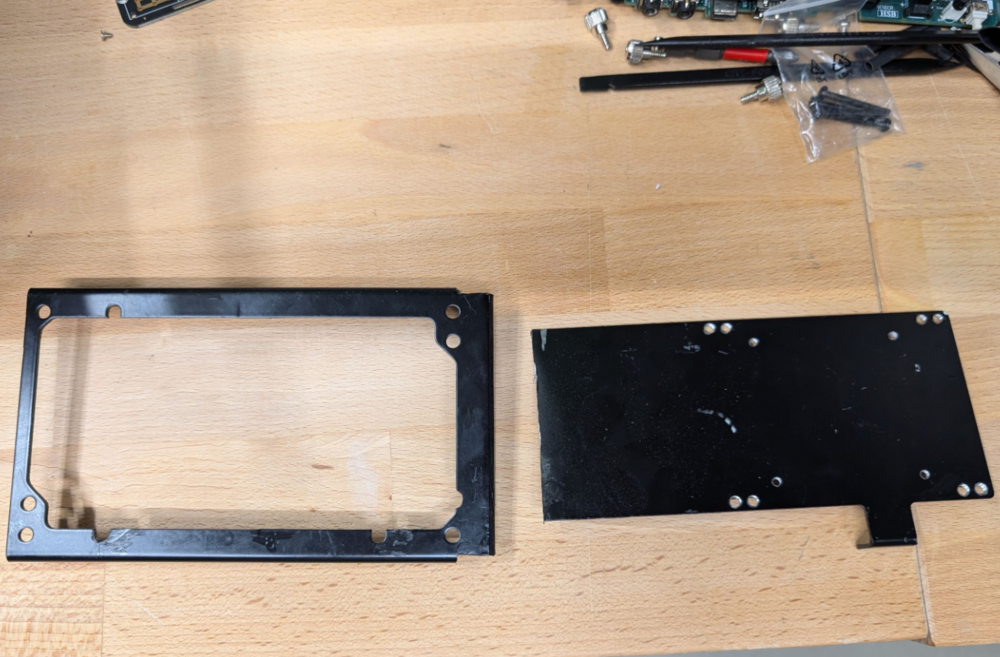
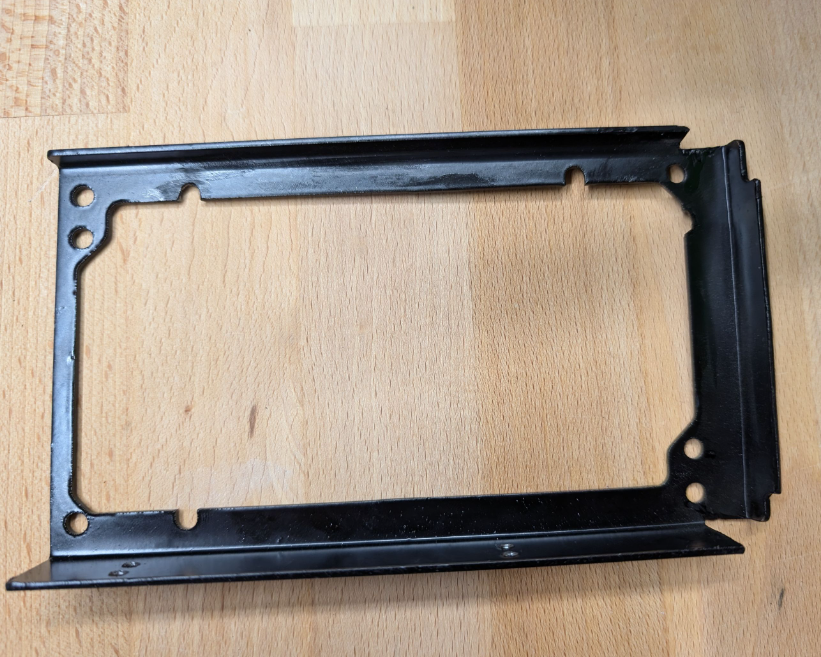
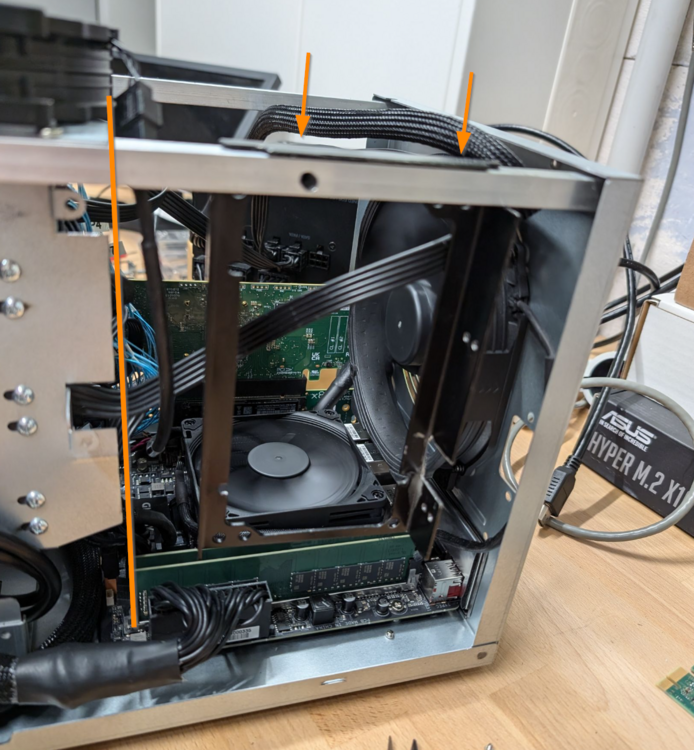
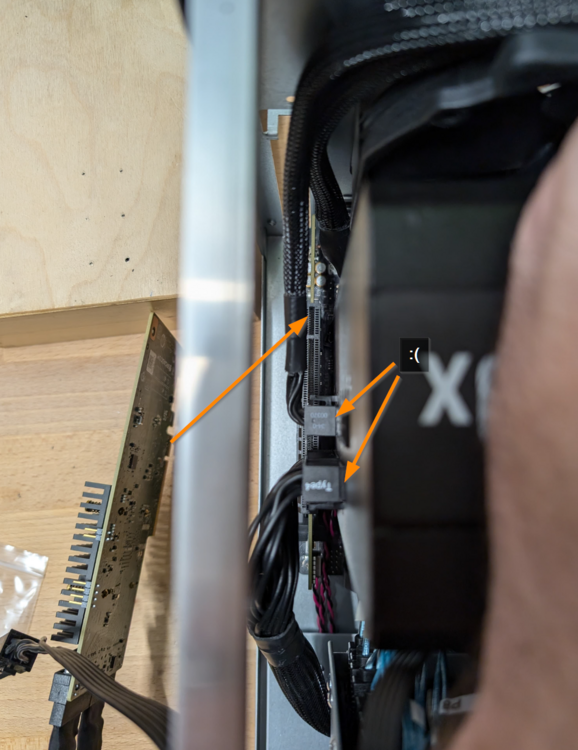
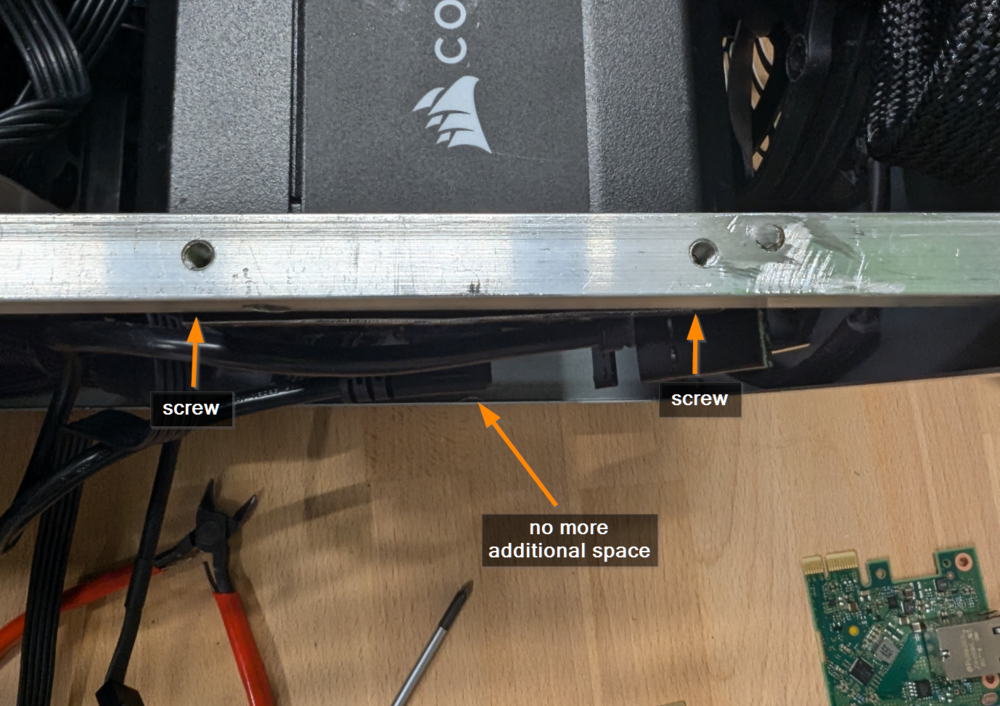
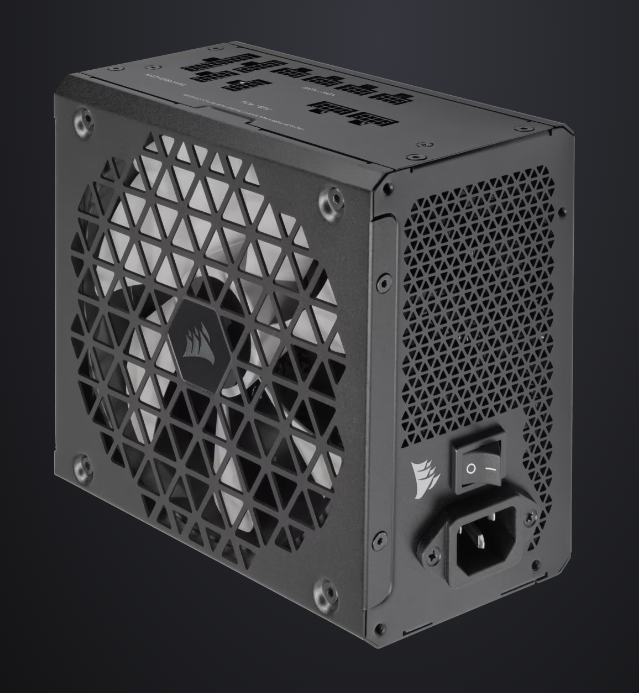
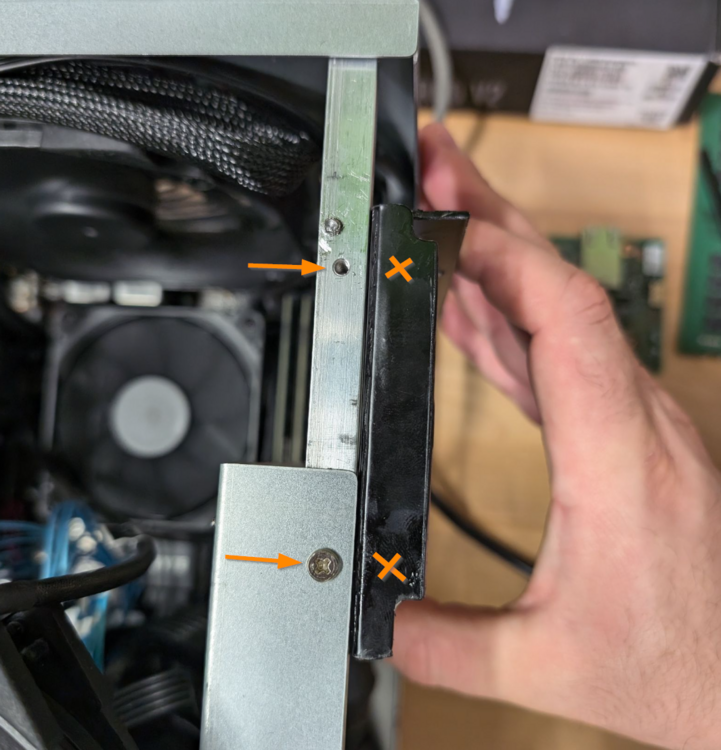
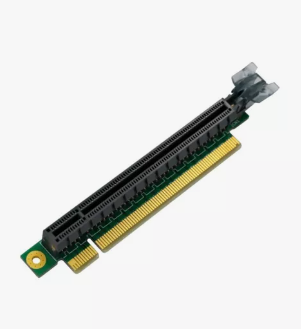
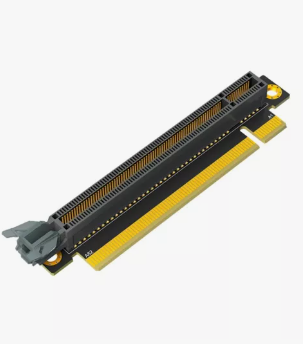
The plan was good, but sadly the ATX power supply does not fit. But at first what I tried: I bought another additional power supply bracket with a fast delivery as the other one from Aliexpress is announced to arrive in several weeks 🤨 But the other one was good enough, too. It is a bracket for the Cooler Master NR200 and looks as follows: After some cutting: As explained above, I wanted to place it on the bar and surprisingly the two original threads would fit perfectly: So I shortened the SSD bracket and at first it seemed to work as planned: But sadly the clearance did not increase enough 😭 I even tried to mount the custom bracket underneath the bar, to move the power supply even more to the side, but it is still not enough: Now I have two options left: 1.) Move the PCIe Slot. Yes, would be possible by using an Angled PCIe Riser: and Reverse Angled PCIe Riser: But I'm not sure how stable this construction would be and if it even fits. Let's give it a try 😅 2.) Measure the efficiency of the RM750x Shift. This is the only power supply which has its connectors on the side: https://www.corsair.com/de/de/p/psu/cp-9020251-eu/rm750x-shift-80-plus-gold-fully-modular-atx-power-supply-cp-9020251-eu In my case they would be on the top, exactly as shown in this image:
-
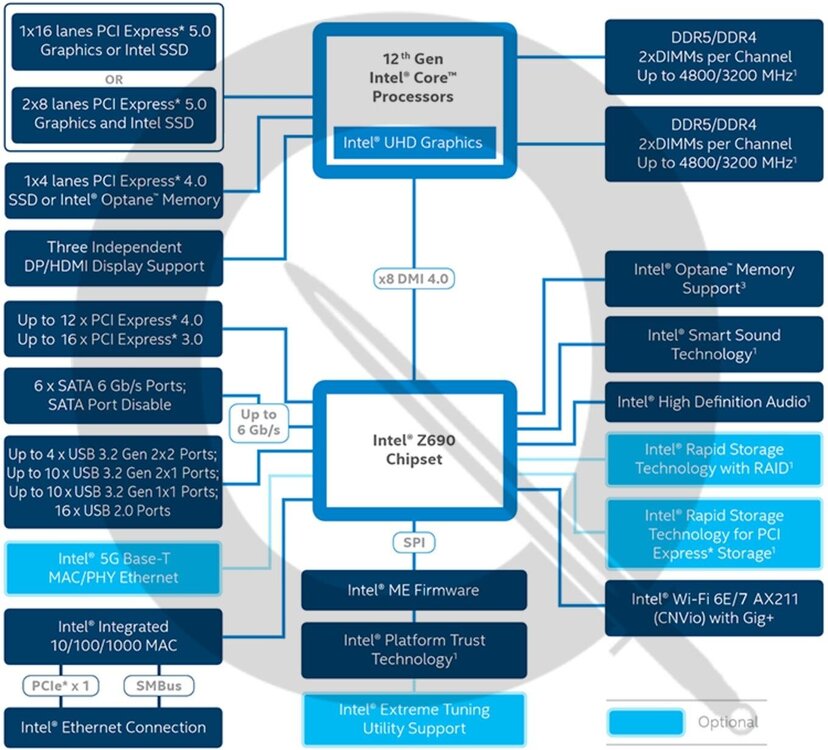
Der Chipsatz. Nicht die CPU. Der muss ja deutlich granularer aufteilen können, ansonsten würde das CWWK ja nicht 4x X1 auf dem SlimSAS Stecker anbieten können. Und die ganzen Boards mit BMC, ASMedia, 2.5G haben für jeden Chip ja auch nur eine X1 Lane über den Chipsatz. Die Länge wiederum dürfte gar keine Rolle spielen, wenn man so schaut wo die Controller und der Chipsatz so positioniert werden. Häufig sind die LAN Controller ja direkt neben den Buchsen und der Chipsatz am ganz anderen Ende der Platine. Wie genau ein Chipsatz aufteilen kann, weiß ich nicht, aber solange keiner das Gegenteil beweist, behaupte ich mal frech, dass ein Z690 die 16 PCIe 3.0 auch alle als einzelne X1 anbieten könnte. 😅
-
Hier siehst du unten links, dass integriertes 1G immer auch eine Lane klaut: Wobei ich jetzt nicht weiß, ob die dadurch für andere Zwecke frei würde. Jedenfalls beweist das C246N-WU2, dass ein dedizierter LAN Controller sogar sparsamer ist als der Onboard. Denn nur der erlaubt C10 😅
-
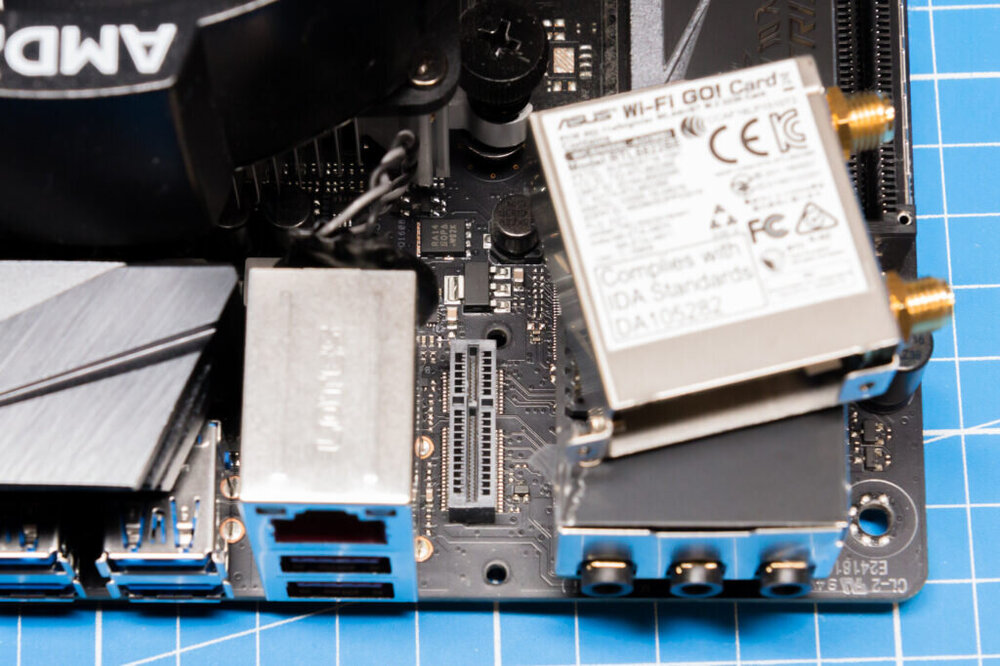
Die können ja bleiben. Wobei LAN nicht im Chipsatz integriert ist. Auch 1G zieht PCIe X1 vom Chipsatz. Dabei spreche ich von allem was per PCIe angebunden ist. Also 2.5G LAN, WiFi, BMC, USB 3.x (haben sehr viele Boards über PCIe mit einem ASMedia Chip). Und wenn jetzt LAN über so eine Steckkarte läuft, ist das ja nichts anderes als die Bauteile vom Board zur Karte zu verschieben. Dadurch ändert sich ja nichts beim Verbrauch. Also ich meine das so: https://www.kaibader.de/replacing-the-wifi-card-on-an-asus-rog-strix-b450-i-motherboard/ Ich meine wie geil wäre es bitte, wenn ich als Nutzer entscheiden könnte, ob da eine SFP+ Karte, 2.5G Karte, BMC Karte oder eben gar nichts drin steckt.
-
Ich würde ja gerne mal selbst so ein Board entwickeln. Dann hätte das Board nur noch PCIe Slots und man könnte selbst entscheiden ob man 2.5G, 10G, Kupfer oder SFP verbaut. Wundert mich, dass da sonst keiner auf die Idee kommt.
-
Der 4x X1 Split für die NVMe find ich richtig schick. Das sollten viel mehr Boards haben. Ich vermute die holen die Lanes vom Chipsatz. Ansonsten halt schade, dass sie kein W680 Board für ECC RAM Support bringen. Bis dahin für mich absolut uninteressant.
-
Ich habe schlussendlich aufgegeben und mir eine 4TB SSD als Cache verbaut 😅 Mir ging das jedenfalls mega auf den Senkel, dass ständig das Array hochfuhr + die Wartezeit beim Zugriff auf Dateien. Und Nextcloud weckt auch gerne das Array ständig auf, weil es in die eine oder andere Datei von sich aus schreibt, wo man es evtl nicht erwartet. Das anzeige was ich vom Array einbinde, sind handverlesene Shares als read-only external Storage. Das ist dann natürlich auch lahm, wenn mal jemand was davon braucht, aber das wissen dann alle und da lädt dann aber auch keiner was hoch.
-
I faced the same problem in my project: Now I like to know: As the performance is not good, it seems Unraid is not using the CPUs offload engine to accelerate XOR calculations. If this is the case: Why? I mean yes, HDDs were slower in the past than CPUs, but today it is easy to reach the limit with the right amount of HDDs. And what about a future proof setup for SSDs? And what about energy efficiency? An accelerated calculation is an easy task for the CPU which does not waste energy and keeps it cool. More information about XOR offloading: https://www.kernel.org/doc/Documentation/crypto/async-tx-api.txt https://www.snia.org/sites/default/files/SDCIndia/2017/Slides/Vikas Aggarwal - Cavium - Hardware acceleration for RAID5-6 V2.pptx.pdf
-
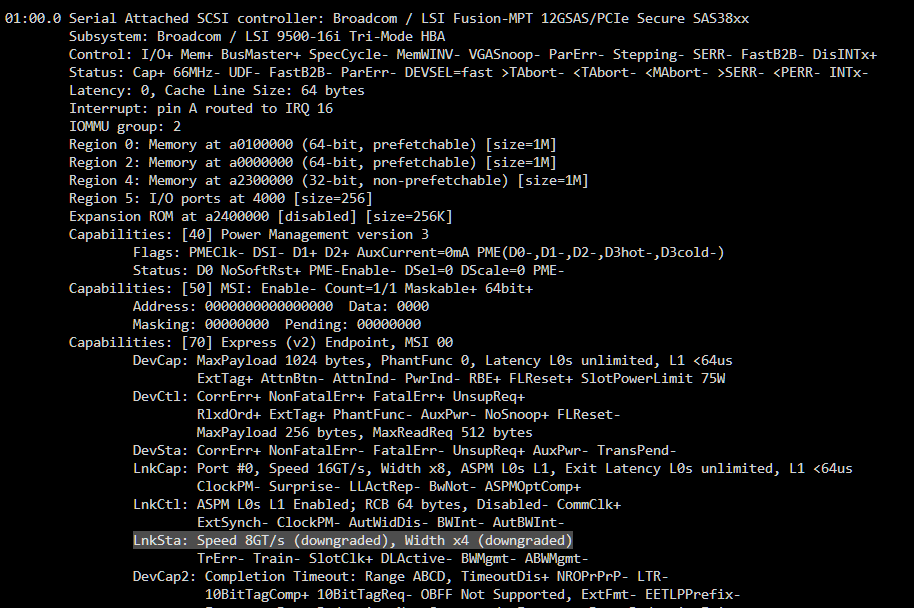
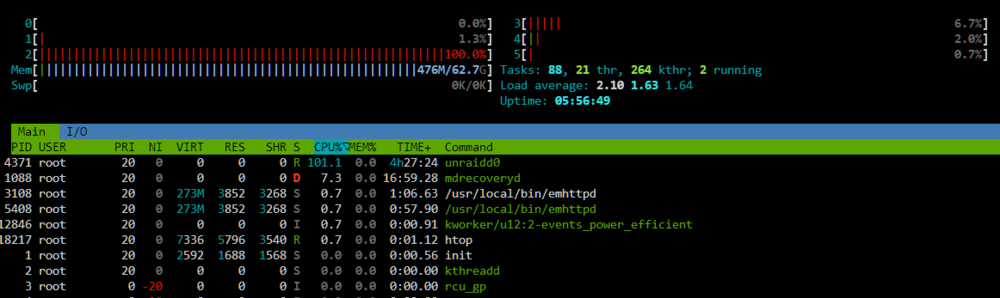
At first I thought it is the memory bandwidth limit per CPU core, but after it created more than 4TB of parity data and started skipping the 4TB SSDs, the read speed didn't became much faster as I would expect: So there must be a different reason for this limitation 🤔 I started checking the bandwidth of the HBA card with lspci -vv and yes, it seems I have a problem: LnkSta: Speed 8GT/s (downgraded), Width x4 (downgraded) The downgrade to 8 GT/s means I'm using PCIe 3.0, which is expected as my board does not support PCIe 4.0 (16 GT/s). But the Width of only X4 is not correct. It should be X8. After the parity is created I will try a different bifurcation riser and/or without the riser to check the reason of this behaviour. But: Although 8 GT/s and X4 results in a limitation of 4 GB/s... I'm now limited to 3.2 - 0,3 = 2.9 GB/s (8 of the currently active SSDs are connected to the HBA and one to the mainboards chipset). So there must be still an other reason I think. The NVMe looks fine (downgraded from PCIe 4.0 to PCIe 3.0, but X4 width): LnkSta: Speed 8GT/s (downgraded), Width x4 The next idea was to test the speed for every SSD to exclude that a single SSD is limiting the total read speed of the array with the following command: dd if=/dev/sdX of=/dev/null bs=128k iflag=count_bytes count=10G I parallel checked the dashboard and no... every SSD is able to reach more than 500 MB/s. I then paused the parity creation to obtain the maximum read speed in total: for letter in e f g h i k l m n; do dd if="/dev/sd$letter" of=/dev/null bs=128k iflag=count_bytes count=10G & done Which was around 4.1 GB/s regarding the dashboard. Here the single results: 10737418240 bytes (11 GB, 10 GiB) copied, 16.5498 s, 649 MB/s 10737418240 bytes (11 GB, 10 GiB) copied, 19.2425 s, 558 MB/s 10737418240 bytes (11 GB, 10 GiB) copied, 19.922 s, 539 MB/s 10737418240 bytes (11 GB, 10 GiB) copied, 21.3399 s, 503 MB/s 10737418240 bytes (11 GB, 10 GiB) copied, 21.7646 s, 493 MB/s 10737418240 bytes (11 GB, 10 GiB) copied, 22.1851 s, 484 MB/s 10737418240 bytes (11 GB, 10 GiB) copied, 22.5027 s, 477 MB/s 10737418240 bytes (11 GB, 10 GiB) copied, 23.2565 s, 462 MB/s 10737418240 bytes (11 GB, 10 GiB) copied, 24.1979 s, 444 MB/s Some data was already in the RAM, so I repeated it, but emptied the caches first: echo 3 >/proc/sys/vm/drop_caches But again it reached 4.1 GB/s in total. So where do I loose ~1 GB/s?! Next step was to check CPU load. And I think that's the real cause of the problem: The process "unraidd0" is only single threaded and my CPU core is not able to calculate more than 330 to 360 MB/s of parity data: I will discuss this point in this thread: Feedback regarding the wrong HBA bandwidth in a few days after I tested everything out.
-
Nothing has changed about that. I would even think about throttling an i5/i7/i9 to 125 watts as they are wasting a huge amount of energy in higher clocks for a tiny amount of (gaming) power. Things change only if you use low power models like the N100 or already throttled T-CPUs (don't buy them!).
-
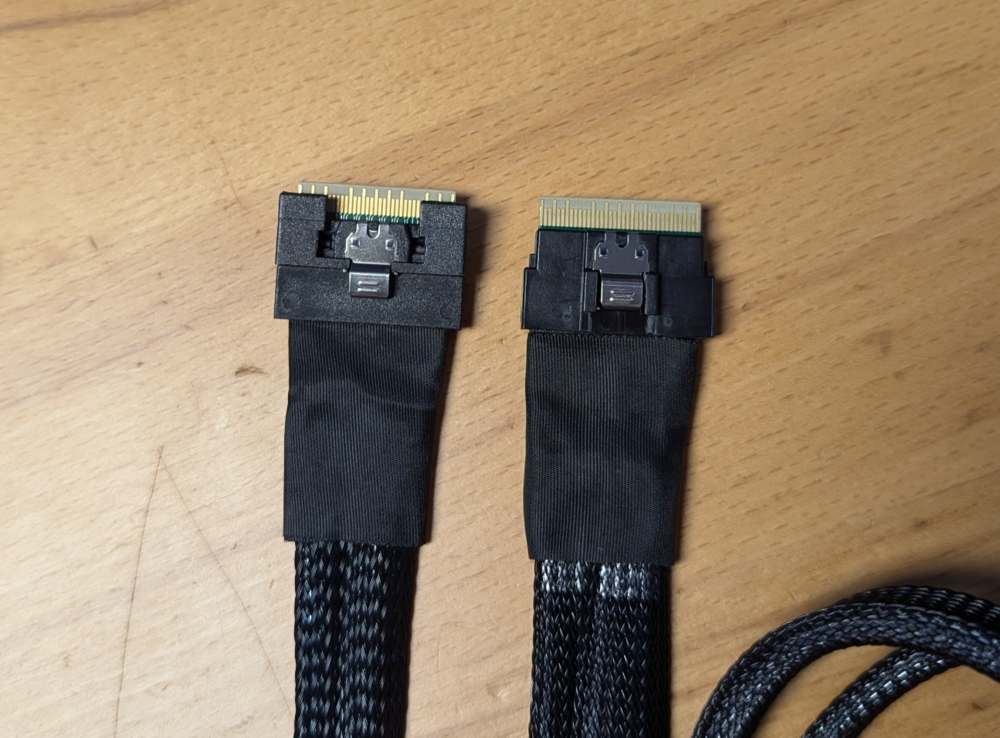
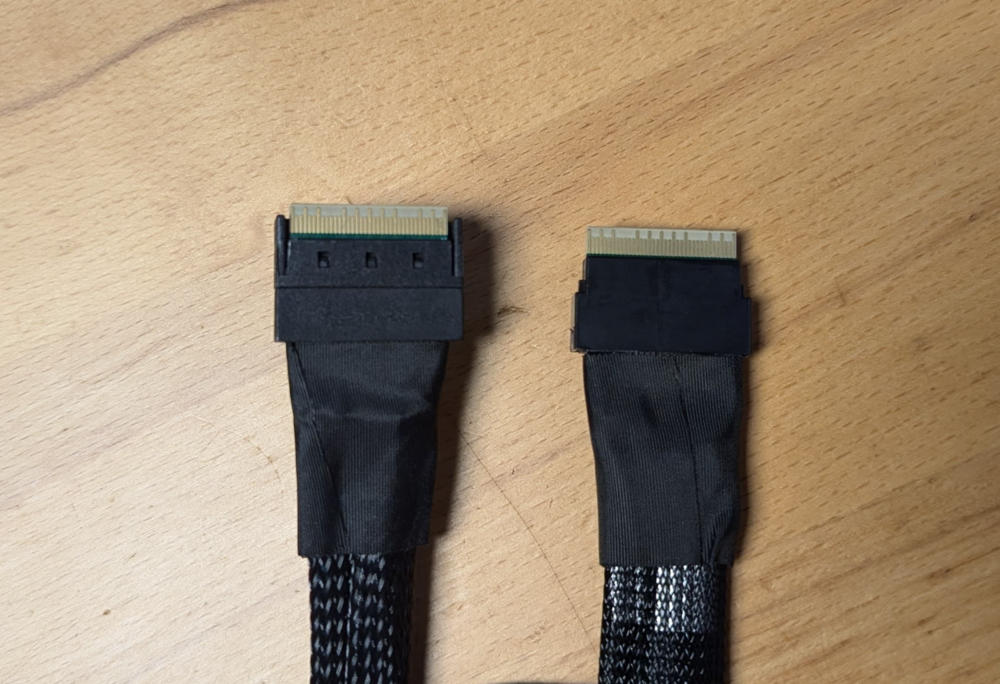
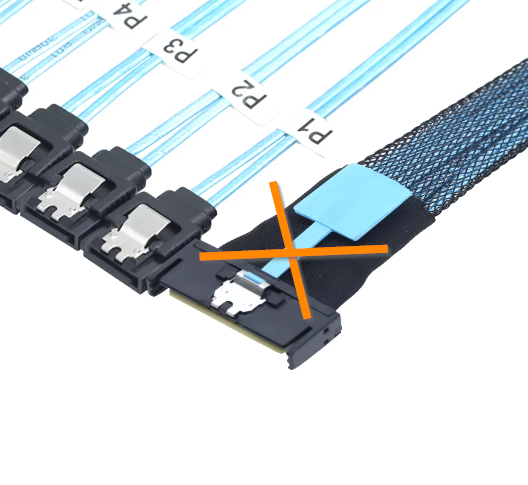
Die Kabel von Ali funktionieren übrigens. Das Areca Kabel habe ich wieder retourniert. Bestellt hatte ich das hier: https://de.aliexpress.com/item/1005005510476397.html Man muss aufpassen, dass NICHT dieser SFF-TA-1016 Stecker mit der Ziehhilfe auf den Fotos zu sehen ist: Und jetzt weiß ich auch warum die Händler die Stecker ständig verwechseln. Den SFF-8654 gibt es nämlich auch in einer Variante mit seitlichen Nasen, der dem dann sehr ähnlich ist: Auch die gelieferten Breakout Kabel auf SATA habe ich mit den seitlichen Nasen erhalten. obwohl auf Ali der nackte Stecker zu sehen ist. Aber egal. Hauptsache läuft 😁
-
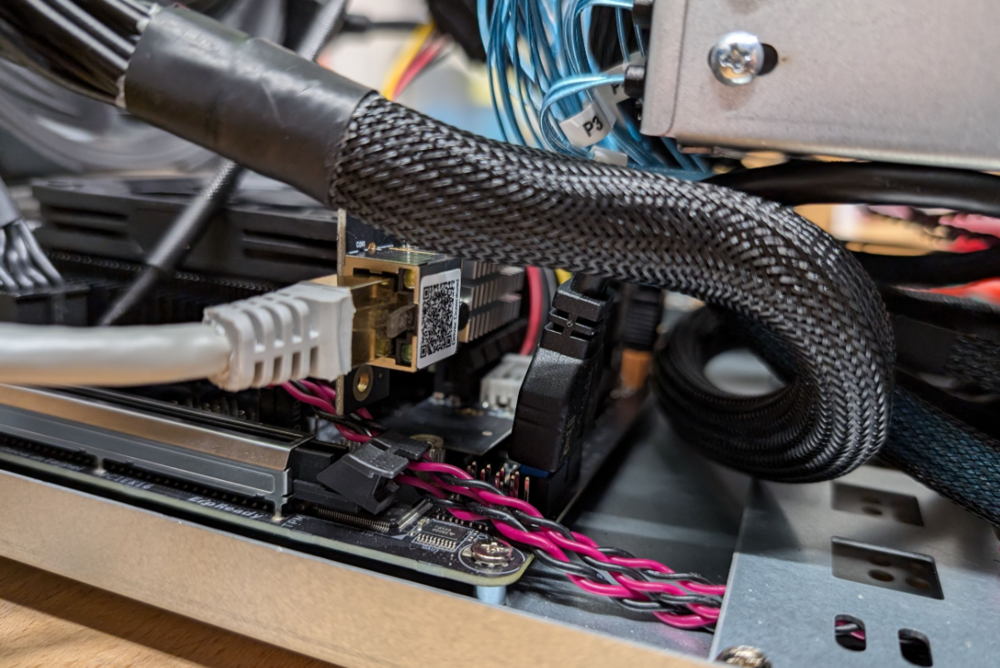
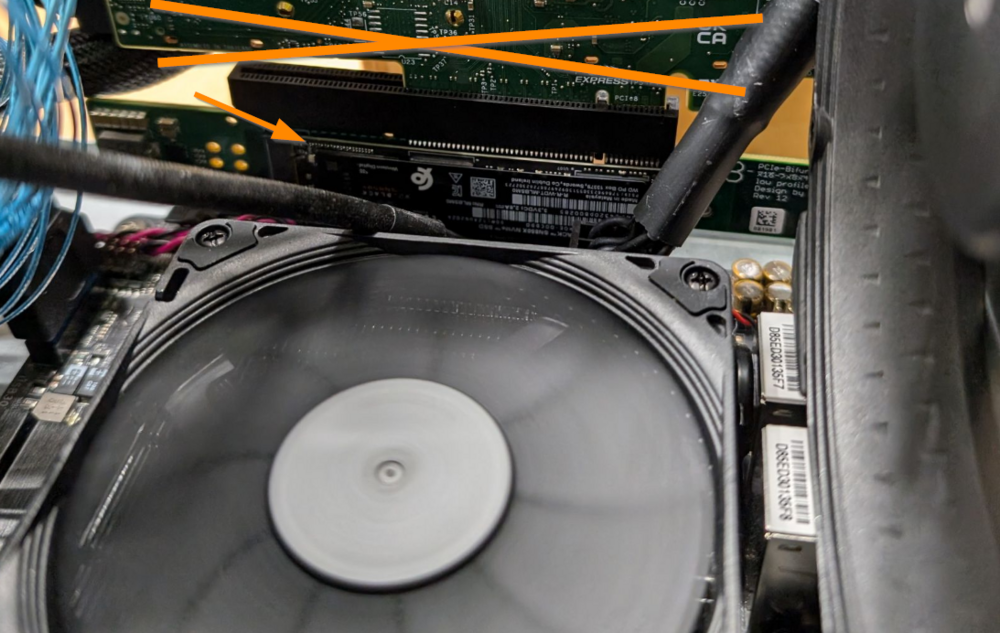
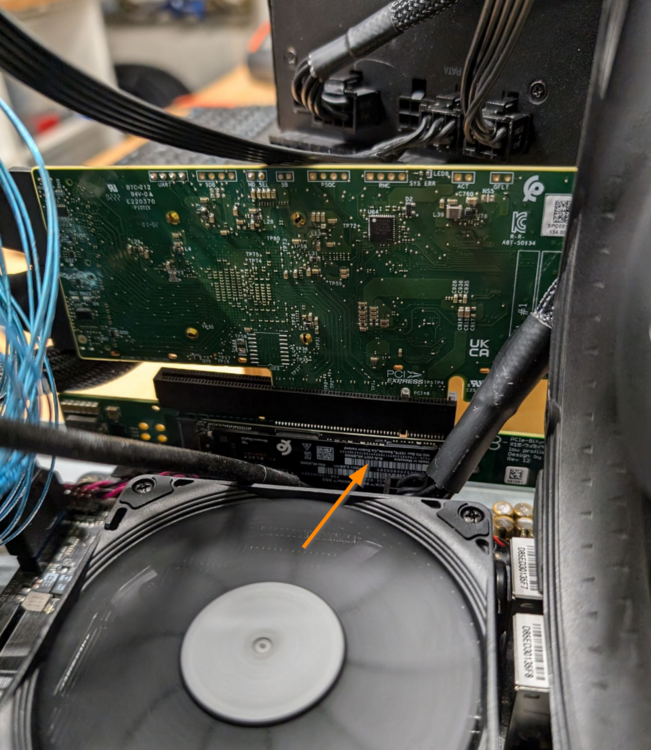
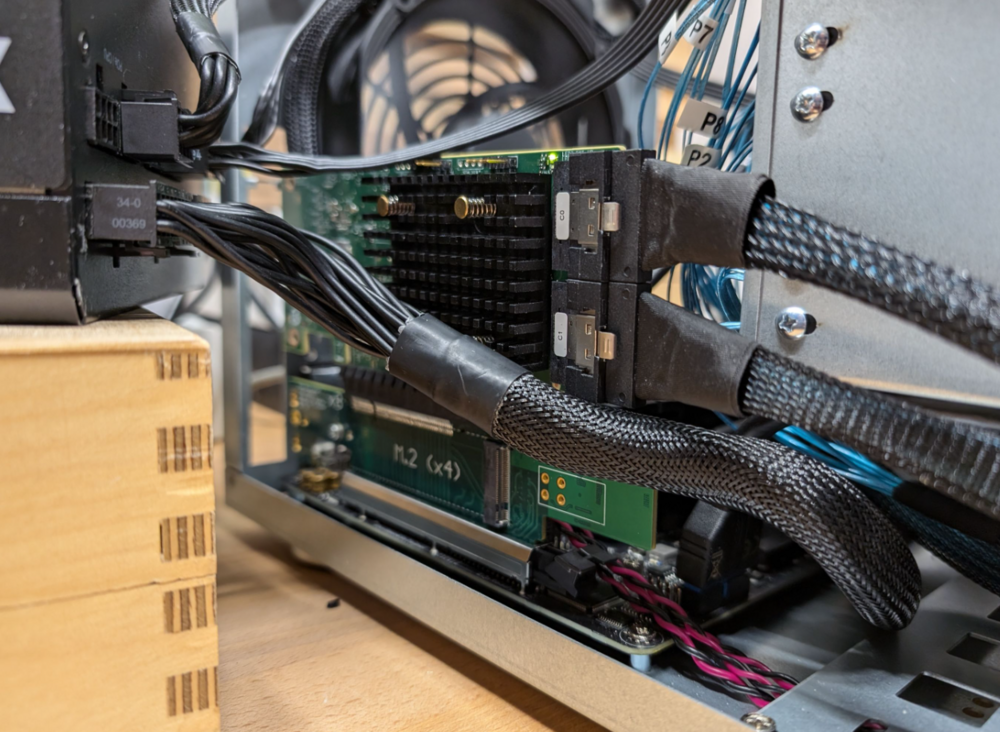
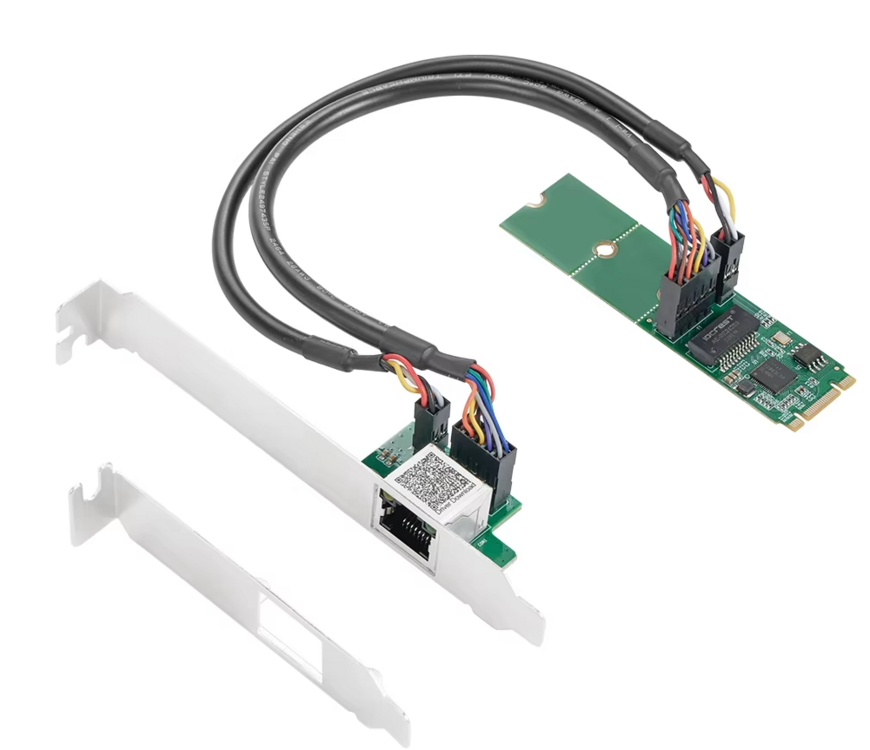
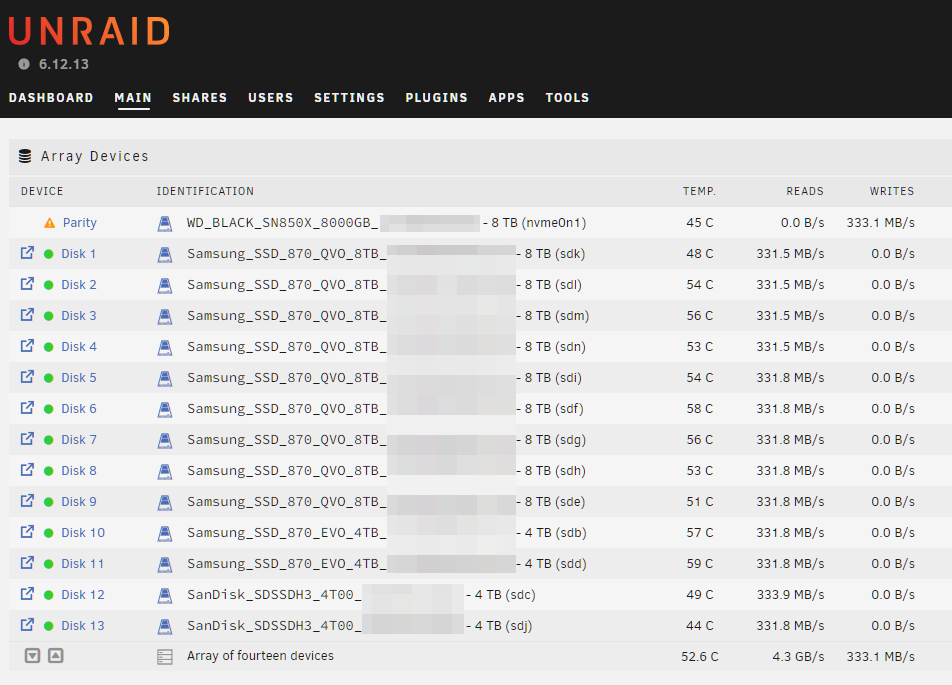
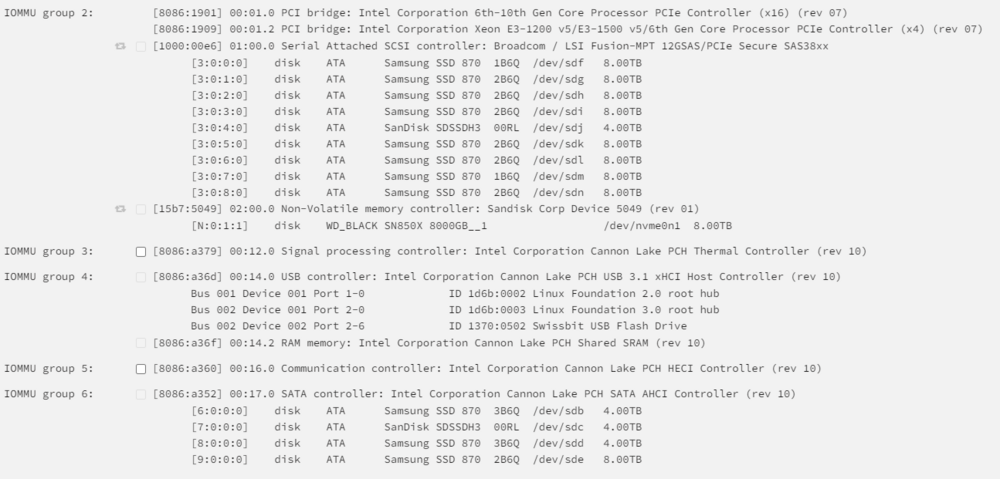
Ok I found a "solution". It still does not boot with the WD Black 8TB in the M.2 slot (chipset), but it works with the X8X4X4 bifurcation riser: But as mentioned above: I need more clearance to use it. At the moment, the power supply is sitting outside of the case 😅 If it works, I could even install a second NVMe on the other side of the card: As everything was already disassembled I even found a "solution" for the 2.5G network problem. With a M.2 to PCIE X4 riser I was able to run a 2.5G I225 card in the onboard M.2 chipset slot, so I ordered this card: https://de.aliexpress.com/item/1005005575635263.html It has the advantage of being installed directly without any riser and I'm able to move the ethernet port to the backpanel of the case. P.S. One of my last tests will be to replace the HBA card against two ASM1166 cards. This would only allow 12 additional = 20 SATA ports in total, but I want to know how much energy I could save using those instead. Building parity is limited to 4.3 GB/s. I'm not sure which part causes the limitation (I'm fine with it, it's just a matter of interest) 9 of the SSDs are currently connected to the HBA card:
-
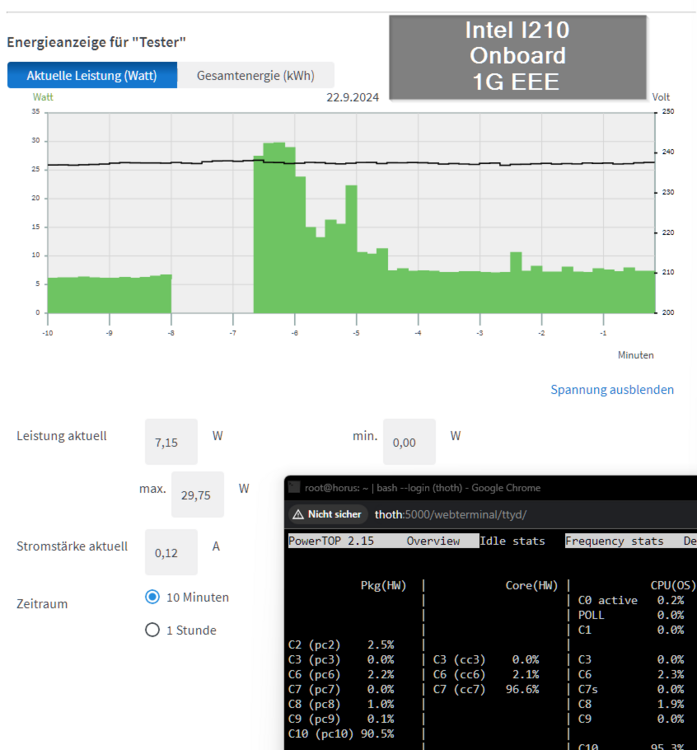
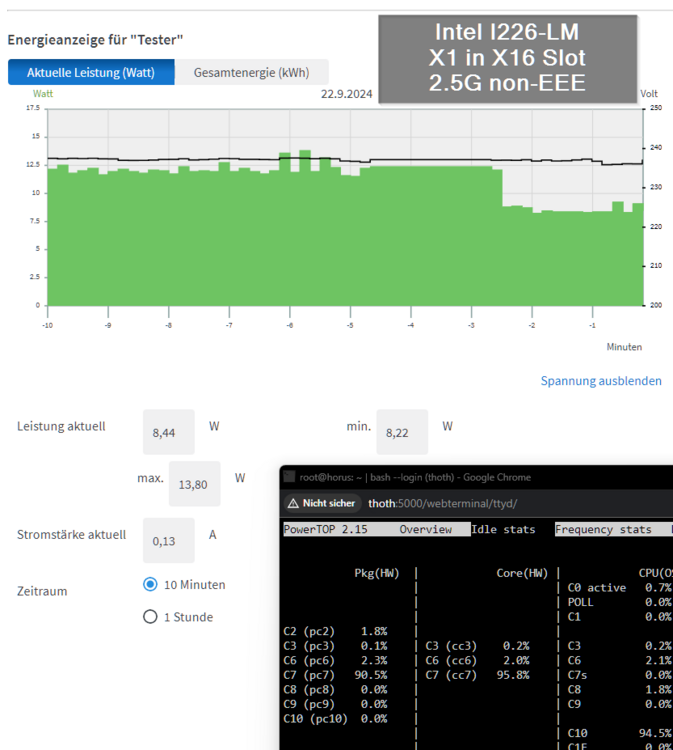
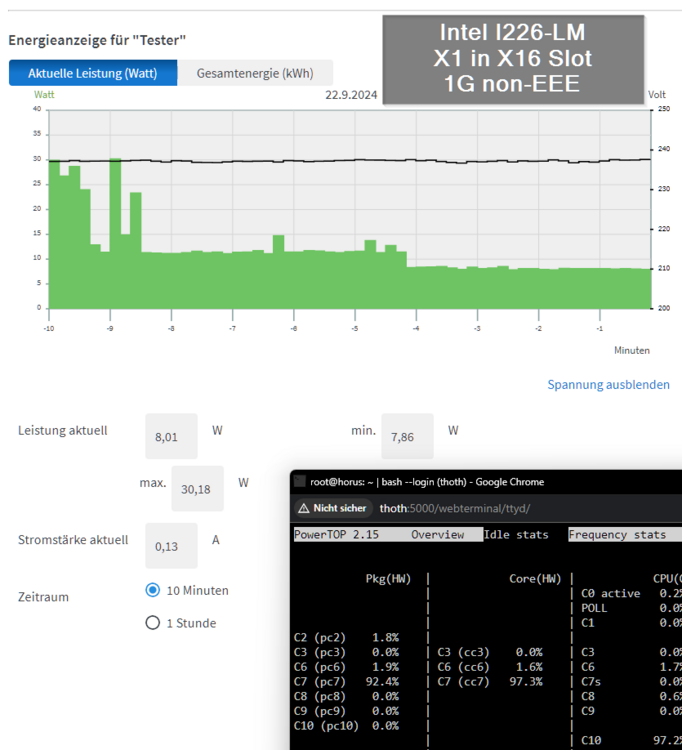
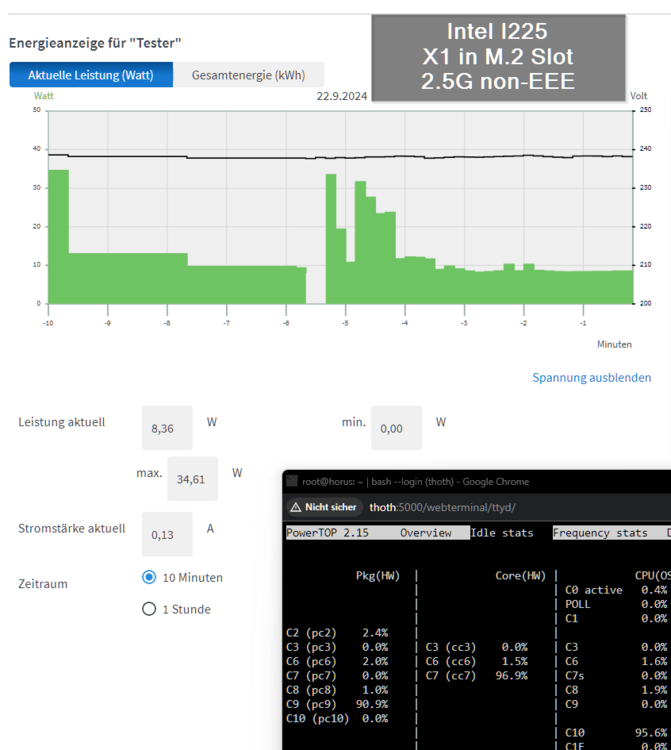
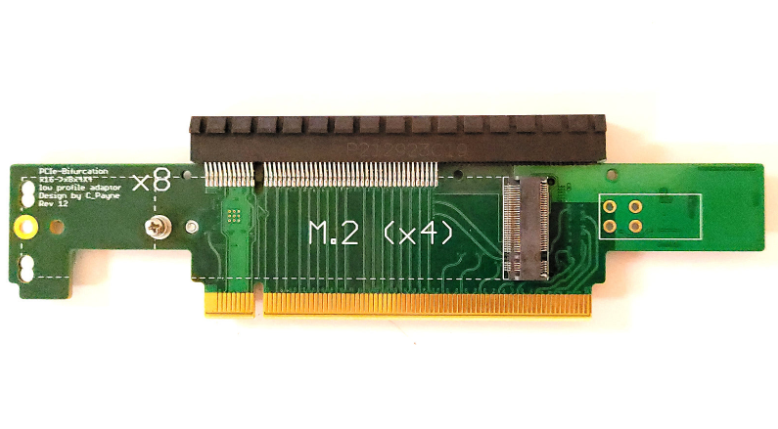
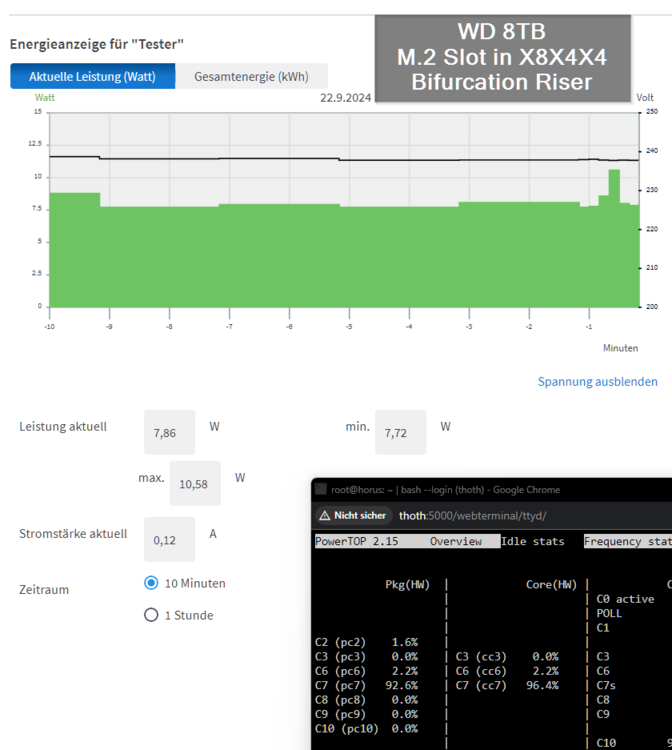
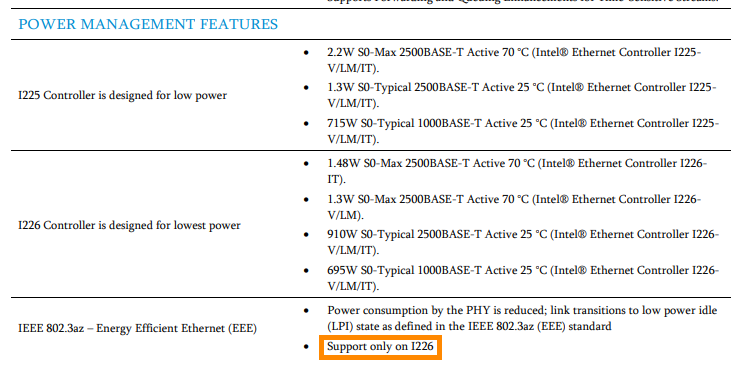
As I had problems to get my new WD Black 8TB running in the C246N-WU2, I disassembled everything and made several new power measurements and c-state tests. 7.15 watts and C10 without any additional cards: 8.44 watts and C7 with Intel I226-LM card in PCIE X16 slot and 2.5G connection ("LM" means "long support from Intel"): 8.01 watts and C7 with Intel I226-LM card in PCIE X16 slot and 1G connection: As mentioned the WD Black NVMe didn't like to run, so I tried to install the 2.5G with an M.2 to PCIE X4 riser in the M.2 slot as follows, but although the server booted, the card was not recognized by Unraid (not visible through lspci): But I had a second 2.5G X1 card from IOCrest with Intel I225 controller and surprisingly this one worked: 8.36 watts and C9: And a last offtopic test was the WD Black 8TB inside a C-Payne X8X4X4 Bifurcation Riser: measurement was without the HBA card: Reached 7.86 watts at C7: So the Bifurcation Riser has only a slight overhead of 0.7 watts. Note: Of course such Risers do not work with every board. For example recent Intel boards only support X8X8 and there must be a setting in the BIOS to enable it. The C246N-WU2 allows X8X8 and X8X4X4. An AMD board often allows X4X4X4X4. Now back to the 2.5G cards: I think every 2.5G card with Intel controller should reach good C-states. I recommend a card with I226 because regarding the Intel Specs it is the only controller which supports 802.3az (EEE): Sadly I was not able to enable it. It seems my QNAP QSW-2104-2T supports only EEE with 1G connections, which makes me mad as this restriction is not mentioned anywhere.