





ConnerVT
Members
-
Joined
-
Last visited
Everything posted by ConnerVT
-
You passed.
-
Most all modern CPUs and MBs (the past few generations) support virtualization.
-
This is the sub-forum for Forum Feedback, which would be assumed to be on subjects related to this support forum site. As Community Applications is a plug-in application supported by Squid, he probably doesn't visit this sub forum much. Along with CA, he also has a lot of other applications and issues on his plate. I would recommend you bring up the subject in the appropriate Community Applications support thread.
-
🤮
-
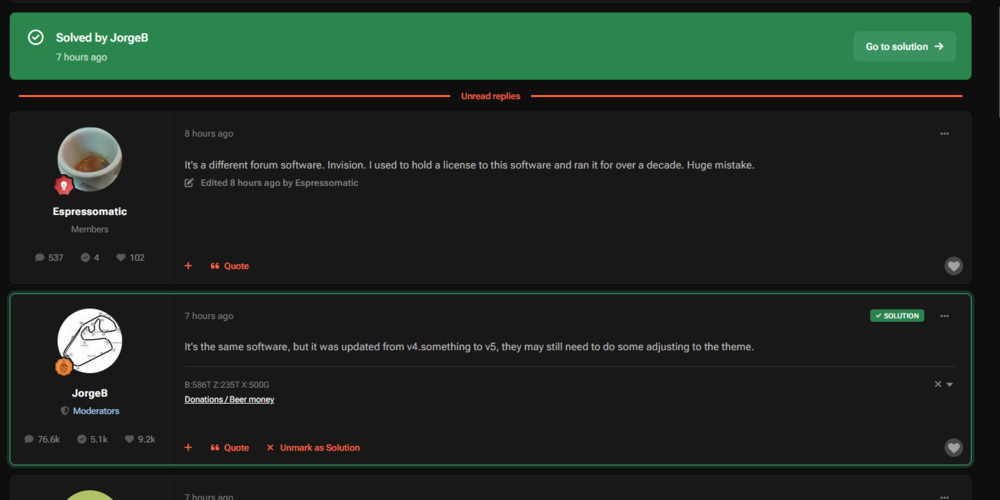
Thanks, JorgeB. Figured there was an update. Found the Dark Mode button (wasn't it in the top right corner before?). Agree the smaller font sucks. More interesting, I hadn't visited since I started this thread. I thought that only the thread starter could mark something as a "Solution". Yet, here it is, and I didn't do it.
-
Dark Mode went glaringly bright, and other formatting changes also. Is it the same for everyone, or just me?
-
The Unraid Support Group meets on Tuesdays, after the Mover completes (except during Parity Checks)...
-
Browser-based Plex client has had issues for many years when it comes to transcoding. Many times it defaults to CPU. Even when it initially starts with GPU transcoding, it will switch to CPU (or come back with an error message) if you change video parameters (or even just when jumping to another time in the file). For troubleshooting, it is best to use a dedicated Plex client app, such as AppleTV, Roku, etc.
-
I saw this as well yesterday - 6.12.10 (Yeah, I know, I should update. Waiting on 7.1.1. Production servers don't update to versions with a .0 in them)
-
Same here. I had only read 3rd party articles about it. Good to see info direct from the source. Like Hoopster, I also grabbed a $75 Lifetime Pass, back in 2018.
-
Blasphemy! The ravings of a mad man, I say! Seriously, thank you both for showing us how the sausage is made, as well as your dedication and effort.
-
It is always better to ask in the appropriate support thread (Nvidia Plugin, in this case). But the short answer is likely because the RTX 5090 is so recently released (3 months ago, Jan 2025). Support for new hardware takes time for it to be developed, tested and deployed as stable in the Linux world. Even more so for server code.
-
It was worth a try. Zero cost to check that off the list as a suspect. Replacing DRAM would be my next step.
-
I would first try removing the DRAM, check that all looks undamaged and clean (no huge dust bunnies). Reinstall the DRAM and run Memtest again. You wrote you were recently inside the server, perhaps you disturbed something.
-
You should post in the plugin app's support thread:
-
It will run. But tasks like unpacking RAR and assembling NZB files from USENET use a great amount of CPU power. Managing multiple torrents does also. To a lesser extent, Immich and Nextcloud sometimes can be taxing, depending on what task it may be doing. You have 4 threads to work with. At least one will be for Unraid itself, to handle running the OS and all of the other things Unraid manages, such as the Docker system, disk access, network, etc. It would like to have more. Then the rest of your docker apps each will want a slice of the pie. If threads are not available, they will wait until one is. This is fine for most things, as they aren't time sensitive. But a media server needs a constant stream of input, else you get stuttering or worse. You can put a trailer hitch on a Japanese kei car. But you won't be able to pull very much around with it.
-
Will it run? Probably. Unraid will run on nearly any x64 based system. Will you be happy with it running what you listed? I doubt it. A 12 year old 2c/4t Ivy Bridge CPU might be enough to handle basic NAS functions and stream Jellyfin content (direct or simple transcode) to one client on your LAN. But as you start adding a number of other apps, you will find it severely CPU limited. Benchmark scores for the i3-3225 are less than half that of a fairly current N100 and a quarter of a first gen Ryzen 1500X (which I built my first Unraid server 4 years ago). The N100 is about the minimum to go, if the goal is minimum power usage. Something equivalent to 1500X (4c/8t from circa 2017) would handle the list you posted.
-
Parity is not a backup solution. You should always have the data you cannot afford to lose on a separate media, which can be restored/accessed in the case of system/disk failure. The first thing NOT to do is remove the failed disk or change your array configuration before you are ready to reconstruct the failed disk. (Assuming it has actually failed - I recommend attaching you diagnostics to your next post). Removing the disk will most likely complicate rebuilding the replacement drive. Currently it sound as your array is emulating the missing disk. This is using the info from your parity disk and the other disks on the array. Moving/copying data just puts more strain on your array disks, making it more likely you possibly have another issue/failure. If there is data that you can not afford to lose on the drive, and you don't have it backed up, you can add a disk via Unassigned Devices to copy the files you are concerned about.
-
That‘s true but first they will be legacy drivers, I can‘t imagine that they drop these card immedeately but I also have to say these cards are now really old. HEY! I'm really old, but I still get the job done. 😜
-
@Terebi - Thanks for the update. I just referenced the two threads above as examples of what extent and methods people have tried to address drive spin up latency and its impact to media servers. The Mover Tuning plugin seems to have its issues as well lately, from what I see reading the forum.
-
Toggle this off.

-
May depend on several factors: The Plex client; time it takes for a server to go from data request until drive is spun up and ready; the data path between the server and the Plex client. I knew exactly what @Lemming was referring to when I saw this post, as I had issues with it both on my Apple4K on my home LAN (video) as well as my iPhone on the road (music). I forget the exact message, as I have been using my media disks always spun up for a couple of years, and haven't seen it since. Vaguely remember it as an "Unexpected error..." message, then the client being ornery about recovering and retrying. Here are the two threads where folks were trying different things to circumvent the delay:
-
Since your shut down was due to a power outage, it is possible as neither Unraid nor the system as a whole shutdown cleanly.
-
Check if Fast Boot is set in BIOS. If so, turn it off.
-
This is a question which is better asked in the Plex forums. It is an annoying problem, especially when other less tech savvy users are trying to play media. Unfortunately, adjusting the time out to wait for playback is done on the client side, not the server. So unless Plex codes in some sort of signal in their server code and code for all of their clients (and all of them are fully updated with this, no small feat) that passes a "wait a bit longer", there is little to fix this. If you search around this forum, some folks have tried scripts that put the beginning of every/most media in memory, or cache most recently added media to a faster SSD drive. I looked at this, but each has its drawbacks. What I do is keep all of my media on a couple of drives which never spin down. I set up share exclusions so only media goes to these drives and everything else only goes to the rest of the drives on my array. This also has its drawbacks, but I find it the lesser of evils.






