ConnerVT
Members
-
Joined
-
Last visited
Everything posted by ConnerVT
-
Might want to try something that @JorgeB recommended in this thread:
-
Start by checking some things in your BIOS: - Turn OFF Fast Boot - Check your boot order and confirm that the Unraid Flash is selected as the first boot device - UEFI or Legacy - You likely wish to boot in UEFI mode. Confirm that your BIOS and flash drive are aligned. The folder in your flash drive should be named EFI for UEFI boot, and named EFI- for Legacy boot.
-
What I linked is just an example. It was literally the first hit on my first Google search. Do some shopping around, and look for the listing to explicitly say it is for use in hot swap bays. And remember that you will likely need to put the Lian Li rails on it, so be sure that what you buy has the appropriate mounting holes.
-
5600GT and 6.12.11 - No issues seen here. Currently running only 3 cameras. I also run GPU Stats, and it reports the iGPU usage between 0.8 and 2.5%.
-
I have a PC-Q25 and 3.5" drives mount perfectly (as you would expect with a Lian Li case). 3.5" drives are built with standardized locations for SATA and power connections and mounting holes to work in hot swap bays. I would imaging 2.5" drives are standardized as well. My best guess is either the adapter you have wasn't designed to use in a hot swap bay, or you have some assembly error mounting the drive in the adapter or the drive rails. Unfortunately Lian Li never offered a 3.5 to 2.5 adapter, but there are third party ones for hot swap bays. First hit from Google at Amazon
-
Unraid doesn't boot from a SSD. It is designed to boot from a USB Flash drive, one that provides a unique GUID.
-
The K80 is a 10 year old card, running on Keplar hardware. There is no driver that supports in in Unraid. And if there were, it wouldn't add much, if any value for applications that you might run.
-
There shouldn't be anything that's writing 30GB+ to your boot flash drive. I have a 8GB dive with 1.25GB on it. There are 30+ Docker containers installed and 3 VMs. Same drive for 3 years. Best guess is you have something mapper to the flash drive which shouldn't be. I would browse the flash, and see what is there which isn't in a typical freshly built Unraid flash.
-
For video transcoding, I doubt that you can even saturate a PCIe x4 slot, no less a x16 slot. You also may be able to set the slot the GPU is currently in to x4 if you wish to test without opening up the system and moving it.
-
Unless you require the update to fix something, you are better off *not* updating Plex. Plex is notorious for breaking several things when updating one or two - usually to push something you aren't interested in. For me, it is usually something they break in the DVR. For many others, it is HDR or tone mapping. I've been running Plex for many years (have a lifetime subscription). Long before I had ever heard of Unraid. I stay locked in on a known good version, and only update when I need to, maybe 1 or 2 times a year is too much. Realize I don't say this as a hater - I truly love my Plex server. When it is working.
-
I graduated from college 40 years ago this month, with a degree focused on microprocessor technology. Went to work for a company developing high resolution color graphics cards (640x480 and 1024x768 *were* high res when EGA was the best that was offered!). Been in the microcomputer world most all of those 40 years. Before Ethernet was a standard. Before the Internet had a WWW. Before there was a Google, or even a Yahoo. Being in this world for 19 years and remaining relevant after all of that time is a major achievement, one not many can claim. Congratulations!
-
https://docs.unraid.net/unraid-os/troubleshooting/diagnostics-information/#persistent-logs-syslog-server
-
What is likely to have happened is that your card information was stolen by someone involved in the payment processing chain from a legitimate (online?) purchase. I had this happen to me about a dozen years back. I lost my wedding band (which I later found) so I purchased a new one online. I used a card which I almost never use. A few months later, I got a call from a shipper that someone wanted to redirect a shipment I was to get. But I wasn't expecting a shipment. Ended up receiving a laptop computer I didn't order, on that card. The credit card company was very good about this. Cancelled that charge, and several others for international shipping to somewhere in eastern Europe. I even got to keep the laptop. This is much more likely than someone compromising your Unraid server, unless you are someone who lives fast and loose on the Internet.
-
I don't know for sure how this device behaves. If it is always accessible after recognized/enabled by the system's USB controller/hub and the PIN is entered, it should work. But it seems like a bit of overkill and more of a inconvenience/risk than it is worth. If you need to re-enter the PIN every time it drops off the USB bus (glitch, reboot, power on) it will be frustrating. The other thought is what are you protecting? There really isn't much if any sensitive data stored on the Unraid boot drive (as in the basic working drive). And the boot flash should never be used as an additional data drive, as the wear of the additional reads/writes cause premature failure. It is hard for me to see what the value add is for this.
-
Thanks, JorgeB. That seems to resolve the eth122 issue. I was looking at installing that driver. But as the eth122 issue was just one of the stumbling blocks I have been seeing trying to do what I'll call an interesting network configuration, I've been trying to keep things as simple as possible. More pieces to go wrong makes troubleshooting that much more difficult. Hopefully it will make my path easier to navigate.
-
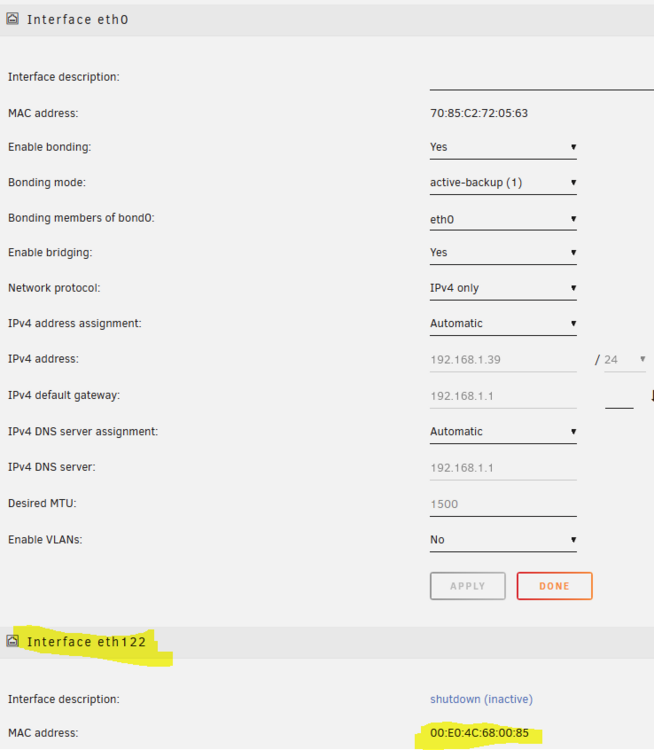
Been trying to set up a second NIC on my backup server. The NIC is a 2.5Gbe USB dongle. Been through a number of different settings, trying to get it to do what I wish and not screw up other functions and services. Along the way, I've deleted network.cfg and have rebooted. All was going well, but now the Network Settings tab is giving me some strange stuff. It is currently showing that the second NICs MAC address is both eth1 and eth122, et the same time on the same page: Though it shows as "eth1" here: These screenshots (as well as attached diagnostics) are after: removing the 2nd NIC deleting network.cfg rebooting to only the eth0 motherboard NIC power down reconnecting the 2nd NIC power up I've been fighting this since yesterday. Can someone explain why I get eth122? I have been able to sometimes have it show up as eth1, but on reboot, the eth1 setup I configure disappears and the eth122 takes its place (in shutdown/inactive state, as this shows). nasty-diagnostics-20240820-1255.zip
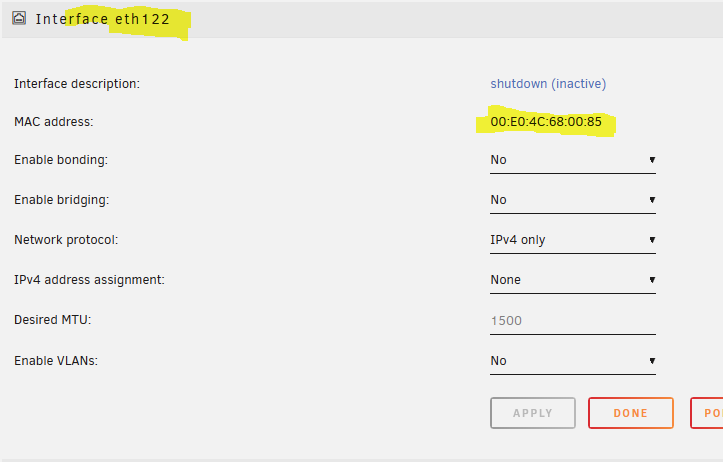
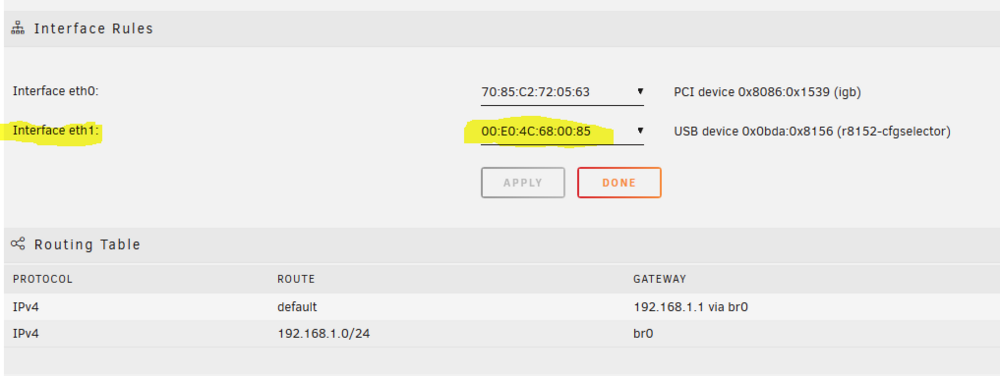
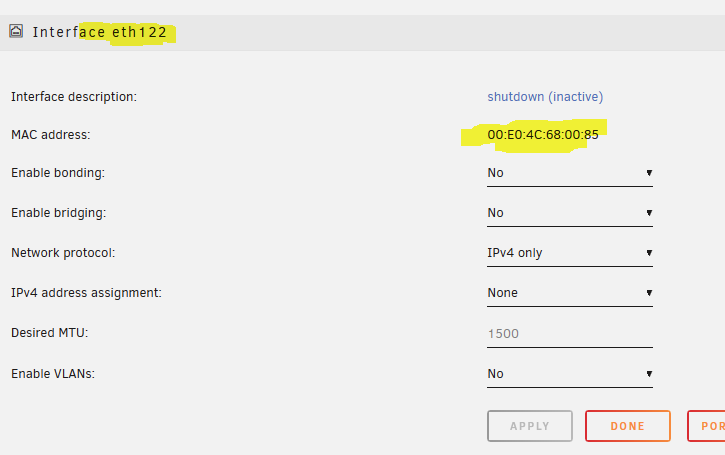
-
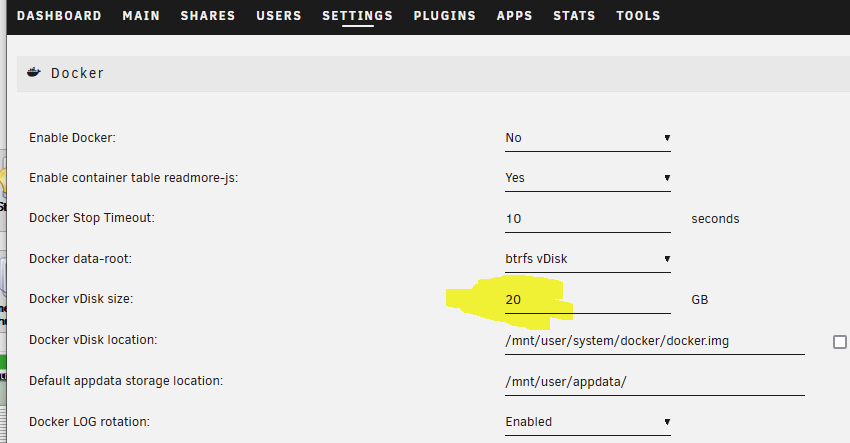
Right here:
-
Very few UPS do turn back on when power is restored. For good reason - Not every power failure is a simple "Power Is Off - Power Is On - All Is Done Now". The power could go out again. Maybe during your system's reboot. Even a few minutes running on battery power uses a good percentage of the battery's stored capacity. Should it use the same power down rules as before (when you had 100% charge)? Best practice is to restore system to service once everything is recovered - Main power, recharged batteries, clear skies. Did the UPS power to the router go off? Or just NUT having the router shut down? If the UPS didn't cut power to the router, it never met the BIOS condition to power on when power is supplied to the router system.
-
These work best with my UPS. https://www.amazon.com/Cable-Matters-2-Pack-Outlet-Splitter/dp/B01K3ADZ76/
-
Thanks for the post. I haven't gotten any better. I've meant to update this thread a few times - As you can see from my siggy, the number of servers I have has doubled, and most of what is inside them has changed over time. There is little that is left from my original server build. Just like the ship of Theseus, if all of the parts are replaced, is it still the same server? This week I got a call and a voicemail from ServerPartDeals. They must of been worried about me, as I hadn't ordered any drives in several months. I've had a number of cold calls from businesses over the years, but this was the first time I've had a computer parts store call...
-
The Plex browser client has always had issues. One of these is it seems to always force a transcode even when it should certainly be able to direct play (or at least direct stream). You wrote that you tried several different containers. Did you use a new appdata set for these, or were you pointing it to the same appdata folder? One thing that can fix funky Plex transcoding is to stop the container, then delete all of the contents of your codec folder (in the plex appdata folder, several levels down). When you restart the container, it will go out and repopulate the codec folder with fresh files. This is another one of the long time fixes for weird plex issues.
-
Yeah, but now he needs to update to Win11.
-
For me, if the listing for sale doesn't specifically answer the questions I have for what is important to me, I move on and look for something else.
-
Thanks so much for the input. I wish to nail this down, before I scale up adding the rest of the cameras and find I need to change a ton of configuration. I'll play with my FPS when I add the cameras, if usage starts to be too extreme. I figured the 8971 port change was correct, but I was eager to see frigate actually run and 5000 got me there. I'll work on getting it configured for 8971 the next time I get a chance to work with it. (Time again to do my real job.)
-
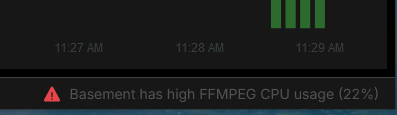
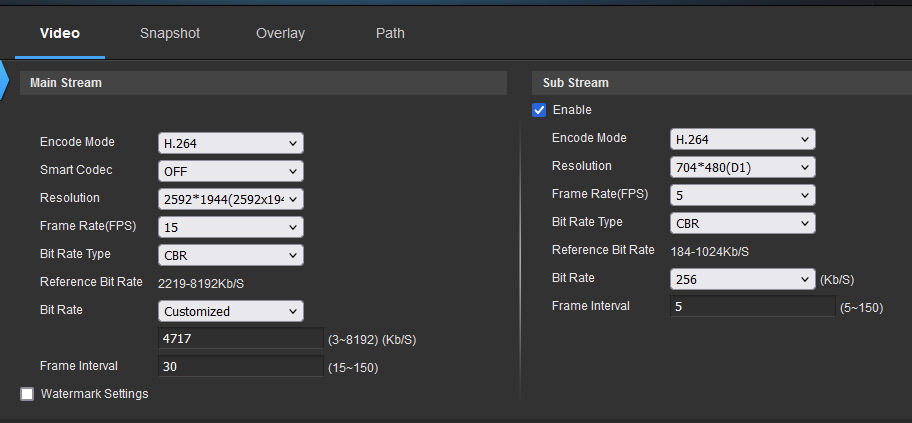
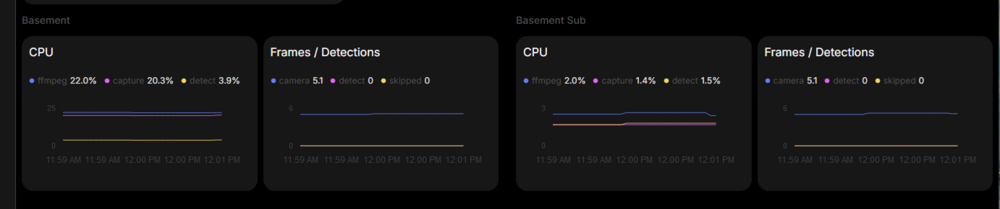
I have 0.14-rc2 fired up on my server. Things seem to be running well. Just wish to pass on an observation, and get feedback on one thing I'm seeing, and find out if I'm chasing ghosts. Setup is using AMD graphics hardware acceleration, USB Coral, and a Amcrest IP5M-T1179EW-28MM. I wish to get this configuration nailed down, as final setup will have 6 cameras. The observation is that I needed to update your template, changing the WebUI to 5000 from the 8554 in your template. Otherwise, the WebUI would not launch when clicking the frigate icon and selecting Webui on the Unraid Docker tab. Is this an oversight on your part? Or is there something I need to add to my config.yml? The question I have is that on the System Metrics/Stats page, I am seeing a warning that my primary feed "has high FFMPEG CPU usage" an the low-mid 20% range. Is this something I should be concerned about, or is this expected? I believe I have my camera settings and config.yml file set properly, but would really appreciate your feedback and suggestions. mqtt: host: 192.168.1.29 user: mqtt-user password: password #--------------------------------------------------------------------- ffmpeg: global_args: -hide_banner -loglevel warning -threads 2 hwaccel_args: preset-vaapi input_args: preset-rtsp-restream output_args: record: preset-record-generic-audio-copy #was = preset-record-generic-audio-aac retry_interval: 10 #-------------------------------------------------------------------- detectors: coral: type: edgetpu device: usb #---------------------------------------------------------------------------------------- record: enabled: true retain: days: 7 mode: motion events: retain: default: 30 mode: motion #---------------------------------------------------------------------- snapshots: enabled: true retain: default: 30 #-------------------------------------------------------------------------------- go2rtc: streams: basement: - rtsp://admin:[email protected]:554/cam/realmonitor?channel=1&subtype=0 # - ffmpeg:basement#audio=aac basement_sub: - rtsp://admin:[email protected]:554/cam/realmonitor?channel=1&subtype=1 # - ffmpeg:basement_sub#audio=aac #----------------------------------------------------------------------------------- cameras: basement: ffmpeg: output_args: record: preset-record-generic-audio-copy #was = preset-record-generic-audio-aac inputs: - path: rtsp://127.0.0.1:8554/basement input_args: preset-rtsp-restream roles: - record motion: mask: 0.732,0.023,0.732,0.081,0.969,0.088,0.966,0.025 basement_sub: ffmpeg: output_args: record: preset-record-generic-audio-copy # was = preset-record-generic-audio-aac inputs: - path: rtsp://127.0.0.1:8554/basement_sub input_args: preset-rtsp-restream roles: - detect # - audio # <- only necessary if audio detection is enabled motion: mask: 0.712,0.018,0.712,0.097,0.982,0.105,0.973,0.018 #----------------------------------------------------------------------------------- version: 0.14 camera_groups: Basement_Group: order: 1 icon: LuArrowBigDownDash cameras: basement Thanks in advance for your input, and for this great application.