faxxe71
Members
-
Joined
-
Last visited
Everything posted by faxxe71
-
Zu Frigate: ob man es braucht muss man natürlich selbst entscheiden. Aber die Stabilität und der einfache Umgang von Frigate ist schon klasse. Du hast die Videos sämtlicher Kameras zentral liegen und verwaltet. Das das dann auch stabil auf allen mobilen Endgeräten (per VPN dann auch von unterwegs). Und beim Stromverbrauch muss man natürlich auch die Verbräuche der Kameras selbst berücksichtigen. Die Kameras liegen bei mir bei ca 30 Watt. Der Verbrauch des Server steigt mit Frigate um etwa 4 Watt. Also wenn die Kameras sowieso laufen spielt IMHO der Server dann auch keine große Rolle mehr. Ausser man dreht ihn ansonsten komplett ab. Ich habe viel Zeit (und Geld 🤫) in die Optimierung des Unraid Server investiert weil 24/7 mein Ziel war. So verwende ich zB dieses Netzteil : HDPlex 250 Netzteil Ist Referenzklasse beim Thema Wirkungsgrad. Aber vermutlich wirds den Mehrpreis nie wirklich rein spielen 🙃 Anyway -faxxe
-
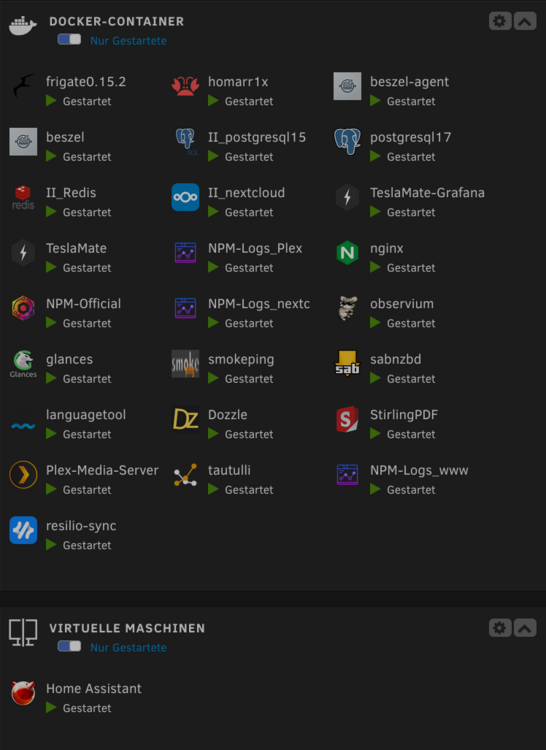
Ich habe unter anderem 9 Reolink Kameras per Frigate an einem i3-13100 mit 64 GB Ram laufen. Coral TPU. So läuft das seit Monaten 24/7 und schreibt alles auf eine Lexar NM790. Ich würde da niemals eine HDD dafür her nehmen. Im 21. Jh halte ich eine hochwertige NVME dazu passender. Lt Hersteller hat die Lexar eine TBW von 3 PB. Ich habe sie seit knapp 5 Monaten laufen und sie hat lt Unraid ca 50TB geschrieben und 90TB gelesen. Es werden aber auch nur Videos mit dezitierten Objekten geschrieben und 30 Tage behalten. Weiters schreiben neben 20 Docker (nextcloud plex etc) noch eine Homeassistant VM ihre Daten auf diese NVME. So sie in 3 oder 4 Jahren "tot" geschrieben wäre, schmeiss ich sie halt weg und kauf eine neue. So meine Meinung..... Mein System braucht mit dem 13-13100 auf einem Gigabyte B760B Gaming, 4 Stk Exos 16TB Platten i mStandby etwa 26-28 Watt. Tiefe C States Stromsparmodis spielts bei Frigate natürlich nicht mehr. -faxxe
-
45 TB NAS storage and backup
-
Ohhh .mea culpa... Q und W 🤭
-
Schau mal in den englischen Mainboard-Abschnitt hier im Forum. Ist wohl nicht alles so rosig mit dem Board -faxxe
-
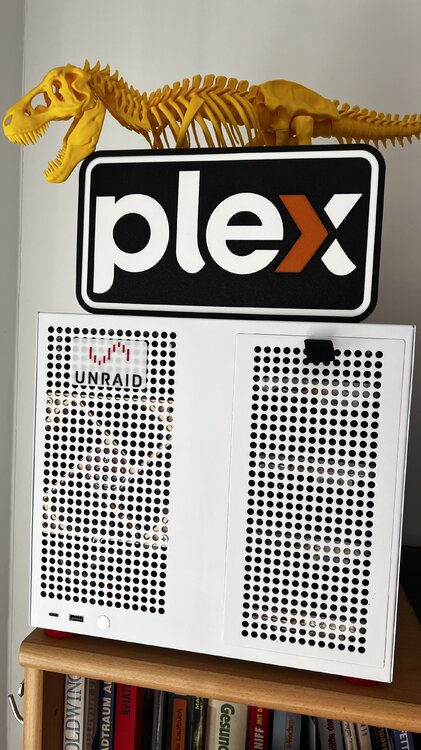
Ich stand vor einiger Zeit vor derselben Frage und hab dann unnötig viel Lehrgeld für das Silverstone CS351 bezahlt. Es ist eine thermische Fehlkonstruktion ohne Vergleich. Die Platten (so alle was zu tun haben) werden darin geröstet das sie einem Leid tun. Ich habe mittels 3D Drucker die Kühlung verändert und damit auf ein erträgliches Mass gebracht. Das Gehäuse habe ich noch und es dient nur mehr als Backup Unraid System. Da läuft nie mehr als eine Platte zugleich. Teurer Müll..... Finger weg 😉 Ich habe dann das Sagittarius gekauft (ca 120.- bis es in AT war) und bin damit mehr als Glücklich. Mit 4 Platten wunderbar kühl (die beiden 120mm Lüfter werden bei mir durch einen unabhängigen TempRegler gesteuert). Ein sehr luftiges, viel Platz bietendes Gehäuse. Schönheit liegt im Auge des Betrachters aber in Weiß macht es sich am Regal nicht so schlecht -faxxe
-
HDPlex 250Watt Netzteil Ich bin damit sehr zufrieden (wenn auch nicht ganz günstig): -faxxe
-
Something strange with 7.1.4: I had the original plex docker running in host mode for years. last night it suddenly became unreachable. I recreated the docker but as a host i just can't get to the user interface anymore. the docker is running though. I gave it its own ip with custom:br0 and it is reachable again. Strange. The same thing happened to me with 7.1.3 with the smokeping docker. Now with 7.1.4 another strange change in the behavior of a docker. Maybe just a coincidence, but why should a Docker no longer be able to use host mode? -faxxe raider-diagnostics-20250627-1541.zip
-
Thanks for this very helpful plugin....... finally more overview in the script jungle 😁 -faxxe
-
I had the connection issue with 7.1.3 but with 7.1.4 everything seems stable for almost 2 days uptime. -faxxe
-
I get an error with 7.1.4. 🤨 not compatible anymore? -thank you -faxxe
-
I´m on a Intel x710 10gb NIC and with 7.1.3 my server lost the connection as well. I do not believe that this network anomaly with Unraid version 7.1.3 is only related to Realtek -faxxe
-
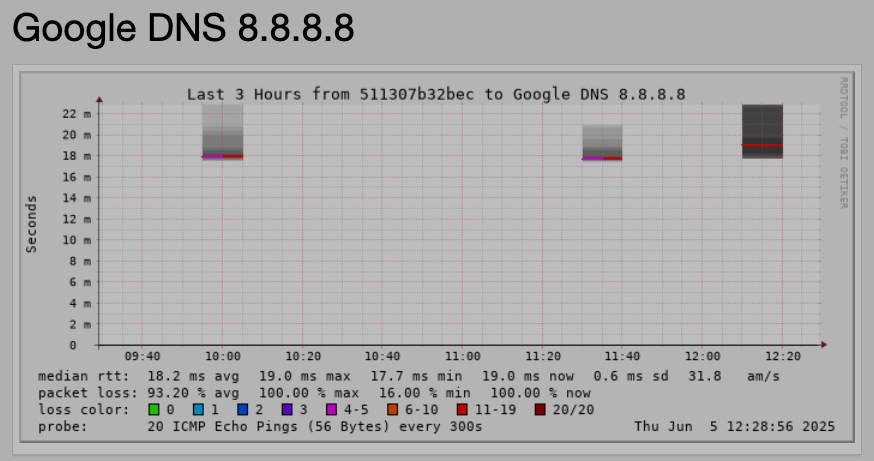
7.1.3 something seems strange for the smoke-ping docker. The dockers semms it has lost the internet (which works well) raider-diagnostics-20250605_1552.zip
-
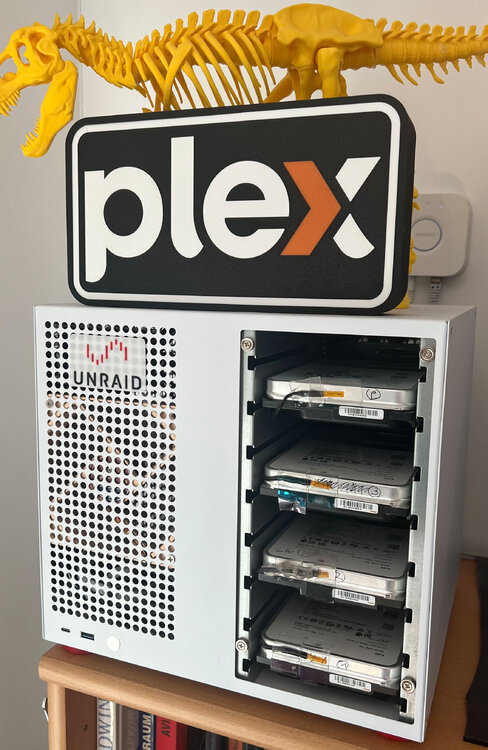
Bei mir läuft das System seit nun ca 6 Monat praktisch 24/7 in diesem Gehäuse und ich hab nun auf die Staubbelastung geachtet. Zumindest hier hab ich trotz fehlender Filter kein Problem festgestellt. Meine rückseitigen Lüfter der Platten laufen aber auch nur auf ca 200umin und werden aktiv durch die echte Oberflächentemperatur der Platten getriggert. -Heimo
-
This script would need an update for 7.1.0 final 🙃 Thank you
-
Update ran without any problems on the main server with 20 running Docker and 1 VM. The update from rc4 to 7.1.0 also ran smoothly on the backup system. Thank you for your work.
-
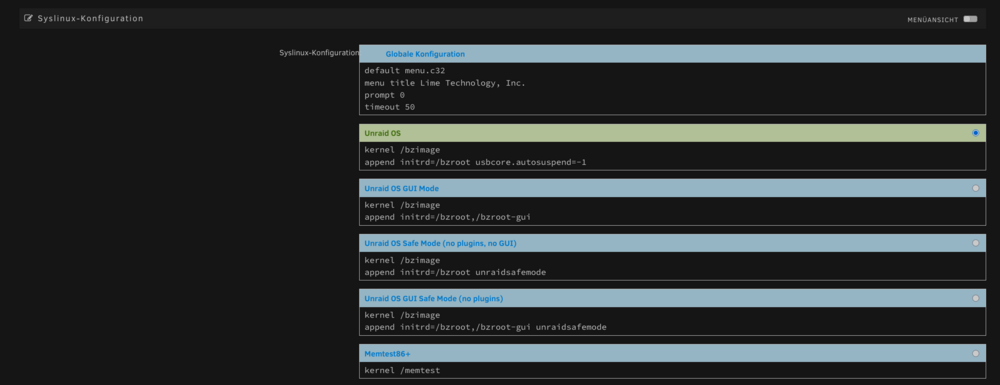
Im Start Menü auf den "Flash" USB Stick klicken dann kommt man zu den Syslinux Start Befehlen.
-
Slackware
-
Ich verwende 4 Shellys und einer davon zeigt das gleiche Symptom. Sehr ärgerlich, wenn da was Wichtiges hinten dran hängt. Ich habe ihn dann mal zurückgesetzt, Firmware neu drauf aber das hat nichts geändert. Ich verwende ihn nur mehr für kurzzeitige Stromverbrauchsmessungen etc -faxxe
-
Hello Richard, sorry for delay..... With 4 disks, it is extremely airy, as one slot remains free between each disk. However, I now use 5 disks and the cooling is also completely sufficient here. However, due to the application, I very rarely run all 5 disks together. But then they stay very well within the 33-36 degree Celsius range. Here is a search link in the German Amazon: https://www.amazon.de/alubutyl/s?k=alubutyl Best regards,
-
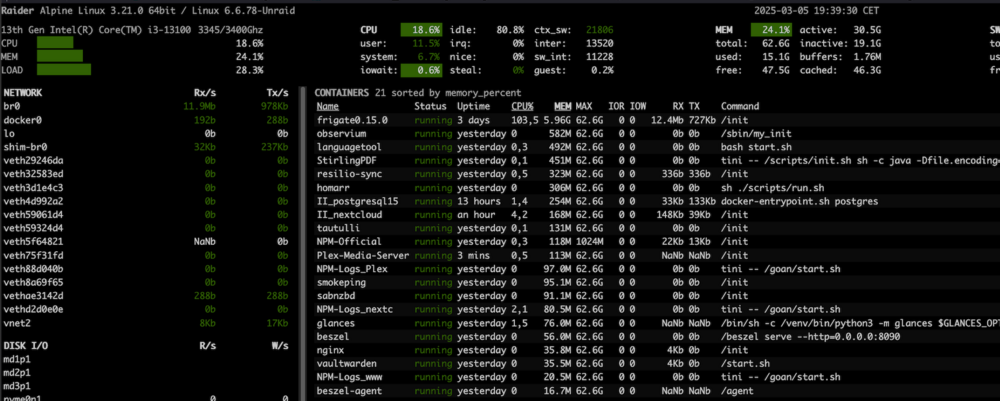
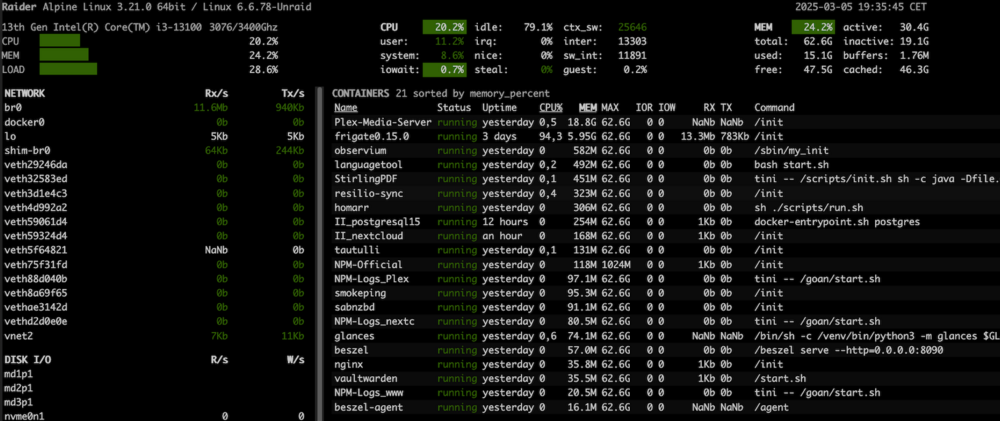
A question about my basic understanding of Docker. As you can see in the first picture, the Docker "Plex-media-server" is shown with a memory usage of about 18GB. The total memory usage of the system is shown as "MEM 24.2%". After manually restarting the 'Plex-media-server' docker, its memory usage was reduced to 113MB. However, the total system usage is more or less the same at "MEM 24.1%". How can the physical consumption be almost the same both times? Thanks for your enlightenment.....
-
Check this thread. You have to take the 7zip for Slackeware: Slackeware Repository
-
Sorry, it was my fault. I missed the Unraid setting for the host<>docker communication, which was disabled. Therefore i cant reach the Plex docker (run in host mode). Now it works flawless Thanks for your fast reply.
-
May i ask for a working NPM conf file for a local plex docker server? I have several services running via NPM but I just can't get Plex to work via NPM. Something small is missing in my conf file Thank you, -faxxe
-
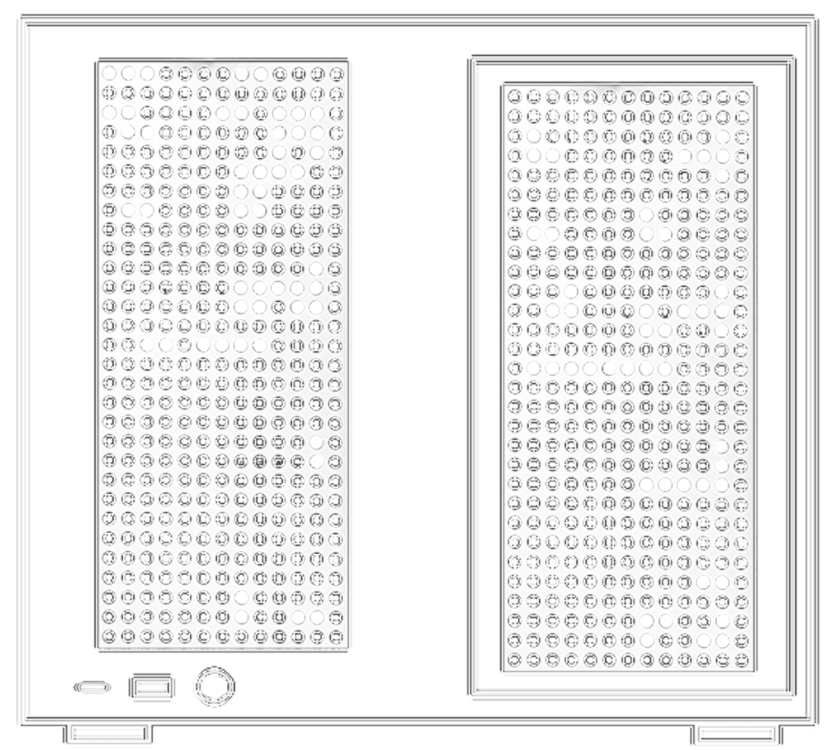
I created this one for my Sagittarius ☺️