





SavageAUS
Members
-
Joined
-
Last visited
Everything posted by SavageAUS
-
So I’m looking into ways to speed up my Nextcloud container and found redis. I have tried to configure Nextcloud to use it but all attempts have failed and the container won’t start properly. Is anyone else using redis with Nextcloud and can give me some advice?
-
Disk 4 just went offline so I’m shutting down to check cables before proceeding any further. Sent from my iPhone using Tapatalk
-
Running extended smart test now. How do I get the results from it to supply? Another diagnostic zip?
-
Wake up this morning to my unraid server having 123 errors on one of my parity drives. I have dual parity. Went to work then came home and error number has not increased. What’s my next steps? skynet-diagnostics-20210929-1744.zip
-
How long did you wait? I’ve had mine installed for 2 days and still a blank screen.
-
Can you do an rsync from the upload folder to the archive folder? But if the archive folder is read only I don’t like your chances unless you set permissions up. Sent from my iPhone using Tapatalk
-
Installed the update this morning and server is running fine besides an unclean shutdown when rebooting for the update but I cannot switch tabs when using mobile, no matter which tab I choose nothing works (docker, settings etc) but desktop browser works fine. I’ve tried safari and chrome. Sent from my iPhone using Tapatalk
-
You could also try Tailscale. Sent from my iPhone using Tapatalk
-
Bios setting, restore power after ac loss. Sent from my iPhone using Tapatalk
-
If no files are on the cache change the share setting to not use cache at all and warning should go away. Sent from my iPhone using Tapatalk
-
Will the container be updated for the next preview release or will uup automagically just grab the newest? Sent from my iPhone using Tapatalk
-
Check the power settings in the vm. It’s most likely set to sleep after X amount of time. Sent from my iPhone using Tapatalk
-
Yeah I figured out that I had to click on the icon next to the port to actually “assign” it to the VM and device. Once I did that it’s working great. My monitor has built in KVM so switching between my physical machine and an unraid vm now works like a treat.
-
I have the plug-in installed but in the USB menu VM attach is greyed out. where do I add the code above? I put it right at the beginning of the qemu file in the place mentioned in this thread.
-
Same issue here, no scripts installed. Already had user scripts installed. Sent from my iPhone using Tapatalk
-
For the last few days this container keeps saying it has an update. Is it just me?
-
How did you set the IP address manually? When i try it nothing works
-
I've tried reading through this thread before asking but i cannot seem to find any help. I have previously setup the nextcloud docker and mariadb as per spaceinvaderones video guides but my performance for nextcloud is very slow to the point of timing out. Im hoping my specs are in my signature but i do know my machine is more than capable of running this container i'm just wondering if there is anything else i can install/configure to increase the performance of this container? I really want to use this container but installing it as "default" is basically unusable.
-
What would be the procedure to uninstall this?
-
How do we delete the vm after it’s been created? It tells me something about it having nvram and won’t delete. I know what nvram is and I have 2 hack into shed but I want to delete the vm due to not having the right gpu in my server and mouse lag. Sent from my iPhone using Tapatalk
-
Same issue here but no biggie, it’s an RC I’ll wait for an app update.
-
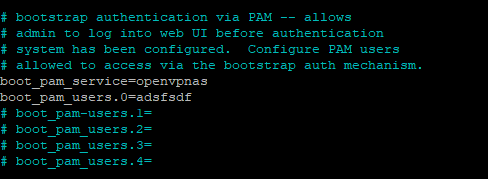
This works
-
Yes I know. I was posting a bug. I don’t use preview as my daily driver, just to test until stable.
-
Radarr:preview branch Docker on unRAID. Quality settings do not save. I click the save icon and it spins like it tries to save but doesn’t. When navigating away radarr asks me to stay or leave and discard changes. i like the new look and so far it works well.
-
Running the new 6.7.1-rc1 so far no issues. Results below. root@Tower~# uname -a Linux Tower 4.19.43-Unraid #1 SMP Wed May 15 14:51:41 PDT 2019 x86_64 Intel(R) Xeon(R) CPU E3-1230 v5 @ 3.40GHz GenuineIntel GNU/Linux root@Tower:~# cat /sys/devices/system/cpu/vulnerabilities/* Mitigation: PTE Inversion; VMX: conditional cache flushes, SMT vulnerable Mitigation: Clear CPU buffers; SMT vulnerable Mitigation: PTI Mitigation: Speculative Store Bypass disabled via prctl and seccomp Mitigation: __user pointer sanitization Mitigation: Full generic retpoline, IBPB: conditional, IBRS_FW, STIBP: conditional, RSB filling Spectre and Meltdown mitigation detection tool v0.41 Checking for vulnerabilities on current system Kernel is Linux 4.19.43-Unraid #1 SMP Wed May 15 14:51:41 PDT 2019 x86_64 CPU is Intel(R) Xeon(R) CPU E3-1230 v5 @ 3.40GHz We're missing some kernel info (see -v), accuracy might be reduced Hardware check * Hardware support (CPU microcode) for mitigation techniques * Indirect Branch Restricted Speculation (IBRS) * SPEC_CTRL MSR is available: YES * CPU indicates IBRS capability: YES (SPEC_CTRL feature bit) * Indirect Branch Prediction Barrier (IBPB) * PRED_CMD MSR is available: YES * CPU indicates IBPB capability: YES (SPEC_CTRL feature bit) * Single Thread Indirect Branch Predictors (STIBP) * SPEC_CTRL MSR is available: YES * CPU indicates STIBP capability: YES (Intel STIBP feature bit) * Speculative Store Bypass Disable (SSBD) * CPU indicates SSBD capability: YES (Intel SSBD) * L1 data cache invalidation * FLUSH_CMD MSR is available: YES * CPU indicates L1D flush capability: YES (L1D flush feature bit) * Microarchitecture Data Sampling * VERW instruction is available: YES (MD_CLEAR feature bit) * Enhanced IBRS (IBRS_ALL) * CPU indicates ARCH_CAPABILITIES MSR availability: NO * ARCH_CAPABILITIES MSR advertises IBRS_ALL capability: NO * CPU explicitly indicates not being vulnerable to Meltdown (RDCL_NO): NO * CPU explicitly indicates not being vulnerable to Variant 4 (SSB_NO): NO * CPU/Hypervisor indicates L1D flushing is not necessary on this system: NO * Hypervisor indicates host CPU might be vulnerable to RSB underflow (RSBA): NO * CPU explicitly indicates not being vulnerable to Microarchitectural Data Sampling (MDC_NO): NO * CPU supports Software Guard Extensions (SGX): YES * CPU microcode is known to cause stability problems: NO (model 0x5e family 0x6 stepping 0x3 ucode 0xcc cpuid 0x506e3) * CPU microcode is the latest known available version: YES (latest version is 0xcc dated 2019/04/01 according to builtin MCExtractor DB v110 - 2019/05/11) * CPU vulnerability to the speculative execution attack variants * Vulnerable to CVE-2017-5753 (Spectre Variant 1, bounds check bypass): YES * Vulnerable to CVE-2017-5715 (Spectre Variant 2, branch target injection): YES * Vulnerable to CVE-2017-5754 (Variant 3, Meltdown, rogue data cache load): YES * Vulnerable to CVE-2018-3640 (Variant 3a, rogue system register read): YES * Vulnerable to CVE-2018-3639 (Variant 4, speculative store bypass): YES * Vulnerable to CVE-2018-3615 (Foreshadow (SGX), L1 terminal fault): YES * Vulnerable to CVE-2018-3620 (Foreshadow-NG (OS), L1 terminal fault): YES * Vulnerable to CVE-2018-3646 (Foreshadow-NG (VMM), L1 terminal fault): YES * Vulnerable to CVE-2018-12126 (Fallout, microarchitectural store buffer data sampling (MSBDS)): YES * Vulnerable to CVE-2018-12130 (ZombieLoad, microarchitectural fill buffer data sampling (MFBDS)): YES * Vulnerable to CVE-2018-12127 (RIDL, microarchitectural load port data sampling (MLPDS)): YES * Vulnerable to CVE-2019-11091 (RIDL, microarchitectural data sampling uncacheable memory (MDSUM)): YES CVE-2017-5753 aka 'Spectre Variant 1, bounds check bypass' * Mitigated according to the /sys interface: YES (Mitigation: __user pointer sanitization) * Kernel has array_index_mask_nospec: UNKNOWN (couldn't check (missing 'readelf' tool, please install it, usually it's in the 'binutils' package)) * Kernel has the Red Hat/Ubuntu patch: UNKNOWN (missing 'strings' tool, please install it, usually it's in the binutils package) * Kernel has mask_nospec64 (arm64): UNKNOWN (couldn't check (missing 'readelf' tool, please install it, usually it's in the 'binutils' package)) * Checking count of LFENCE instructions following a jump in kernel... UNKNOWN (couldn't check (missing 'readelf' tool, please install it, usually it's in the 'binutils' package)) > STATUS: NOT VULNERABLE (Mitigation: __user pointer sanitization) CVE-2017-5715 aka 'Spectre Variant 2, branch target injection' * Mitigated according to the /sys interface: YES (Mitigation: Full generic retpoline, IBPB: conditional, IBRS_FW, STIBP: conditional, RSB filling) * Mitigation 1 * Kernel is compiled with IBRS support: YES * IBRS enabled and active: YES (for firmware code only) * Kernel is compiled with IBPB support: YES * IBPB enabled and active: YES * Mitigation 2 * Kernel has branch predictor hardening (arm): NO * Kernel compiled with retpoline option: UNKNOWN (couldn't read your kernel configuration) * Kernel supports RSB filling: UNKNOWN (missing 'strings' tool, please install it, usually it's in the binutils package) > STATUS: VULNERABLE (IBRS+IBPB or retpoline+IBPB+RSB filling, is needed to mitigate the vulnerability) CVE-2017-5754 aka 'Variant 3, Meltdown, rogue data cache load' * Mitigated according to the /sys interface: YES (Mitigation: PTI) * Kernel supports Page Table Isolation (PTI): NO * PTI enabled and active: YES * Reduced performance impact of PTI: YES (CPU supports INVPCID, performance impact of PTI will be greatly reduced) * Running as a Xen PV DomU: NO > STATUS: NOT VULNERABLE (Mitigation: PTI) CVE-2018-3640 aka 'Variant 3a, rogue system register read' * CPU microcode mitigates the vulnerability: YES > STATUS: NOT VULNERABLE (your CPU microcode mitigates the vulnerability) CVE-2018-3639 aka 'Variant 4, speculative store bypass' * Mitigated according to the /sys interface: YES (Mitigation: Speculative Store Bypass disabled via prctl and seccomp) * Kernel supports disabling speculative store bypass (SSB): YES (found in /proc/self/status) * SSB mitigation is enabled and active: YES (per-thread through prctl) * SSB mitigation currently active for selected processes: YES (bash busybox cron lighttpd mono-sgen nginx php-cgi7.0 php-fpm7 php7 pihole-FTL python2.7 python3.7 s6-supervise s6-svscan tini transmission-daemon watchtower) > STATUS: NOT VULNERABLE (Mitigation: Speculative Store Bypass disabled via prctl and seccomp) CVE-2018-3615 aka 'Foreshadow (SGX), L1 terminal fault' * CPU microcode mitigates the vulnerability: YES > STATUS: NOT VULNERABLE (your CPU microcode mitigates the vulnerability) CVE-2018-3620 aka 'Foreshadow-NG (OS), L1 terminal fault' * Mitigated according to the /sys interface: YES (Mitigation: PTE Inversion; VMX: conditional cache flushes, SMT vulnerable) * Kernel supports PTE inversion: * PTE inversion enabled and active: YES > STATUS: NOT VULNERABLE (Mitigation: PTE Inversion) CVE-2018-3646 aka 'Foreshadow-NG (VMM), L1 terminal fault' * Information from the /sys interface: VMX: conditional cache flushes, SMT vulnerable * This system is a host running a hypervisor: NO * Mitigation 1 (KVM) * EPT is disabled: NO * Mitigation 2 * L1D flush is supported by kernel: YES (found flush_l1d in /proc/cpuinfo) * L1D flush enabled: YES (conditional flushes) * Hardware-backed L1D flush supported: YES (performance impact of the mitigation will be greatly reduced) * Hyper-Threading (SMT) is enabled: YES > STATUS: NOT VULNERABLE (this system is not running a hypervisor) CVE-2018-12126 aka 'Fallout, microarchitectural store buffer data sampling (MSBDS)' * Mitigated according to the /sys interface: YES (Mitigation: Clear CPU buffers; SMT vulnerable) * CPU supports the MD_CLEAR functionality: YES * Kernel supports using MD_CLEAR mitigation: YES (md_clear found in /proc/cpuinfo) * Kernel mitigation is enabled and active: YES * SMT is either mitigated or disabled: NO > STATUS: NOT VULNERABLE (Mitigation: Clear CPU buffers; SMT vulnerable) CVE-2018-12130 aka 'ZombieLoad, microarchitectural fill buffer data sampling (MFBDS)' * Mitigated according to the /sys interface: YES (Mitigation: Clear CPU buffers; SMT vulnerable) * CPU supports the MD_CLEAR functionality: YES * Kernel supports using MD_CLEAR mitigation: YES (md_clear found in /proc/cpuinfo) * Kernel mitigation is enabled and active: YES * SMT is either mitigated or disabled: NO > STATUS: NOT VULNERABLE (Mitigation: Clear CPU buffers; SMT vulnerable) CVE-2018-12127 aka 'RIDL, microarchitectural load port data sampling (MLPDS)' * Mitigated according to the /sys interface: YES (Mitigation: Clear CPU buffers; SMT vulnerable) * CPU supports the MD_CLEAR functionality: YES * Kernel supports using MD_CLEAR mitigation: YES (md_clear found in /proc/cpuinfo) * Kernel mitigation is enabled and active: YES * SMT is either mitigated or disabled: NO > STATUS: NOT VULNERABLE (Mitigation: Clear CPU buffers; SMT vulnerable) CVE-2019-11091 aka 'RIDL, microarchitectural data sampling uncacheable memory (MDSUM)' * Mitigated according to the /sys interface: YES (Mitigation: Clear CPU buffers; SMT vulnerable) * CPU supports the MD_CLEAR functionality: YES * Kernel supports using MD_CLEAR mitigation: YES (md_clear found in /proc/cpuinfo) * Kernel mitigation is enabled and active: YES * SMT is either mitigated or disabled: NO > STATUS: NOT VULNERABLE (Mitigation: Clear CPU buffers; SMT vulnerable) > SUMMARY: CVE-2017-5753:OK CVE-2017-5715:KO CVE-2017-5754:OK CVE-2018-3640:OK CVE-2018-3639:OK CVE-2018-3615:OK CVE-2018-3620:OK CVE-2018-3646:OK CVE-2018-12126:OK CVE-2018-12130:OK CVE-2018-12127:OK CVE-2019-11091:OK



