






Hoopster
Members
-
Joined
-
Last visited
Everything posted by Hoopster
-
Support in these forums. Linuxserver.io containers are supported here. For support on Official Plex container you must go to Plex forums. Sent from my iPhone using Tapatalk
-
I cannot answer for HellDiverUK, but I replaced both fans (with Cougar fans) in the PC-Q25B and DID NOT remove the dust filters. HDD temps dropped a little but I have no idea if removal of the filters would result in lower temps. The system in the PC-Q25B case is in my basement and it is plenty cool down there. HDD temps are in the mid 20s to low 30s C in normal use and can inch up into the high 30s during a parity check. I am not worried about those temps. 😁
-
Interesting. I have two unRAID systems with socket 1151 hardware and neither has experienced any freezes in any version of 6.11.x after I uninstalled the Intel CPU Top and GPU Statistics plugins. For some reason, they messed with the iGPU causing occasional server freezes. This happened with 6.10.x and I uninstalled the plugins then but added them back briefly in 6.11.x to test if anything had changed; it had not.
-
I've only seen that when the container was not running, the server was unclaimed (after the Plex database hack, password change adventure) or I was logged out of Plex. If not any of the above for you, perhaps something here will be of use.
-
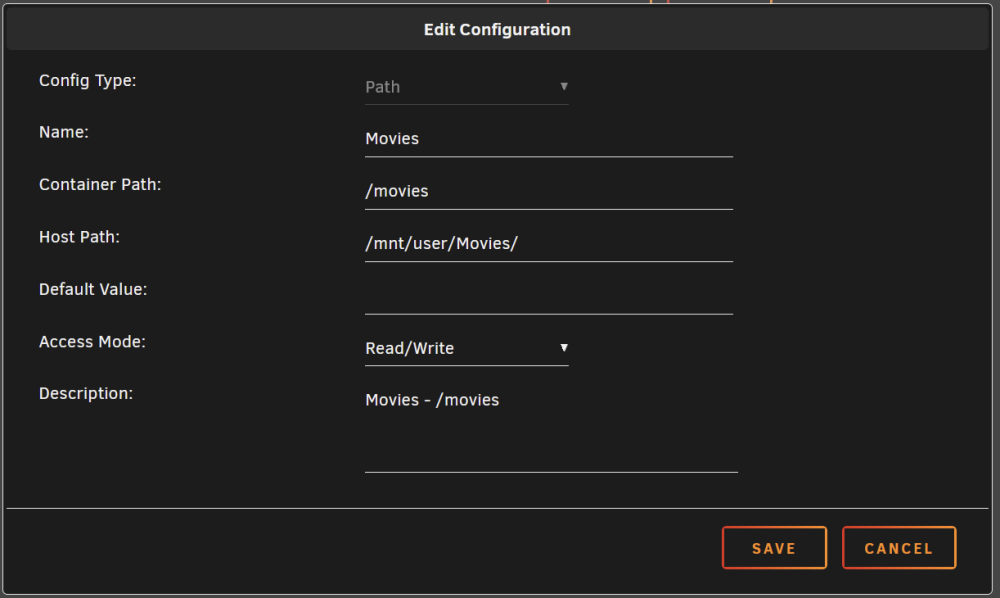
When you add a Library in Plex, you use the container path as the folder setting as seen below. Since I have a share for every media type, I only need /movies as the folder for movies, /photos for photos, /tv for TV shows, etc. Since you have just one main media share, you would also need to select the folder name that contains the appropriate media type, /media/movies for example.

-
In Plex are you you pointing to the container path you mapped to PlexMedia. For example, if you mapped /media to /mnt/user/PlexMedia are you telling Plex to look in /media?
-
You create the host path to container path mapping(s) you need in order to access the data you want Plex to manage. Every media type could have its own share on unRAID (mapped to different container paths in the Plex docker container) or you could just have one parent Media folder and point Plex libraries to folders for each media type if that is how you have it organized on unRAID. I have shares for each media type. Here is my Movies mapping (Host path is the unRAID storage location for the media):
-
without feature X being supported." It's like they think that statement is going to cause Limetech to run out and implement feature X immediately for a few more sales. Sure, there are some things that could improve the product. The main reason for the recent survey was to find out what users really want/need in unRAID, but I doubt too many features have been implemented in unRAID because of these "I won't use it unless..." statements.
-
There are some decent deals on WD Red (Plus and Pro) NAS drives at WD store and many retailers. Pick your favorite retailer and they likely have some WD drives on sale.
-
Search in your designated transcode location when you think transcoding should be taking place. Files will be created under the Transcode/Sessions folder.
-
You can manually downgrade by downloading the 6.11.3 (6.11.4 is not available) release from the download page, extracting the zip file and copying all the bz* files to the root of your unRAID flash drive.
-
$240 at Nextwarehouse. That's a good price for this board considering it was ~$280 back when most of us bought them. "More to come" is their way of saying "not in stock but we may get some more." Still, it is probably worth contacting them to see if they really will get more. I have purchased a couple of boards and other parts from them. I also happen to live in one of their "no tax" states.
-
I have never seen the error you reported on the E3C246D4U. To see the list of current (and planned) ASRock server motherboards, go to the ASRock server products page and filter by Intel and sockets 1151, 1200 and 1700. That will give you an idea. By the way, the latest boards are now very, very expensive if you can find them. $400-$700+
-
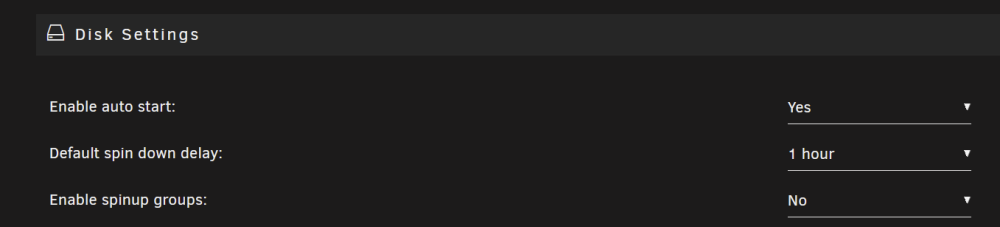
You can go to Settings --> Disk Settings anytime you want and enable or disable array autostart when unRAID boots up.
-
There are no files on the parity drive(s). In fact they have no file system. Parity drives are just a "bucket of bits" with calculated values for the same position on all the data drives.
-
So far, no issues reported with 6.11.5 but there has been a run of releases with issues leading up to it. Fortunately, they were identified and resolved quickly. 11.2 - can't format drives larger than 2TB 11.3 - can't autostart the array with a trial license 11.4 - ipvlan/macvlan display issues when attempting to switch between network types. 11.5 - so far all the above appear to be fixed and 11.5 is settling in for a longer shelf life than its predecessors. When the 11.x branch becomes "stable" for you is, of course, up to you to decide. "Stable" really means "I want everything I commonly do to work and not be annoyed by things I don't do often that don't work." For me, all of the above releases were "stable" since I was not adding drives to the array, was not running a trial license and had switched to ipvlan many months ago. I never would have noticed any of those problems but I dutifully upgraded to each new release then watched the bug reports. 😁
-
I'll have to do some more testing tomorrow. I have just done very basic tests so far as I hooked them up for the first time today. I have not yet hooked up and tested the power management piece. I have one Geekworm PiKVM and one just like yours (which I am selling) which I will test some more in the next couple of days.
-
Very nice write up. Yeah, it's awesome. [SOLD] I am selling the same unit + cables and power supply. I will add a link to your review in my For Sale post.
-
I have a complete HiPi.io PiKVM for sale [SOLD]. I accidentally bought two. I have assembled and tested it. Did I need a PiKVM? No, but, I wanted to explore the possibilities and have one (not two) around for potential future use. See details here.
-
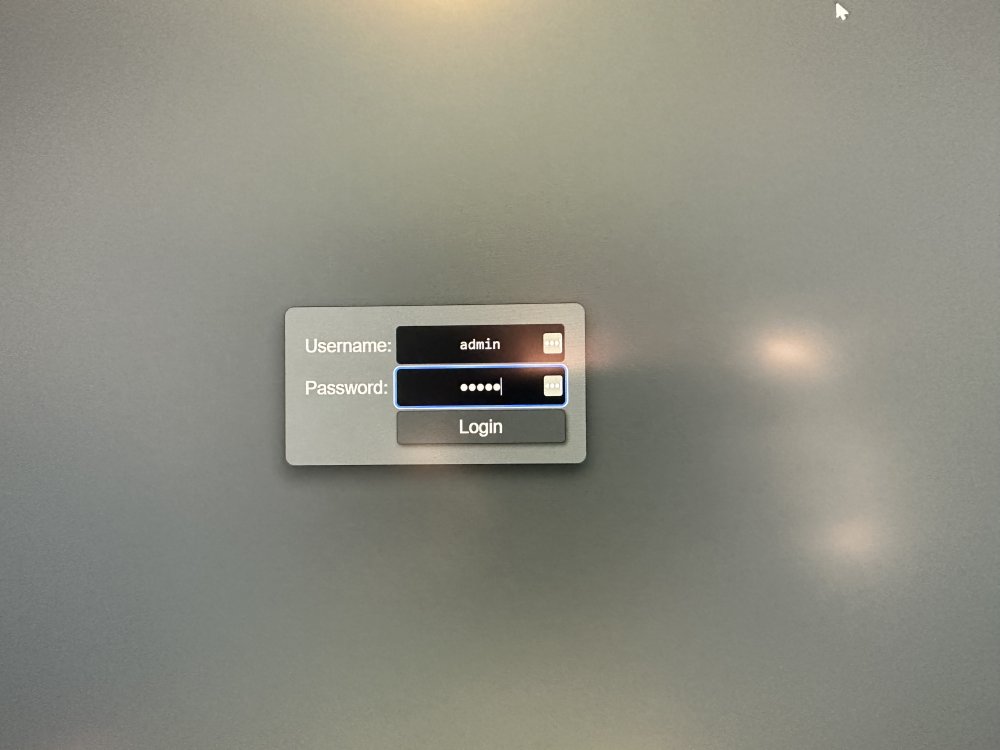
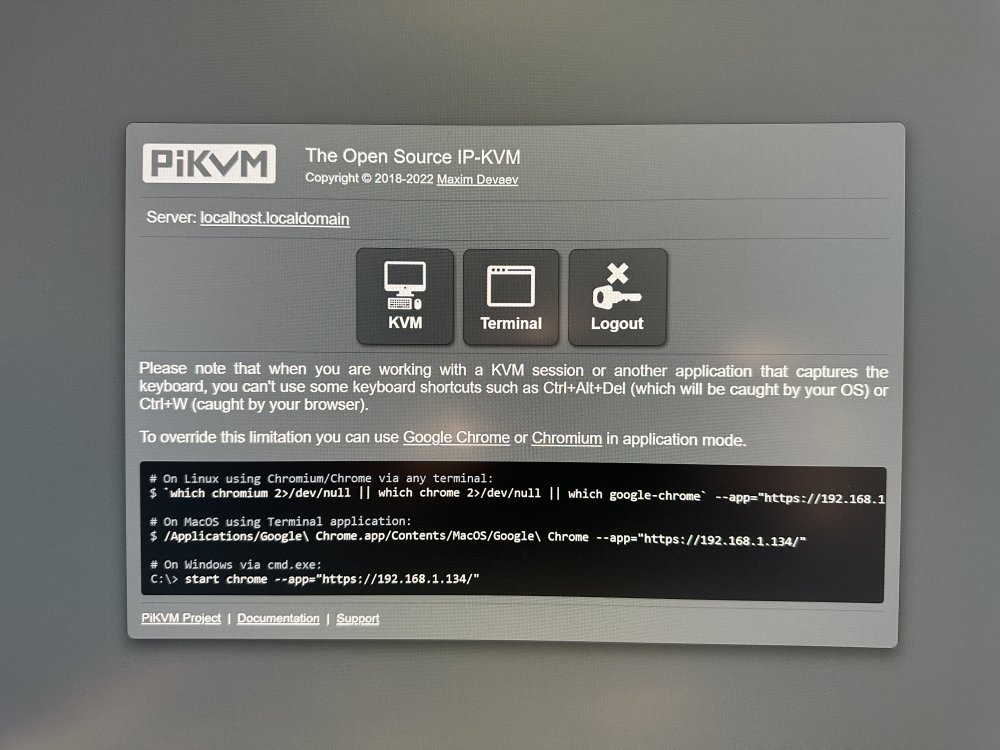
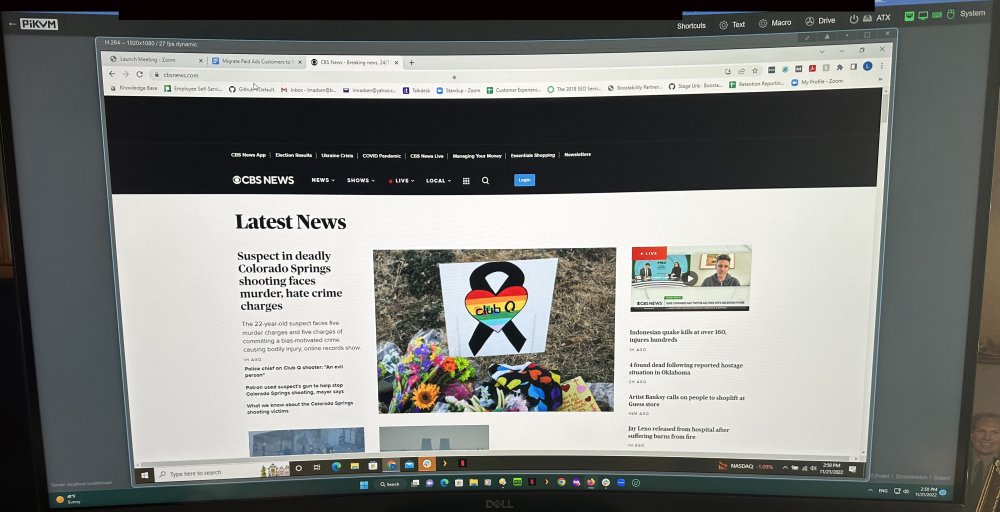
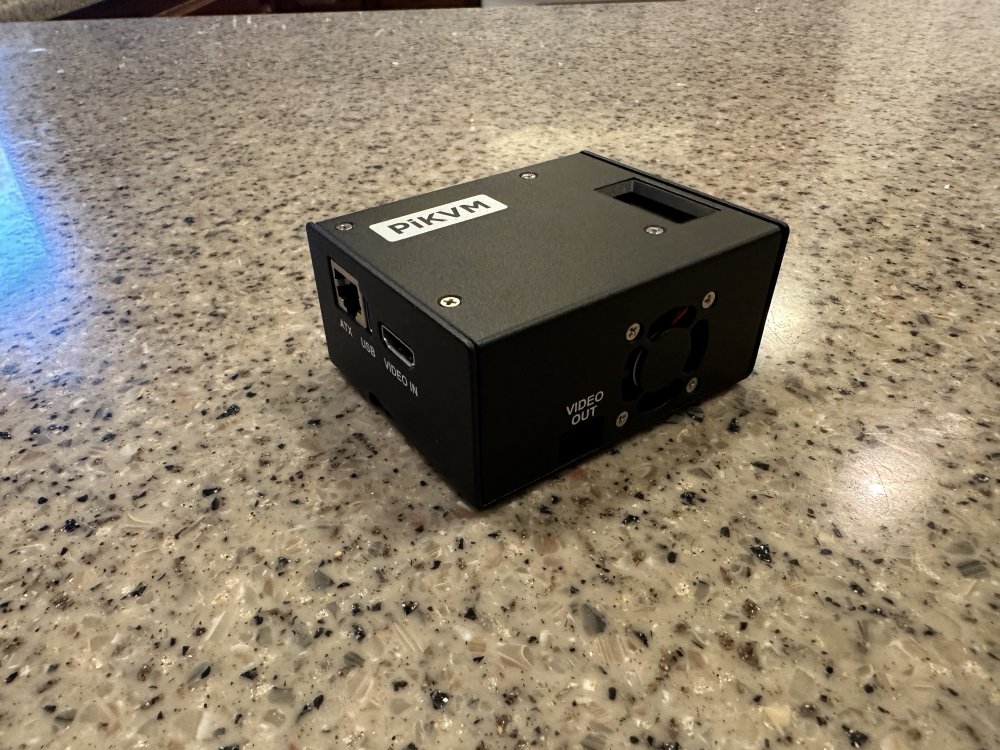
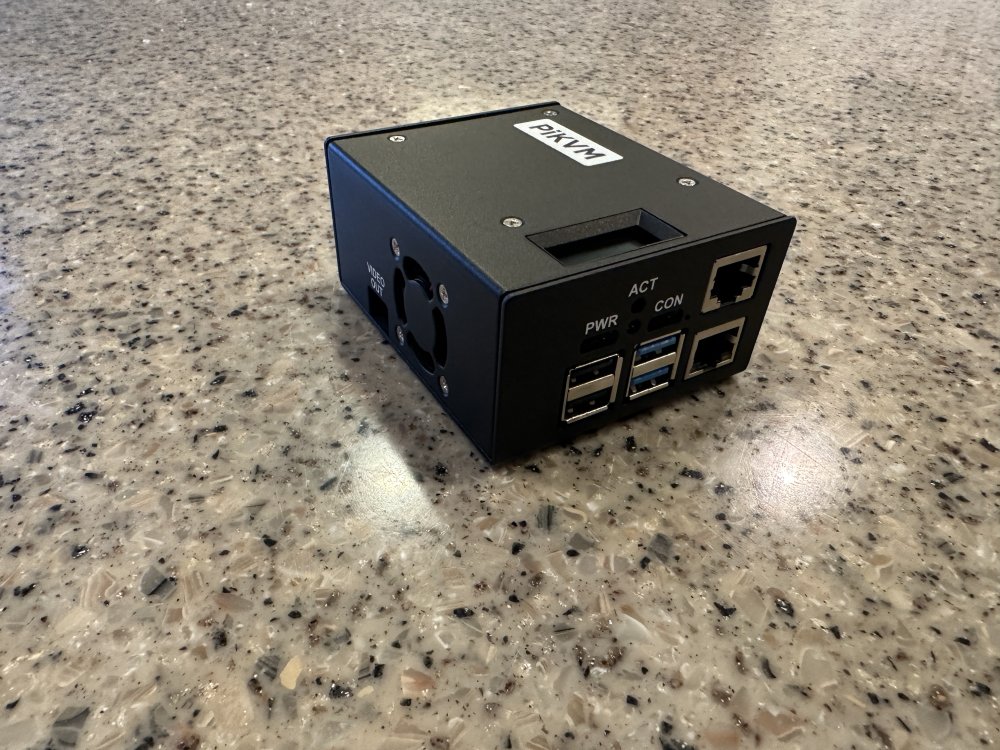
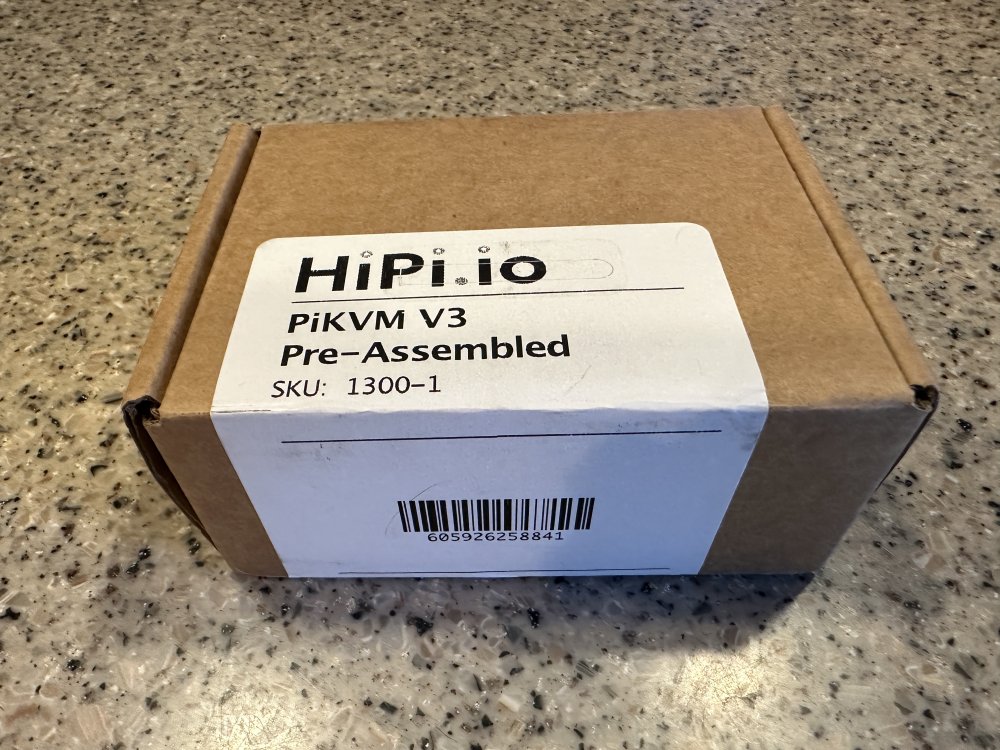
I will ship this free to a Continental USA address. Forms of Payment accepted: Venmo, Square Cash, or PayPal friends and family. PM me for details if you are interested in buying. If you live outside the Continental US but are interested in this item, contact me for additional shipping charge information. A PiKVM allows you to control a computer, even power on/off and BIOS access, locally or remotely via the Internet. If your unRAID server motherboard does not have IPMI, this little box will give you IPMI capabilities and more. It is built on a Raspberry Pi 4 B so it is very small. Although both my unRAID motherboards have IPMI, I recently discovered the PiKVM and was intrigued by it so I bought one. Actually, I accidentally bought two so I am selling one. For future upgrades, if my preferred motherboard does not have IPMI, This unit will have me covered. In this post you will find a nice write up from @dkerlee about his experience with this PiKVM unit. The PiKVM I have for sale is a completely assembled HiPi.io PiKVM and includes the following: Raspberry Pi 4 B (2GB RAM) - Raspberry Pi standalone are very hard to find right now. PiKVM add-on board LED display (shows IP address, uptime, CPU temperature) ATX power control board and front panel switch cables Steel case 32GB MicroSD card with PiKVM OS installed Additional brand new items not included with the HiPi.io PiKVM that I am including (all of these are required for full PiKVM functionality): USB-C to USB-A cable for OTG keyboard/mouse - 6ft. HDMI cable - 6ft. Ethernet patch cable for ATX power control - 5ft. 5V, 4A (20W) USB-C Raspberry Pi power supply You just need to provide an Ethernet cable to connect to your LAN. I have tested the unit. Below are some pictures. Other than two power up and basic access tests, the unit is completely new. 1. PiKVM login screen 2. PiKVM admin webpage 3. My laptop screen (I connected the PiKVM to the laptop) in the PiKVM web interface on my desktop 4. Pictures of the assembled unit
-
I started with pi hole as a docker container on unRAID using it only for other devices on the LAN and not for unRAID itself. But, if unRAID was not up for whatever reason (I run it 24x7 but stuff happens) the rest of my network would fall back to Cloudflare for DNS. I decided to run pi hole on a Raspberry Pi instead and it has been going strong for over two years. It never goes down unless I power it down (it has a PoE HAT for power).
-
unRAID (as the name suggests) does not support RAID for data array disks. It provides protection against failed drive(s) via a single or dual parity drive implementation. Pools (different than the data array) do support some RAID configurations and it is possible for a pool of one or more disks to be designated as "cache only" which means the data only lives in the cache pool. Write caching is one potential use for a pool so that terminology lives on. Setting up unRAID does require at least one drive assigned to an array slot, but that could be anything and, technically does not even have to be used for data storage. unRAID does not support RAID controllers. It can utilize SATA/SAS controllers in IT mode and many LSI, and clones, cards can be flashed with IT firmware even if they were designed as RAID controllers. In fact, I have a Dell H310 (LSI 9211 clone) flashed to IT mode in my unRAID server. Here is a discussion of recommended disk controllers for use with unRAID. unRAID disks each have an independent file system and need to be seen as individual disks. This makes it possible to read any unRAID data array disk independently outside the array if that becomes necessary. Supported files systems are XFS and BTRFS with a ZFS plugin. ZFS eventually will be supported natively.
-
It does not have to be in use to cause server lockups. In fact, for most people, including me, it always happened when the server was fairly idle. Let's see if removing those plugins works for you as it did for me.
-
Are you using the iGPU in the 2278G for transcoding via the i915 drivers? If so, how are you loading the drivers? A thread about issues others have had with the i915 drivers can be found here. I am not saying that is your problem. This is my reply in that thread about what I did to solve the serving crashing problems that seemed to be related to i915. I have a 2288G in my server and it started crashing with 6.10.x releases of unRAID. Nothing at all useful in the syslog. I had the GPU Statistics and Intel-GPU-Top plugins installed. As a test, I removed them and the crashes (about once a week) stopped. As a test, I re-installed these plugins with the 6.11.1 release and my unRAID server locked five days later. Uninstalled the plugins and it has been smooth sailing ever since. I let the i915 drivers load via the touch method. I also uninstalled the CoreFreq plugin.
-
The Geekworm PiKVM-A3 is another option for turning a Raspberry Pi 4 into a PiKVM. The PiKVM-A3 kit includes the expansion boards and case only for a Raspberry Pi 4 you already own. Kits are also available that include an RPi 4.







