





btTeddy
Members
-
Joined
-
Last visited
Everything posted by btTeddy
-
I'm getting error, Connection lost. Reconnecting ... (2) Tried to delete container, delete appdata/daapd folder, no luck. Always comes to this. Strangely it will work once a few days Container log file:
-
What's the current status of the drivers for RTL8125B 2.Gbe, or any other 2.Gbe pcie cards?
-
Is this a bad thing? Most of the products sold this days are sold in Beta or even Alpha stage that's why they're getting constantly updated. Just to be forgotten once fairly functional. PS5 - took almost a year to being able to use m.2 port. Sony TV's - over a year to get almost functional VRR Shield - last update broke more than fixed windows 10 update - will it reboot? Will it work after? Bluetooth? Who knows. We will see... Currently no more issues with win10 updates...so let's make win11. Same thing happen to win7. What new functionality was added for average joe in between win7 and win11 Games - sold in pre-alpha stages (battlefield 2042, cyberpunk 2077, AC Valhalla, no man sky..........), just to be fixed months later (or even a years), then forgotten. Phone updates - again. Nothing new, just fixing beta version problems. Usually shifting stuff around, just to finally slow down the device so they can sell new one (top two manufacturers). Marshall Acton II - Was just fine. Forced update lowered sound quality. Next one long while after brought it back. Intel Wifi & Bluetooth in my PC - constant updates sometimes every few days. What's new? Can't tell cause it just works the same Android apps - daily updates. What's new "bug fixes and performance improvements"... for a last 3 years, but somehow feels the same. Ain't broken - don't fix it.
-
Probably you know it already but some might now that this can be easily fixed Tick: Configurations -> Options -> Behaviours -> Automatically hide unmounted devices
-
Mar 21 23:52:43 Tower Parity Check Tuning: PHP error_reporting() set to E_ERROR|E_WARNING|E_PARSE|E_CORE_ERROR|E_CORE_WARNING|E_COMPILE_ERROR|E_COMPILE_WARNING|E_USER_ERROR|E_USER_WARNING|E_USER_NOTICE|E_STRICT|E_RECOVERABLE_ERROR|E_USER_DEPRECATED Every couple of minutes I'm finding this in my logs . I presume this is nothing major?
-
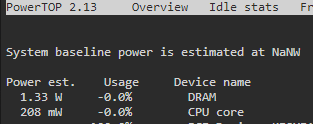
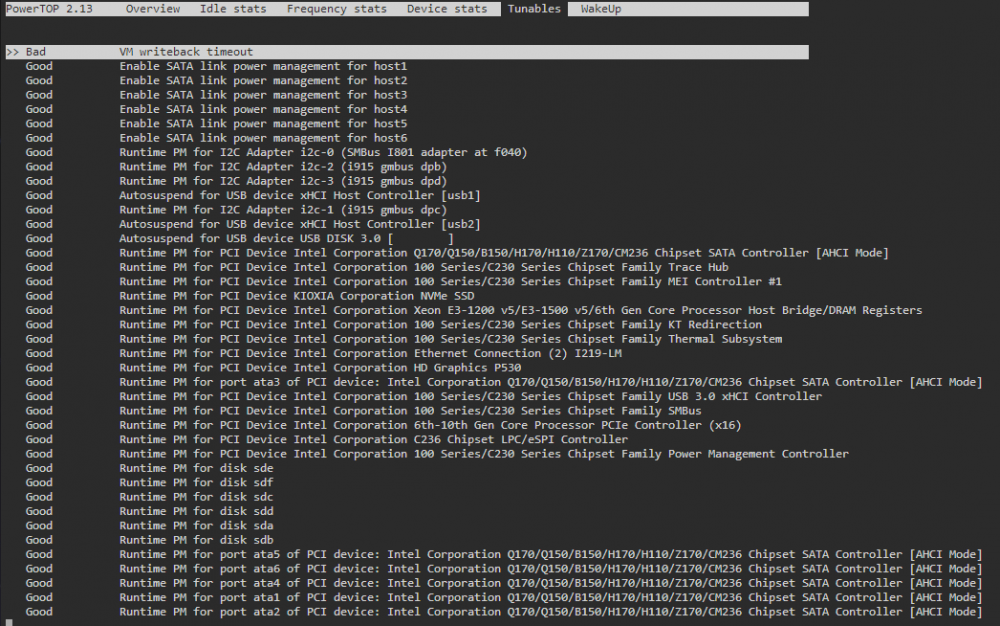
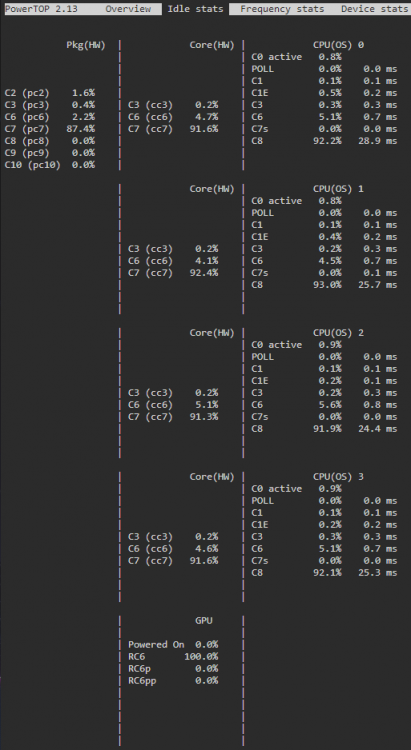
This is just brilliant. Power usage went down by 50% on pretty fresh UNRAID. This is some serious result!!! Currently, only 13W in IDLE (HDD's in standby) used to be 26W, usually closer to 30 as it was fluctuating. For comparison: Same PC, Windows 10, only one SSD connected, "power saving mode" and yet was going down to 19W only after a very long while. Full spec: HPE Proiliant ML10 gen9 Xeon E3-1225v5 4x 8GB DDR4 1x nvme connected to PCIe port 2x 3.5" parity + array 2x 3.5" unassigned 1x 2.5" hdd Right now RAM using more power than CPU
-
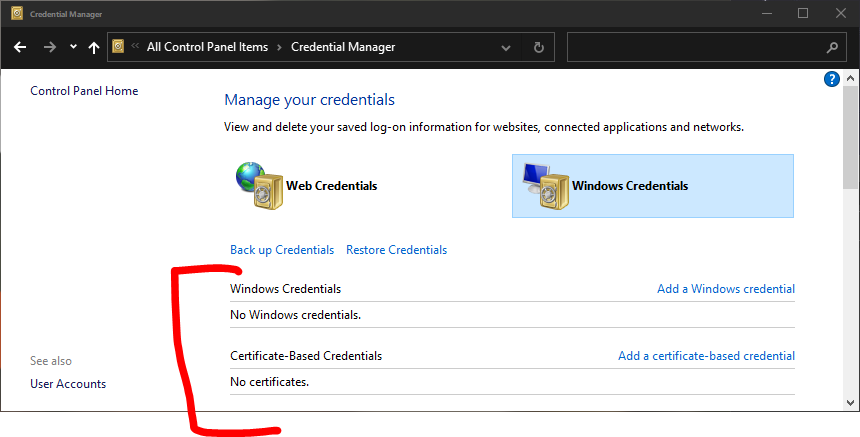
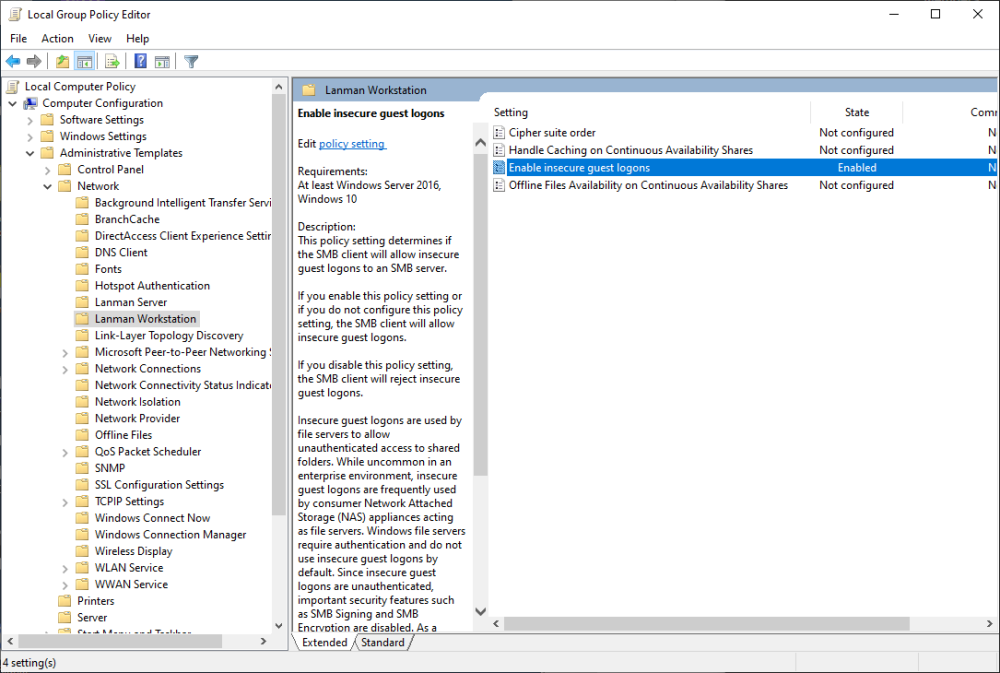
If anyone else gonna have the same problem 0x80070035 My case: I lost access to my shares from windows just after adding the root password to the default root account. I've followed this step by step guides, restarted Windows, absolutely nothing helped. Then started digging myself. The solution was dead simple: Go to: Control Panel\All Control Panel Items\Credential Manager and delete UNRAID related login credentials. SMB will work once again straight away. Don't even need to restart windows. Edit: If you're on LTSC then you need to "Enable insecure logons" in Local Group Policy
-
Since pdf manual for UNRAID 6.9.2 doesn't seem to exists I created one myself - just because I like to read from real paper. Simply printed all pages from https://wiki.unraid.net/Manual to single pdf files, then merged them all together with pdfsam (handy little app BTW) VirustTotal Info UNRAID 6.9.2 Manual 17.03.2022.pdf
-
So nvme + ssd in one pool as combined cache. Is this case ssd gonna slow down nvme?
-
Interesting. Never thought about it. What about the rest of cache drives? Any better ideas?
-
Must admit. A bit confusing. The glory of not being native speaker... Ideally I would like to have two separate arrays. Array_1 = 18TB + 18TB + 500GB_NVME_cache. for main data, 99% of the in IDLE. Nothing to do with torrent Array_2 = XXTB_2.5" + 4TB_Torrent_2.5" + 240GB_SSD_Cache for seeding spinning 24/7. Not so important data so could use some old hard drives for it, yet, still need some hdd failure protection. All torrenting related containers will be in here. From what I've found this is not possible to achieve in unraid, so question is what other options do I have
-
Currently, I'm testing UNRAID and I'm wondering what would be the best hard drives assignment for my simple needs: - Typical home NAS home files - Plex server for fairly small collection ~4TB of Films and Tv series (99% direct play, no video transcoding) - QBittorrent or Deluge seeding 24/7 - Sonarr, Radarr, Lidarr etc - some other docker containers - in the future maybe some sort of CCTV. - The main goal is energy efficiency since this one is going to cost me a fortune from April. Equipment: HP Proliant ML10 gen9, Xeon E3-1225v5 (the one with iGPU), 32GB RAM 2x 18TB 1x 500GB NVME 1x 240GB SSD 1x 4TB 2.5" 1x 3TB 3.5" (pretty old, no errors) 1x 2TB 3.5" SSHD (pretty old, 3 bad sectors I think) 1x 1TB 2.5" kind of pointless in here - 2x 18TB for parity and main drive in the array - I'm sure about them... and only them. I'm trying to prevent them from spinning up as I don't need instant access to NAS - 3TB possibly formatted to NTFS, unassigned, used as an additional backup? (this should keep it in standby mode?) Don't need this extra storage. - 2TB will go to USB caddy as an additional offsite backup for the most of most important files (3,2,1 ish)??? - 4TB 2.5" - since is the most energy-efficient one, will be used for torrenting. The question is: Cache_Torrenting, or just as unassigned? Probably this drive will be 75%-90% full most of the time, spinning 24/7. 500GB NVME - Cache for Docker/Plex/Qbittorent seems to be the way to go??? 240GB SSD - not sure what to do with it. Ideally should use it as the second cache for the torrent drive but this doesn't seem to be possible, since I can have only one array. Is my plan any good? I'm fully open to suggestions
-
Thanks. Literally just found it. Thanks. Already learned this the hard way. Luckily this is only testing machine, so no harm can be done, just need to start over
-
I presume I need to install some sort of plugin first since any command like "screen --version" "sudo apt install screen" gives the same output "command not found" I know, very simple question but I'm very new in to Linux Edit: I'm getting there https://wiki.unraid.net/index.php/Configuration_Tutorial#Install_Screen_without_using_UnMENU
-
What you mean by "If you start screen before you start mc"?
-
Did you ever figured this out?
-
Actually tested this myself. Test 1 Started putty in windows Logged in to Tower Typed MC Started copying file from one mounted unassigned disk to another one Closed putty Copying stopped - clearly depends on solid connection between machine with putty and UNRAID machine. Sounds like a receipt for disaster if moving large amount of files. Test 2 Logged in to UNRAID machine through web browser Opened Terminal Typed MC Started copying file from one mounted unassigned disk to another one Closed terminal window logged out from UNRAID Success - Files are copying in the background, about the same result as "nohup mv". Just no idea how to see the progress, since going back to MC in terminal doesn't show anything. nohup mv /mnt/disk1/Movies/* /mnt/disk2/Movies &
-
Hence everything happening on server side, does Putty needs to be open during the copying files? Presume not but who knows...





