





Mainfrezzer
Members
-
Joined
-
Last visited
Everything posted by Mainfrezzer
-
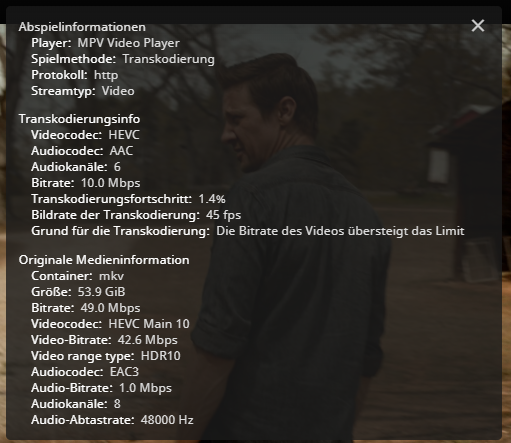
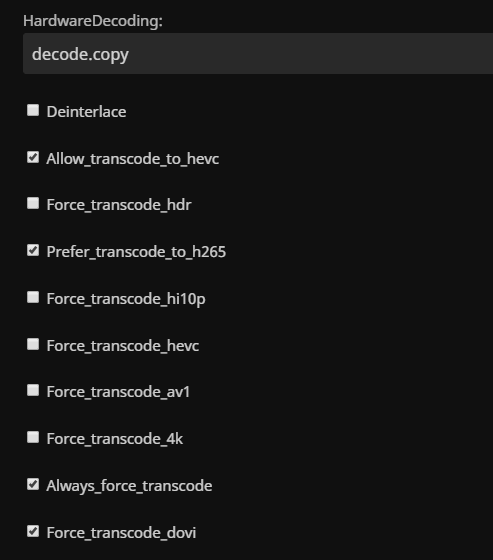
Would have to look into that. Were only using Jellyfin via browser and the Jellycon plugin for Kodi on firetv sticks. I did look into that since there is a force hevc options but that doesnt seem to do much. Still ends up with h264. Same with the jellyfin plugin for kodi, but that one plays back the original file just fine via direct play. its odd. Same applies to kodi on the pc only h264 for transcodes, although that one is even stranger for direct playback. Kodi is able to force my monitor in hdr mode despite the fact that hdr is disabled. But i do use the linuxserver container, so that might be the reason. Edit: HOLY MOLY the official player app does work on pc, if you force hevc on! By default it just uses h264 instead of trying hevc when it started with direct playback.
-
did you get that to work at any point? Ive tried so many times and got it working once it always transcodes into h264 even if the client can accept hevc
-
Do you look older in mirrors? Jokes aside. A mirror, well is a mirror. It's an exact copy. It gets written to at the same time, it gets read from at the same time
-
That would be done over streams instead of the proxy
-
mhmm thats unfortunate. overall i would say its save to ignore ("It has been corrected by h/w and requires no further action") But i did find this post on level1tech with a "hacky way", in the bottom of the comment chain, to disabling the logging for that issue https://forum.level1techs.com/t/asus-pro-ws-wrx80e-sage-dmesg-is-full-of-corrected-pcie-and-or-aer-errors/178004 i would just leave it as is, as long its just throwing a fuzz from time to time in the logs.
-
no, unraid by default will pass unraids time zone as variable to the container.
-
I would suggest a coin toss. Heads, chvb's tails almus' between the 2 almus repos. puh ultimately, theyre both the same but i would just say, when the coin lands on tails go with the one that corresponds with your dominant hand.
-
@Squid you already answered that one at some point in time
-
You can just do it afterwards on your pc. Just unzip it and remove the sensitive information and re-zip it. Its not different as getting it from the "Unraid Website"
-
The easy way to finding the culprit would be to switch back to the CMD line mode instead of GUI. Let the server run until the issues appears again and then just use the keyboard, no monitor needed, to log in and type "diagnostics" wait for a couple minutes just to make sure, type "poweroff" and get the diagnostic file from the usb drive.
-
woher kommt denn das "/var/"? Ich sehe dort eindeutig "/mnt/"
-
the screen going blank after a certain time while booting is a nvidia thing and uefi boot. it probably just shows a blinking curser in the top left. For that, as stated, it needs the nvidia plugin. Although probably not the most recent version since im pretty sure the titan x only runs on older drivers. Edit: The recent drivers are fine. Bios/legacy boot should always work to produce an image. The only other reason the screen goes dark is screen saver mode which can be fixed by just typing on the keyboard. If the iGPU is the primary output, it should just work without any hassle, but i dont know how you set up your pc in that regard. But i cant see that the intel igpu would fail to provide an image by default.
-
type "slim" into the console and the gui starts. i miss read that, you probably have no driver installed for your gpu. Try to boot via legacy/bios boot instead of uefi. otherwise always handy to have on hand: you can copy the syslog via commandline via "cp /var/log/syslog /boot/syslog" "diagnostics" places the diagnostic on your flash drive aswell.
-
You probably would have to run "pcie_aspm=off" in your syslinux config to get rid of it. Its Asus ive lost faith at this point.
-
Your asus hyper m.2 card most likely.
-
This is the wrong forum section for german^^ secondly the containers support thread is here:
-
Only if you read the patchnotes release notes, lol, and do what they say to make it work. Bridging is enabled and thus doesnt do much.
-
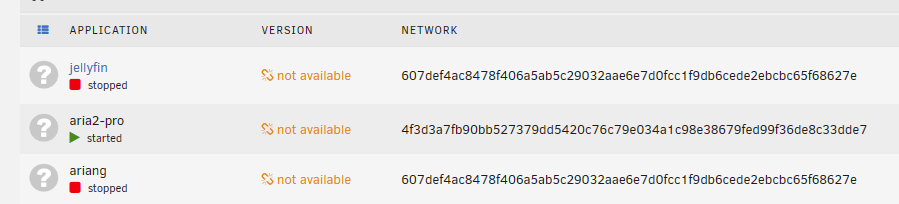
I do not use the plugin but I've stumbled upon the bug report and investigated a bit and just found the activity here. --force-recreate on autostart should be all that's needed. Edit: I did open a pull request Edit 2: seems like its only respected on the first container within the stack, odd. ill probe it a bit more, for the time being i closed it So bizarre, Aria2 is the first entry in the stack and works flawlessly with the --force-recreate flag, but the other 2 within the stack, nah, they dont give a damn. Okay found the fix. Setting the flag within the compose.sh upon start up solves the issues, opened the pull request again^^ I do wanna add a video to show it working flawlessly, so here it is. I hope i was able to help you all out. Compose Fix.mp4 Addendum: Since i dont know when the changes are being merged, i want to provide the fix here for you to use as long as the plugin hasnt been updated yet. plugins.zip The changes can be found here https://github.com/Mainfrezzer/compose_plugin
-
what are you even talking about? All i said is that the file, the "/etc/letsencrypt/live/npm-10/fullchain.pem" is to be found in the appdata share of Unraid /appdata/Nginx-Proxy-Manager-Official/letsencrypt/live/npm-10/fullchain.pem if that file is gone, as nginx reports, it certainly hasnt vanished by itself. You could have a look, if its still there, along with npm-1, npm-2, npm-3, npm-4, npm-5, npm-6, npm-7, npm-8, npm-9, npm-11 or how many other certificates you have set up.
-
Of course that doesnt work. that path would be mapped, by default,to /mnt/user/appdata/Nginx-Proxy-Manager-Official/letsencrypt/live/npm-10/ in unraid Thats one of the persistent files.
-
did you delete the certificate in the npm-10 folder at any point?
-
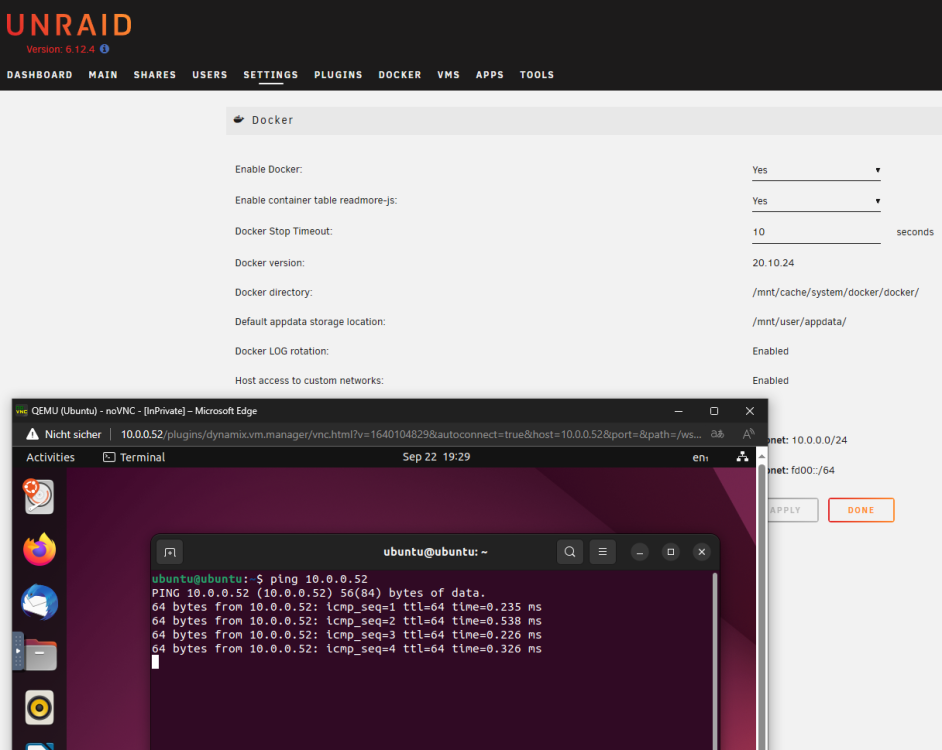
Damit das funktioniert muss bei Docker Host Access enabled sein.
-
Jau, auf dem usb stick. Mit dem Dynamix File Manager Plugin kann man aber auch den Tunnel stoppen, dann direkt zum USB Stick wechseln, die Datei modifizieren und dann zurück zum VPN Manager und den Tunnel starten.
-
why do you use static routing with nat enabled? Of course you cant. For br0 access, you would need to enable host access, then you would need to modify your wireguard config. Secondly. You cant access your vpn routed container, because and i assume here something like binhexvpn or so, youre from a wrong subnet and need grant access to that subnet within iptables of that container. Plus, i think you need to modify the wireguard config for that aswell, especially with nat. although, dont nail me onto it. i havent tried to access vpn routed container interfaces from within the vpn tunnel yet.
-
turn low-power mode off



