






Zonediver
Members
-
Joined
-
Last visited
Everything posted by Zonediver
-
This plugin drives my crazy... I have two NVMe's in the system but i can only set the Temp Warnings for just "one" NVMe... As soon as i set the Temp warning level on one NVMe, the Temp Warning will be deleted on the other NVMe... The best is, if one warning value is set and i implement the values for the second NVMe, both values are deleted... Please correct this - thanks a lot 😉👍 EDIT: It seems there is generaly something wrong with the "SMART Settings" in unraid. It is not possible to set the SMART settings for one NVMe without deleting the settings that have already been made for a second NVMe. Basically the worm is in there 😉 EDIT2: DONE
-
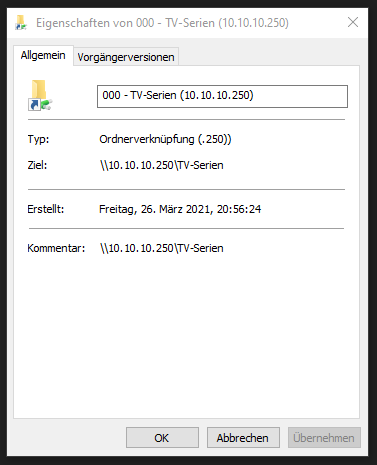
Wie wurde die Verknüpfung in Windows ausgeführt? Heißt die wirklich "NAS-UNRAID\Storage 1 (mit Leerzeichen)"? Wenn ja, dann könnte es ein Problem bei der Namensauflösung geben. Trag die IP des Server mal in die HOSTS-Datei unter Windows ein oder schreib die IP in die Verknüpfung. Und das Leerzeichen zwischen "Storage" und "1" ist auch keine gute Idee - sowas mag Linux garnicht... Ich hab's bei mir über die zweite IP des Servers gemacht (10GBit-Segment)
-
Du mußt die PowerShell als Administrator starten, dann geht's
-
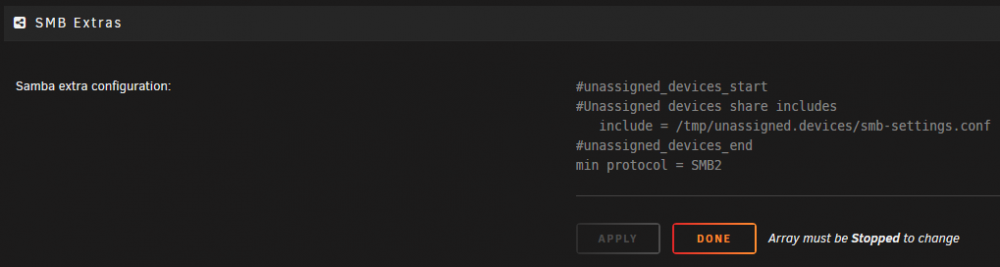
Das könnte schon sein, weil ich dieses Problem beim Umstieg von Win 7 auf Win 10 (1909) auch hatte. Ich mußte in den SMB-Settings den Eintrag umstellen auf "min protocol = SMB2" Die Frage is nur, welches Win 10 er zur Zeit benutzt. Ein aktuelles Win 10 benutzt v3.1.1
-
I am using unraid since April 2010 with various HW-platforms and never used ECC. At this timeframe i had one (horrible) RAM-outage and thats it - my data was not affected. In general, i use my unraid server only for plex with HW-transcoding without VMs - so i dont need ECC... But my next system will be based on a DDR5 platform and this new RAM-type has integrated ECC.
-
👍😉
-
👍👍👍😉
-
Use the Plex-Docker from linuxserver.io - its working 👍
-
What I often noticed, when the server has very little RAM, then uploading new files to the server becomes a game of patience. Hence my "8GB recommendation". And because I often play more than 300GB on the server at once, I decided on 32GB
-
I would recommend at least 8GB RAM because with 4GB its terrible
-
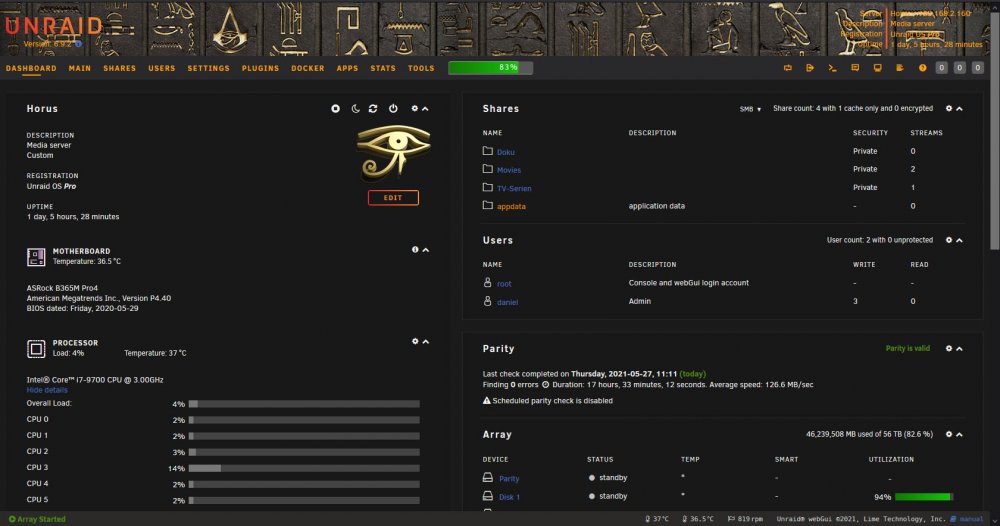
Here my (new) banner
-
I know the difference between http and https - i tried "https://ipaddress:443" and this was "not" working... Or is your software maybe using a different port, and not 443? EDIT: Tried it again and it was working... exactly 1x - and now, not working 🤣 Anyway - removing SSL is working 👍
-
Not working means, that the Browser or something else converted the HTTPS-String back into the FQDN. Strange and boring... that was the reason i desabled SSL. I can reproduce this "error" by enabling SSL again. When i try to put in the https and IP string, it will be immediately coverted into the FQDN.
-
I tried this "https://ipaddress:port" but... not working... So i disabled SSL and done 👍
-
A BIG NOGO!!! What happend? I lost my inet-connection and WAMM! NO ACCESS TO MY UNRAID-SERVER over my LAN! What the Heck? How can i revert this back so i can reach my server over the "internal" IP again? I am not amused! This is a BIG NOGO! EDIT: Found the solution - server reachable again over his internal IP... pffffff 🙄
-
Aha... but i dont really understand, what this is doing(???) All this things are done by the Plex-Agents on the Server...
-
I also use Kodi but what is Trakt??? Kodi use the Plex-Plugin an this is using the Plex-Server - all normal... Sync is done automatically...
-
Ja die auch - deswegen sehr cool, weil man da die Auslastung "endlich" auch sieht 😉👍
-
Kurze Rückmeldung: Funktioniert! Sehr cool 👍
-
Alles klar - bin im Bilde - danke nochmals für die Infos 👍
-
Jo cool - und das Plugin funzt zuverlässig oder soll ich noch bis nächste Woche warten?
-
Eine Frage hab ich noch: Was muß ich bei dem Plex-Docker machen, damit Plex weiterhin die iGPU zum transkodieren hernimmt? Das ist noch irgendwie offen... Im Moment ist das bei Plex so eingetragen: Name: /dev/dri Value: /dev/dri Muß das geändert werden, und wenn ja, wie?
-
Ja das hab ich eh verstanden - nur "das" und sonst nix löschen 👍
-
Super - das werd ich ausprobieren, wenn es da ist 👍
-
Das ist die Anleitung dafür




