





mrbilky
Members
-
Joined
-
Last visited
Everything posted by mrbilky
-
Anyone know how to remedy this, I have tried to install openvpn on my main server but get this? strange though as it runs fine on my raspberry pi: Warning: This VPN may not connect in the future. The OpenVPN configuration file for 'client' contains these OpenVPN options: • 'ns-cert-type' was deprecated in OpenVPN 2.4 and removed in OpenVPN 2.5 • 'comp-lzo' was deprecated in OpenVPN 2.4 and has been or will be removed in a later version You should update the configuration so it can be used with modern versions of OpenVPN. Tunnelblick will use OpenVPN 2.4.7 - OpenSSL v1.0.2r to connect this configuration. However, you will not be able to connect to this VPN with future versions of Tunnelblick that do not include a version of OpenVPN that accepts the options.
-
Anybody able to point me in the right direction? It does this with all 3 of my backups not sure it hurts anything seems to still back up but not sure where to even begin, I am backing up server 1 to server 2 both unRAID of course followed Space Invaders tute and works well with this exception Warnings: [ 2019-06-24 01:01:28 -04 - [Warning-Duplicati.Library.Main.Operation.FilelistProcessor-MissingRemoteHash]: remote file duplicati-b16810e3043994743b9cbfca8fd60fb80.dblock.zip.aes is listed as Verified with size 31588352 but should be 52343357, please verify the sha256 hash "9qdv2ibCNQ4Svb3BZmLyL0E8RNZRFO/8FMc9AwktFOc=", 2019-06-24 01:01:28 -04 - [Warning-
-
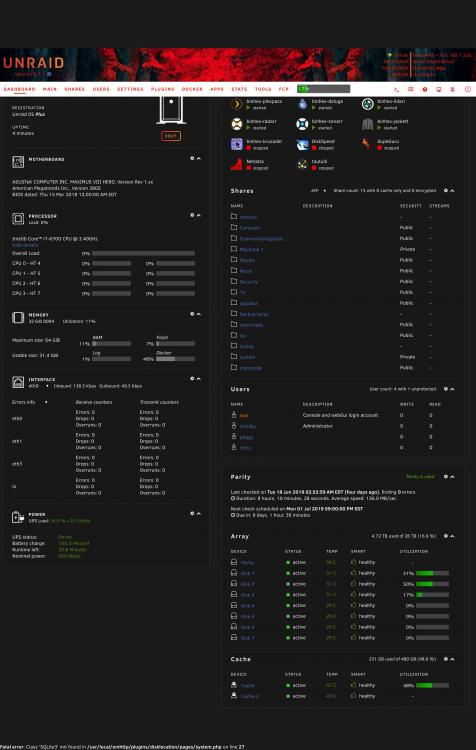
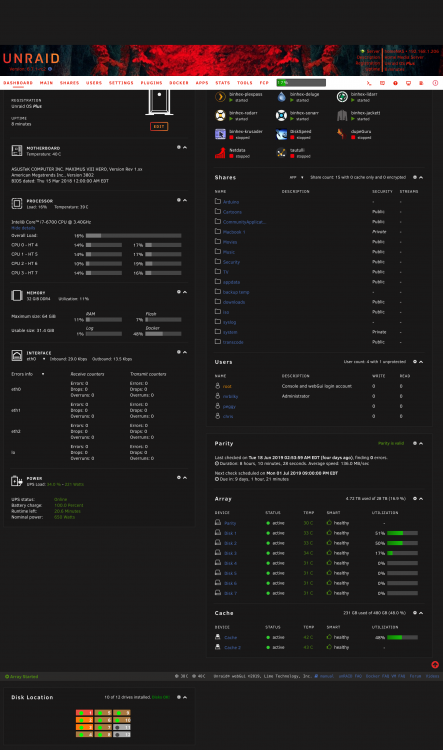
Not a deal breaker by any means but I'm getting this at the left bottom of the page when I upgrade, when I revert it shows me disk location
-
Up and running thank you for your hard work binhex in a sometimes thankless job!
-
Hi guys so I set up duplicati on my primary server and am backing up to a second server both unRAID of course and it works but I'm a little confused by the behaviour, the primary NAS shows the unassigned device path to my Backup share on the backup NAS but shows as being empty, the backup NAS disk 1 shows 2TB and disk 2 shows 300+GB disk one does not show any files but disk 2 does can someone point me to an explanation of this and while I got your ear is it really worth encrypting movie files just don't see an advantage or am I missing something? Hope I didn't confuse the crap outta ya! Primary NAS.png Backup NAS.png Empty backup.png



-
I'd be interested in the thermals as an open bench does not seem to me to be ideal for passing large amounts of channeled air through that rig the AIO helps I guess
-
2 servers from 6.7 rc8 updated no issues!
-
Hum so I've been gathering to drive one till fill up and the drive 2 and so on, my rationale is that only the drives with data will spin up is this flawed thinking? interested with any thoughts on that never too late to learn
-
My settings are the same with the exception of I don't have privileged on have you tried without it on
-
Just a thought check your agents are stills selected and in the order you set them I found my had reset I guess to default during an update go to settings and drill down to to general section and click on agents select the ones you like and drag them to the the order of your choosing
-
Have you looked at unbalance that has a scatter option
-
Same on my end
-
-
Heres 's mine with a 4tb parity and 7 4tb disk array Last check completed on Sat 02 Feb 2019 05:18:09 AM EST (today), finding 0 errors. Duration: 8 hours, 18 minutes, 8 seconds. Average speed: 133.9 MB/sec
-
Has the genie been let out of the bottle?

-
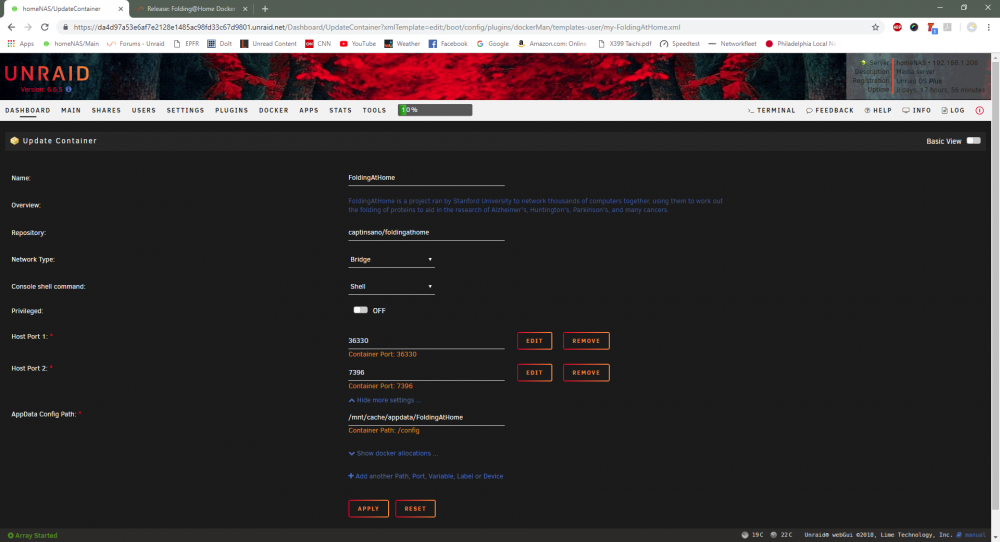
Anyone have ideas what could be causing this some days it will start but if I leave it going it crashes and goes into a state of the ui flickering homenas-diagnostics-20181118-1113.zip 16:09:30:WU00:FS00:Starting 16:09:30:WU00:FS00:Running FahCore: /opt/fah/usr/bin/FAHCoreWrapper /config/cores/cores.foldingathome.org/Linux/AMD64/AVX/Core_a7.fah/FahCore_a7 -dir 00 -suffix 01 -version 704 -lifeline 21 -checkpoint 15 -np 8 16:09:30:WU00:FS00:Started FahCore on PID 619 16:09:30:WU00:FS00:Core PID:623 16:09:30:WU00:FS00:FahCore 0xa7 started [93m16:09:31:WARNING:WU00:FS00:FahCore returned: FAILED_2 (1 = 0x1)[0m
-
No last update was 6.6.0 rc4 weeks ago I've looked to see is someting else happened but everything else seems to be in order if I click on its icon under the plugins tab I get a blank screen Edit: deleted reinstalled and rebooted all is good TY!
-
I must have missed the memo did the apps tab go somewhere as it's no longer on my menu bar?
-
Great just thought it was unusual I just updated to 6.6.0 rc2 and thought I may have had something break
-
Is netdata really updating every day for the last 3-4 days?
-
HaHa I think you have bigger problems if someone can walk off with one of your drives🤣
-
Ok so I was playing with VM's a few weeks ago and left VM manager enabled when I disabled it today the local master is now showing correctly as my unRAID server just thought I would throw this out there thanks for all your help folks!
-
Hey Hoop yeah it's on 24/7, I'll have to look into the windows thing but it was always my NAS as the local master until recently so maybe windows is somehow taking precedent and yes I am using the dynamix master plugin, I guess right now what confuses me is what role is the extender playing, like what does it imply during my routine use of my server? As far as I know other its just a network extender providing lan support and wifi for which I don't use as all my rigs are hardwired?
-
Hey John thanks for the update, yeah I'm not a linux or command line guy so I don't even know what the local master even means I just found it odd that it was a piece of hardware that was being applied as opposed to my network NAS I do read the forums like religion now so always learning but it did go back to the extender again? thing about it is I've had my box up and running for quite awhile and only recently did it do this so I was kinda shocked as I don't think I did anything to change that?
-
Is there a way to change the local master, my unRAID box used to be the local master but now for some reason my network extender is showing as the master? does that sound right and can I change it or not need to worry?


