





JonathanM
Moderators
-
Joined
-
Last visited
Everything posted by JonathanM
-
So when you trigger it, does it precipitate?
-
Edit out your PIA username and password and repost.
-
At the very least you will need to attach the diagnostics collected immediately after this occurs.
-
diagnostics would show which controller is in use, if you have diagnostics from the old rig that would be helpful to compare. My guess is that either the old or new pc is using a controller that alters the disk information, RAID controllers are bad about that, even when set to pass through, they still can mess with the serial numbers. Best case is to use a controller in IT mode, if a controller is capable of hardware RAID it probably will cause issues.
-
If everything has the correct file names and subfolders, that's the best bet. Sometimes the file system check can't figure out the correct file or folder, and assigns placeholder names, which require you to manually figure out what the file is and where it belongs.
-
Should work fine. I have several VM's all assigned to the same GPU, and it works great. If the GPU is otherwise occupied when you try to start a VM, I'm pretty sure it will just kick an error and not start. I haven't tried it though, didn't see a point to purposely trying to break it.
-
Your first step should be to confirm that it works for licensing. Most card readers don't have unique GUID's, making them ineligible. If you can get a trial license working, then it will work to transfer your full license later.
-
Try a different controller for the primary vdisk in the VM configuration page.
-
20 years ago I never would have dreamed that "overprovisioning" would be something to be aware of in motherboards.
-
It worked on 6.12.10 when I posted the link to the plugin, and I just installed it again to check. What errors did you see?
-
New config references the parity disk, it allows rearranging array data disks and recalculating parity based on the new arrangement. It doesn't erase any data disks, only the parity disk(s). If you want to wipe a disk, you need to format it, the easiest way to do this in the Unraid GUI is to click on the disk and change the desired format type, start the array, and select the format button after making sure only the disks you want erased are listed and checking the "Yes I want to do this" button. Array disks can't be trimmed, typically you would use various pools for SSD's. Currently Unraid requires disk1 in the array to be populated to start, so you can use any old USB flash drive as disk1. You can assign specific duties to various pools.
-
Did you attach the correct screenshot? I don't see any rsync commands. tmux must be run before a command is started AFAIK. There may be some secret squirrel high level way to move running commands to different sessions, but I'm not aware of I linked a tmux starter guide in my comment, linked to the word tmux. In a nutshell, you fire up tmux, it creates sessions that can be manipulated and continue running.
-
tmux ensures the session stays running no matter how you start the rsync. Unfortunately it's not included with Unraid by default, so it must be added. https://gist.githubusercontent.com/justin-himself/2ce4af30dd9fc372df7aadb64fd4df35/raw/0a66faaa79670d1946ba3c8b1643f844406b7938/unraid-tmux.plg
-
disable Threat Prevention
-
I don't have that system, but see if you can disable the secure boot altogether.
-
I think I saw someone complaining about immich filling their image, might want to read through the support thread for that container. To enlarge the image, stop the docker service, go to settings, docker, and change the size.
-
What was the full command that you ran? diagnostics might reveal something. (btw, you really should create your own thread, with the info particular to your situation, like what this thread's creator did.)
-
You will need to wait for the replacement disk, the "missing" slot must be occupied when you start the array with the "parity is already valid" option, then you stop the array and remove the missing disk again so the content will be emulated.
-
Have you tried restarting the VM? If you get it running, I recommend using nomachine as a remote instead of using the Unraid managed VNC connection. Much better performance and you get audio.
-
The file on the first disk will be shown and editable in the share, the later disks files will be invisible in the share. If you delete the visible file on the share, the next file in line will appear, making it look like the file wasn't deleted. I believe the share view disk priority is pools in alphabetical order followed by the array disks in numeric order. You can really make some weird stuff happen that way.
-
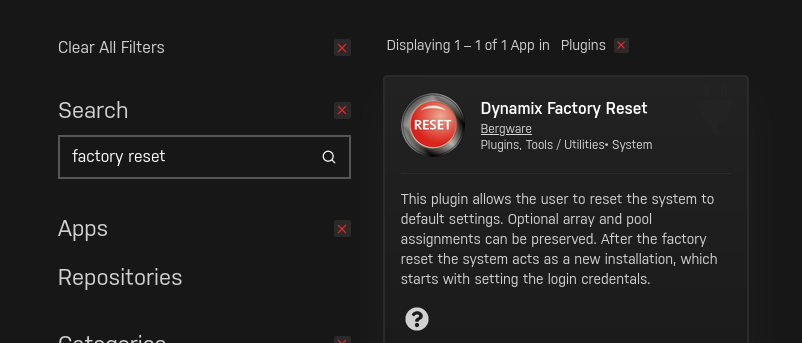
Click the link that was auto generated when you typed the word.In the apps section of the GUI
 That means parity is no longer valid, as there were writes to the array committed to the parity drive that were destined for the emulated drive. Since that emulated drive doesn't match the physical drive, parity isn't accurate for the 4TB. Yes, but it's not unchanged, as a write to it failed. Unraid only fails and emulates drives when a write fails, that write is then only able to be sent to parity. You certainly can try what you are proposing, but the chances of getting everything back is pretty low. At the very least I'd expect unmountable drives that would need file system repair, probably also corrupt files. To do what you are saying you need a temporary drive to assign to the 4TB slot after doing a new config and putting all the drives back in the correct slot. Start the array in maintenance mode, being SURE to check the box stating parity is already valid during this process. Stop the array, remove the temporary 4TB drive, then start the array to allow the 4TB slot to be emulated from parity.Yes, each customization of the raw XML must be explicitly supported by the GUI or changes will be lost when you toggle back.




