





MowMdown
Members
-
Joined
-
Last visited
Everything posted by MowMdown
-
You're gonna mount the partition of /dev/sdk1 to /x mount point that you have to create and it's going to mount the disk in a read-only state.
-
Most users, I would say, are configuring their "downloads" is under a single share lets call it "data" Files downloaded would go to /mnt/user/data/downloads/... and would then be hardlinked to /mnt/user/data/media/... when mover runs using the updated mover, both of these files are moved to the same disk that way they only occupy 1 file copy worth of space. So after mover ran, you'd be left with /mnt/disk4/data/downloads/,,, and a hardlink in /mnt/disk4/data/media/...
-
The dynamix file manager editor expander arrows do not seem to resize the editor window. Just reporting it, no further follow up needed.
-
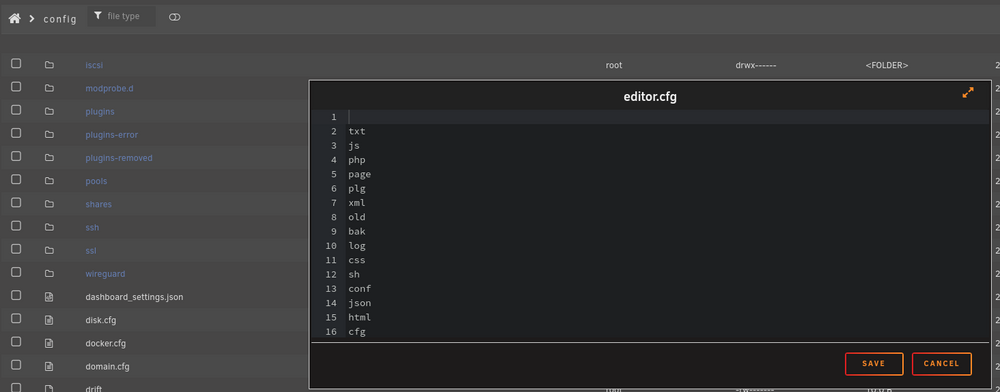
Yeah unfortunately the appdata folders for each docker container will likely prevent an unraid "user" (except root) from altering the contents. Obviously you cannot use "root" as an SMB user so you'll have to use the unraid webGUI and built in dyanmix file manager to configure files. You can add additional file extensions by editing the /boot/config/editor.cfg file on the flash drive
-
Aug 6 16:52:37 Venus kernel: mce: [Hardware Error]: Machine check events logged Aug 6 16:52:37 Venus kernel: [Hardware Error]: Deferred error, no action required. Aug 6 16:52:37 Venus kernel: [Hardware Error]: CPU:1 (19:21:0) MC23_STATUS[-|-|-|-|-|-|Deferred|-|-]: 0x9090909090909090 Aug 6 16:52:37 Venus kernel: [Hardware Error]: IPID: 0x0000000000000000 Aug 6 16:52:37 Venus kernel: [Hardware Error]: Bank 23 is reserved. Aug 6 16:52:37 Venus kernel: [Hardware Error]: cache level: RESV, tx: INSNNo further action is required at this time, just monitor your server for future MCE errors.
-
@PatrickK To be fair, what you just described is a whole separate can of worms than the standard: Host, Bridge, Container network setups. Using Host mode, all ports the container uses are exposed to the host. Port mappings in the container template mean absolutely nothing. All the original OP had to do was change his desired port in the plex network settings to whatever he wanted and then forward that at his router. Custom networks require a special toggle enabled in the Unraid Docker settings "Enable Host to access Custom Networks: Yes" without this, you get no access from the host machine to those custom networks. For example services running on the host could not access custom docker networks. LAN access from external devices would not be affected. Since the Reverse Proxy is on the Host it would have lost access to plex when plex was in a custom docker network.
-
Unraid doesn't have "users" what you're experiencing is how it works. SSH root login will have full access to all files/directories. SMB security/permissions only apply when accessing over SMB
-
check your power cables remove any power splitters.
-
Yes the N150 uses the same iGPU as the 15th gen Intel CPUs which requires unraid 7+ These both required the Xe drivers.
-
At any point did you check the box at the bottom of the Main page that says "Format - Yes I want to do this" and start the array?
-
Well you have two choices. Run a RAIDZ1 pool (no array) Or install them in the unraid array with 1 being dedicated to the parity slot. Both are effectively RAID5 but different forms RAIDZ1 stripes data like a typical RAID with a single disk fault tolerance. Unraid Array does not stripe data with a single disk fault tolerance. In either case you will have 8TB usable disk space
-
If you haven’t update the unraid connect plugin as it’s known to do this to the disk page. If safe mode works, it’s probably the connect plugin
-
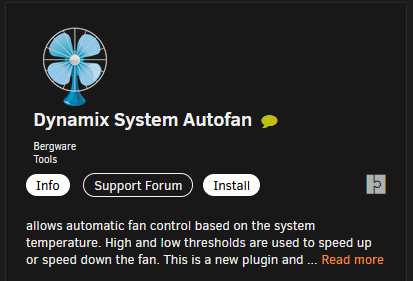
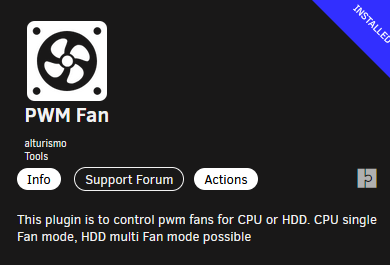
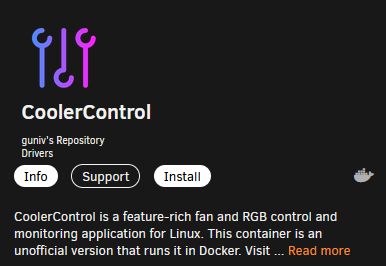
Controlling fan speeds based on disk temps you can use the Dynamix Auto Fan plugin, the PWM FAN plugin or the CoolerControl docker container. All work on unraid 7.1.4
-
you are creating the docker network using docker network create network_name?
-
For the webgui to use HTTPS you need to go to Settings > Management Access and set SSL to YES or STRICT (I suggest not using strict) For everything to use HTTPS you're better off setting up a Reverse Proxy (SWAG or NPM) in my opinion than manually installing SSL certs in every container.
-
Appears you are having issues with your cache pool... Might want to check there Jun 24 08:14:18 Tower kernel: BTRFS info (device nvme0n1p1): bdev /dev/nvme1n1p1 errs: wr 26624243, rd 19056641, flush 145986, corrupt 216843, gen 0 Looks like read/write errors and corruption.
-
Unbind any devices you may have passed through to VMs from the Tools > System Devices page. Take a screenshot of your current disk assignments on the Main Page. Verify BIOS settings are compatible with unraid's requirements before booting up. (Disable XMP/EXPO/DOCP, Disable Fastboot, etc, Enable VT-d, VT-x, etc)
-
Yeah unfortunately this was the only way I could get it to work when using the pre-built container of Immich. It’s not clean but gets the job done.
-
Ignore this. It’s harmless. You pressed the ⬆️ arrow key and the keystroke is not recognized. Happens with some keyboards
-
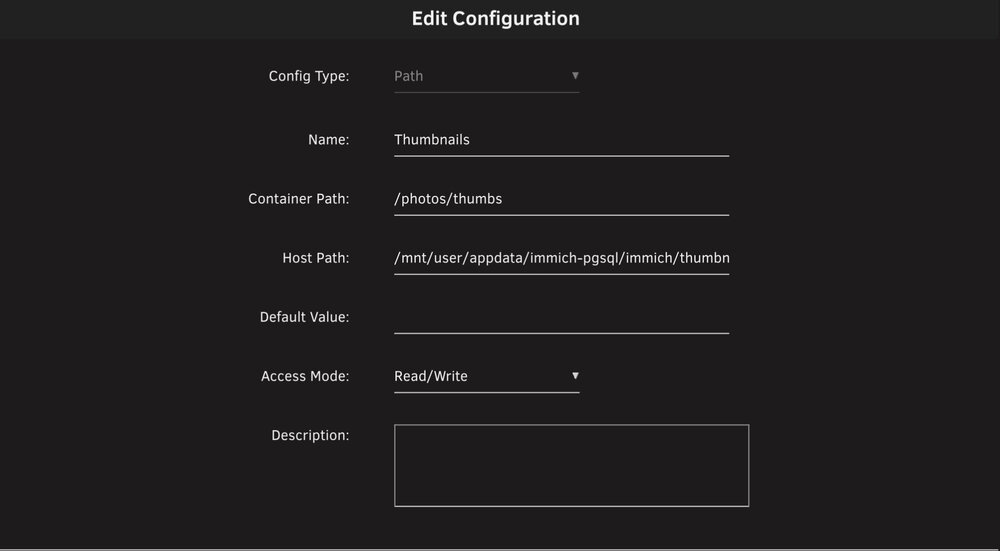
The container path for thumbnails has to be /photos/thumbs for it to work.
-
Does the GPU show up on the Nvidia Driver Plugin page? If not, you're likely out of luck. As for emby, did you set NVIDIA_VISIBLE_DEVICES = all
-
One of your containers might be set to /mnt/cache/sharename instead of /mnt/user/sharename Check all your container host paths
-
Can you screenshot a list of your docker containers.
-
The syslog appears to note corruption on disks 10, 12, and 13 if what this log says is true: Jun 27 10:09:48 store emhttpd: mounting: disk10 devices: 1 slots: 1 missing: 0 Jun 27 10:09:48 store emhttpd: shcmd (113): mount -t btrfs -o noatime,nodiscard,space_cache=v2 -U 287c07fc-9c47-4ba9-a1d5-f887f5c4877d /mnt/disk10 Jun 27 10:09:48 store kernel: BTRFS: device fsid 287c07fc-9c47-4ba9-a1d5-f887f5c4877d devid 1 transid 19391 /dev/md10p1 (9:10) scanned by mount (7833) Jun 27 10:09:48 store kernel: BTRFS info (device md10p1): first mount of filesystem 287c07fc-9c47-4ba9-a1d5-f887f5c4877d Jun 27 10:09:48 store kernel: BTRFS info (device md10p1): using crc32c (crc32c-intel) checksum algorithm Jun 27 10:09:48 store kernel: BTRFS info (device md10p1): using free-space-tree Jun 27 10:09:48 store kernel: BTRFS info (device md10p1): bdev /dev/md10p1 errs: wr 0, rd 0, flush 0, corrupt 13, gen 0 ... Jun 27 10:10:15 store emhttpd: mounting: disk12 devices: 1 slots: 1 missing: 0 Jun 27 10:10:15 store emhttpd: shcmd (119): mount -t btrfs -o noatime,nodiscard,space_cache=v2 -U 72b7c53d-d1c3-48e9-acf7-b36462bfbad8 /mnt/disk12 Jun 27 10:10:15 store kernel: BTRFS: device fsid 72b7c53d-d1c3-48e9-acf7-b36462bfbad8 devid 1 transid 18928 /dev/md12p1 (9:12) scanned by mount (7957) Jun 27 10:10:15 store kernel: BTRFS info (device md12p1): first mount of filesystem 72b7c53d-d1c3-48e9-acf7-b36462bfbad8 Jun 27 10:10:15 store kernel: BTRFS info (device md12p1): using crc32c (crc32c-intel) checksum algorithm Jun 27 10:10:15 store kernel: BTRFS info (device md12p1): using free-space-tree Jun 27 10:10:16 store kernel: BTRFS info (device md12p1): bdev /dev/md12p1 errs: wr 0, rd 0, flush 0, corrupt 5, gen 0 ... Jun 27 10:10:21 store emhttpd: mounting: disk13 devices: 1 slots: 1 missing: 0 Jun 27 10:10:21 store emhttpd: shcmd (122): mount -t btrfs -o noatime,nodiscard,space_cache=v2 -U 3f9fdf50-4ac2-4730-98e6-7a7d1fb69c81 /mnt/disk13 Jun 27 10:10:21 store kernel: BTRFS: device fsid 3f9fdf50-4ac2-4730-98e6-7a7d1fb69c81 devid 1 transid 42382 /dev/md13p1 (9:13) scanned by mount (7988) Jun 27 10:10:21 store kernel: BTRFS info (device md13p1): first mount of filesystem 3f9fdf50-4ac2-4730-98e6-7a7d1fb69c81 Jun 27 10:10:21 store kernel: BTRFS info (device md13p1): using crc32c (crc32c-intel) checksum algorithm Jun 27 10:10:21 store kernel: BTRFS info (device md13p1): using free-space-tree Jun 27 10:10:21 store kernel: BTRFS info (device md13p1): bdev /dev/md13p1 errs: wr 0, rd 0, flush 0, corrupt 5, gen 0
-
I don't personally see anything in the logs that points to an issue. You can try using the Netdata docker container to try and see what is using up the specific resources but the unresponsiveness is likely to do running low on memory, high IOWAIT, etc. This is purely speculation.




