Frank1940
Members
-
Joined
-
Last visited
Everything posted by Frank1940
-
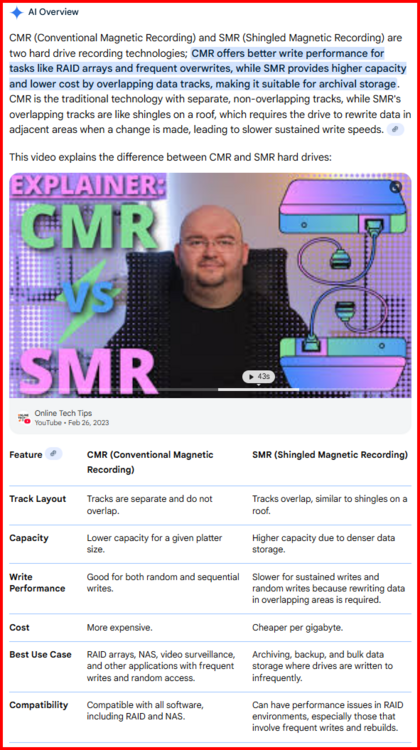
From Google's AI: You never want to assume that a HD is CMR unless it is specifically stated that it is. If any doubt exists, go to the manufacturer's website and look up the spec's for the drive model and capacity. You need to check both because there were instances where one capacity was CMR and another capacity was SMR!!! (And beware of purchasing 'shucked' drives as you never know what is inside until you get it open. Manufacturers seem to use external drive enclosures to move excess inventory!!!)
-
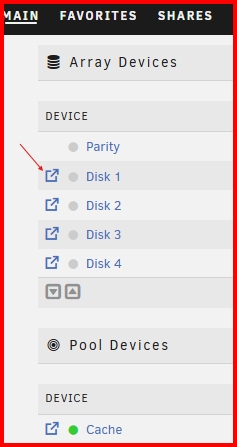
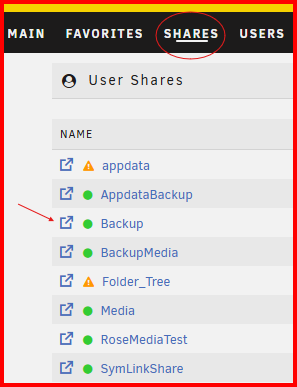
I would suggest posting about this issue in the Krusader Support thread. When you deleted the appdata folder, you also deleted the settings that Krusader uses to be able to access the files on the Unraid array. There is a built-in File manager in all recent versions of Unraid. I would suggest using that to see what shares are files are on your server. Click on the indicated icon to explore at the disk level: and at this location for the Share view:
-
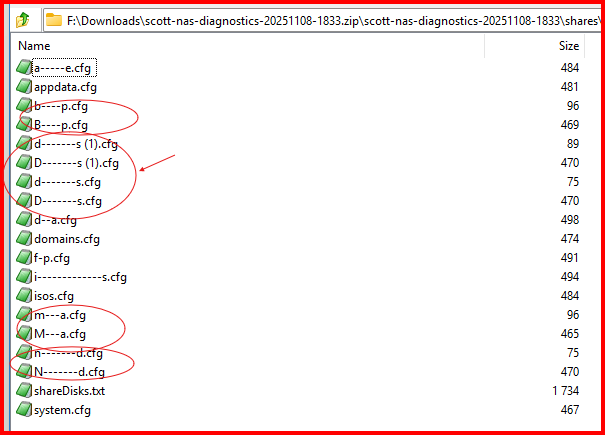
From your Diagnostics file: I would begin with the d---------s files group. Please note that Linux is case sensitive and Windows is not, So if you have two resources with names like Media and media, Windows will only show one of them!
-
Are you saying that if we have identical Machine-id's on two servers, we have to run this command on one (or both??) to resolve the issue? It does not happen automatically after installing 7.2.1...
-
I have used PVC Electrical Tape to seal these slots in the past. Replace that fan and put it to use. This is a tough one. A sheet of soft form could be cut to block most of the opening. Again, PVC tape could augment the form and help secure it in place.
-
Post up the Diagnostics file from your Unraid server. (Use a new post so that we know you have added new info about your problem!)
-
At this point, you should be working with the Support setup for this Container as @JorgeB suggested. (I am not a Docker expert but I try to provide support for those folks are having file access issues on the Unraid array.)
-
What are you using to provide additional SATA ports? Is this disk connected to that?
-
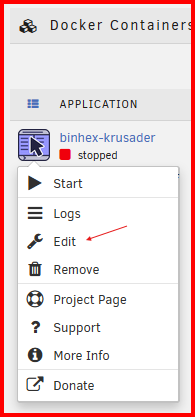
You might want to read this post if you understand what is going on with Linux owner, group and File permissions. https://forums.unraid.net/topic/188600-share-permissions-changed-to-owner-99/#comment-1540351 If these settings are not in the Docker container, you are using, you can modify/add them by editing the container variables. When you first open up the Edit page, you will find dropdown settings that are not shown in the 'Basic' setting. The 'Edit' function includes the ability to add variables that are not currently used. You work from here:
-
Whitespace/space characters in a Share or file name is not a problem to the Unraid OS. Until you drop to the command line. The BASH shell used by Unraid treats a whitespace as a deliminator separating parameters on the command line. The BASH shell can handle this situation if the backslash character (\) precedes the the whitespace character. See this example below: The directory name is All Movies Notice that even the shell inserts the backslash character when it outputs a name with a Whitespace in it. Of course, if you have other programs/scripts that are going to be working with resources with spaces in the name at the command line level, they must be aware that the backslash character has be to inserted before the whitespace character. Let me show you an example of what I mean: You can see the backslash character in the cd command. It is absolutely required to the command to work properly. (I can remember that the old UNIX hands would never even use a capital letter because they did want to have to remember to use the shift key. That is way virtually all of the old UNIX commands names are lower case!)


-
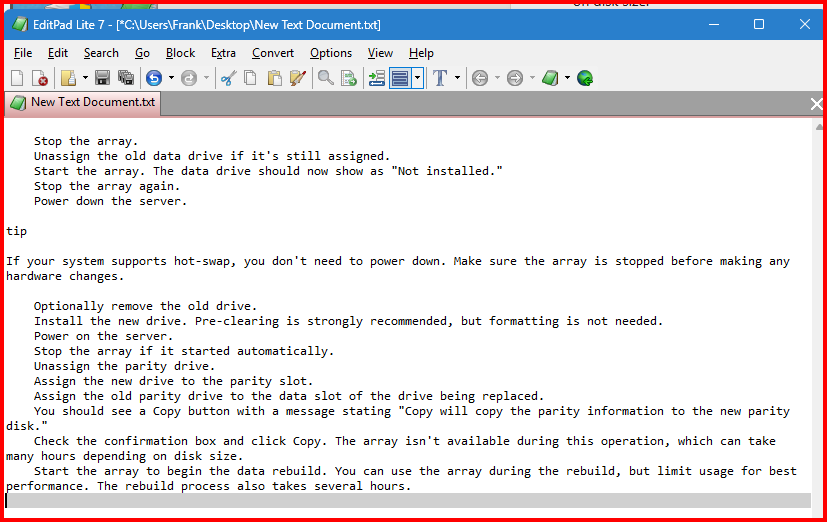
It might depend on the browser used I use Firefox. This is what I get if I cut and paste into my text editor: That is why I try to get screenshots directly from the browser. Granted you can do a bit of editing to tidy thing up...
-
The problem is copies between a disk (Disk Share) and a User Share --- either direction. Understand the Linnux OS will prevent you from coping a file onto itself. But it does not realize that a copy between a disk and user share can result in that exact situation because the paths are different. For a disk share--- /mnt/diskX/ShareName/FileName For a User Share--- /mnt/user/ShareName/FileName The problem arises when the file physical source location in the User Share is on the very disk where you want do the Disk Share operation. In that case, it results in the file being copied onto itself.
-
Be aware of this problem if you are writing a shell script as you will not see any warning if you use a scipt--- https://forums.unraid.net/topic/58290-copy-data-from-a-disk-share-to-a-user-share/ And this post explains the problem in detail https://forums.unraid.net/topic/58290-copy-data-from-a-disk-share-to-a-user-share/#findComment-571722
-
This is good advice. For these type of long-term process, I also recommend checking-off each step. (I actually use two marks, one when I start it and one when I finish. Rather than copying-and-pasting, I generally try to use a screenshot to get a copy of instructions. That way the formatting is always preserved.
-
To state the obvious, for the 'other shares' use the "Exclude disk(s)" setting and set it to disk 1 for those. There is a Feature Request section on the Forum, you could make a request for what you want there. You really need to think about what you want in this 'feature' as you need a logical set of rules of what happens after disk1 becomes full...
-
I would make a copy/backup of that FLASH drive. This is both an insurance policy and you also need access to the /config folder/directory to recover the .key file which is the Unraid license file that is tied to the GUID of that particular flash drive. Then you can wipe the drive clean and install the version of Unraid you want to use. You copy back the .key file to the /config folder and config your Unraid server from there. As a Personal Preference, I would do a manual install of Unraid. You can find instruction here: https://docs.unraid.net/unraid-os/getting-started/set-up-unraid/create-your-bootable-media/#manual-install-method
-
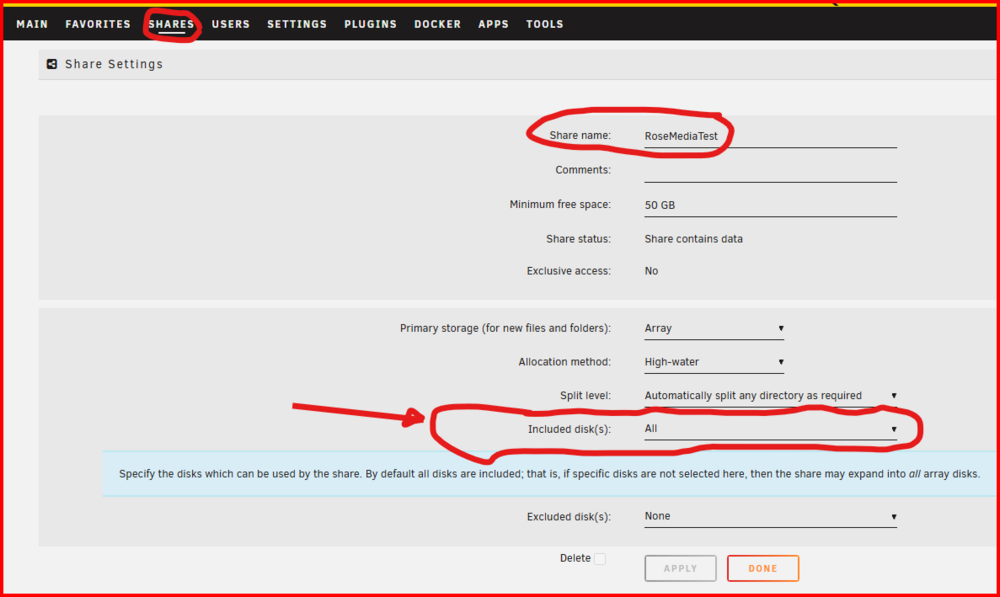
Look at this setting right here: You will have to keep an eye on how full that disk becomes and add a second one at the appropriate time!!! (Should not be a big problem with +20TB drives now available.)
-
Post about this problem in the support thread for this Docker container. Be sure to include the Diagnostics file and any log files from the container.
-
S#!T... I just checked and that is the result if you don't run Power Shell in the Administrator mode. To do that, You search for it and you right-click (NOT the normal left-click) and pick "Run as Administrator". Accept the popup to allow changes...
-
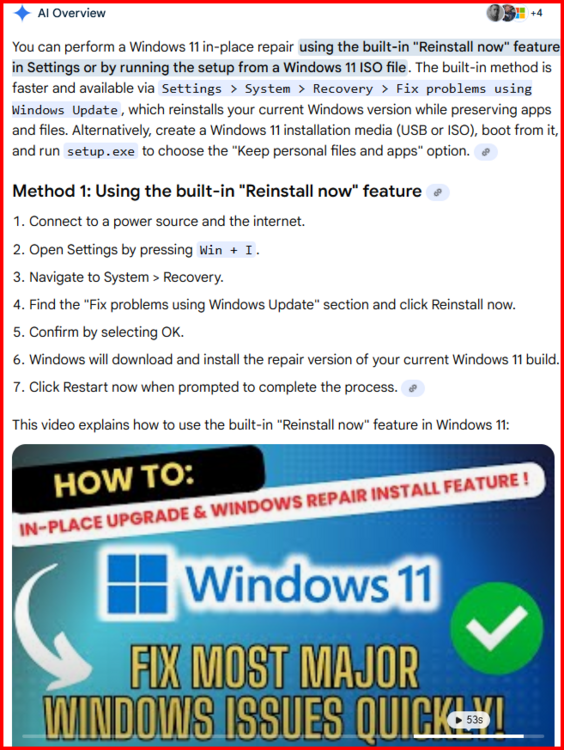
I would suspect that a Reinstall or repair is necessary. I would start by googling windows 11 repair in place. IF that works, you will not have to setup Windows the way your want it and reinstall all your programs. See below for Google's AI overview:
-
Open up PowerShell in the Administrator mode and run the command in this thread: https://forums.unraid.net/topic/170027-smb-windows-settings-available-through-power-shell-and-linux-samba-tools-informational-posting/#findComment-1441603 Note particularity the 'UserName' for all connections. It should be the one that you set in Windows Credential. (That name will be proceeded by the Computer name assigned to your Windows 11 Computer.) Note that there are several other very useful PowerShell commands in this thread as well as some that can be run on the Unraid server (smbstatus and testparm) to provide information on its Samba status.
-
@ilium007 , there is a section of the Forum where MAC issues are discussed: https://forums.unraid.net/forum/103-macossmb/
-
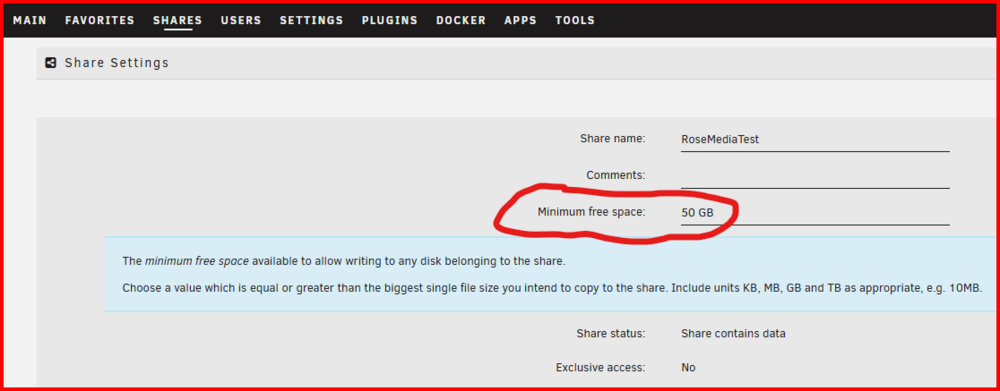
You mention that you have issues with this one file. Is this the only file or you are simply using it to maintain identical conditions: I had a look at your share settings and I would suggest that you make a change to one of them. It is shown below---SHARES >>> share-name My setting is for 50GB as that would be the largest file I would anticipate ever writing to this share.
-
You indicate that you are using rsync. What are your parameters? I do a backup from one server to the other server of 20TB and use this command: rsync -avhPX /mnt/remotes/ELSIE1_Media/All\ Movies/ /mnt/user/BackupMedia/All\ Movies/
-
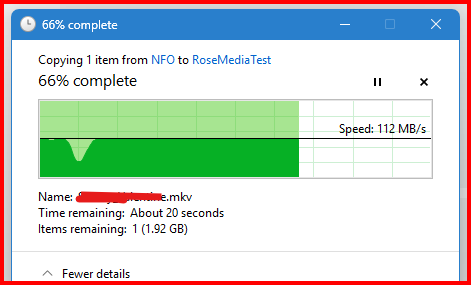
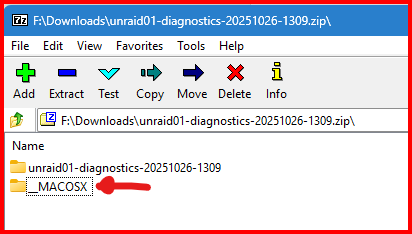
Were you copying a single file--- not a batch copy? Was this only disk-type operation occurring at the time? I just did a Windows to Unraid copy of a single 6GB file to a 'cold' server (Using 'Write Reconstruct' mode) and here are the results: The dip that you see is the array being spun-up! Everything prior to that point is being cached in RAM. The reminder of the copy proceeded at ~ 112MB/s. (Rose is my backup server and you can see the specs in my signature.) The copy was made from a Windows 11 PRO (24H2) client using Windows File Explorer. And what is this entry in your diagnostics file? My reason for asking is that I have never recall seeing it before in a Diagnostics file. You are running Unraid on bare metal???