





ConnerVT
Members
-
Joined
-
Last visited
Everything posted by ConnerVT
-
I would run a SMART test (short one) and post it here. Will be interesting to compare the SMART to the label.
-
This is a very good solution for the A310 (of course not ideal, the card should just work properly), as likely the vast majority of use cases for the card is only transcoding. Setting the fan speed to a constant very low speed should be more than enough cooling while generating little noise and using minimal power. If you are chewing through LLM or playing higher end games, a different card would be your best solution.
-
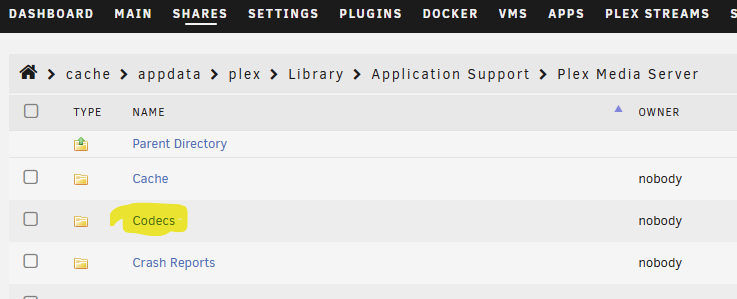
"Weird experiences" is a very vague description, so I won't give any advice. It really depends on your equipment, the media file(s) being played, how the media is being played (Direct Play, HW transcoded, CPU transcoded), the client (dedicated app on TV/device, web browser). So any variables to consider, so there is no One Size Fits All. The two situations I've seen issues where updating the codecs seem to solve the issue is with EasyAudioEncoder and with HDR media (when it isn't a Plex update shooting itself in the groin). Since deleting the Codec folder and letting the software get a fresh copy is a simple troubleshooting task, it is always worth a try to see if it solves the issue. The unanswered question is - What causes the codec to get corrupted? Is it a software issue in the Plex app itself, or something from the system/server side? I only have needed to do this maybe two times in the 7 (?) years I have been using Plex, so I don't know. But I have passed this tip to many here on the Unraid forum, and most all have had a positive result.
-
Stop Plex. Delete the Codecs folder. Start Plex Plex will download a fresh Codecs folder with the correct files. This has been an ongoing thing with Plex for several years.
-
I save everything on PostIt Notes. 😜 My approach is a combination of self made scripts utilizing rsync and Macrium Reflect. The first thing to do is evaluate what data you need to back up and how "mission critical" that data is. I try to maintain a 3-2-1 philosophy for my most critical and small data set backups. Some (such as the 30TB Media share) only get a single backup destination. For me, I have 2 Windows PCs which need be backed up. I send these to my main Unraid server via Macrium Reflect daily. My wife and I back up our iPhone/iPad photos to Immich running on the server (also iCloud as well). For the Windows boxes, I keep 3 months (plus the current month) in dedicated folders in my Backup share, then those older than this move to the Backup/Historical/<pc_name> folder (just the monthly files). I then have an external USB drive (actually 2, more on this later). A weekly script rsync mirrors the data of the Windows active backup folders, as well as a few other things (Appdata Backup plugin files of Appdata and Unraid flash, Photos, Media/Music folder). Every 2-3 months (when I remember) I swap this USB drive for a second one, which I keep locked up at work. This is the "worst case" backup, if my home is destroyed or I get ransomware. I have a few other systems/services which save their backups on my Google Drive. I will usually add these to these external drives when I swap them. As for my media, I have a second Unraid server. It only has two roles in life - It runs my security camera NVR and twice a month it gets an rsysnc mirror of all of my media. As this data isn't "mission" critical and is replaceable, a single backup is something I'm comfortable with. I am happy with the scripts. All of them include sending notifications to a dedicated Telegram chat, both when things work and when they don't.
-
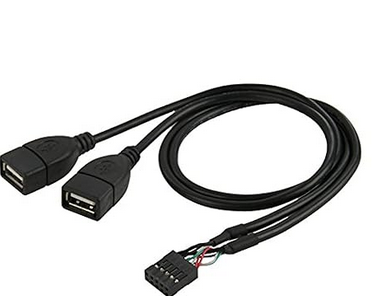
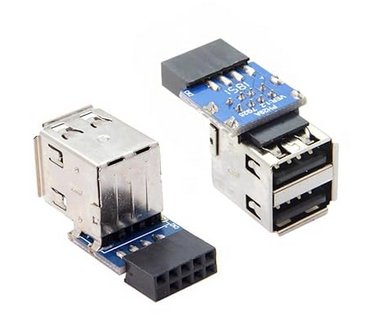
You can use either a cable or an adapter which plugs into a USB2 header on your motherboard. I prefer the cable - I tie wrap the flash drive connector to a convenient place inside my case. https://www.amazon.com/dp/B015F6QXKO https://www.amazon.com/dp/B015F6QXKO
-
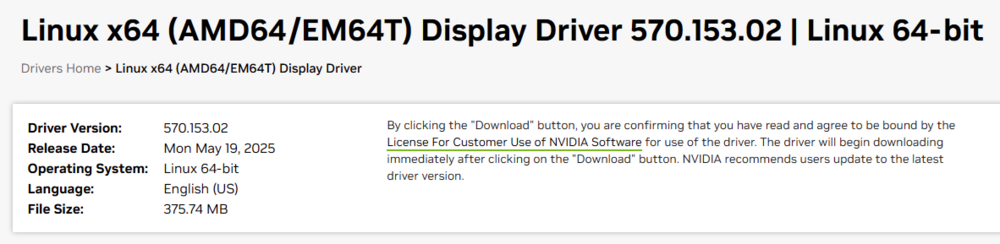
Untrue. While the Quadro P Series of GPU is in line to be fully deprecated, they are still fully supported in the most current Production Branch Driver. https://www.nvidia.com/en-us/drivers/unix/

-
This is the root of the issue. Since the beginning of the year, there have been 6 releases of Unraid 7, each (I believe) with a different kernel. For those who wish for stability, upgrading once a month is not a winning strategy. My main server is still on 6.12.10. I always stay away from software that ends in .0 (and x.0.0 is even worse). I was hoping that 7.1 would finally have most all of the bugs worked out, but it looks as 7.1.3 is still a mess. I really do wish to upgrade this server, but I will just watch from the sidelines until LT straightens out the mess.
-
You passed.
-
Most all modern CPUs and MBs (the past few generations) support virtualization.
-
This is the sub-forum for Forum Feedback, which would be assumed to be on subjects related to this support forum site. As Community Applications is a plug-in application supported by Squid, he probably doesn't visit this sub forum much. Along with CA, he also has a lot of other applications and issues on his plate. I would recommend you bring up the subject in the appropriate Community Applications support thread.
-
🤮
-
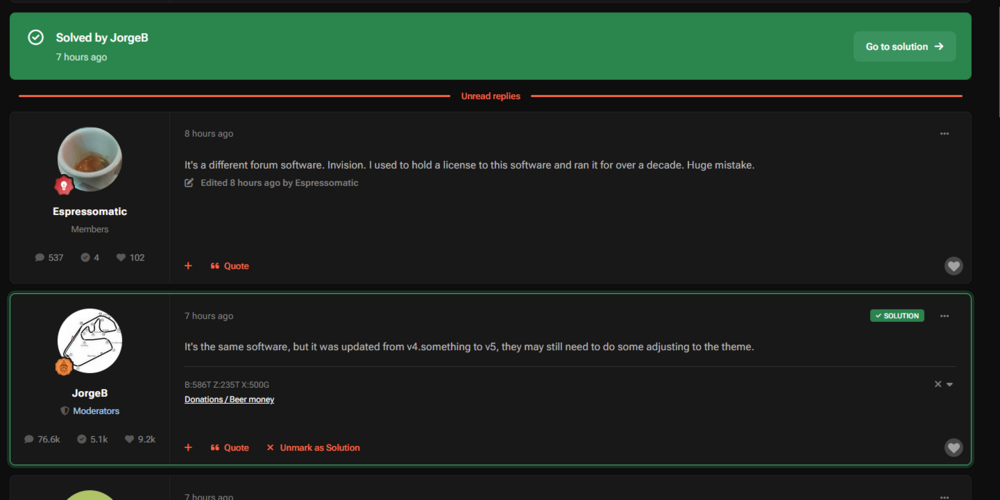
Thanks, JorgeB. Figured there was an update. Found the Dark Mode button (wasn't it in the top right corner before?). Agree the smaller font sucks. More interesting, I hadn't visited since I started this thread. I thought that only the thread starter could mark something as a "Solution". Yet, here it is, and I didn't do it.
-
Dark Mode went glaringly bright, and other formatting changes also. Is it the same for everyone, or just me?
-
The Unraid Support Group meets on Tuesdays, after the Mover completes (except during Parity Checks)...
-
Browser-based Plex client has had issues for many years when it comes to transcoding. Many times it defaults to CPU. Even when it initially starts with GPU transcoding, it will switch to CPU (or come back with an error message) if you change video parameters (or even just when jumping to another time in the file). For troubleshooting, it is best to use a dedicated Plex client app, such as AppleTV, Roku, etc.
-
I saw this as well yesterday - 6.12.10 (Yeah, I know, I should update. Waiting on 7.1.1. Production servers don't update to versions with a .0 in them)
-
Same here. I had only read 3rd party articles about it. Good to see info direct from the source. Like Hoopster, I also grabbed a $75 Lifetime Pass, back in 2018.
-
Blasphemy! The ravings of a mad man, I say! Seriously, thank you both for showing us how the sausage is made, as well as your dedication and effort.
-
It is always better to ask in the appropriate support thread (Nvidia Plugin, in this case). But the short answer is likely because the RTX 5090 is so recently released (3 months ago, Jan 2025). Support for new hardware takes time for it to be developed, tested and deployed as stable in the Linux world. Even more so for server code.
-
It was worth a try. Zero cost to check that off the list as a suspect. Replacing DRAM would be my next step.
-
I would first try removing the DRAM, check that all looks undamaged and clean (no huge dust bunnies). Reinstall the DRAM and run Memtest again. You wrote you were recently inside the server, perhaps you disturbed something.
-
You should post in the plugin app's support thread:
-
It will run. But tasks like unpacking RAR and assembling NZB files from USENET use a great amount of CPU power. Managing multiple torrents does also. To a lesser extent, Immich and Nextcloud sometimes can be taxing, depending on what task it may be doing. You have 4 threads to work with. At least one will be for Unraid itself, to handle running the OS and all of the other things Unraid manages, such as the Docker system, disk access, network, etc. It would like to have more. Then the rest of your docker apps each will want a slice of the pie. If threads are not available, they will wait until one is. This is fine for most things, as they aren't time sensitive. But a media server needs a constant stream of input, else you get stuttering or worse. You can put a trailer hitch on a Japanese kei car. But you won't be able to pull very much around with it.
-
Will it run? Probably. Unraid will run on nearly any x64 based system. Will you be happy with it running what you listed? I doubt it. A 12 year old 2c/4t Ivy Bridge CPU might be enough to handle basic NAS functions and stream Jellyfin content (direct or simple transcode) to one client on your LAN. But as you start adding a number of other apps, you will find it severely CPU limited. Benchmark scores for the i3-3225 are less than half that of a fairly current N100 and a quarter of a first gen Ryzen 1500X (which I built my first Unraid server 4 years ago). The N100 is about the minimum to go, if the goal is minimum power usage. Something equivalent to 1500X (4c/8t from circa 2017) would handle the list you posted.






