





Kilrah
Members
-
Joined
-
Last visited
Everything posted by Kilrah
-
Do those containers show up on the Docker page? If so you probably didn't down the stack before deleting it so the containers are still actually there and need to be removed manually.
-
This thread should now be best ignored and the official documentation used instead: https://docs.unraid.net/unraid-os/using-unraid-to/manage-storage/array-configuration/#removing-data-disks
-
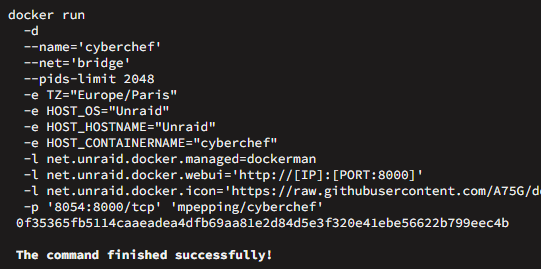
The standard TZ variable. As you can see anytime a container is added/edited the run command contains it. If they decided to require a different variable then I'm not sure how to reference the existing one.
-
It already is by default.
-
GitHubunraid_scripts_and_guides/guides/recreate_dockerimg.md at...Unraid scripts and guides I've put together. Contribute to jcofer555/unraid_scripts_and_guides development by creating an account on GitHub.Change the size to something more sensible between steps 3 and 4.
-
Looks like multiple containers sharing a data folder but not being grouped for start/stop.
-
As long as both paths are in appdata sources no. These days you should be using the user share path and enable exclusive shares, that would bypass the overhead as well without requiring direct paths.
-
Context matters, what they're usually being dunked on is "not the best price to perf ratio for gaming", which doesn't really translate to servers. For what OP mentioned they want to do... well I wouldn't even buy new, for similar uses my 8 year old 7700K is way more than enough already, so it's very overkill. If you want to buy new then go low end 1-year old gen so you don't get the "newest" tax.
-
That would depend on the template authors to include that keyword, which is quite unlikely.
-
Unraid tracks that separately. It depends on the filesystem used on the disks, and cleanly unmounting pretty much any filesystem these days involves writing to it.
-
There is nothing automated for this, so that's what you need to do.
-
This instance on 7.2.0-beta3 but I believe stable has the same problem. Can be reproduced by doing the array shrink procedure using the "clear drive first" method i.e. manually unmount a drive before dd'ing 0's to it. Problem is that on next array stop it'll stay stuck forever on Sep 22 19:27:22 Unraid2 emhttpd: Retry unmounting disk share(s)... Sep 22 19:27:27 Unraid2 emhttpd: Unmounting disks... Sep 22 19:27:27 Unraid2 emhttpd: shcmd (450): umount /mnt/disk2 Sep 22 19:27:27 Unraid2 root: umount: /mnt/disk2: not mounted. Sep 22 19:27:27 Unraid2 emhttpd: shcmd (450): exit status: 32 Sep 22 19:27:27 Unraid2 emhttpd: Retry unmounting disk share(s)... Sep 22 19:27:32 Unraid2 emhttpd: Unmounting disks... Sep 22 19:27:32 Unraid2 emhttpd: shcmd (451): umount /mnt/disk2 Sep 22 19:27:32 Unraid2 root: umount: /mnt/disk2: not mounted.I've had a similar issue on my main system where sometimes a container gets stuck with a zombie process on /mnt/cache, array stop gets stuck on umount: /mnt/cache: target is busy.. I can manually force unmount it but then all it does is the above, changes to umount: /mnt/cache: not mounted. forever until I trigger a shutdown and the shutdown timeout expires. I.e. shcmd should continue if a filesystem it wants to unmount is already not mounted, not stay stuck in an endless loop.
-
Mass storage no, NAS yes, just share one or more folders.
-
990 pros are known to have dropout issues, AFAIK a firmware update for them has recently been released to help with that.
-
It's not since as they said they're not using mariadb anymore.
-
No idea, I always use a reverse proxy.
-
Yup I believe so, but not sure if the DB stores relative/absolute paths etc... Yeah that's why IMO file backups are more suitable, I never do images in urbackup unless it's a situation where I know I might need to restore that straight away e.g. if a full OS upgrade fails. With file backups you can just browse to the file in the webui and click restore, or if the file is still there but you just need to restore an older version you just right-click on it and restore. Sure
-
Looks like something similar has happened again with all bergware/dynamix plugins
-
Probably something similar to https://forums.unraid.net/topic/38582-plug-in-community-applications/page/188/#comment-1566749
-
You should usually never pass the whole of /mnt/user to a container, you'd have created a share for it first (say "urbackup") and passed /mnt/user/urbackup to the container, then set /media as backup location. But it's unrelated, AFAIK that feature isn't possible to use in a/this container anyway because it needs to do a fuse mount and what's required to do that isn't available.

-
Just delete the port entries when you don't want them. Standard for all containers to have a default port mapping entry.

-
https://github.com/unraid/api/releases SSH error is probably from the Connect plugin flash backup.
-
There's a "storcli64" plugin in Apps
-
docker container stop <name> should do
-
AFAIK that's a bug in the Connect plugin.


