ChatNoir
Moderators
-
Joined
-
Last visited
Everything posted by ChatNoir
-
I would definitely replace. It does not seem to be actually readable. SMART Extended Self-test Log Version: 1 (1 sectors) Num Test_Description Status Remaining LifeTime(hours) LBA_of_first_error # 1 Short offline Completed: unknown failure 10% 20595 0 # 2 Extended offline Aborted by host 90% 20595 - # 3 Short offline Completed: read failure 90% 20559 5275992 # 4 Short offline Completed: read failure 90% 18719 5275992 Also, some SMART attributes are way too high for my comfort: ID# ATTRIBUTE_NAME FLAGS VALUE WORST THRESH FAIL RAW_VALUE 5 Reallocated_Sector_Ct PO--CK 100 100 010 - 20 197 Current_Pending_Sector -O--CK 100 100 000 - 2048
-
I simply use Plex for that. Works on my car via the mobile app, on my browser and I can also connect my phone to my home cinema via Bluetooth if I want to have it in my living room. I use the PlexAmp app on mobile.
-
Pretty sure it is charged as USD.
-
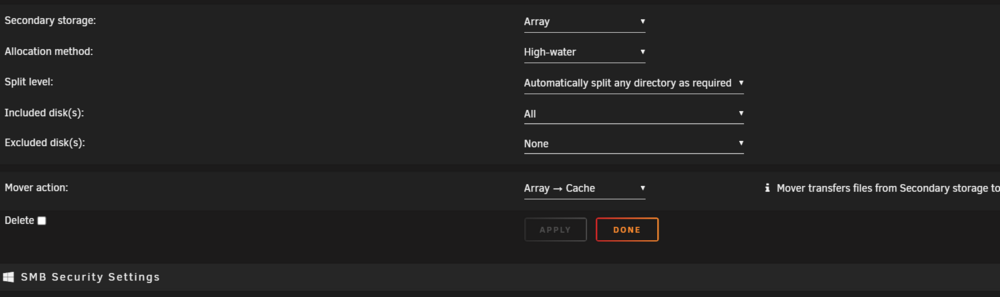
Hi @vdaniel2, it is not in "the mover section" per se, it is on its own. It is only available on empty shares and if you tick the box and then apply it will delete the share.
-
It is not officially supported (for the moment ?). So no official guide.
-
Please refrain from double posting. This is not helpful for you, for people trying to help and for future use by other users since answers will be all over the place. For anyone interested, see here:
-
-
This forum is for the Unraid NAS OS, not sure any information here can be translated to Synology.
-
Why not to 6.12.10 ? Without a diagnostics from your server with the missing drives, I doubt you can hope for a solution.
-
The diagnostics comes in a single zip file, please attach that instead of individual files. It is much easier to handle.
-
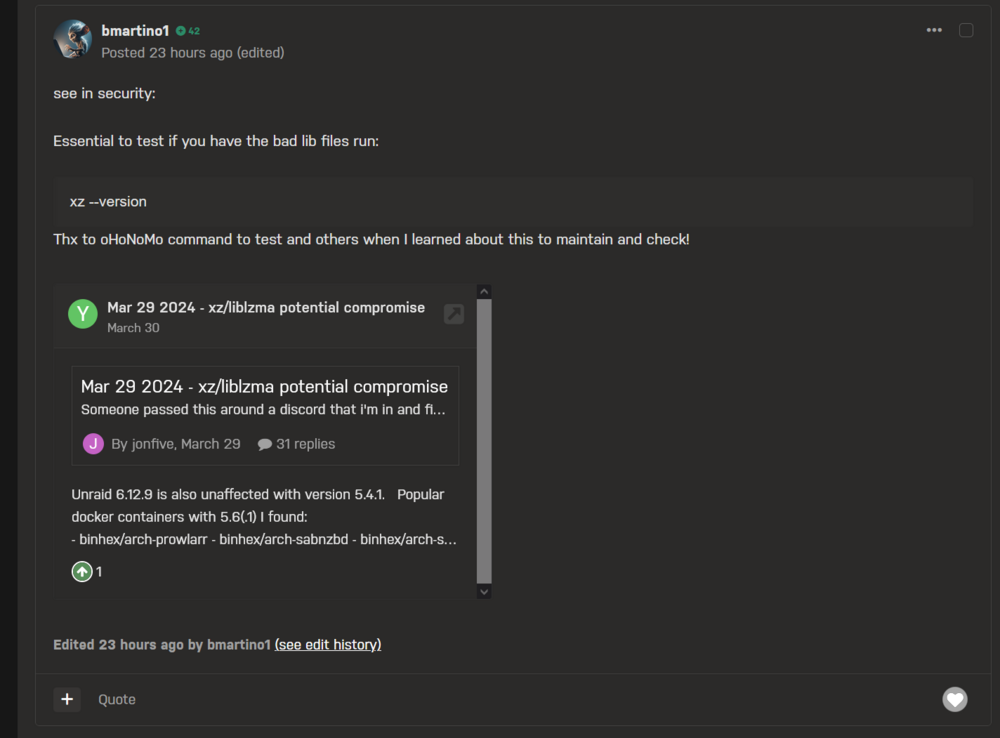
What do you see on the server monitor ?On Dark Mode, in the Bug Report forum, the inserted text (code ?) and box to another thread barely have a color difference on the background.
 It looks ... different. Not sure yet if it is better or worse. Is it me or is there more unused space vertically ?Moved from Disk and Controllers to the German subsection. If you want to post in the general forum (outside of the multi-language section), please use English.Also if you are using VMs with HW passthrough you should stop their autostart and check the HW IDs. But, there should not be a problem as stated by JorgeB.You say that you want to remove it from the Array. Why sync the Array with disk26 IN the Array ? Keep it outside (unassigned if need be) and sync with just the rest.This thread is for Unraid V5 and older, this command is probably not accurate.This is a very old thread for Unraid versions 5 or older. You would probably have better answers in the current general support forum : https://forums.unraid.net/forum/55-general-support/your diagnostics might show somethingThe goal is to have the Unraid Array to be one type of pools among others (ZFS, BTRFS, etc.). Then, you could have 0 Array and only ZFS if you want, and/or several Arrays.For key file issues, you should contact support with as much detail as possible. Nothing other users can do for you on the forum.The bug is probably that you can see the beta, not that you cannot install it.