ChatNoir
Moderators
-
Joined
-
Last visited
Everything posted by ChatNoir
-
That would be a simpler and a more elegant solution for the users' point of view.
-
Here you can find the recommended controllers : There are options for 2 SATA ports.
-
Hi @jedimastergrant, The diagnostics come in a single zip file. It is possible that your browser or OS tries to 'help' by showing all the individual files. Please attach the .zip file instead to your next post in the thread.
-
You should probably contact support.
-
I am not sure a 12 years old thread is the best place to find current answers. You should probably start a thread in general support. https://forums.unraid.net/forum/55-general-support/
-
Works for me on Firefox.
-
Not recommended is different from not supported.
-
Not in the general forum, moved to the German section.
-
There has been a bunch of binhex containers updated. Have you checked before or after the updates ?
-
ZC1BR8V0 seems to only have one UDMA CRC Error (so, connection / communication error). You can probably check that everything is properly seated and acknowledge the error on the Dashboard. ZC1BRGY5 however is much more preoccupying with 40 reallocated sectors and 4 still reported incorrect by the drive. ID# ATTRIBUTE_NAME FLAGS VALUE WORST THRESH FAIL RAW_VALUE 5 Reallocated_Sector_Ct PO--CK 100 100 010 - 40 187 Reported_Uncorrect -O--CK 096 096 000 - 4 You should probably run Extended SMART tests on both (I only see one short test on ZC1BRGY5) and come back with updated SMART Report. Personally, I would consider replacing ZC1BRGY5.
-
Preclear is one option to stresstest a disk but is not mandatory. @TheSnuke, it seems to pass the Extended test, but still has a lot of errors. ID# ATTRIBUTE_NAME FLAGS VALUE WORST THRESH FAIL RAW_VALUE 1 Raw_Read_Error_Rate POSR-K 177 135 051 - 1025 That's not good, in your place I would have the disk replaced or reimbursed by the seller.
-
The update went fine. 👍
-
Had to read it twice to understand, I think it should read something like this : "Unraid first and foremost is a home NAS and while for business/enterprise customers, they want a very fast, robust, tried and true solutions."
-
You should contact support.
-
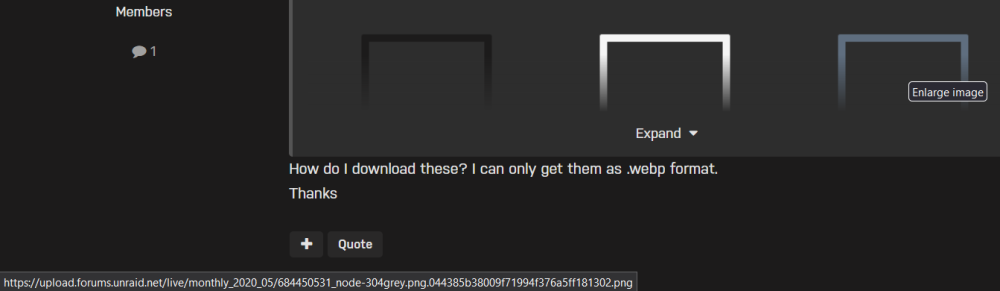
I don't know what browser you use, I see them as .png images on Firefox.
-
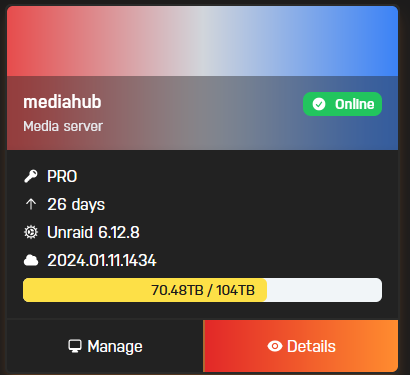
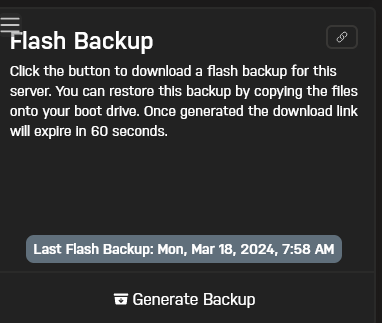
There are some elements here : https://docs.unraid.net/connect/help/ (I should have started there 😇)Since the backup only sends the specific files (config, docket, etc) and not the OS files (bz* files). When downloading the backup the server has to get your files + the relevant OS files, pack all that in a zip file for DL. From personal tests, it can take a few seconds indeed.The flash is backed up online and you can download the last version here :
 Please post in the proper section of the forum. Not there : I'll move it.
 以前有,但最近一次更新似乎还没有多语言版本。 我使用的是在线翻译,希望足够清楚。 @SpencerJPlease, keep your debates under control and preferably not on a third party's thread.For future réference, Historical devices is part of the Unassigned devices plugin, not the base Unraid.Mover log should only be used to debug Mover issues. Not on a regular use. It tends to be very verbose and will spam your logs.This is not the diagnostics file. Please check the link.