





JonathanM
Moderators
-
Joined
-
Last visited
Everything posted by JonathanM
-
Easiest work around would probably be setting up a VM, and pass the device USB to the VM to manage it there.
-
Not sure what you mean by "new installation", but any drives you assign to a new zpool will be erased.
-
Parity doesn't involve the pools, so parity errors are irrelevant to your cache pool. If you want to replace your cache pool, you need to make sure all the files on it are backed up elsewhere, and either replace it outright and restore the files, or add a drive to the cache pool and balance it to RAID1 so it's redundant, then you can remove the bad drive. Either way make sure you have good backups of any files you need that are on the cache pool.
-
Unplug the keyboard before booting and see what happens.
-
Connect a monitor and keyboard, and see if it's booting off the USB. I'm betting the CMOS battery died, and it's trying to boot off one of the hard drives instead. Any linux OS should be able to read the individual disks if you can't get the server booted properly. There are many things to try before you remove the drives, you really should give it a chance.
-
<tangent rant> My personal opinion is that liquid cooling is great for desktop machines that are only running with someone right there that can react to anomalies. The consequences of an unattended failure, however small the chances, aren't worth the risk to me. Leaks, although very rare, could possibly be system killers. The more common failure is pump related, which can result in rapid overheating due to the lack of thermal mass in the blocks. Standard heatsinks overheat much slower, and as long as you keep the air path free of dust, can even survive total single fan failure as long as enough air moves through the case to allow convection to take away the heat. The only reason I bring this up is you mentioned totally rebuilding your system. Server grade liquid cooling is in a whole different price class than desktop gaming systems, and is normally meant for whole racks of servers. </end tangent rant> Feel free to ignore me.
-
Skim through the support thread, if your issue isn't already covered, ask there.
-
Depends on your risk tolerance. If there is ever any file system corruption, you need a significant amount of free space for the check and repair to succeed. That is one reason for the conservative free space of 10%. Nothing can move open files, so if you have the docker service enabled, the files won't be moved. Also, you many have accidentally made copies, and they won't get overwritten. To see what's going on, temporarily enable mover logging, run the mover, then look at the syslog. Be sure to turn off mover logging, it will clog up the logs with all the extraneous junk.
-
That is usually a cable issue, not a drive failure. Make sure the cables aren't under tension, ideally if you theoretically removed the drive without disturbing the cable the cable wouldn't move. I'd run an extended SMART test, then check the SMART report to be sure. The long test will take MANY hours.
-
Can you try from a different machine? I've seen security software mess with active elements like that.
-
Attach diagnostics to your next post in this thread.
-
Try a different browser, and / or incognito mode.
-
Attaching diagnostics to your next post in this thread would be a start. Your first screenshot doesn't show any missing disks, what was the layout before this happened?
-
Where do you think the data is currently?
-
Keep the license key file with the physical USB, keep the rest of the files in the config folder with the hardware. If you need more clarity, ask.
-
That's probably enough, but to be sure after the machine shuts down, I'd turn off the PSU if it has a switch, or pull the cord, then push the power button to drain the motherboard capacitors. A full power cycle is when everything is totally shut down and started from scratch, as opposed to just a restart or reboot. Sometimes parts need to be taken totally offline to get going again, they can get hung in a state where just a reboot doesn't do it.
-
After you switched the router did you completely power down and restart ALL the devices on the network? What you are describing can be symptoms of two devices on the same IP, which can happen if the assigning device was changed and the assignments aren't all renewed.
-
Pretty sure that's an old version. You can't see plugins that aren't available to you, and you are on such an old version that the new plain "Appdata Backup" isn't available to install until you update to at least 6.12
-
vs. (forgive the background color difference, it helps me remember which server I'm connected to at the time)
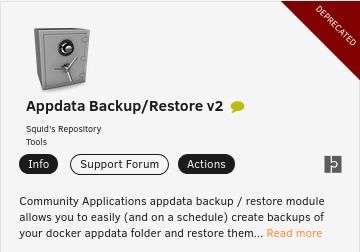
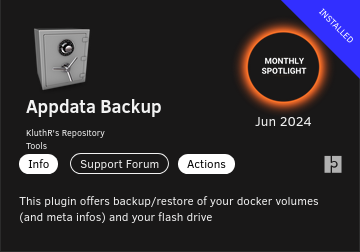
-
@jermcel, which version of Unraid are you running? @binhexThere are several things in the supervisord file that look strange to me, first is the ipmangle, I thought that was no longer an issue, also since I use wireguard I can't compare my logs directly.
-
The /mnt/user folder isn't integral to the array or pools, it's the user share structure aggregated from the root folders on all pools and array disks. It's not tied to the array. https://docs.unraid.net/unraid-os/manual/shares/user-shares/
-
Attach the log, be sure to redact your VPN credentials.
-
Did you create the app password? It's NOT your gmail password. Quoted from the help text I linked. Create & use app passwords Important: To create an app password, you need 2-Step Verification on your Google Account. Create and manage your app passwords. You may need to sign in to your Google Account. https://myaccount.google.com/apppasswords
-
https://support.google.com/mail/answer/185833?hl=en
-
I believe the intent of this post was to add to Simon's explanation of why plugins are good instead of embedding everything in the OS by default.



